
Following breeders, farms and animals
Open the profile of a breeder, farm, person or animal and tap Follow. The button changes to Following, and Creatures lets you know when they share a new post or list an animal for sale.
On a farm's profile or a seller's profile, Follow opens a short form first: select Follow there. Signed out? Enter your First name, Last name and Email before you select it, then the 6-digit code we send, and select Confirm Follow. That also signs you in. A new Follow is private, so the seller sees how many people follow them, not who.
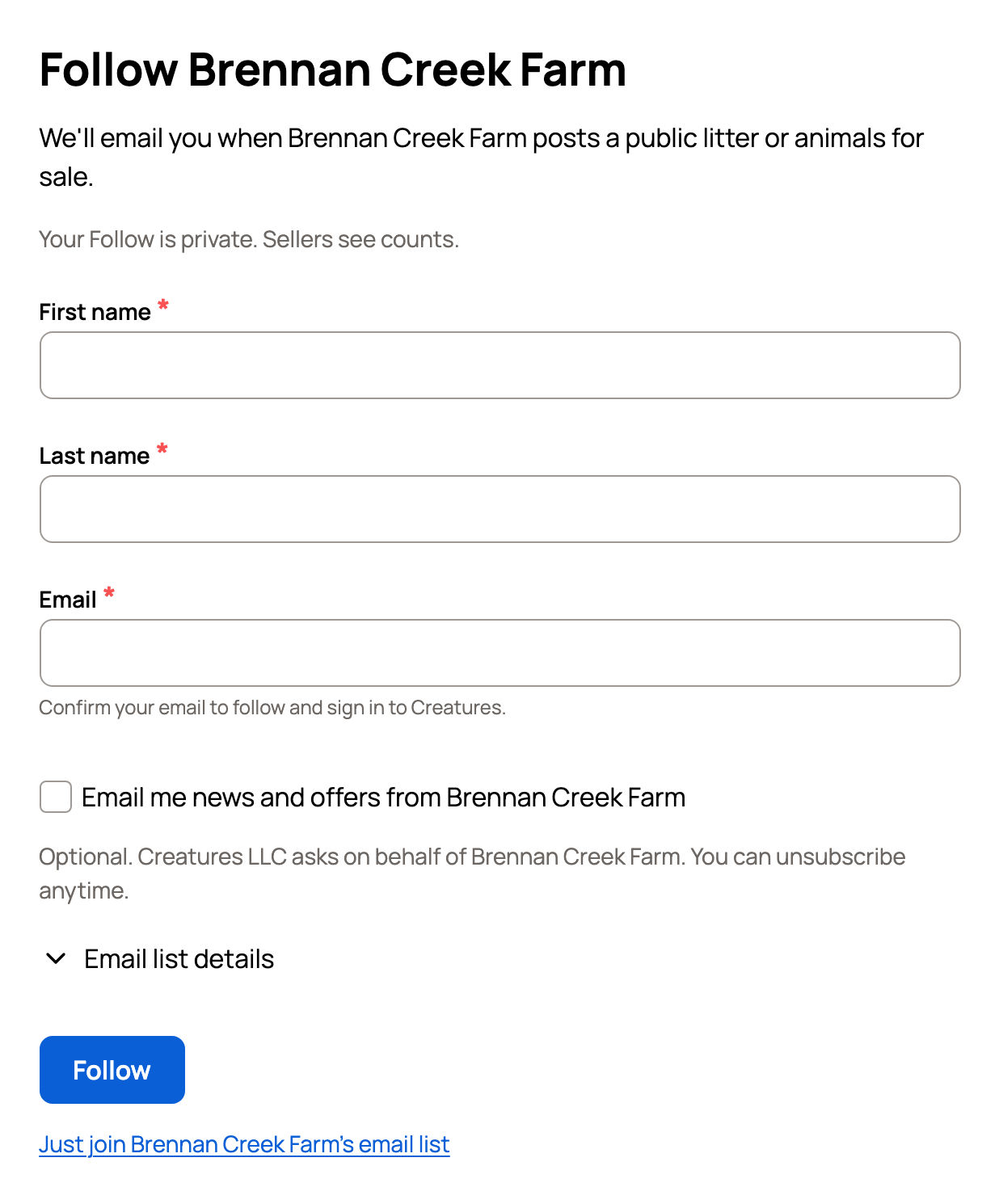
On other profiles and on animals, tapping Follow while signed out asks you to sign in or join first, then finishes the follow for you. The owner gets a note that you started following them.
Follow a breeder, farm or person
Follow sits at the top of the profile, next to Message. After you've chatted with them, Message reads View conversation instead. On a listing, Follow sits next to the seller's name.
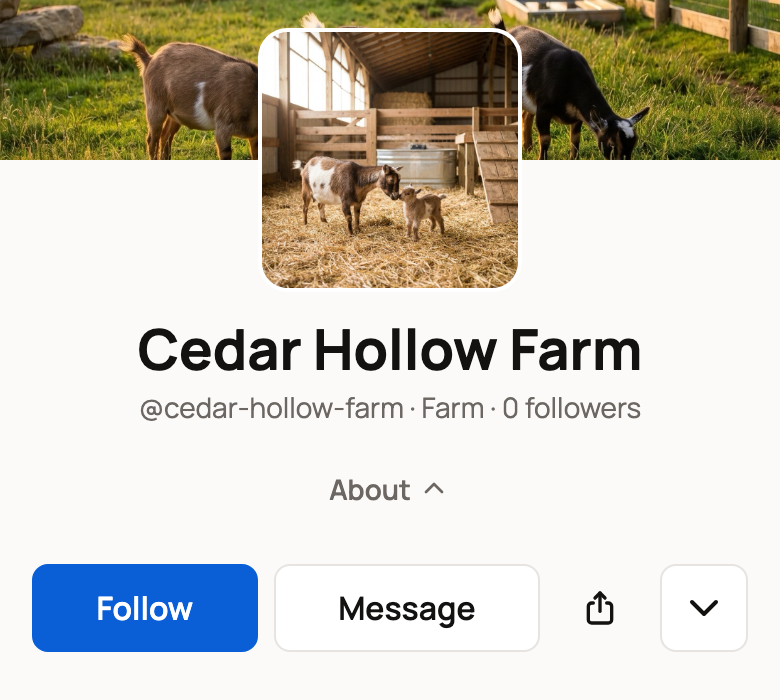
Some breeders keep a waitlist for future animals. Their profile leads with Join program waitlist, with Follow beside it. Message then moves into the menu behind the down arrow button.
Following a farm or seller emails you when they post a public litter or animals for sale. A breeder who isn't on Creatures yet has Follow on their Directory listing too, and we email you if they join. To find breeders and farms worth following, see Find breeders and service providers in the Directory.
Follow an animal
Open the animal's profile and tap Follow. If the animal is for sale, Buy this animal comes first and Follow sits beside it. If its owner offers it for breeding, Request breeding comes first instead, with Follow beside it.
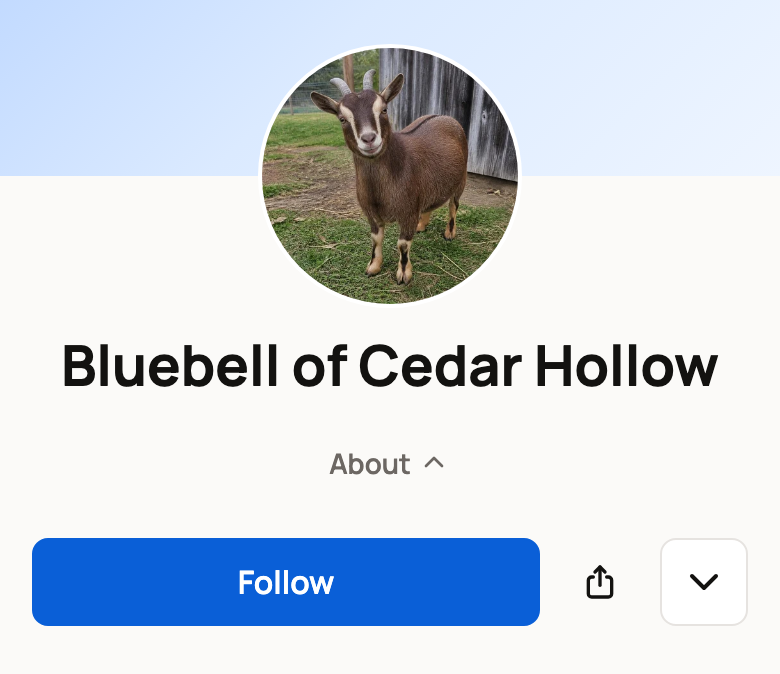
Following an animal tells you when its owner posts an update for it. Alerts about new animals for sale come from the accounts you follow, so follow the breeder or farm too if you want those.
Choose how you hear about it
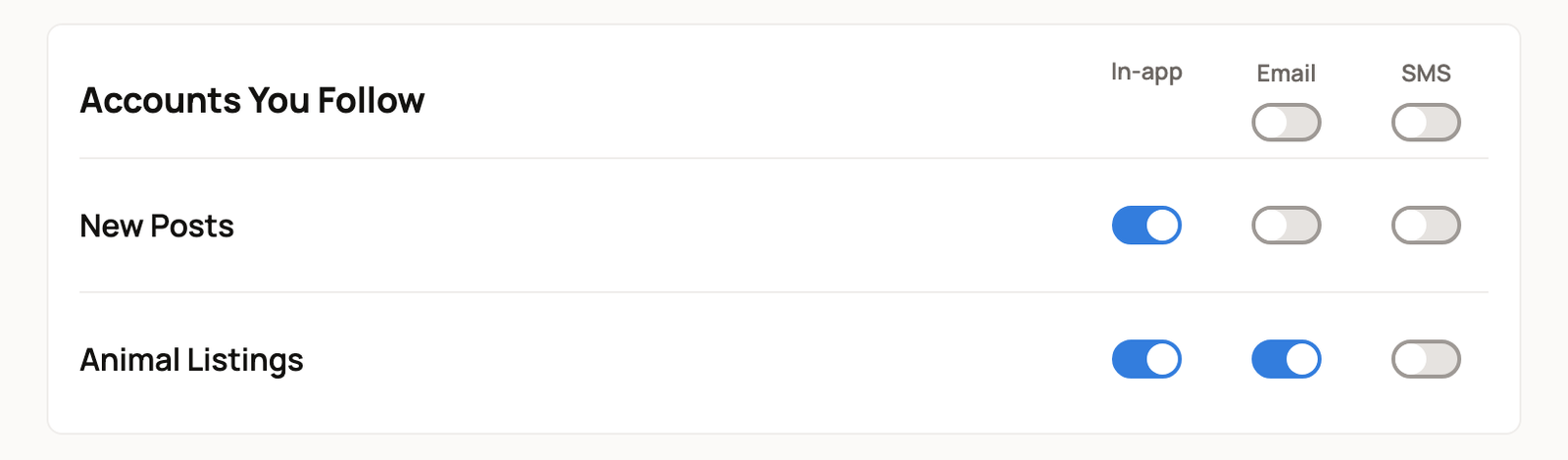
Go to Settings > Notifications and find Accounts You Follow.
- New Posts is on for In-app. Email and SMS start off.
- Animal Listings is on for In-app and Email.
Follow emails from a farm or seller come under Animal Listings. Each one has Mute this breeder, which stops that seller's Follow emails only, and Stop all Follow emails.
Turn any switch on or off to suit you. To change both rows at once, use the switch under Email or SMS at the top of the group. On a phone, these read All email and All SMS. These switches cover every account and animal you follow.
Stop following
- Open the profile and tap the down arrow button next to Following.
- Choose Unfollow.
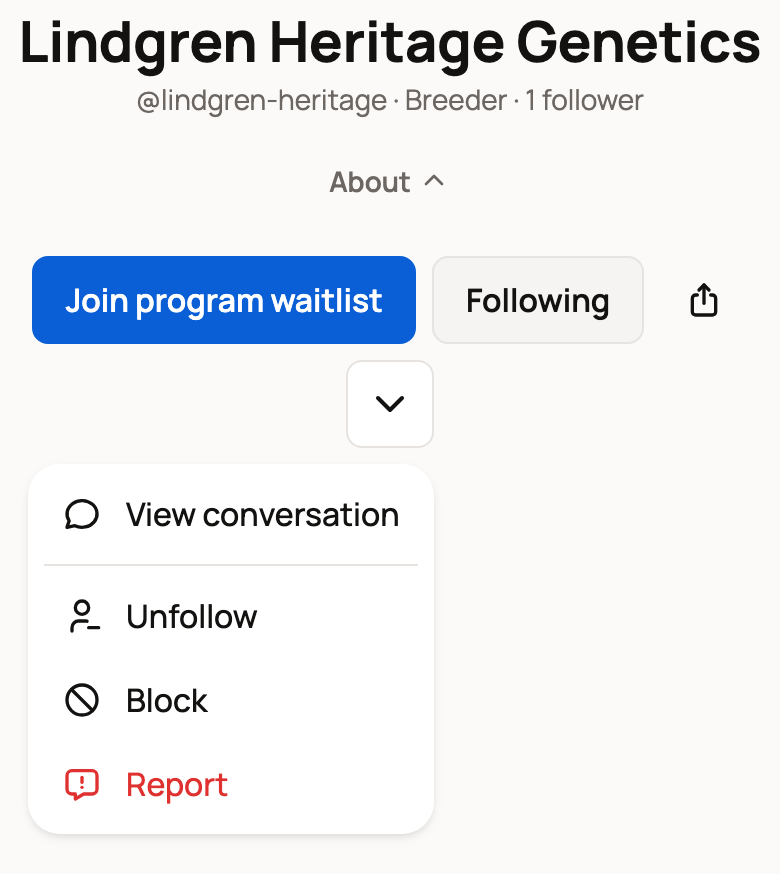
The same menu has Block and Report. On an animal's profile, it has Unfollow, Report duplicate and Report. On a farm or seller, you can also tap Following and choose Unfollow in the form. The owner isn't told when you unfollow.
Following is not an endorsement
The directory is a free, public index, so a listing or a follow isn't a seal of approval. Ask questions before you buy, message the seller on Creatures, and keep payments on Creatures. See How buying works: payments, held funds, and protection.
Related information
- Find breeders and service providers in the Directory
- Messaging other members
- Posting, reacting, and reposting in the community feed
- Choosing how Creatures notifies you
Updated on: 06/11/2026
Thank you!