
Posting, reacting, and reposting in the community feed
The community feed appears on the Creatures home page, including for signed-out visitors. Regular posts are public, so use a direct message when something is meant for one person.
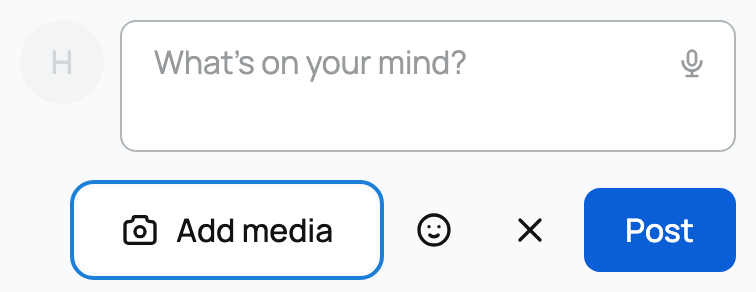
Create a post
- Open the Posts tab on your profile, an organization you belong to, or an animal you own.
- Select the post composer and write your update. On your personal profile, the visible prompt is What's on your mind? Organization and animal prompts name that profile.
- Add photos or video with Add media, or choose an emoji.
- Select Post.
The profile where you open the composer controls who the post is from. Posting from your profile uses your name; posting from an organization or animal uses that profile and shows who posted it.
Regular posts do not have an audience picker. They can appear in the public community feed and on the author's Posts tab. Do not include private health, payment, or contact information.
Add mentions and media
Type @ and choose a person, organization, or animal to add a linked mention. You can attach several images or videos. Select any image in a published post to open the media viewer.
React to a post
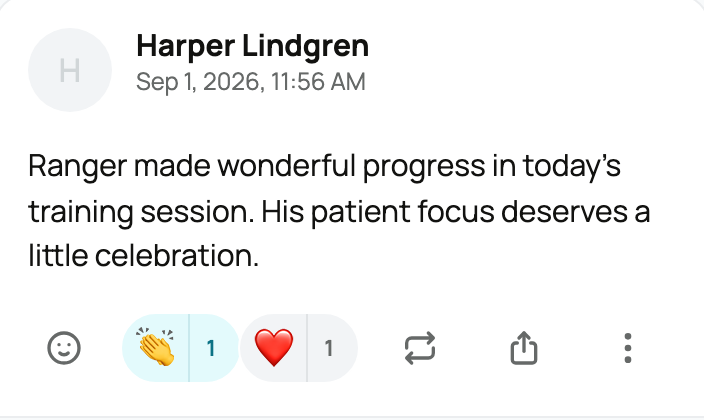
Select the smile button below a post, then choose an emoji. You may use more than one different emoji. Select the number beside an existing emoji to see who reacted. Select the emoji itself to add or remove that reaction for your account.
Repost with your own note
- Select the repost button below the post.
- Add your reason or response in Write a comment.
- Select Repost.
Your note appears above the original post. Creatures requires commentary, so reposting is a quote-share rather than a silent reshare.
Manage a post you wrote
Open the post's actions menu. Select Hide post to remove it from feeds without deleting it, or Delete to remove it. A repost of a deleted original will say that the quoted post has been deleted.
For comments, reporting, and feed visibility, see Commenting on and managing community posts. For private conversations, see Messaging other members.
Related information
Updated on: 02/09/2026
Thank you!