
Creating and publishing an animal memorial
A memorial is a remembrance tab on an animal's existing profile. The animal must first be marked as passed away, and nothing is visible to other people until you publish it.
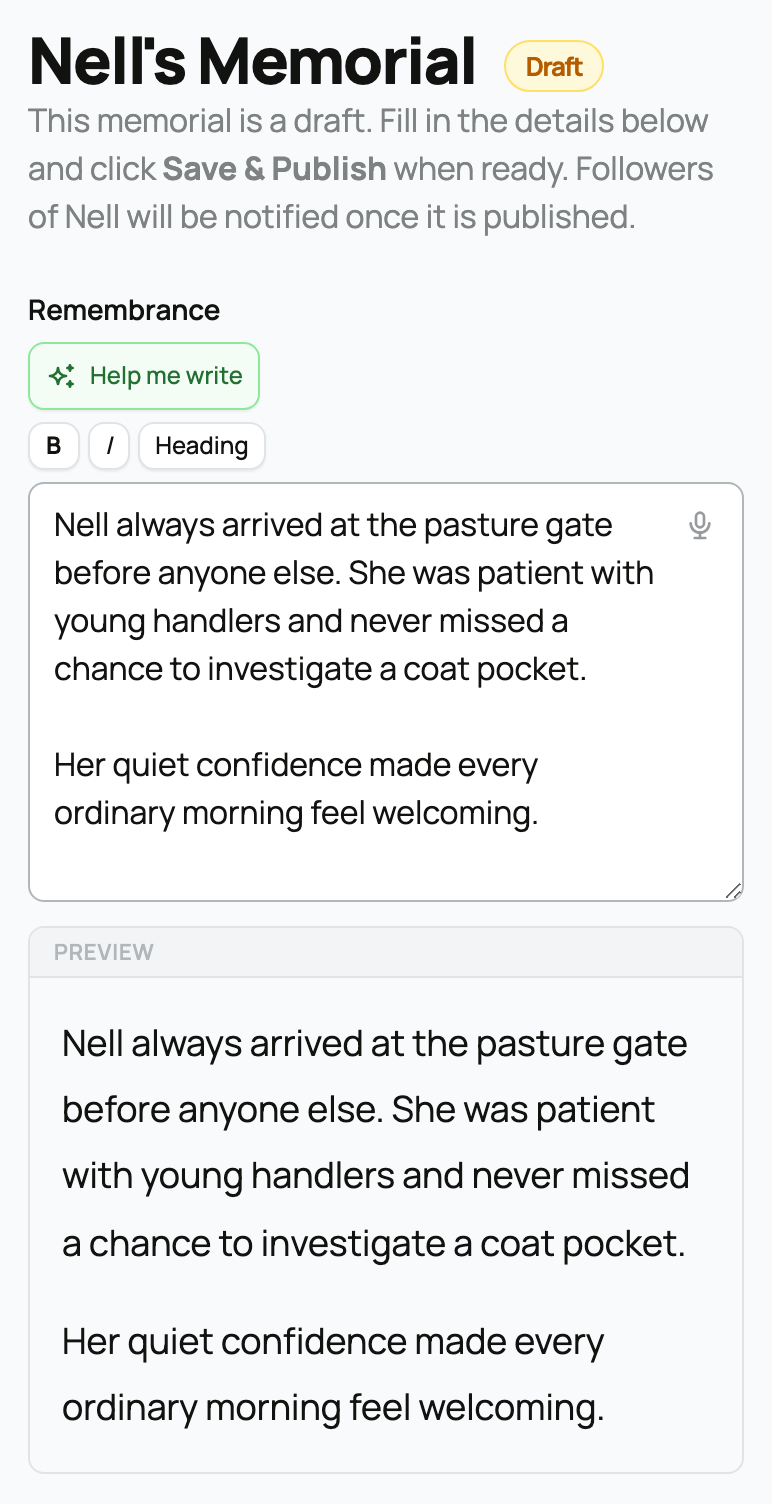
Create and publish a memorial
- Open the animal's profile after it has been marked as passed away.
- Select Create a memorial for [name] on the profile. If a memorial already exists, open Memorial and select Edit memorial.
- Write the animal's story in Remembrance. Use B, I, or Heading if helpful, and check the Preview pane. If Help me write is shown, you can use it for writing help.
- Choose a Memorial style. Classic works without a cover; Cover, Gallery, and Keepsake use a cover photo.
- Add an optional Epitaph, Cover photo, and Featured Photos from the animal's gallery.
- Choose Visibility, decide whether to share a memorial feed post, and choose whether members may leave tributes.
- Select Save & Publish, or Save draft to finish later.
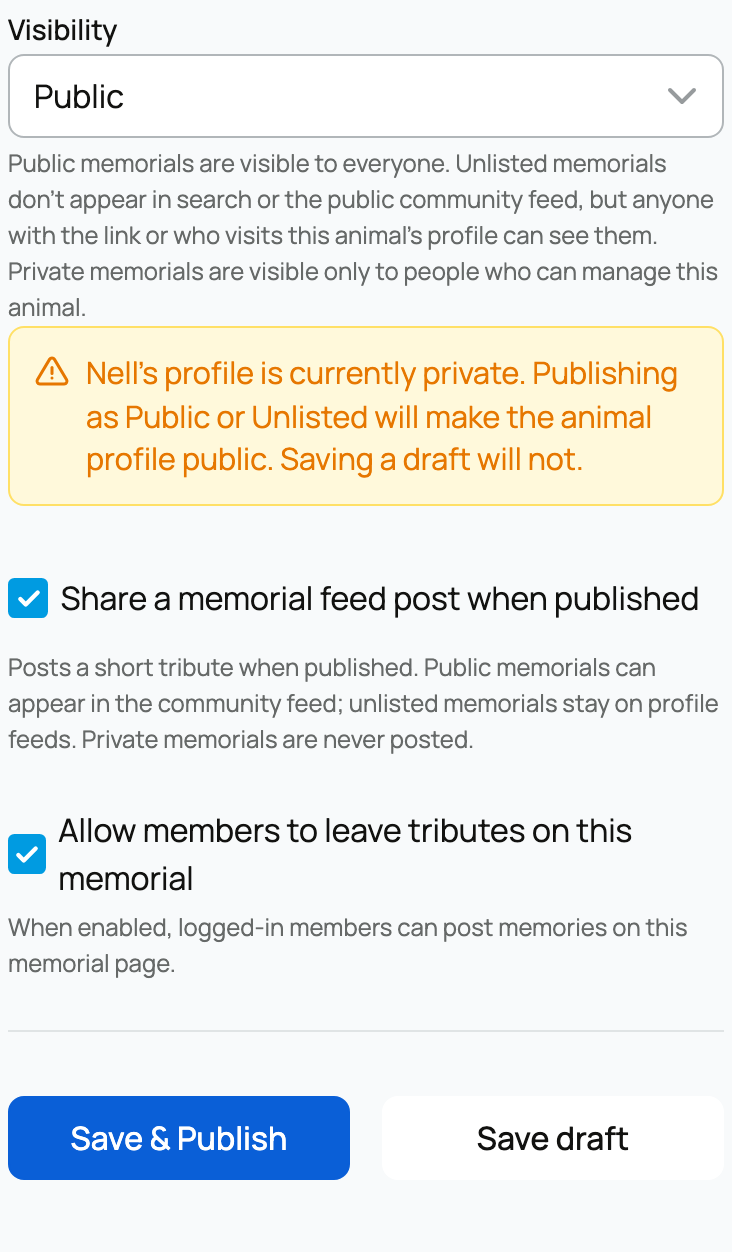
The editor shows Draft until the first publish. Drafts are visible only to people who can manage the animal, regardless of the visibility choice.
To edit a published memorial, open Memorial and select Edit memorial. The publish button now reads Save changes; select it when you finish editing.
Choose visibility
- Public lets anyone who can see the animal view the memorial and allows its announcement to appear in the community feed.
- Unlisted keeps the memorial out of search and the public community feed, while allowing people with the link or visitors to the animal's profile to see it.
- Private keeps the memorial visible only to its managers and never creates a feed post.
If the animal profile is private, choosing Public or Unlisted warns that publishing will also make the animal profile public. Read that confirmation carefully.
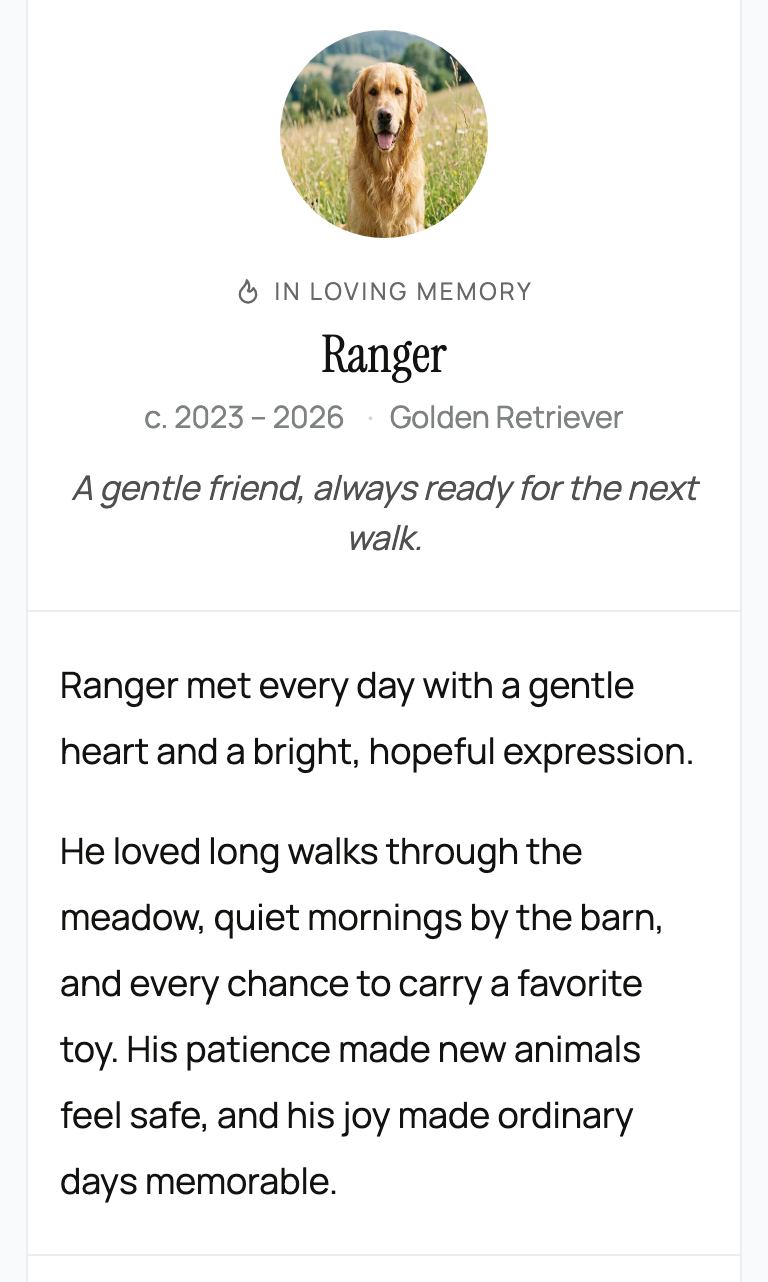
Choose the photos and style
Cover and featured photos come from the animal's own gallery. A landscape photo works best for photo-led styles. Featured photos appear in the memorial's photo montage.
When the animal has recorded offspring, Show offspring and pedigree link can add a link to that family story. See Pedigree, family, and lineage.
For tributes, moderation, and the optional feed announcement, see Managing tributes and sharing a memorial.
Related information
Updated on: 02/09/2026
Thank you!