
Bring your animals, groups and places into your organization
Once you create an organization (a shared profile for your farm or business), you can bring your personal animals, places and groups into it so your team can help. Select Move to my organization on the banner, choose what moves, and confirm. Your animals stay on your personal profile too.
Before you start
Only the organization's owner sees this, not co-owners or Team members.
- To bring in animals, you must own exactly one organization that keeps animals, such as a breeder, farm, ranch, rescue or sanctuary.
- To bring in places and groups, you must own exactly one organization of any kind.
If you own more, Creatures can't tell which one you mean, so the banner doesn't appear.
Find the banner
The banner appears in four places, all in the menu under your picture at the top of any page:
- My animals (also at the bottom of the screen on a phone).
- Locations, when you still have places (pastures, barns, pens) on your personal account.
- Dashboard, then Animals & Groups, then Groups, when you still have groups on your personal account.
- Your organization's page (listed by name), including right after you create it.
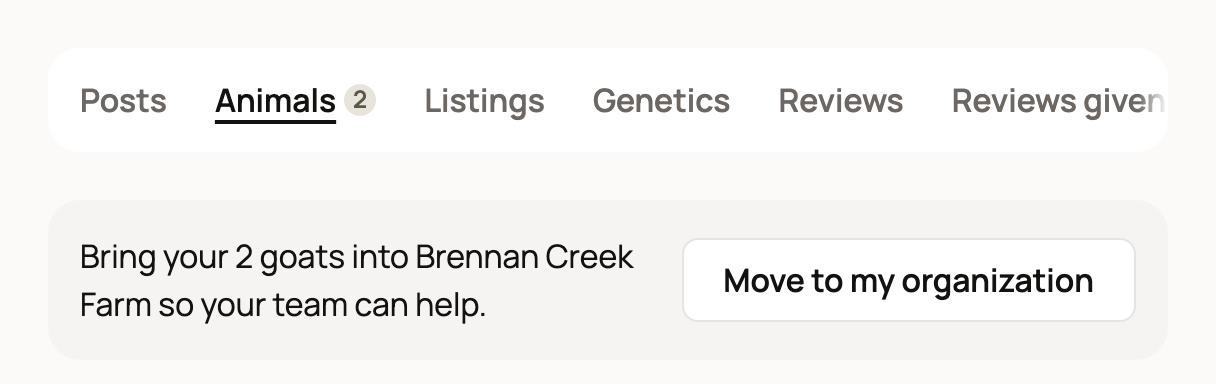
Select Move to my organization. Each banner opens the same panel.
Choose what moves
In the panel, everything that can move starts out selected. Clear anything you want to keep personal.
- Animals: your organization becomes an owner of each animal. You stay an owner too, so the animal shows on both profiles.
- Places: each place moves with the places inside it, as in Includes 1 place inside it. The old places keep their history for you to view.
- Groups (animals you manage together): the group moves to your organization.
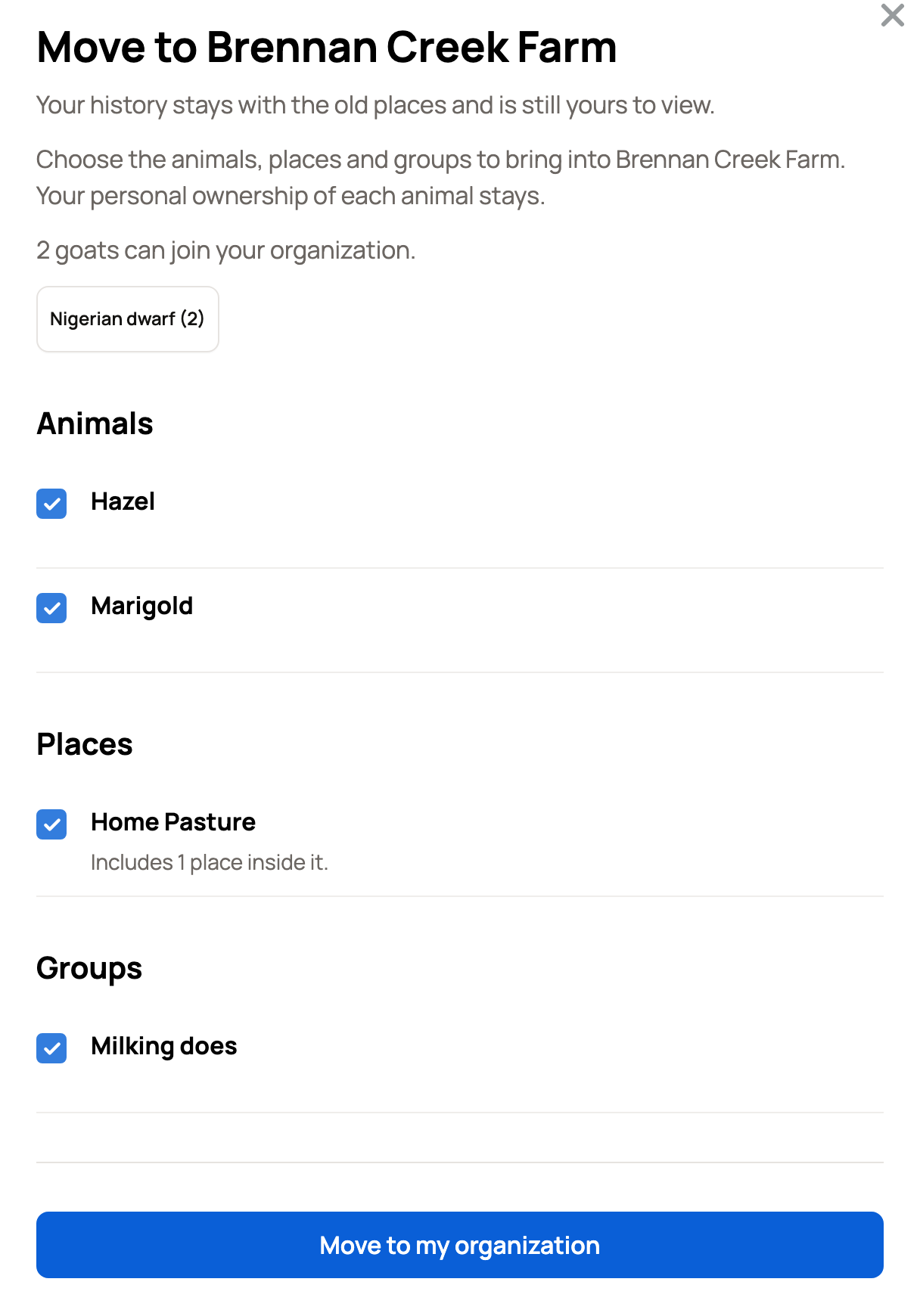
If something can't move, the panel says why under its name. Finish an active listing or auction, a pending transfer, or an active stewardship (monthly support from a steward) first. An animal that someone else also owns can't move this way.
If a place or group has a Care Plan, a Care plans section explains what changes, such as today's care tasks starting over.
Places and groups move with their animals
A place that holds your animals, or a group of them, moves in the same pass as those animals. If you clear one of those animals, the place or group turns off and the panel says why. Select the animal again to turn it back on.
A few places and groups can't follow their animals, such as a group with a home place. Move the animals first, then select Move to my organization on a banner again. If only groups are left, open Dashboard, then Animals & Groups, then Groups, and select Review and move.
What happens next
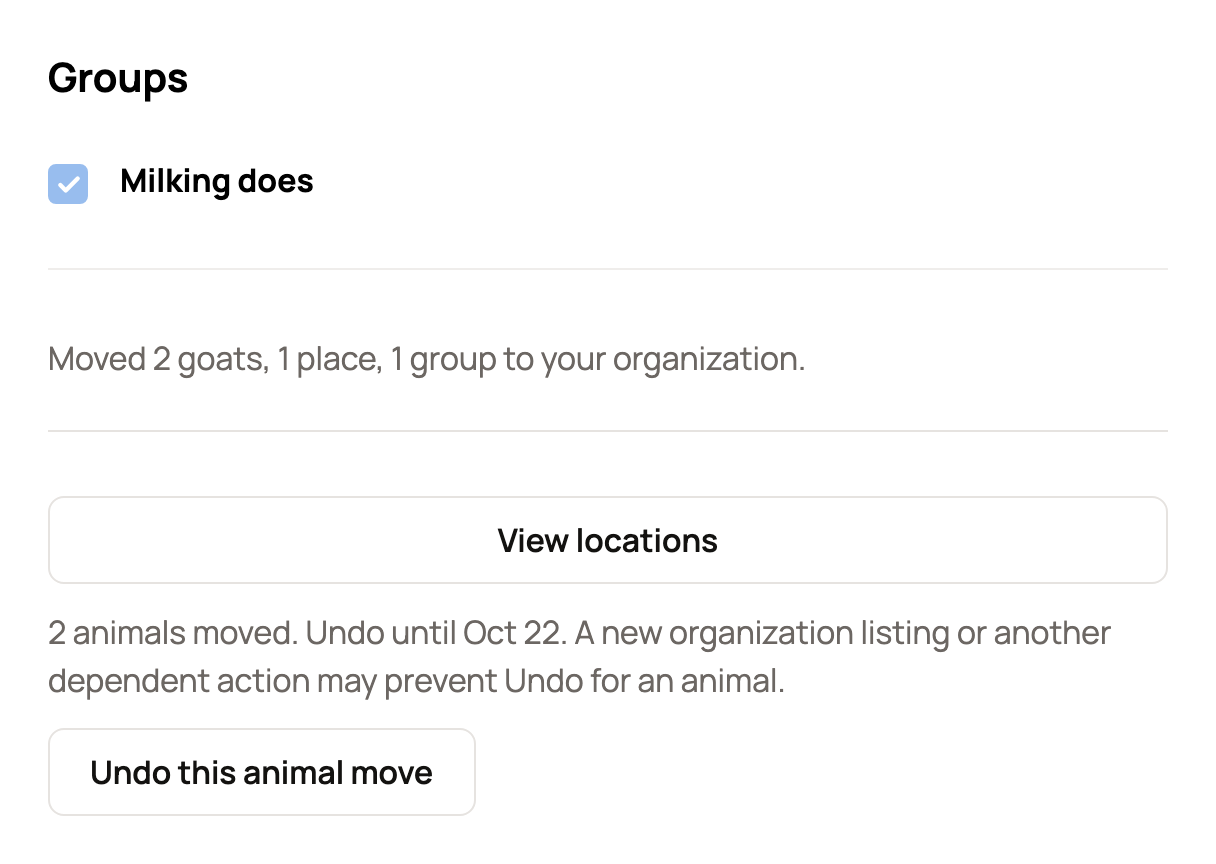
Select Move to my organization, then confirm in the Move to my organization? window. Creatures shows a summary, such as Moved 2 goats, 1 place, 1 group to your organization. Select View locations, or View animals if you moved only animals. Anything that stayed behind is listed with the reason.
A large move can stop partway. Open the panel again and select Resume move. The finished parts are saved.
Afterward, Creatures suggests your organization as the owner of new animals, places and groups. You can still choose yourself.
Undo
For 7 days, Undo this animal move takes your organization off the animals, so they're on your personal profile only. It doesn't move places or groups back. Find it at the bottom of the panel, or on your organization's page under Recent animal moves (select Review Undo).
Undo can't release an animal your organization now depends on, such as an animal in a place or group that moved too, or one with a new organization listing. Creatures tells you which animals stayed and why.
Related information
- Creating an organization for your farm or business
- Adding co-owners, team members and care helpers to your organization
- Set up and organize locations
- Create and manage animal groups
Updated on: 29/10/2026
Thank you!