
Choosing what the public sees: animals, listings, the menu, and visibility
Choosing what the public sees: animals, listings, the menu, and visibility
Your website is public, so the most important thing to get right is what appears on it. This article covers the per-animal website visibility (the highest-stakes control, because it can override an animal's privacy), how your listings and groups surface, the navigation menu, and the three visibility levels that apply across pages, posts, and nav. Read the animals section carefully so nothing private goes public by accident.
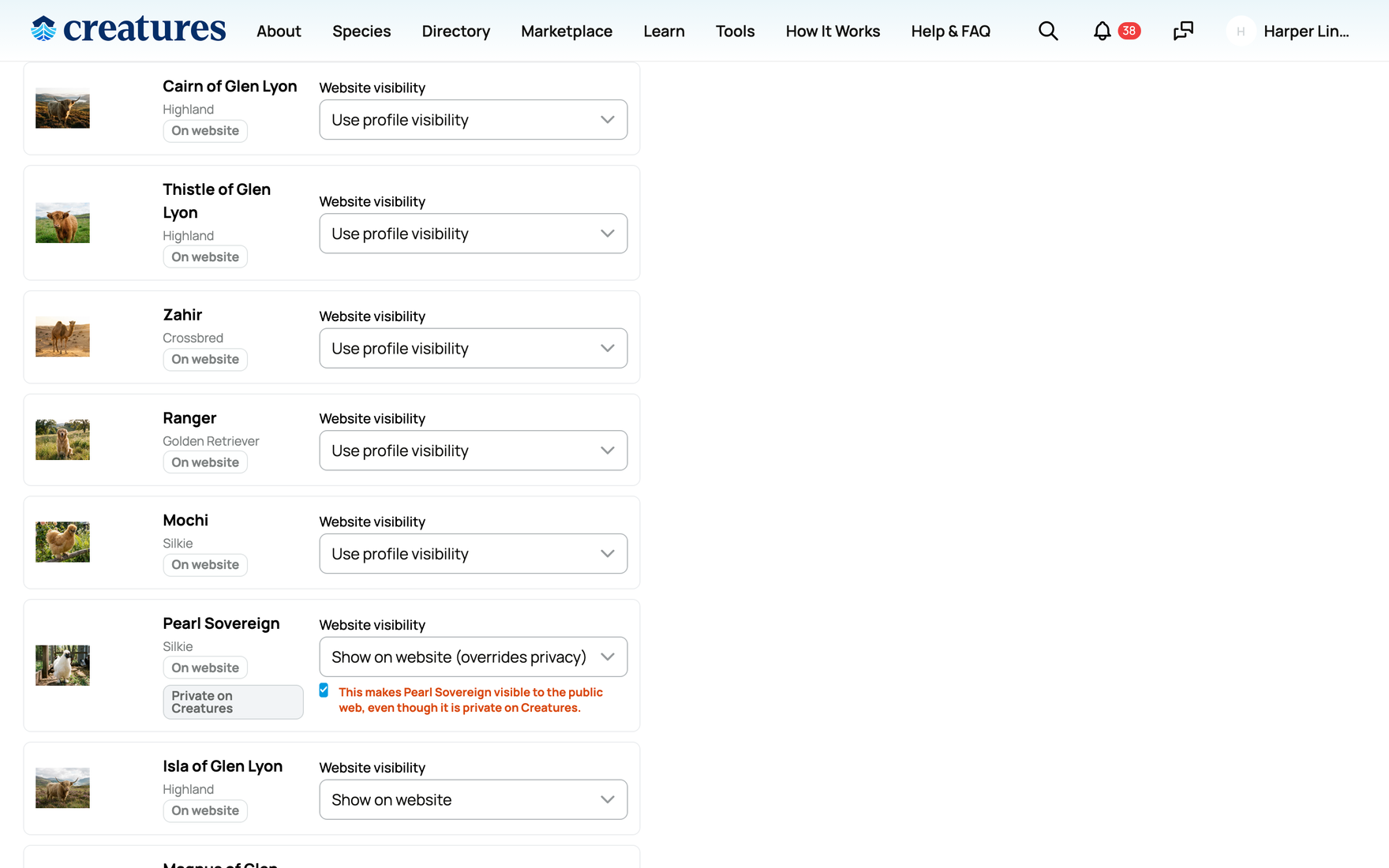
Which animals appear (per-animal website visibility)
Each animal carries a website visibility setting that is separate from its normal Creatures profile privacy. It only governs your website. It has exactly three values:
- Use profile visibility (the default for every animal): the animal appears on your website only if it is not a private animal. Public animals show; private animals stay off. This is the safe default and the one to leave in place unless you have a reason to change it.
- Show on website: the animal is forced onto the website. If the animal is public, it simply shows. If the animal is private, this overrides its privacy and puts it on the public site. Because that exposes a private animal, the builder labels this choice "Show on website (overrides privacy)" and requires you to tick a confirmation before it will save. If you do not tick the confirmation, the save is blocked, so you cannot expose a private animal without explicitly agreeing to it.
- Hide from website: the animal never appears on your website, even if its profile is public. Use this to keep a public animal off the site.
The net rule, stated plainly: an animal shows on your website if its visibility is Show on website, OR if its visibility is not Hide and the animal is not private.
One precise detail to know: setting an animal to Hide from website removes it from your site's /animals page, but it does not remove it from your site's /listings page. If that animal has an active marketplace listing, the listing still surfaces under /listings. So "Hide from website" governs the animals page, not your live sale listings.
Because the Show on website override is a real privacy lever, treat it deliberately. It does not change the animal's Creatures profile privacy at all; the animal stays private inside Creatures, and only its appearance on your public website changes. For how an animal becomes private in the first place, see How to create a private animal profile.
Listings on your site
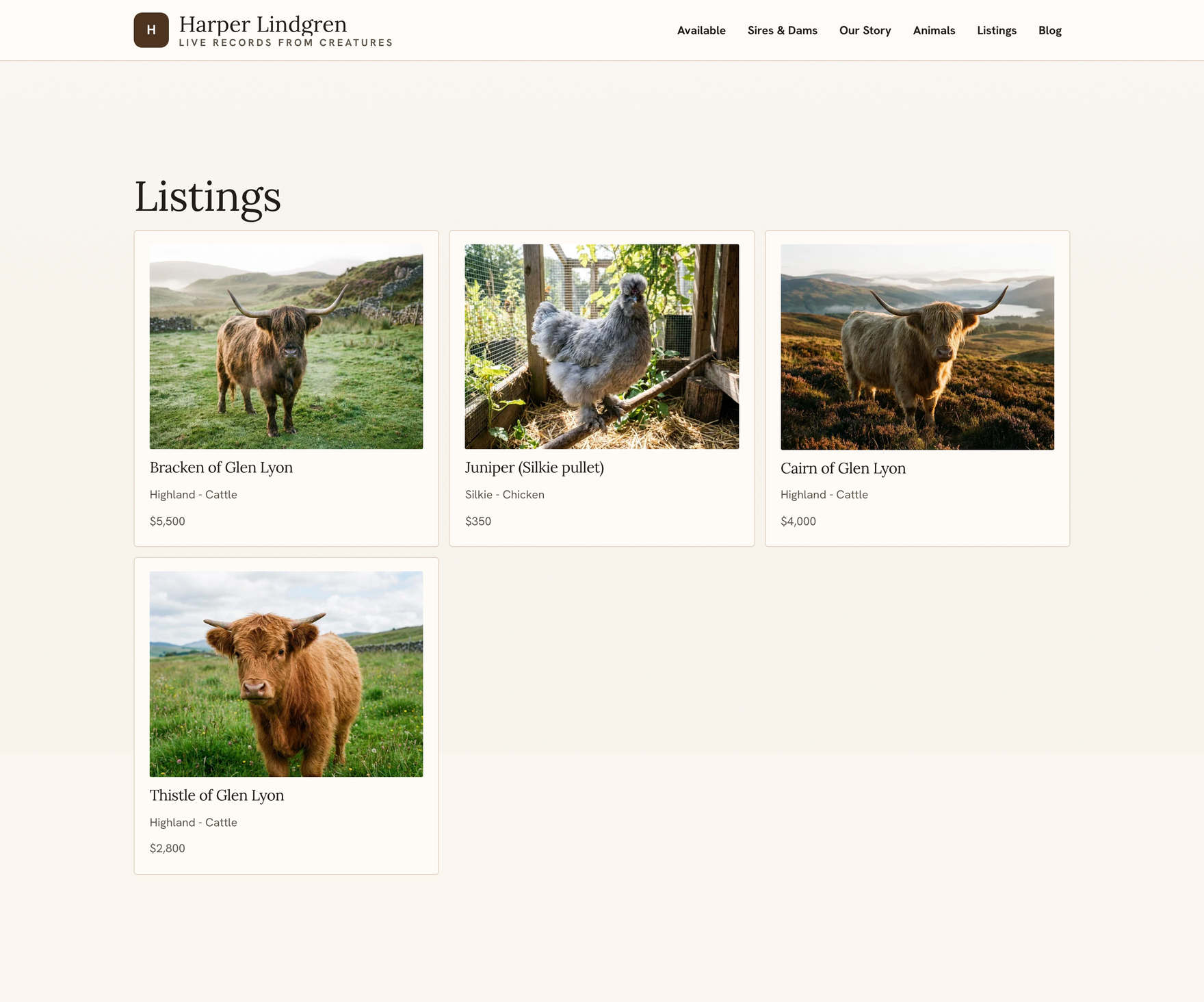
Your active marketplace listings can show on your site through the /listings page and a listings menu item. They pull live from the listings you already have on Creatures, so you do not re-enter them. As noted above, a listing surfaces under /listings based on the listing being active, which is why hiding an animal from the animals page does not pull its listing.
Groups and litters on your site
Your groups and litters surface through group and group showcase sections and at /groups/{id} pages. Like animals and listings, they pull live from what you already have, so a litter you track on Creatures can appear on the public site without duplicating it.
The menu (navigation)
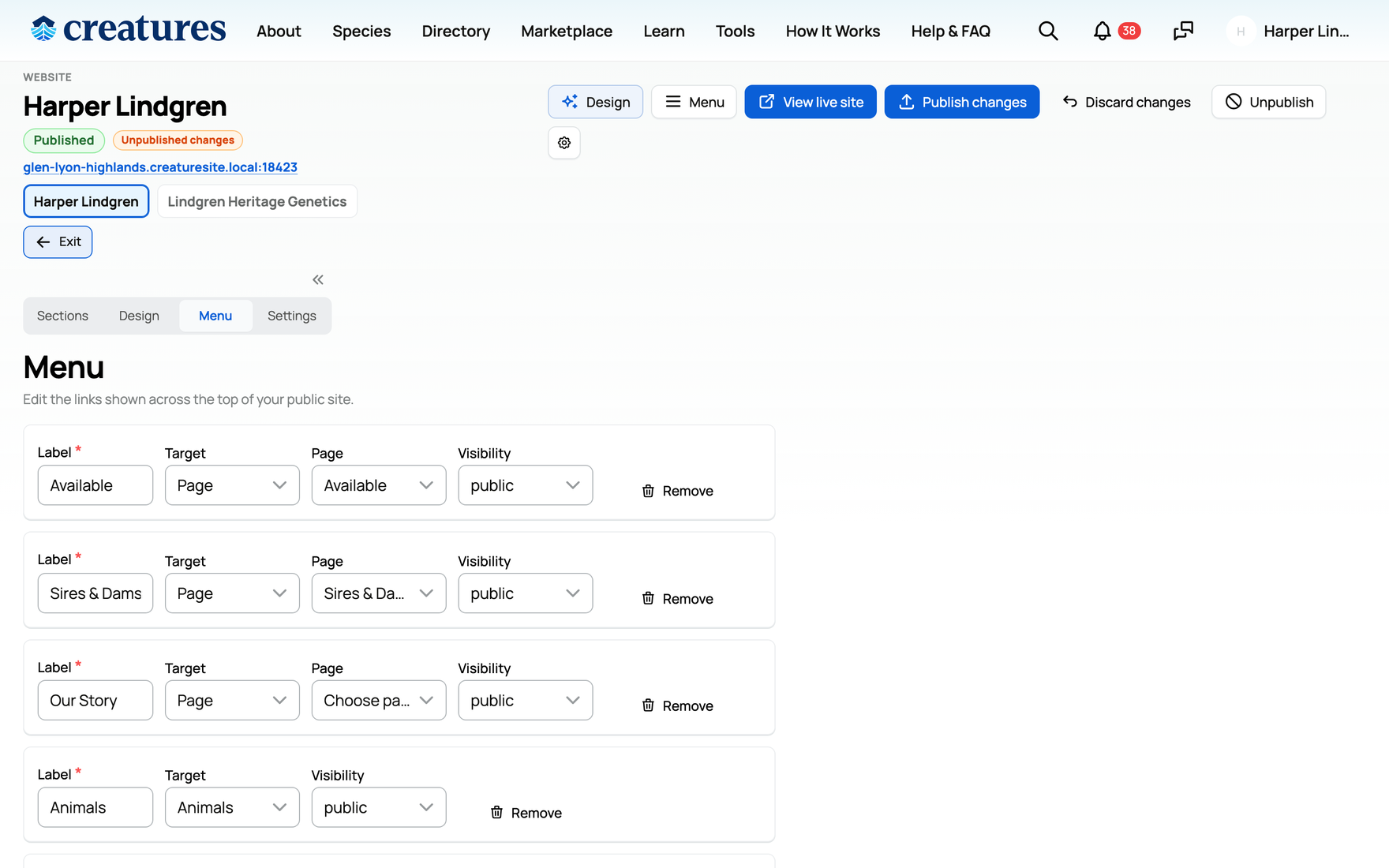
You build your site's menu in the Menu editor. Each menu item has three parts:
- Label: the text the visitor reads in the menu.
- Target type: where the item points, one of:
- home: your site's homepage.
- page: one of your pages.
- url: a link on your site like "/animals", or a full external https web address.
- blog: your blog index.
- animals: your public animals page.
- listings: your public listings page.
- Visibility: the same three levels as everywhere else (below), controlling who sees that menu item.
You add, reorder, and remove menu items to build the navigation a visitor uses to move around your site.
The three visibility levels (everywhere)
Pages, posts, navigation items, and the site-wide selectors all share the same three visibility levels:
- Public: anyone can see it. This is the only level that appears on your public subdomain.
- Creatures only: only signed-in Creatures members can see it. This is the subtle one: a creatures_only page, post, or nav item does not appear on your public website at all. It only surfaces when the same content is viewed through your Creatures profile by a signed-in member. So if you set a page to creatures_only and then wonder why it is missing from your public site, that is by design, not a bug. Use creatures_only for content you want Creatures members to see but not the open web.
- Private: only you can see it, which is useful for staging a page or post before you make it public.
The Settings panel also has a profile visibility and a site visibility selector using these same three levels, controlling the site as a whole.
Once you have set what is public, you make it live by publishing. The sections and pages that surface all of this content are built in Building pages, sections, and posts, and publishing is covered in Adding photos, then publishing and updating your site.
Related information
- Your Creatures website: what it is and how to open the builder
- Designing your website: layouts, colors, and the AI restyle
- Building pages, sections, and posts
- Adding photos, then publishing and updating your site
Updated on: 22/07/2026
Thank you!