
Running a season championship series
A season series adds up placement points from your club's published show results into a public leaderboard. You create the series, publish its scoring rules and open a season, and the standings update as you publish results.
Before you start
A series belongs to an organization you own or co-own, usually the club that runs the shows. It's an organizer championship series. It can name your circuit's season champions, but it does not give official registry titles. With the points builder below, only results from shows run on Creatures count.
Create the series
- Go to Dashboard, then Events, then Standings, and select New series (or Create a series if you have none yet). If Events isn't in the row yet, it's under More. You can also select Championship series on a show's Manage page. Creatures then fills in the organizer, species, breeds and state from that show and suggests a name.
- Choose the Organizer, then enter a Series name and a Short code, such as TXSC.
- Pick the Leaderboard subject: Animals, Exhibitors, or Animals and exhibitors.
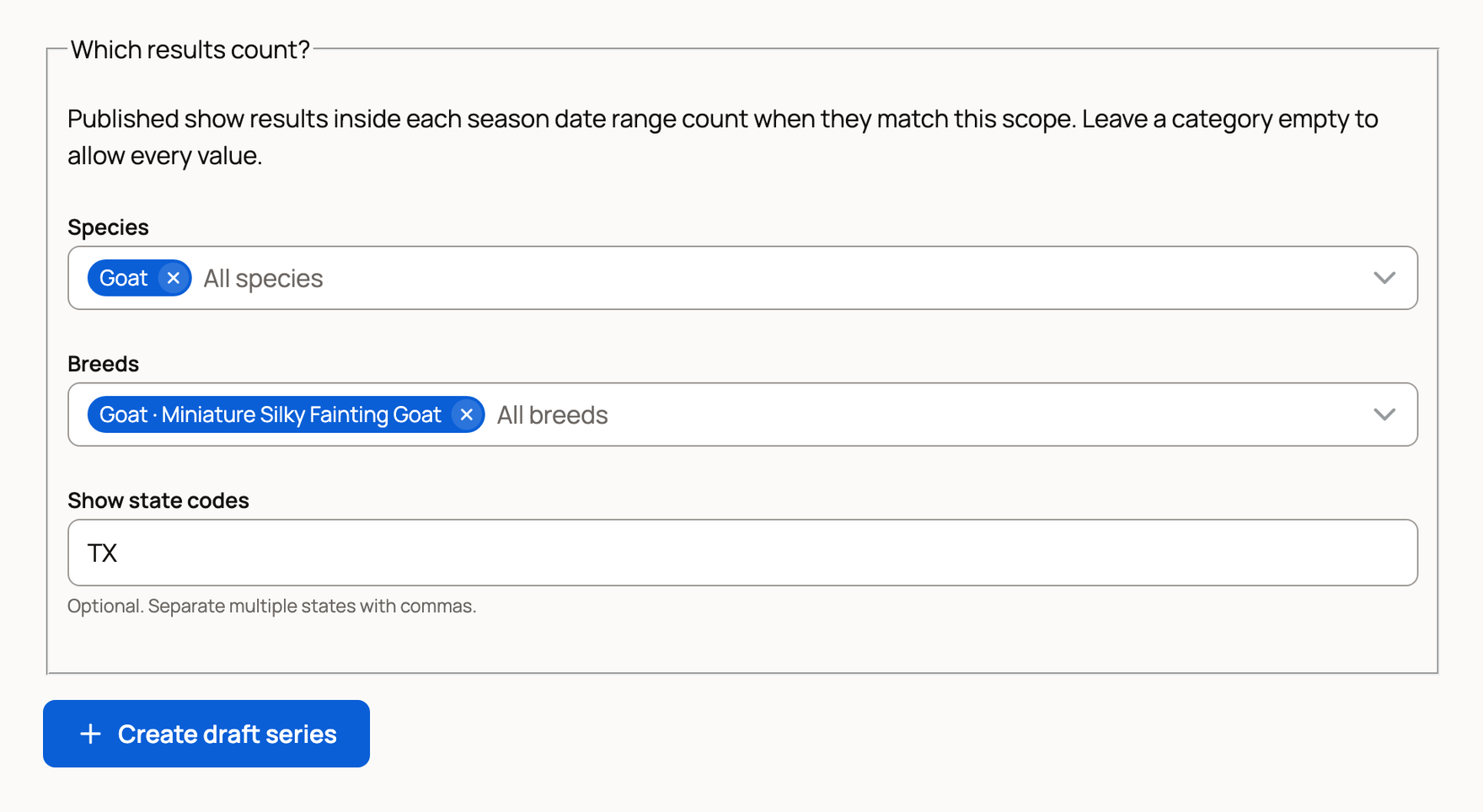
- Under Which results count?, pick the Species, Breeds and Show state codes to include. Leave one empty to allow every value.
- Select Create draft series.
Set the scoring rules
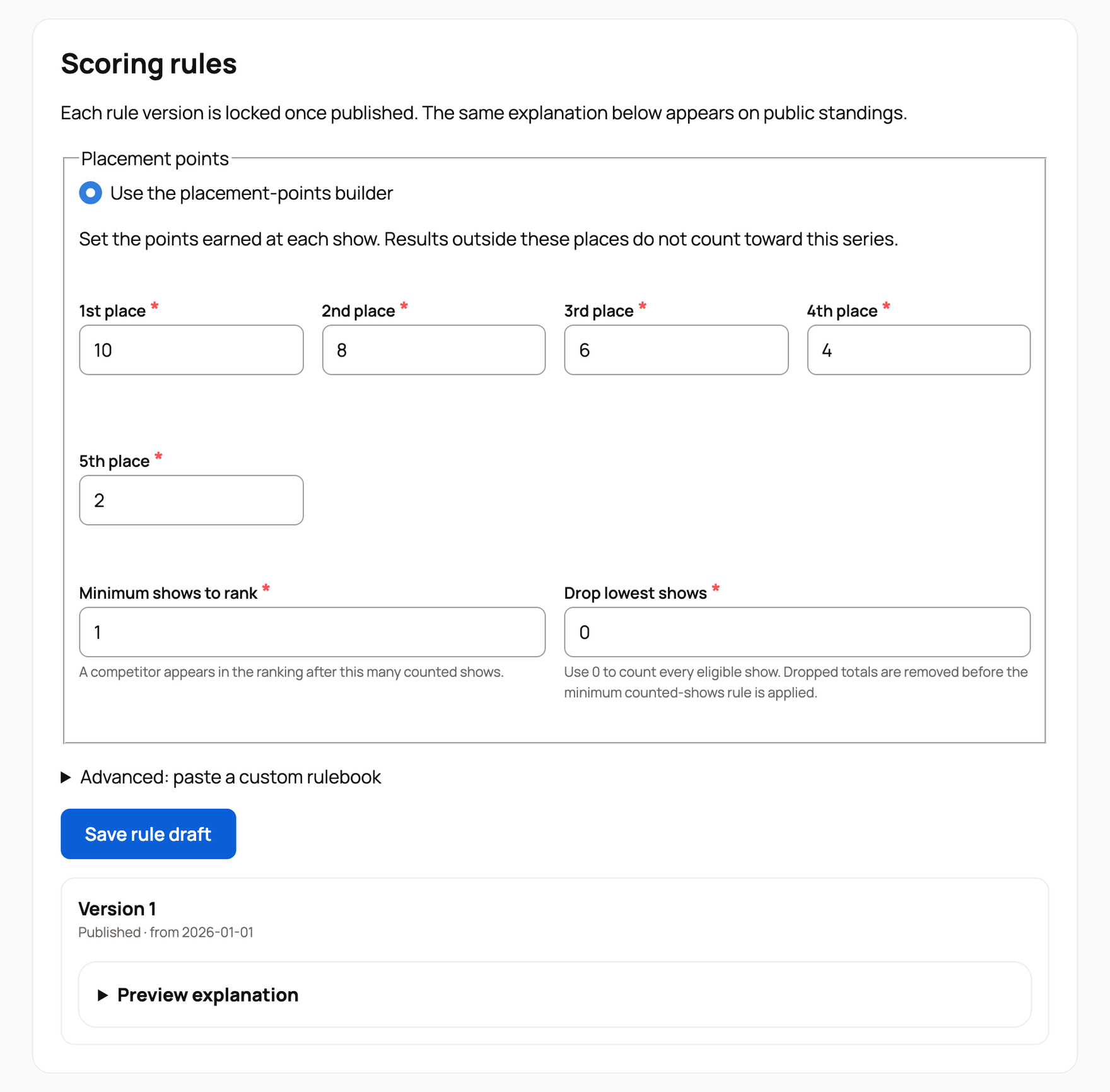
Under Scoring rules, the builder starts at 10, 8, 6, 4 and 2 points for 1st place to 5th place. Change them to match your rulebook. Places below 5th earn nothing.
- Minimum shows to rank: how many counted shows a competitor needs before they appear in the ranking.
- Drop lowest shows: leave at 0 to count every show, or drop each competitor's weakest shows.
Select Save rule draft, then open Preview explanation to read the rules the way the public will. When they look right, publish the draft. Leave Retroactive from blank to start the rules today, or set it to your season's first day to count shows already held. Then select Publish. A published version is locked, so to change scoring, publish a new version.
Have an established rulebook the builder can't handle? Use Advanced: paste a custom rulebook.
Once a rule version is published, select Publish series. Its name, code and scope then lock, so past standings never change without notice.
Open a season
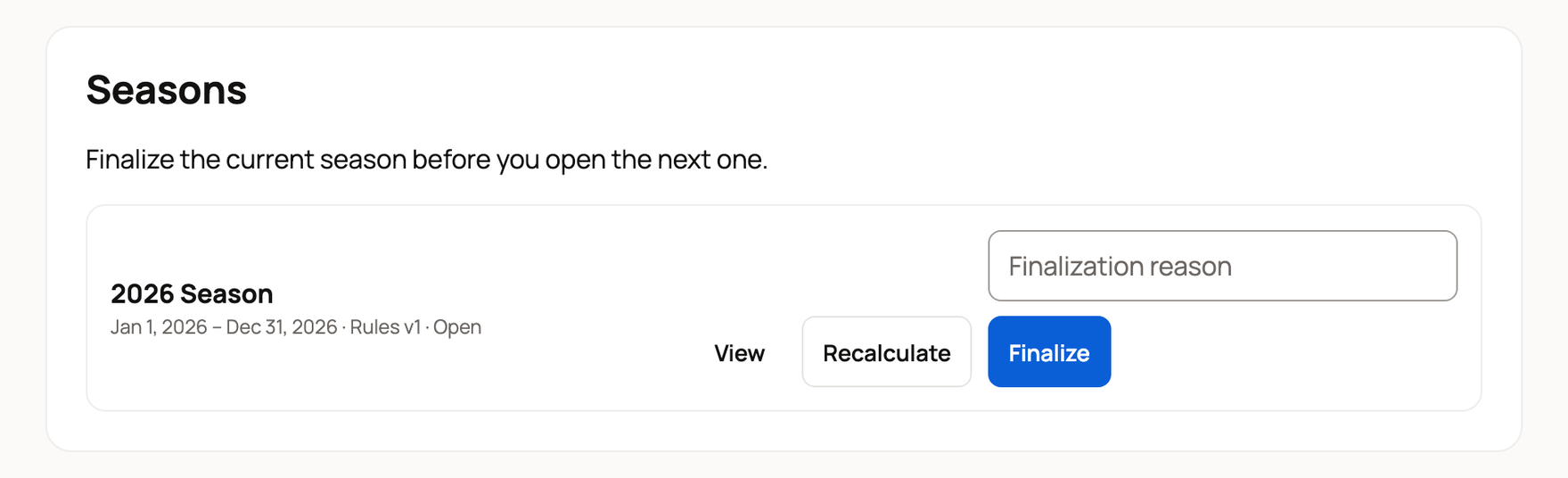
Under Seasons, enter a Label such as 2026 Season, pick Starts and Ends, and select Open season. The first day must fall on or after the day your rules took effect. You can run one open season at a time.
While a season is open:
- Recalculate rebuilds the standings from scratch.
- Switch rules and recalculate moves the season to another published rule version. Give a reason.
- Finalize closes the season with its final standings. Give a reason. You can reopen a finalized season with a correction reason.
Share the leaderboard
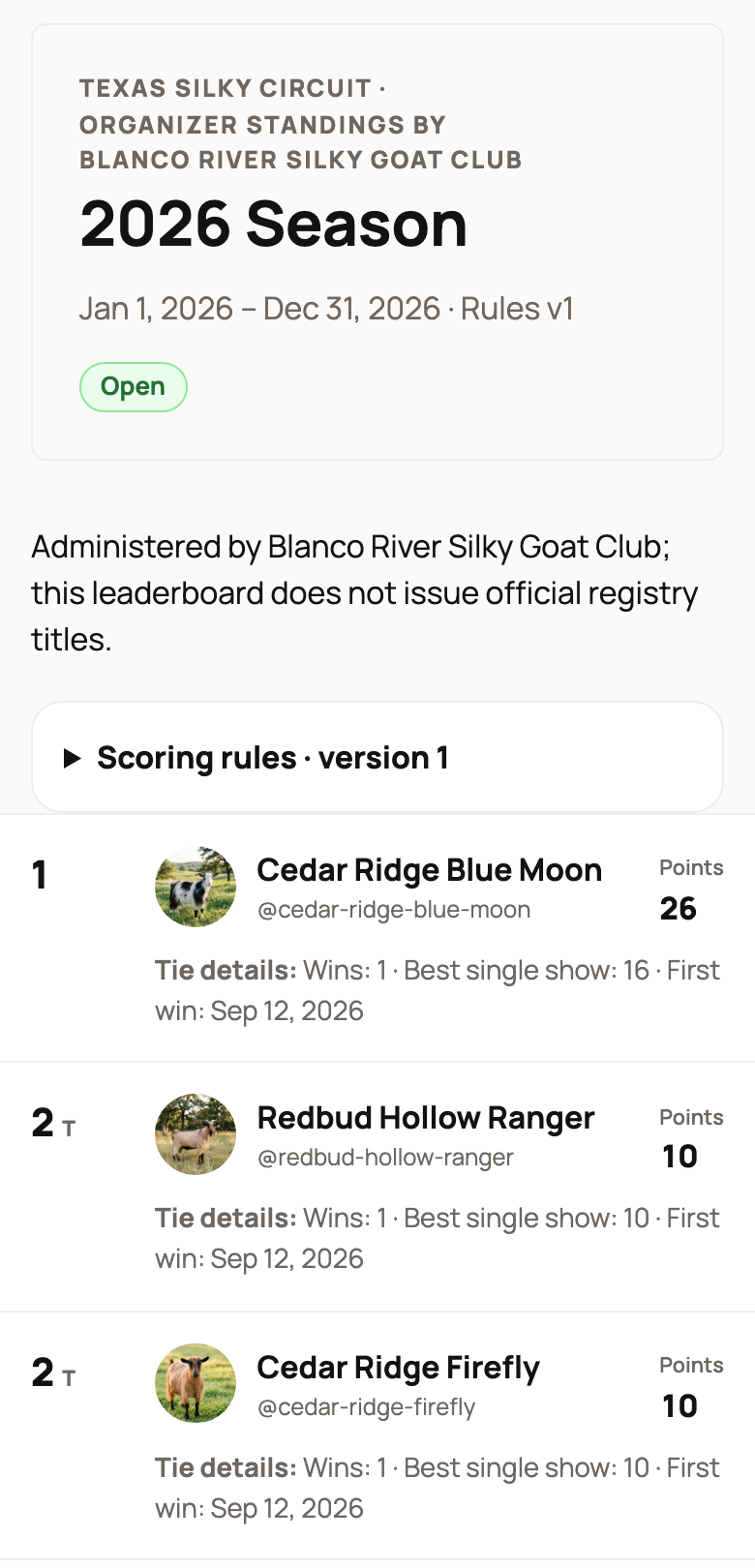
Select Public standings to open the series page, then pick a season. Anyone can see each competitor's rank and points, plus your scoring rules. With the builder, ties go to the most wins, then the best single show, then the earliest win. Each competitor's Tie details show those numbers. Share the link with your members.
To take a series down, enter a Withdrawal reason and select Withdraw.
If something looks wrong
- No published scoring rules cover a season that starts on a date: your season starts before your rules took effect. Publish the rules again with Retroactive from set to the season's first day.
- Standings are updating: points are being worked out. Check back soon.
- A result is missing: check that its ring is published and the show matches your species, breeds and states. A show with no state set won't count when you limit states.
Related information
Updated on: 14/11/2026
Thank you!