
Walk-in waiver links and QR signs
A walk-in link lets drop-in visitors sign your waiver on their own phone, with no booking and no Creatures account. Share the link or print a QR sign for your gate, and each signature makes its own signed copy.
Before you start
Walk-in links work with waivers that bookings can fill in. That means the waiver uses only your name, the visitor's name and email, the date, the guest list, and questions or blanks guests fill in. It can't use animal or price fields. Waivers that fit show Walk-in links on their card. See Require a waiver for your experiences.
Create a link
- Open Dashboard, then Tools, then Agreements.
- On the waiver's card, select Walk-in links.
- Under New walk-in link, type a Label for where you'll use it, like "Farm gate" (up to 60 characters).
- Choose a Guest list: No guest list, Names, or Names and ages.
- Select Create link.
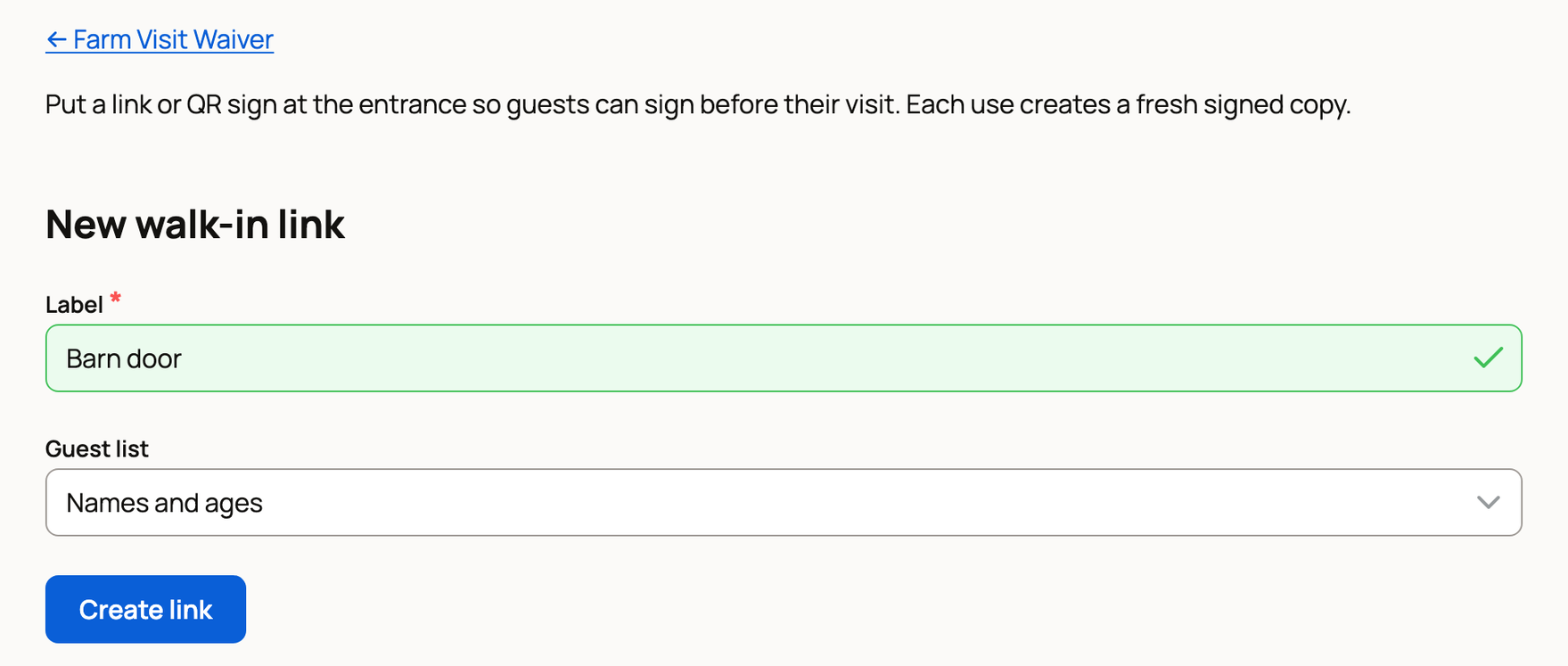
If your waiver asks each adult to sign their own copy, Names isn't offered. Each adult signs with the link and lists any children with them.
Share the link
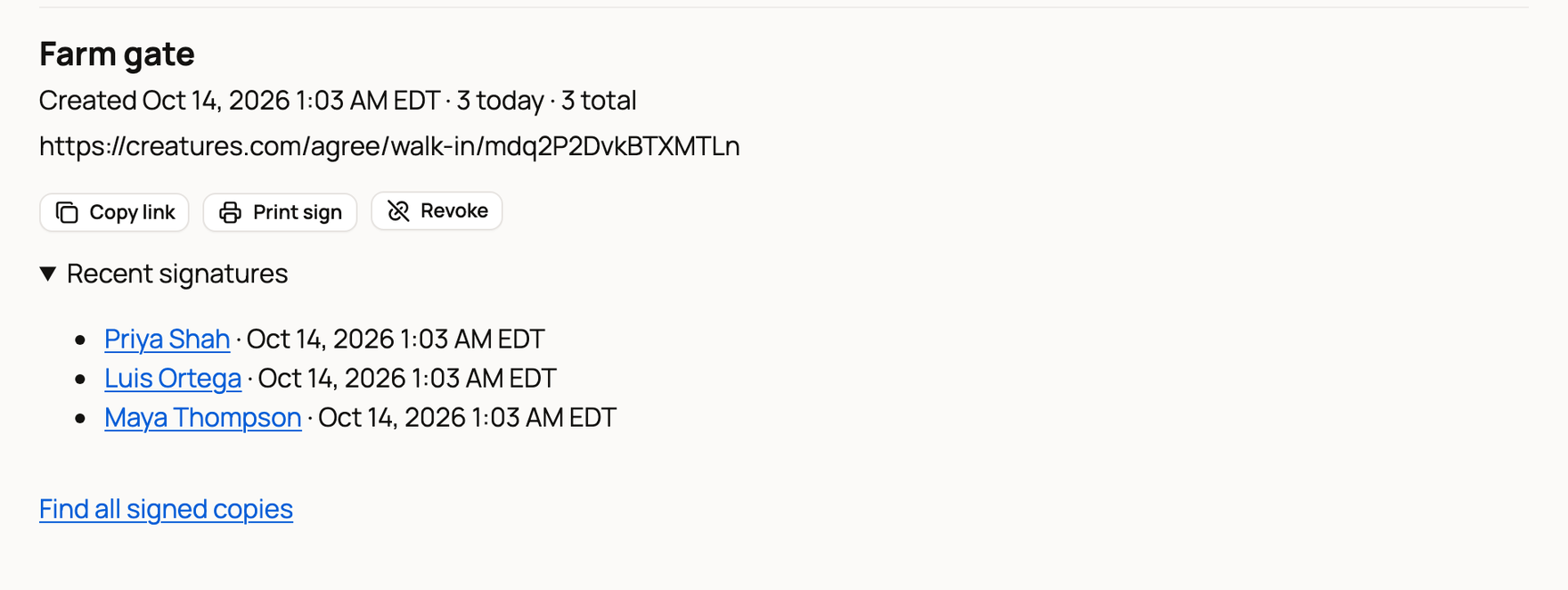
Your new link appears under Links. Select Copy link to paste it into a text, an email or your website. You'll see "Link copied."
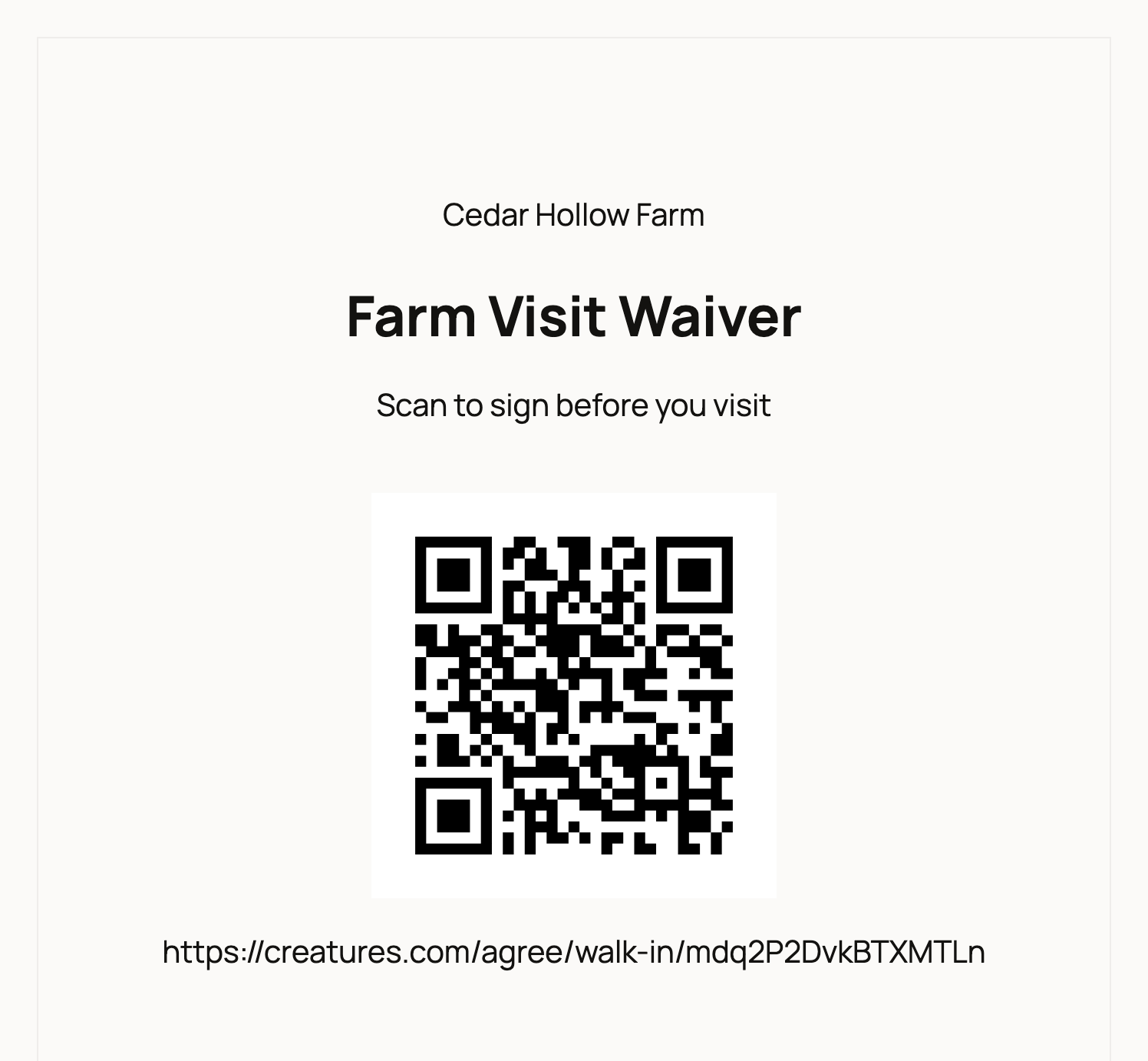
Select Print sign to open a sign in a new tab. It shows your name, the waiver title, "Scan to sign before you visit", a QR code and the link. Select Print sign at the top of that page to print it, then post it where visitors arrive.
What visitors see
Visitors scan the code or open the link. The page names your farm and shows the waiver. Then they:
- Type Your full legal name and Your email for the signed copy. If your waiver asks for a phone number, they enter Phone too.
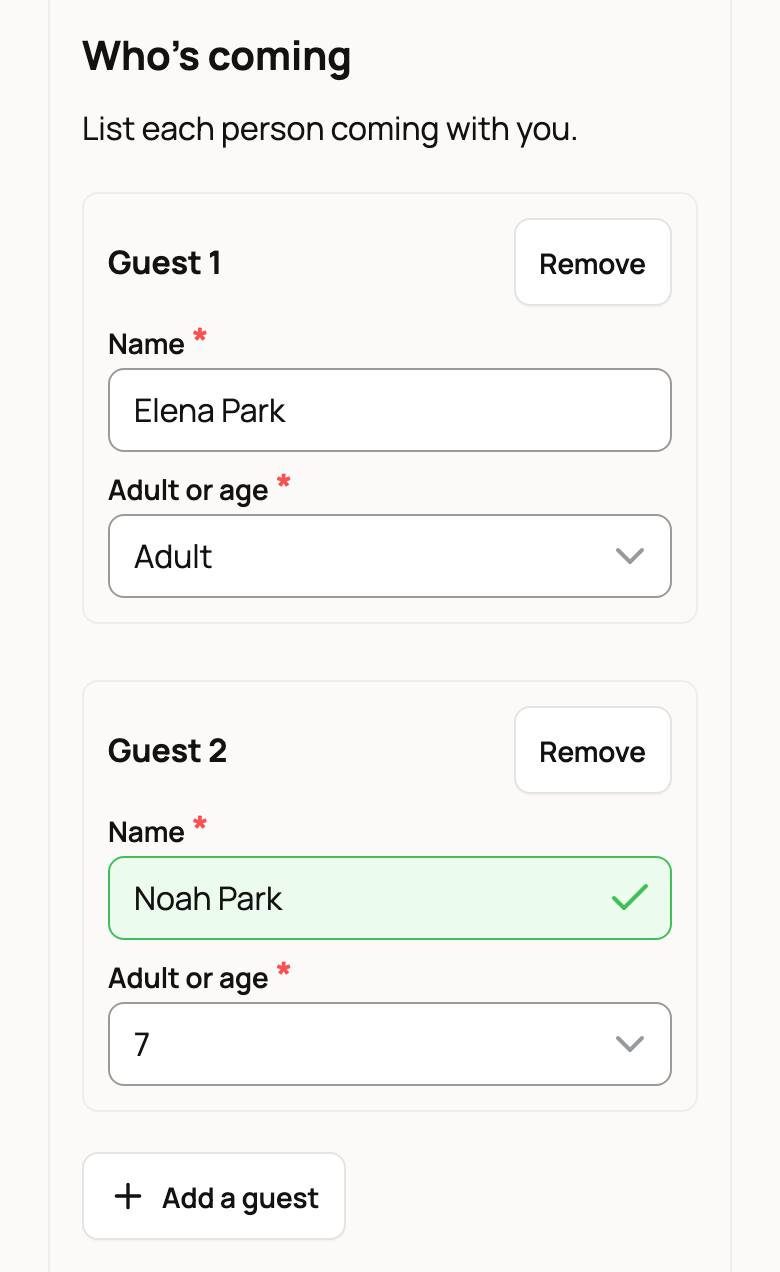
- If the link has a guest list, they list themselves first under Who's coming, then anyone with them. They choose Adult or an age for each person and select Add a guest for more, up to 20 people.
- Answer any questions, tick the box to agree, and select Sign waiver.
They see "Signed. We've emailed your copy." and can select View signed document.
Find signed copies
Each link shows how many people signed today and in total. Open Recent signatures to see the latest 10, and select a name to open that copy.
To find anyone else, select Find all signed copies. Type part of a name under Search signer name and select Search.
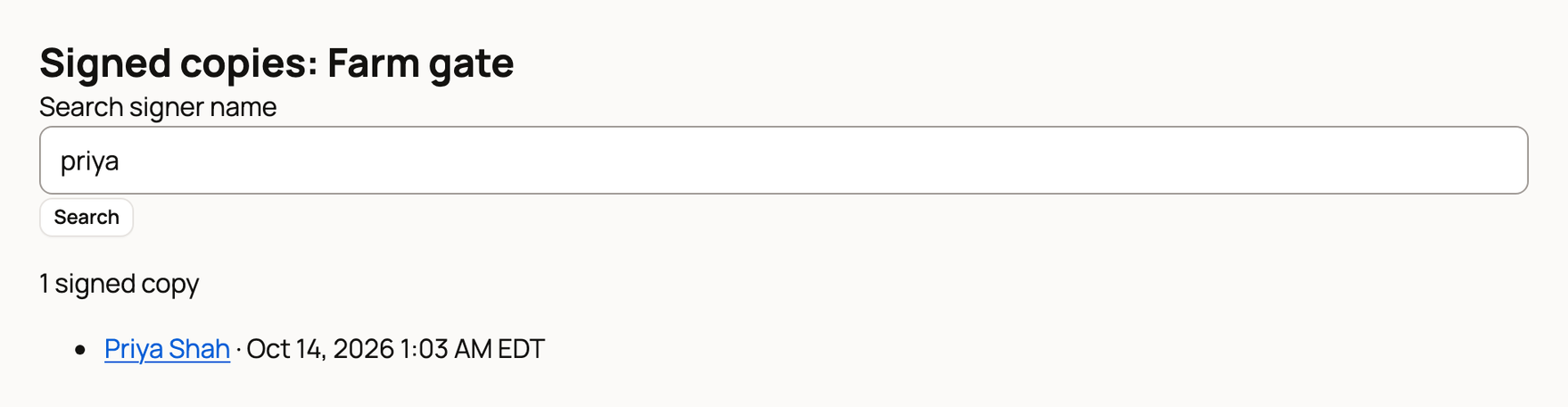
Walk-in copies stay with their link. They don't appear in your Issued agreements list.
Turn a link off
Select Revoke, then Revoke link to confirm. This can't be undone. Anyone who opens the link or scans its sign sees "This signing link is no longer active." Signed copies stay under Find all signed copies, and you can create a new link any time.
A link can also show Inactive with a reason:
- Revoked: you revoked it, or you archived the waiver. Archiving a waiver turns off its walk-in links for good, and restoring it doesn't bring them back.
- Waiver fields changed: a new version of the waiver uses a field visitors can't fill in, like an animal name. Remove that field to turn the link back on.
- Names and ages required: the waiver now asks each adult to sign, but this link only collects names. Create a new link with Names and ages.
If something looks wrong
A visitor sees "Too many signatures from this internet connection": Creatures accepts up to 20 signatures an hour from one connection. Visitors sharing your farm's Wi-Fi can switch to mobile data.
A link accepts up to 500 signatures a day. After that, visitors see that it has reached its signing limit for today.
Related information
- Require a waiver for your experiences
- Find and download a signed agreement
- How agreements and waivers work
Updated on: 29/10/2026
Thank you!