
Animal and organization name generators
Use the Creatures name generators to find ideas for an animal or animal business. Describe the animal or business, choose any styles that fit, and the generator returns ten ideas with a short reason for each.
Choose the right generator
Open Animal Name Generators for a pet, livestock animal, bird, reptile, fish, or other supported species. The list includes familiar species plus focused choices such as foal, racehorse, and horse show names.
Open Organization Name Generators for a farm, ranch, homestead, rescue, shelter, veterinary practice, stable, pet service, or another supported animal business.
Describe what should shape the name
Choose a generator, then enter the details that make the subject distinct. Useful details include:
- coat color, markings, size, or species;
- personality and habits;
- sex, age, or a role such as show horse or rescue;
- family, place, heritage, or existing names you want to honor;
- words, themes, or tones you want to avoid.
Select Funny, Creative, Classic, Unique, or Human-sounding when those styles fit. You can choose more than one. Organization generators offer the styles that make sense for a business name.
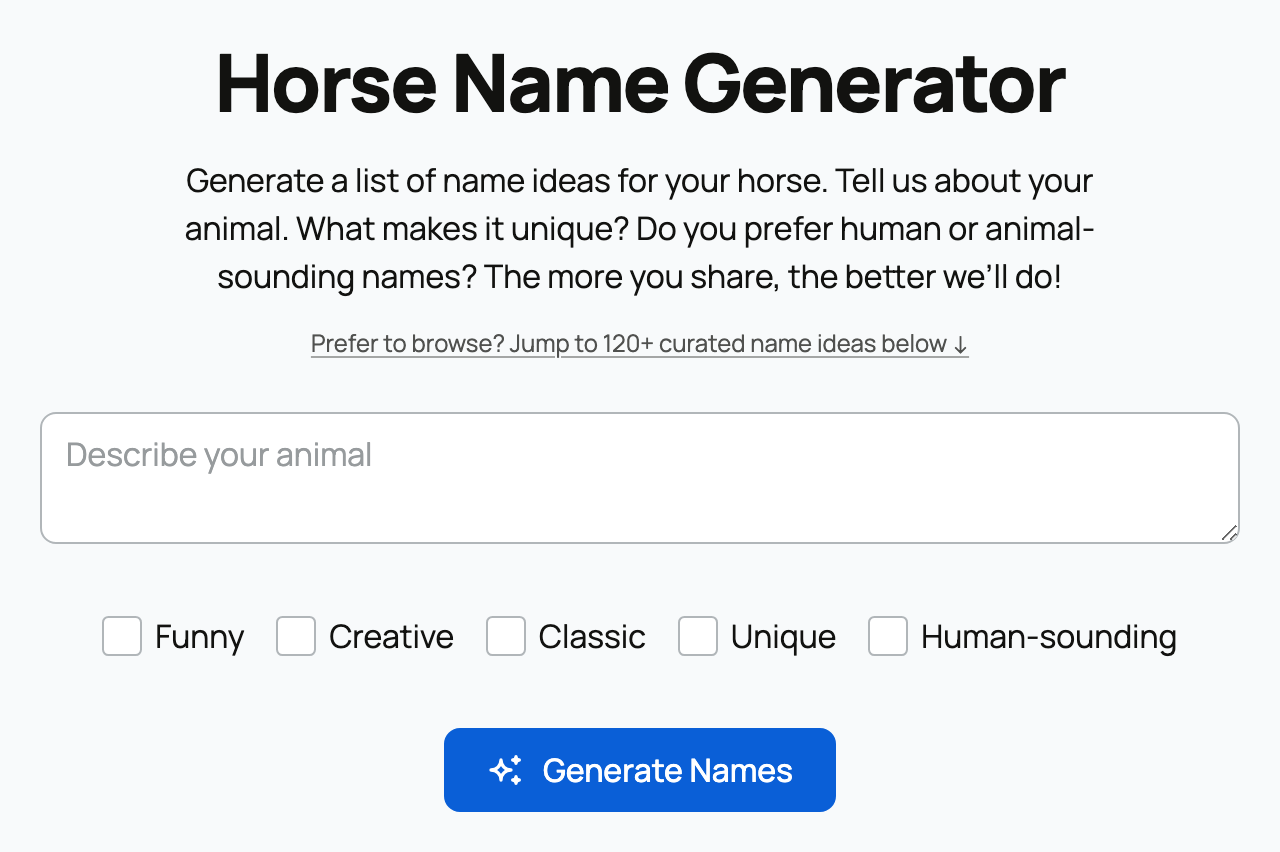
Select Generate Names. The result gives ten suggestions with a brief explanation of how each one connects to your description.
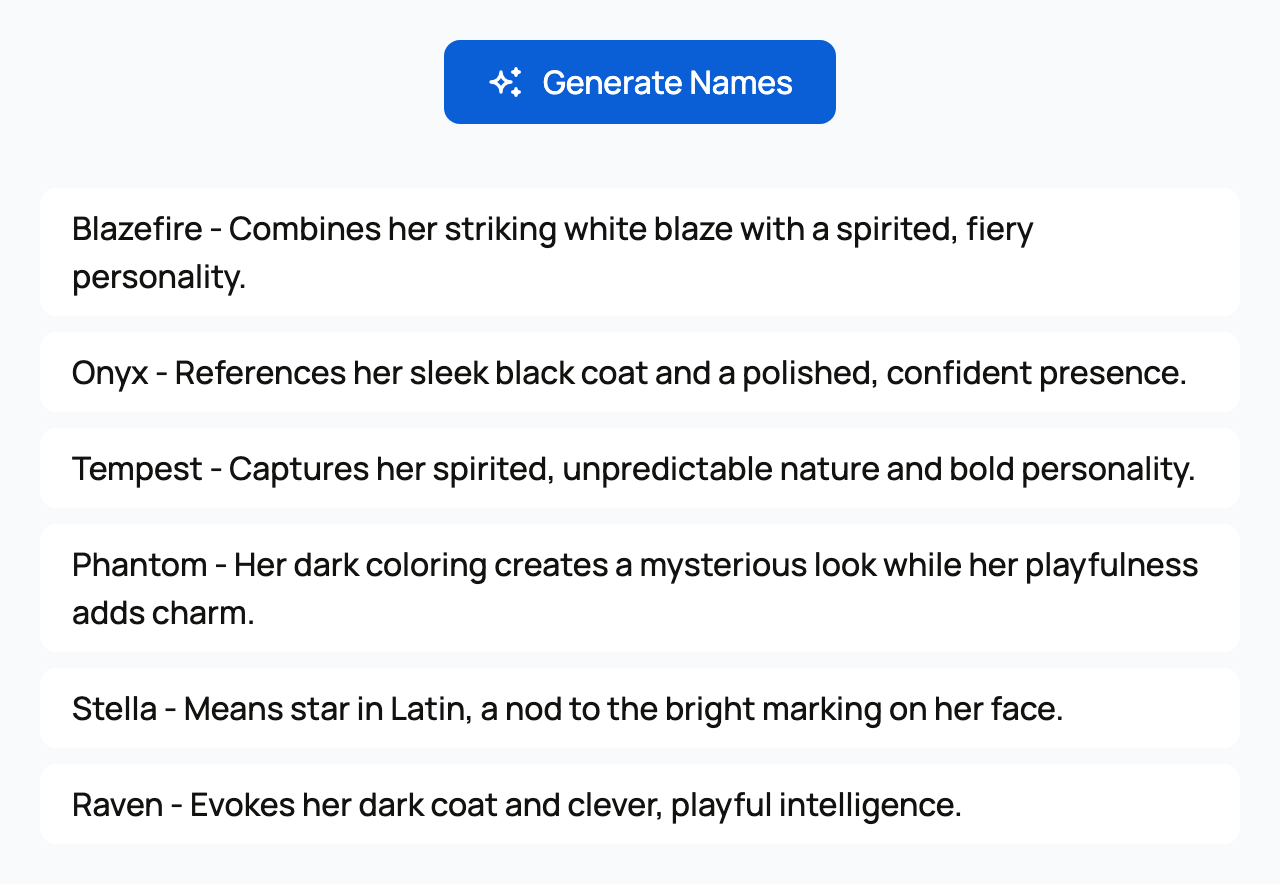
Try another direction
Edit the description or style choices and generate again when the first list is close but not right. Be more specific about the part you liked, such as "classic two-syllable names" or "warm farm names that do not include Acres."
Animal and organization generators share a limit of 20 generations in one hour from the same connection. If you reach that limit or see a message that the generator is busy, wait before trying again. You can also browse the ready-made name ideas below the form on pages that offer them.
What happens to a result
Generating names does not rename an existing animal, reserve a business name, or save anything automatically. After an animal result, Creatures can offer to create a free profile for that species. Choose it only when you are ready to add the animal.
Before using an organization name publicly, check business, registry, domain, and trademark requirements that apply to you. When the name is ready, create an organization and add your team.
Related information
- The Creatures Tools page: calculators, visualizers, and generators
- Design a cattle brand: the Brand Designer, ideas, and registration
Updated on: 02/09/2026
Thank you!