
Check market prices with the Livestock Value Calculator
The Livestock Value Calculator shows what animals like yours have sold for at auction. Use it for market research. It is not an appraisal or a price for one specific animal.
The calculator is free, and you don't need an account.
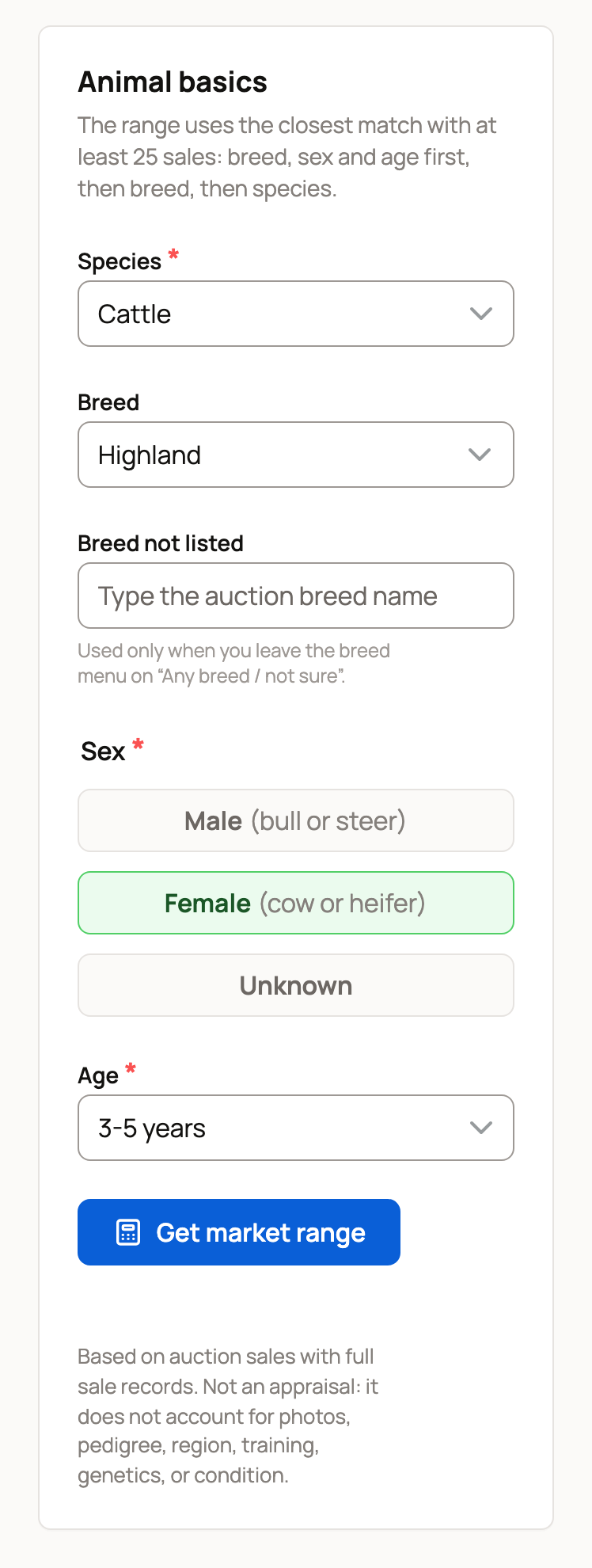
Enter the animal's basics
- Choose the Species. Only species with enough auction sales appear in the menu.
- Choose the Breed, or leave it on Any breed / not sure. If the breed isn't in the menu, leave it on Any breed / not sure and type the auction breed name under Breed not listed.
- Choose Male, Female, or Unknown. Once you pick a species, the page adds the usual words, such as "cow or heifer" for cattle.
- Choose the Age: Under 1 year, 1-2 years, 3-5 years, or 6+ years.
- Select Get market range.
Read the result card
The large range covers the middle half of sale prices. A quarter of the sales were lower, and a quarter were higher. The card also shows:
- Median: the middle sale price.
- Sample count: how many sales the range is based on.
- Age input: the age group you chose.
- Latest sale in sample: the date of the newest sale used.
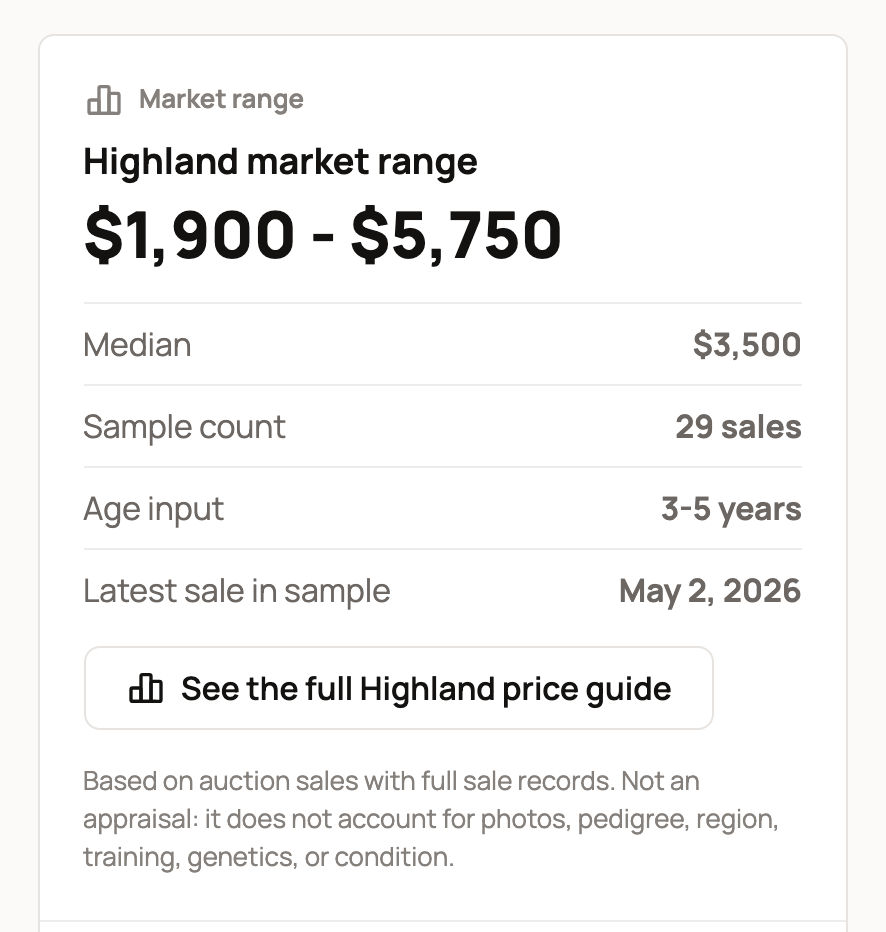
When Creatures has a price guide for that breed or species, a button such as See the full Highland price guide opens it.
When it uses a broader set of sales
A range needs at least 25 sales with prices. When you choose a breed, the calculator first looks for sales that match the breed, sex, and age. If fewer than 25 match, it widens the search:
- First to all sales of that breed. A yellow note says so.
- Then, if the breed still has too few, to all sales of the species. A yellow note says so.
If you leave the breed on Any breed / not sure, the range uses all sales for the species. The heading says it is "not adjusted for breed, sex or age". A yellow note explains that sex and age don't change it, so choose a breed for a closer range.
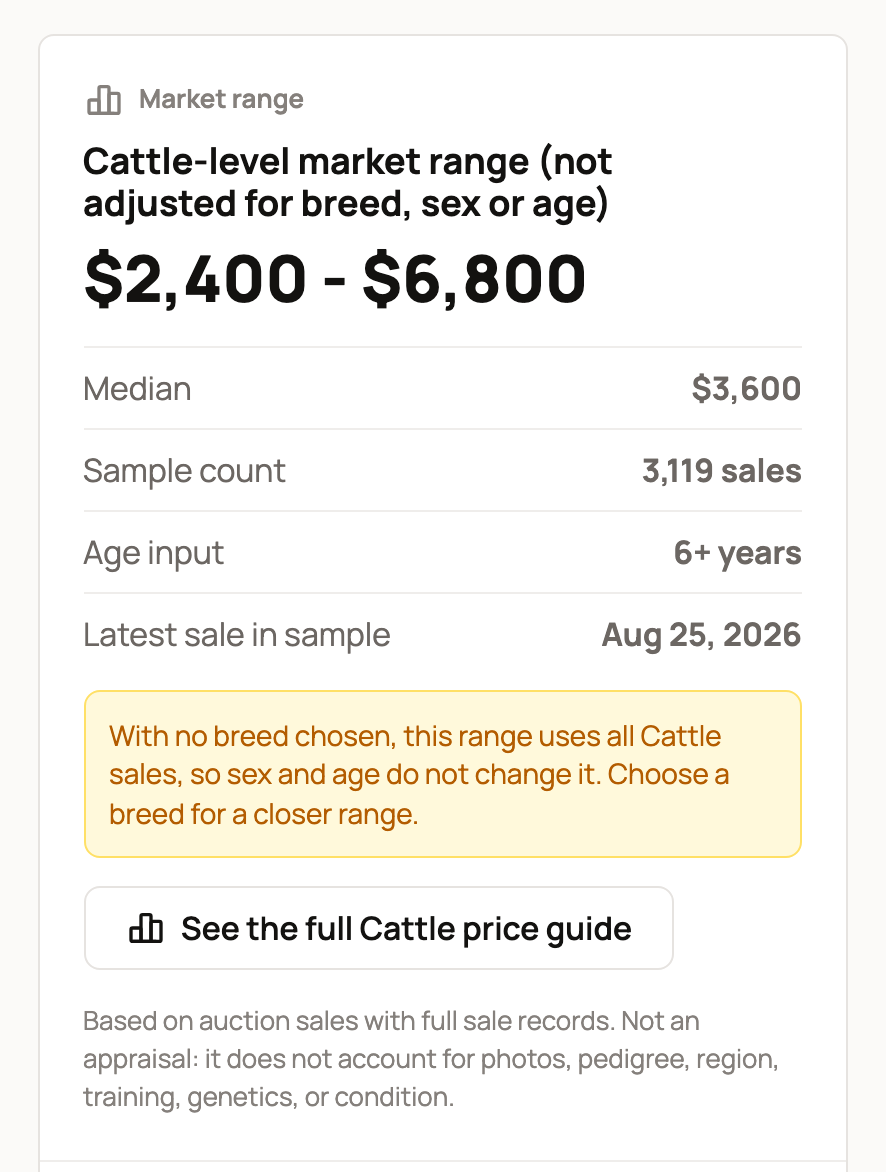
Read the heading and any yellow note before you compare prices. Age input repeats your choice even when the range doesn't use it.
If you check a lot of ranges in one hour, the page shows Take a short break and says how many minutes to wait.
Save it or add the animal
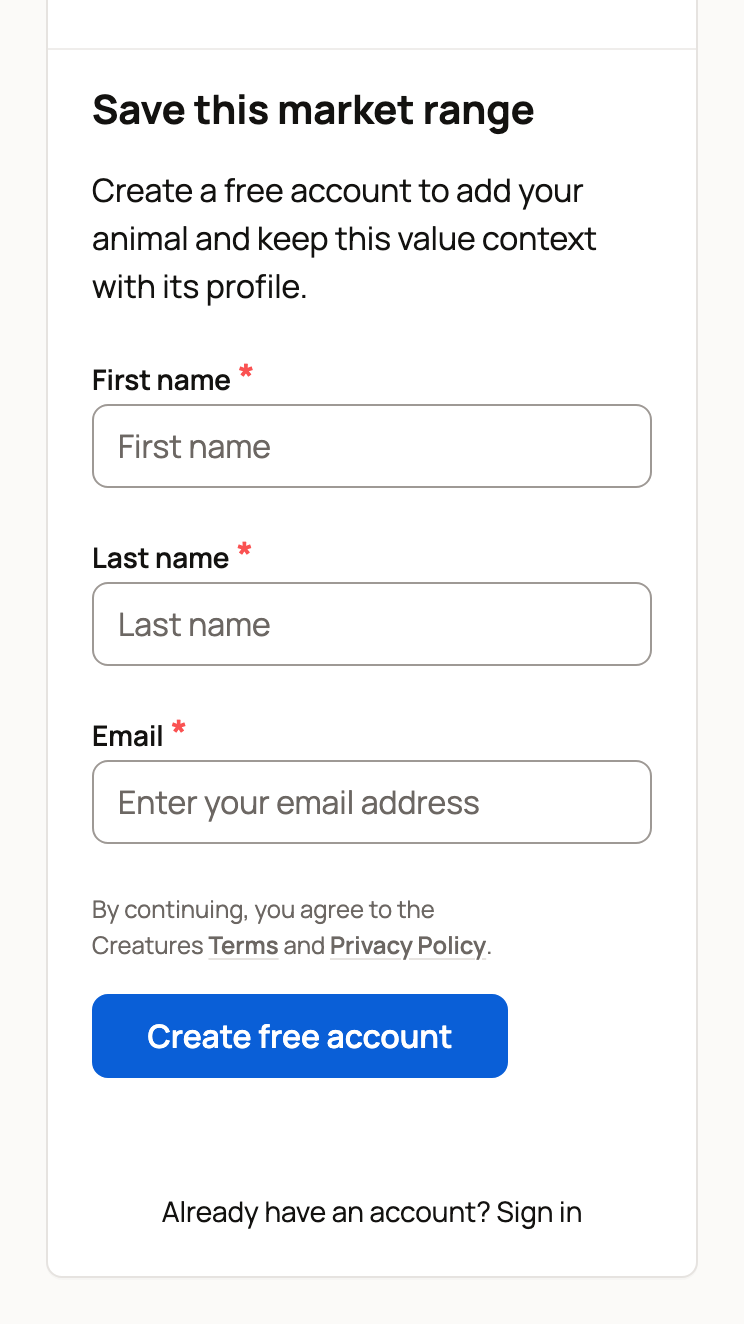
Signed out: under the result, Save this market range offers a free account. The species, breed, sex, age, and range carry into the animal you add next.
Signed in: select Add animal with these details. The add-animal form opens with the species, breed, sex, and age filled in, and the market range shown at the top. Add a name and anything else you know, then select Create profile and save range. Nothing is added until you do. The range stays on the profile, where you and your team can see it. See Adding an animal to Creatures.
When you need an estimate for one animal
The market range doesn't look at an animal's photos, pedigree, region, training, genetics, or condition. Once the animal has a full Creatures profile, a Crestimate can use those details. A Crestimate is Creatures' estimate of what that one animal could sell for, with the reasons behind it. See What is a Crestimate? and How to generate a Crestimate.
Related information
- The Creatures Tools page: which free tool to use
- Estimating animal weight with the weight calculator
- What is a Crestimate?
Updated on: 29/10/2026
Thank you!