
Make a printable pedigree chart
The free Pedigree Chart Maker turns what you know about an animal's family into a chart you can print. Fill in the form, select Make pedigree, then download it, print it, or save it to Creatures.
A pedigree is a family tree: the animal, its sire (father) and dam (mother), and the generations behind them. You don't need an account to make or print one.
Open the maker
On the Tools page, select Pedigree Chart Maker, then choose your animal's Species. Rabbits, dogs, goats, horses, cattle and cats also have their own maker pages, listed lower on the page.
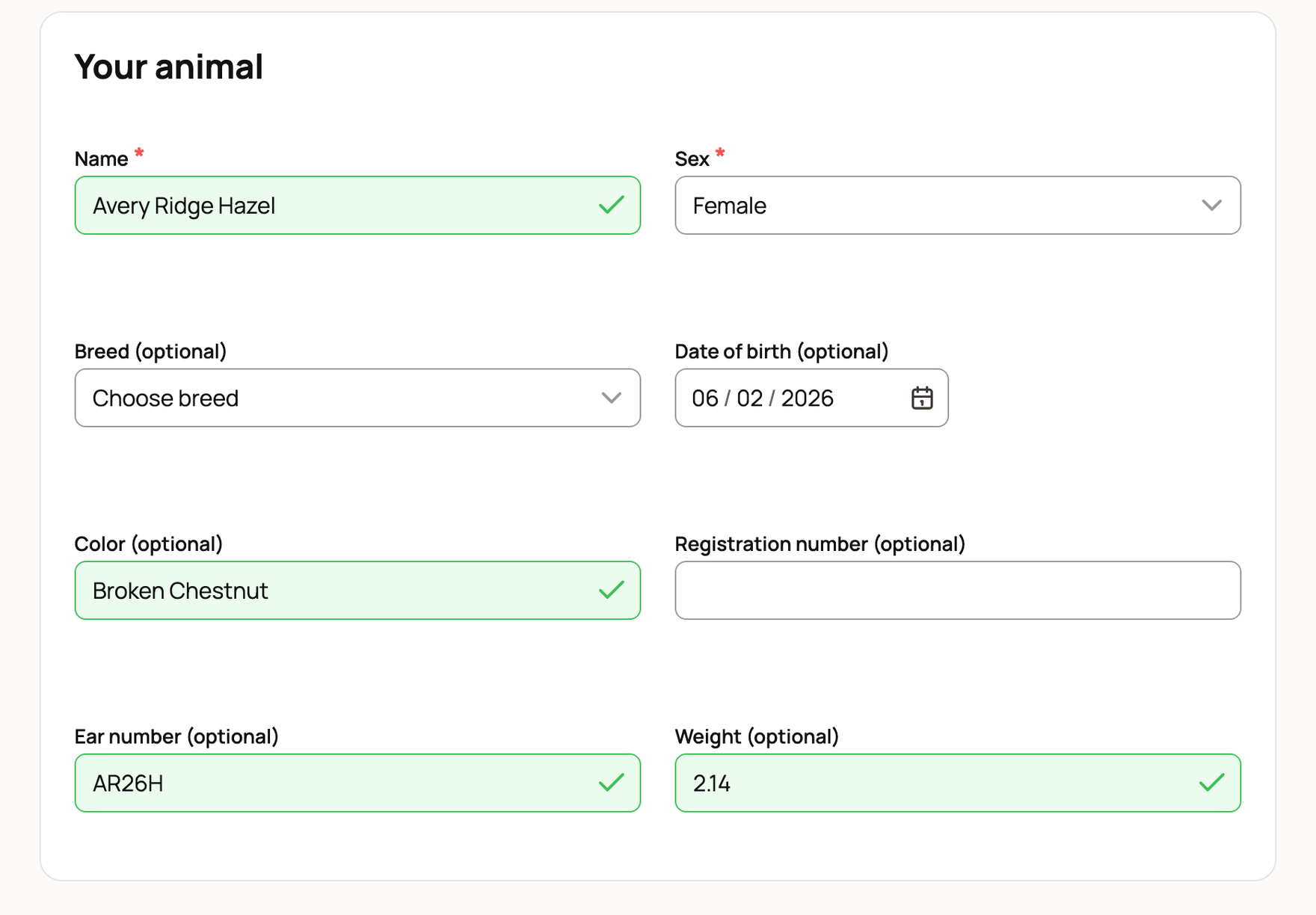
Fill in your animal
Under Your animal, enter the Name and Sex. Breed, Date of birth, Color and Registration number are optional. Rabbits and guinea pigs also get Ear number and Weight (pounds and ounces, like 5.04).
Add the ancestors
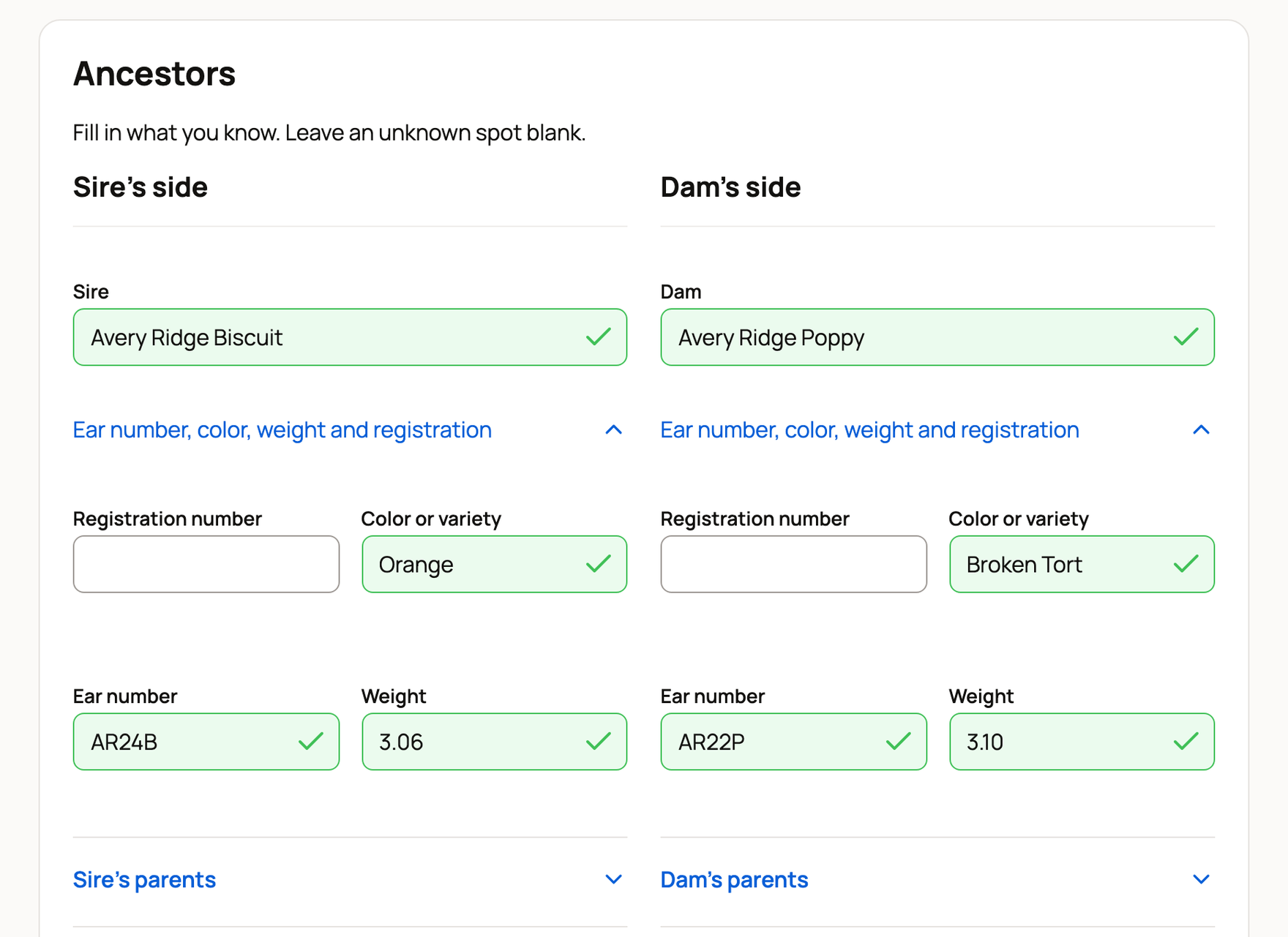
Under Ancestors, fill in what you know and leave unknown spots blank. Start with the Sire and Dam. Open Sire's parents and Dam's parents to add grandparents. Open Sire's grandparents and Dam's grandparents to go one step further.
Under each name, open Registration and color to add those details. For rabbits and guinea pigs, it reads Ear number, color, weight and registration. Add at least one parent or grandparent.
Make the chart
Under Chart details, add a Registry name if you want one printed, and pick a Paper size: Letter or A4. Then select Make pedigree.
Your chart appears at the top of the page under Your pedigree chart. A line under it counts the ancestor spots you filled. Tap the chart to see it full size.
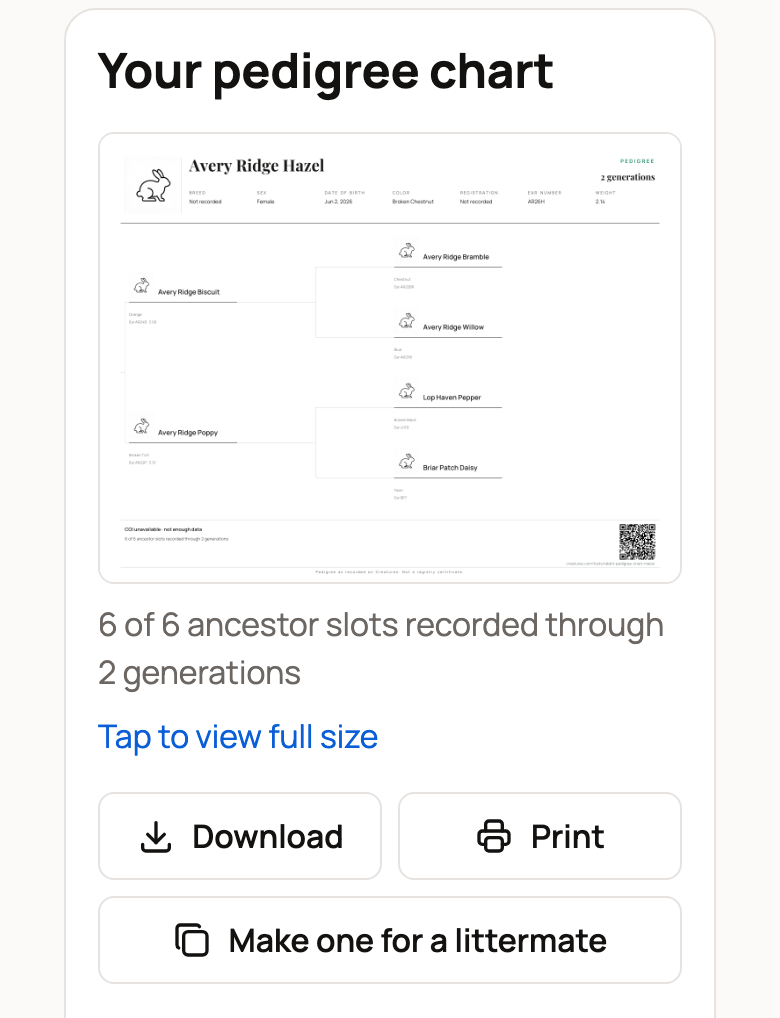
- Download PDF saves the chart as a file. On a phone, the button says Download.
- Print opens the PDF in a new tab, ready to print.
- Make one for a littermate starts a new chart with the same parents and birth date. Add the new name and sex.
If one animal shows up twice in the family, a note says so. Saving keeps it as one animal.
The maker remembers what you typed on this device. When you come back, it says We kept what you typed here last time. Select Start over to clear the form.
Save it to your animals
When you're signed in, select Save to my animals. The Add your animal form opens with the name, breed, color and birth date from your chart. Save the animal.
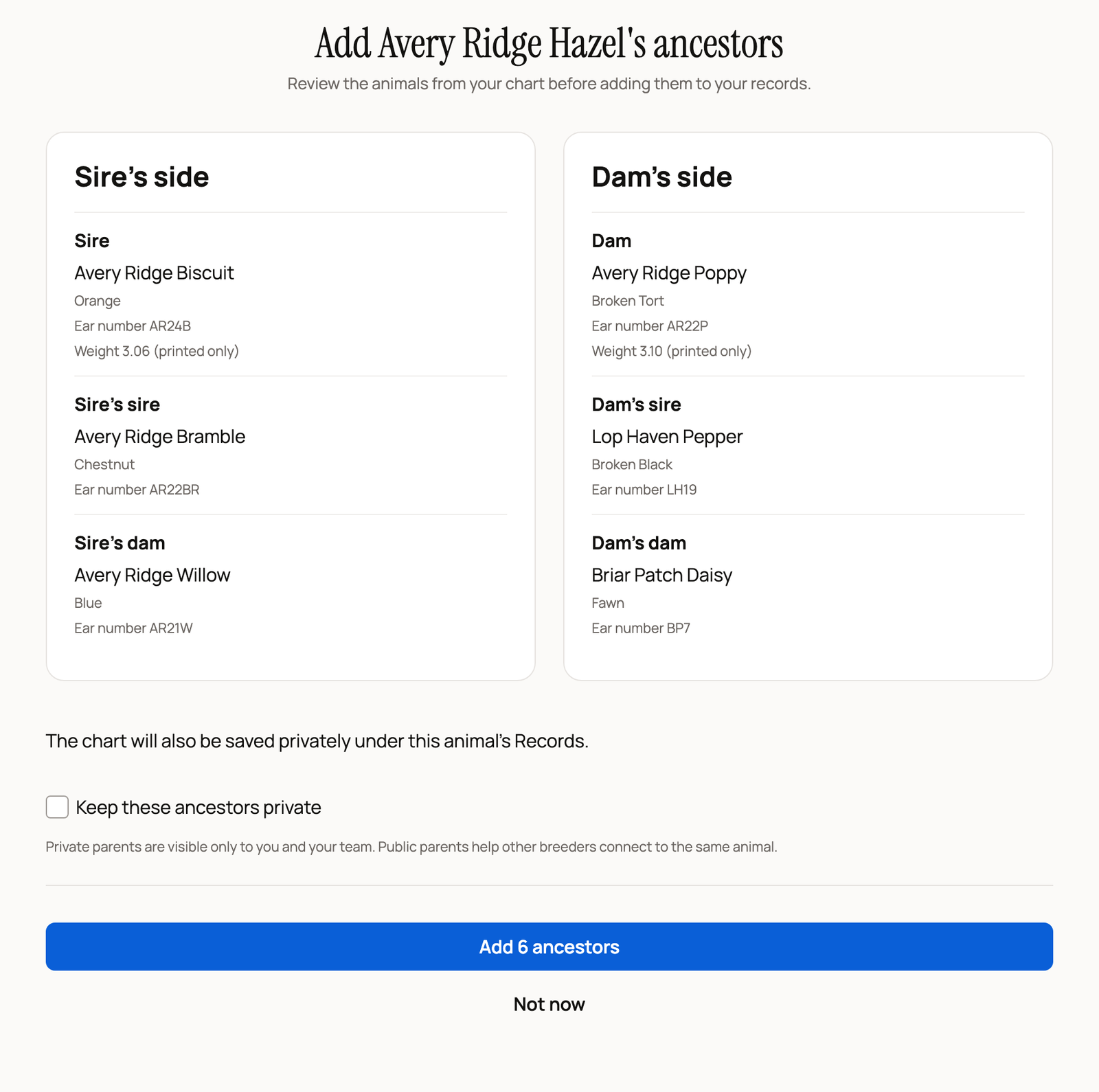
Next, a page like Add Avery Ridge Hazel's ancestors lists the family from your chart. Turn on Keep these ancestors private if only you and your team should see them. Then select Add 6 ancestors (the number matches your chart), or Not now. Adding them also saves the chart privately under the animal's Records. Weights stay on the chart only.
Saved pedigrees get a QR code that opens the animal's live record. After you add the ancestors, share the pedigree from the animal's pedigree page to print a copy with that code.
Save it without an account
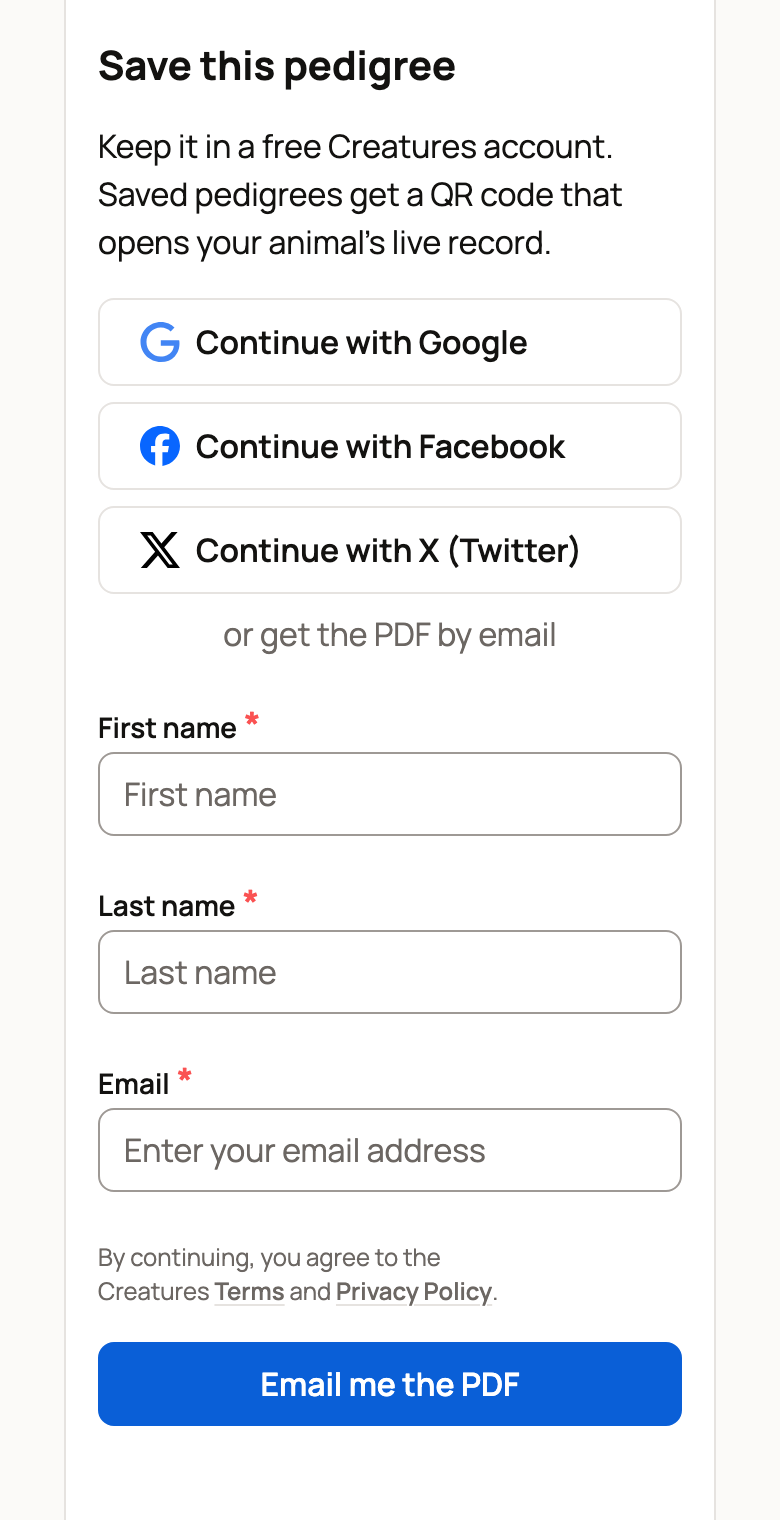
Signed out, you'll see Save this pedigree under the chart. Select Continue with Google, Continue with Facebook or Continue with X (Twitter). After you sign in, the add-animal form opens with your chart.
Or enter your name and email and select Email me the PDF. Confirm your email with the button or the 6-digit code. Creatures creates your free account and emails a link to the PDF. The link works for 30 days.
Rather write it by hand? Next to Print a blank pedigree, select Letter or A4.
Related information
- The Creatures Tools page: which free tool to use
- Pedigree, family, and lineage
- Adding an animal to Creatures
- Animal and organization name generators
Updated on: 29/10/2026
Thank you!