
Horse coat color calculator: explore foal colors, save, and share
The horse coat color calculator shows the foal colors a stallion and mare could produce. Start from how the horses look or from their DNA results, then save the pairing privately or share a copy.
The Horse Coat Color Calculator is free, and you don't need an account to explore.
Choose how to start
At the top of the page, pick one:
- Start with appearance: no genetic testing needed. You choose the color each horse looks like.
- Use DNA results: you enter what the lab reports say. Genes you didn't test stay unknown.
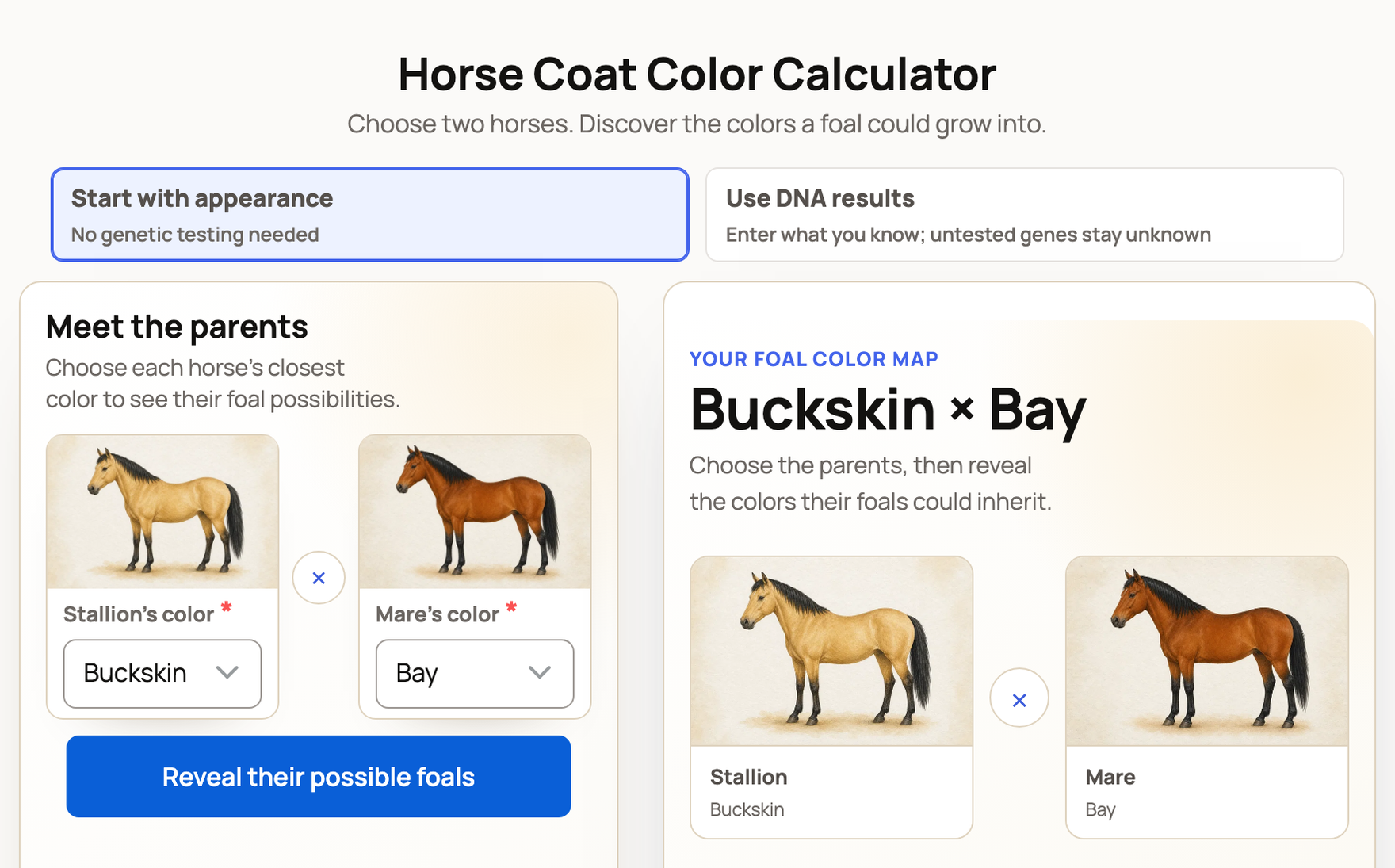
Start with appearance
- Under Meet the parents, choose the Stallion’s color and the Mare’s color.
- To describe a horse more closely, open Add patterns and markings.
- Select Reveal their possible foals. After you change anything, select Update foal possibilities.
If you're signed in, open Use my horses to bring in a horse's color and photo from its Creatures profile.
Use DNA results
The form starts with example values for both horses. Replace the results you know, and mark any test that wasn't run as Not tested. Then select Explore possible foals.
Read the foal color map
Under Their possible foals, each color their foal could grow into gets a picture tile with its chance, the surest first. If there are more than six colors, open the line under the tiles, such as Show all 9 colors, to see the rest.
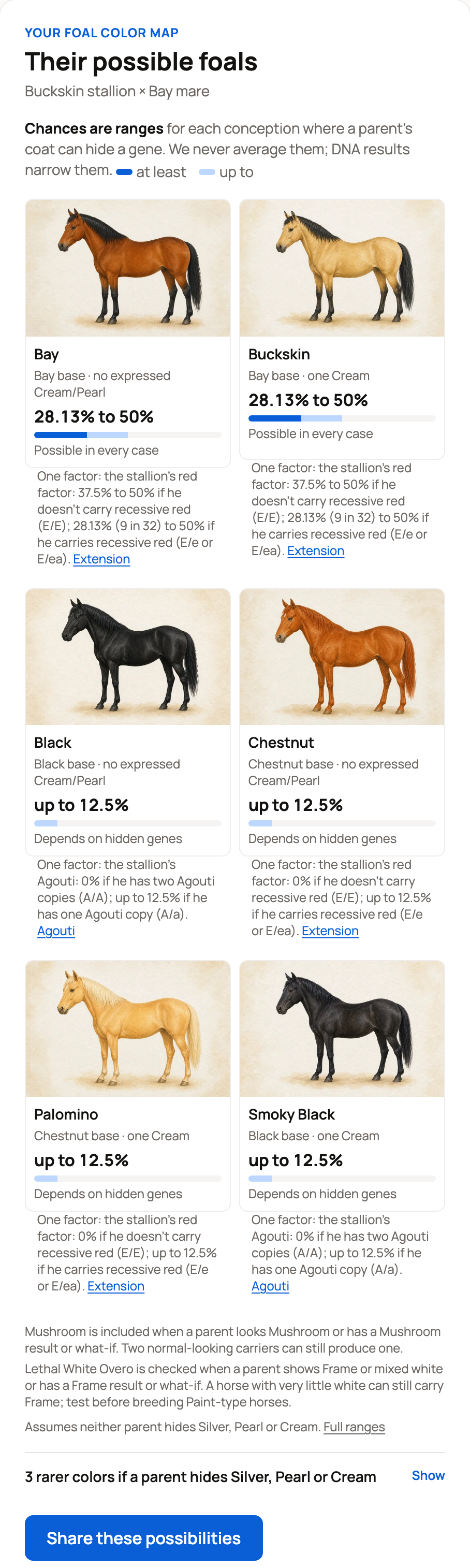
- A range, such as "28.13% to 50%", means the parents could carry different hidden genes. The range covers every option that fits.
- Chances reflect only what you entered. Unknown DNA makes the ranges wider.
- Possible does not mean guaranteed.
- Health notes sum up published research. Ask your veterinarian what a note means for your plans.
Find the most useful DNA test
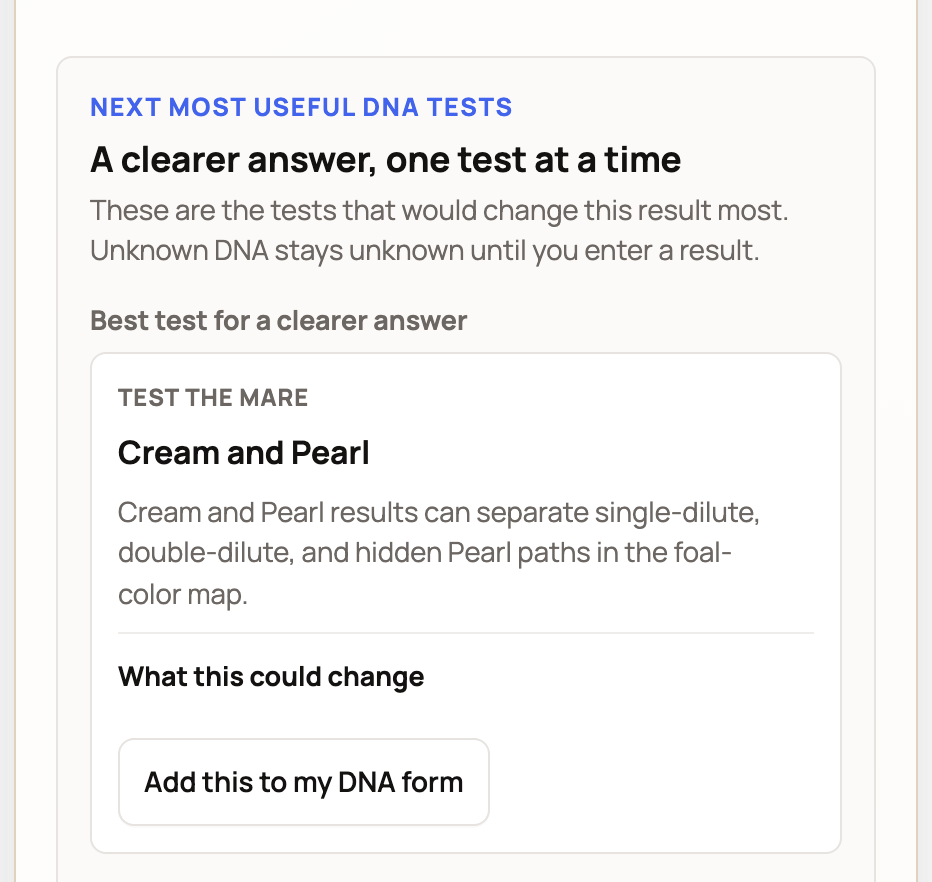
A clearer answer, one test at a time lists the tests that would change your result most, and says which horse to test. Tests that matter for a foal's health come first, under Check before breeding. Then come Best test for a clearer answer and Optional refinement.
When you have a result, select Add this to my DNA form or Open stallion DNA field to enter it. If you're already using DNA results, the button is Add a DNA result.
Save the pairing
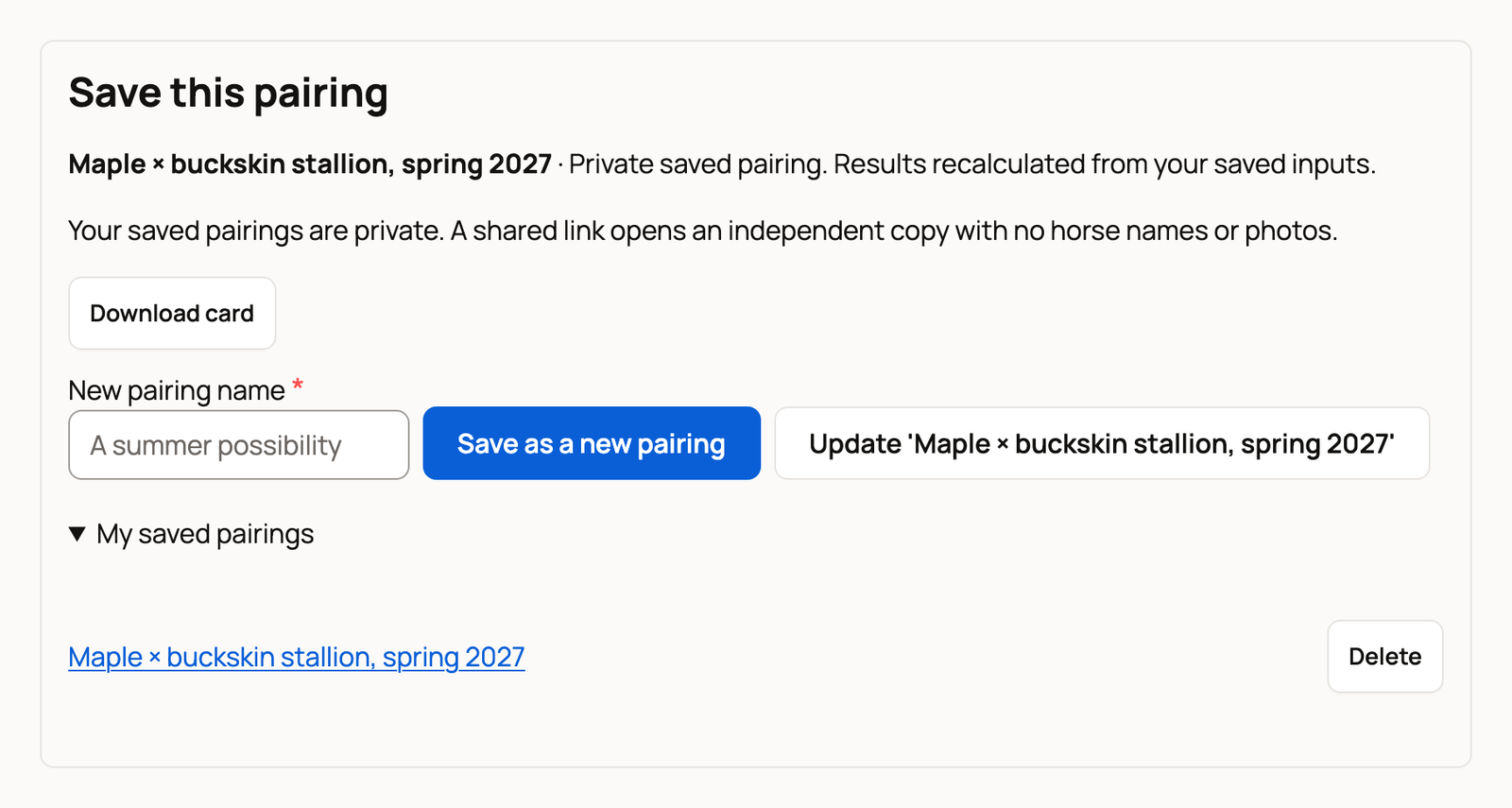
- Sign in, then go to Save this pairing below the result.
- Type a Pairing name and select Save to my horses.
Saved pairings are private. Open one again from My saved pairings. After a change, select Update with the pairing's name to replace it, or type a New pairing name and select Save as a new pairing. Select Delete to remove one.
Signed out? Choose Create an account and save this pairing. You'll verify your email, and no horse or breeding records are created. If you have an account, select Sign in to save this pairing.
Share a copy
- Select Share these possibilities. On the DNA form, the button is Share this pairing.
- Edit the caption if you like.
- Select Copy link (Share on most phones), or Download to save a card.
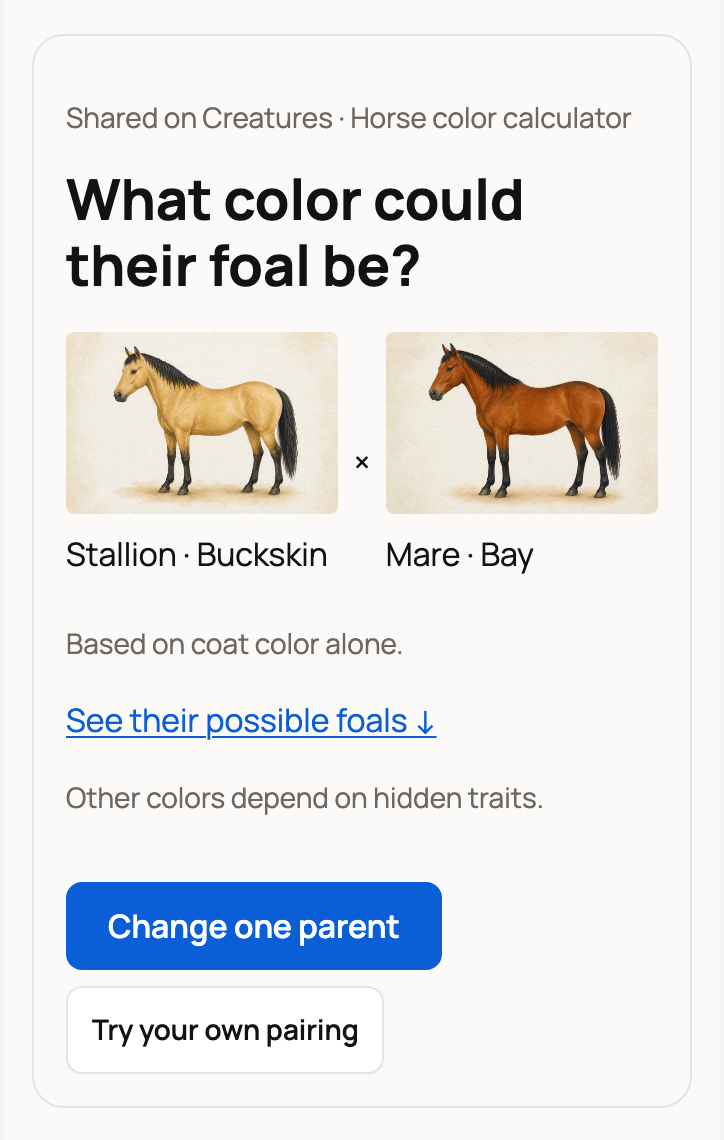
The link opens a separate copy marked "Shared on Creatures · Horse color calculator". It never shows horse names or photos. If you used DNA results, the values you entered are public in the copy.
The person who opens it can select Change one parent or Try your own pairing. Your pairing stays as it was.
Explore one horse
The Horse Coat Color Visualizer shows how DNA shapes one horse's coat. It starts with example values. Replace them with the lab results you know, and the picture updates as you go. Select Share this result to share it.
Related information
- Coat color tools for Highland cattle, donkeys, and goats
- Genetics overview
- Recording a breeding
- The Creatures Tools page: which free tool to use
Updated on: 29/10/2026
Thank you!