
Can I buy without creating an account?
Yes, for most fixed-price animals. Select Buy Now, pay on the secure checkout page with your email address, and Creatures connects the purchase to an account for that email: the one you already have, or a new one it sets up for you.
Buy as a guest
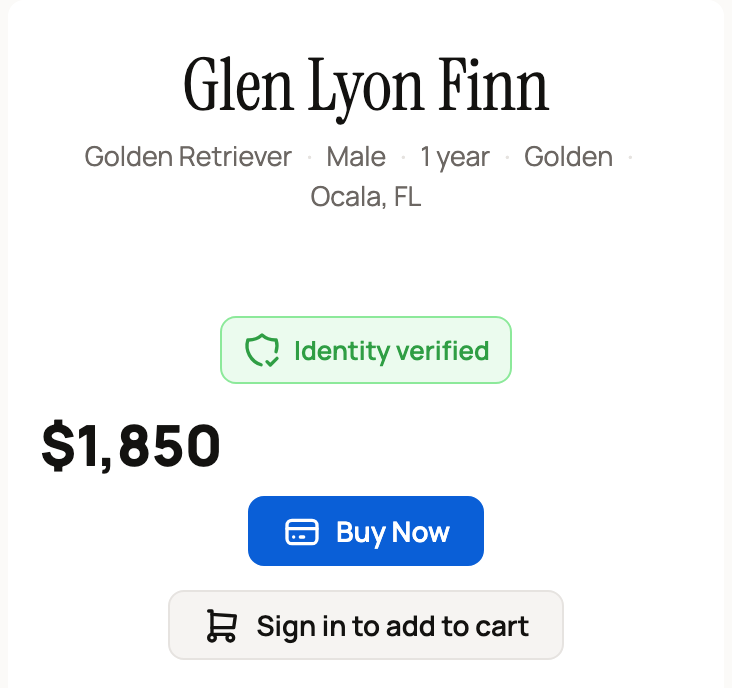
- Open the listing and select Buy Now. When you're signed out, the cart button reads Sign in to add to cart, because the cart needs an account.
- If the seller offers delivery, Creatures asks Add seller delivery? or shows Delivery options. Choose one, or select Skip to pick the animal up yourself.
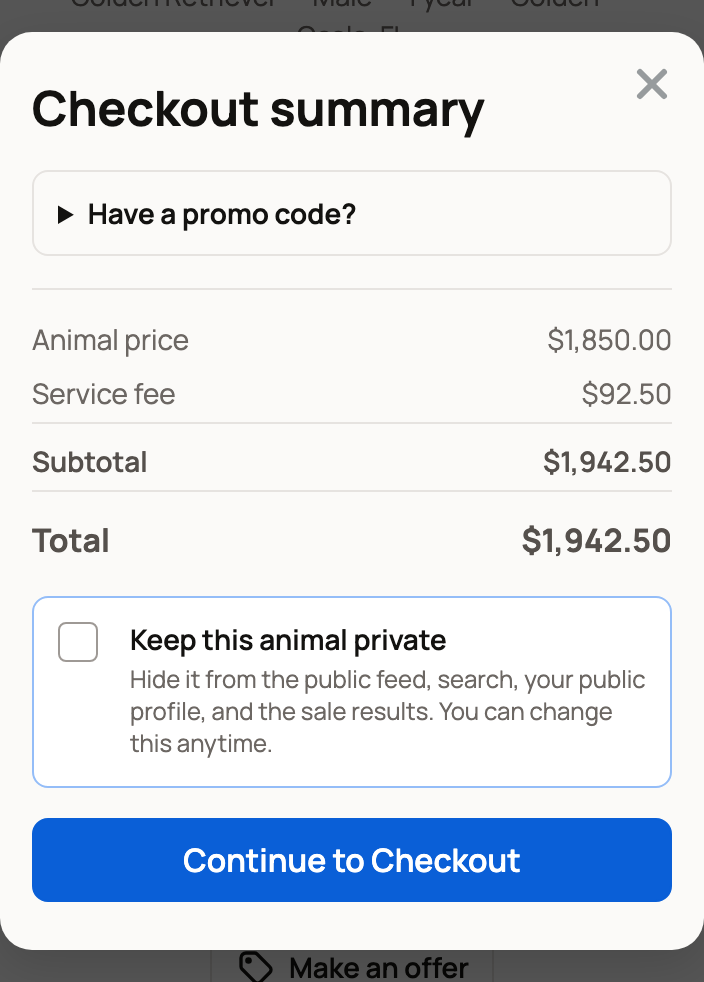
- Check the Checkout summary. It lists the animal price, the 5% Service fee, any delivery, and the Total. Turn on Keep this animal private if you'd rather the animal not show up in public after the sale. Then select Continue to Checkout.
- On the secure checkout page, enter your email, phone, addresses and payment details. Agree to the terms, then pay.
What happens next
Back on the listing, you'll see Checkout already submitted. There's no need to pay again. Refresh the page to see the confirmation, or use the secure purchase link that arrives by email.
- New to Creatures? You'll get an email that says you purchased the animal. Select View Your Purchase to sign in and open your purchase. Your new account uses the email you paid with.
- Already have an account with that email? The purchase goes to that account. Sign in with that email, open your Dashboard, and select Purchases.
Next, plan the handoff. See Receiving your animal and confirming delivery.
Other things you can do signed out
You can do a lot before you ever create an account. Each of these asks for your name and email, then confirms the email with a short code or link.
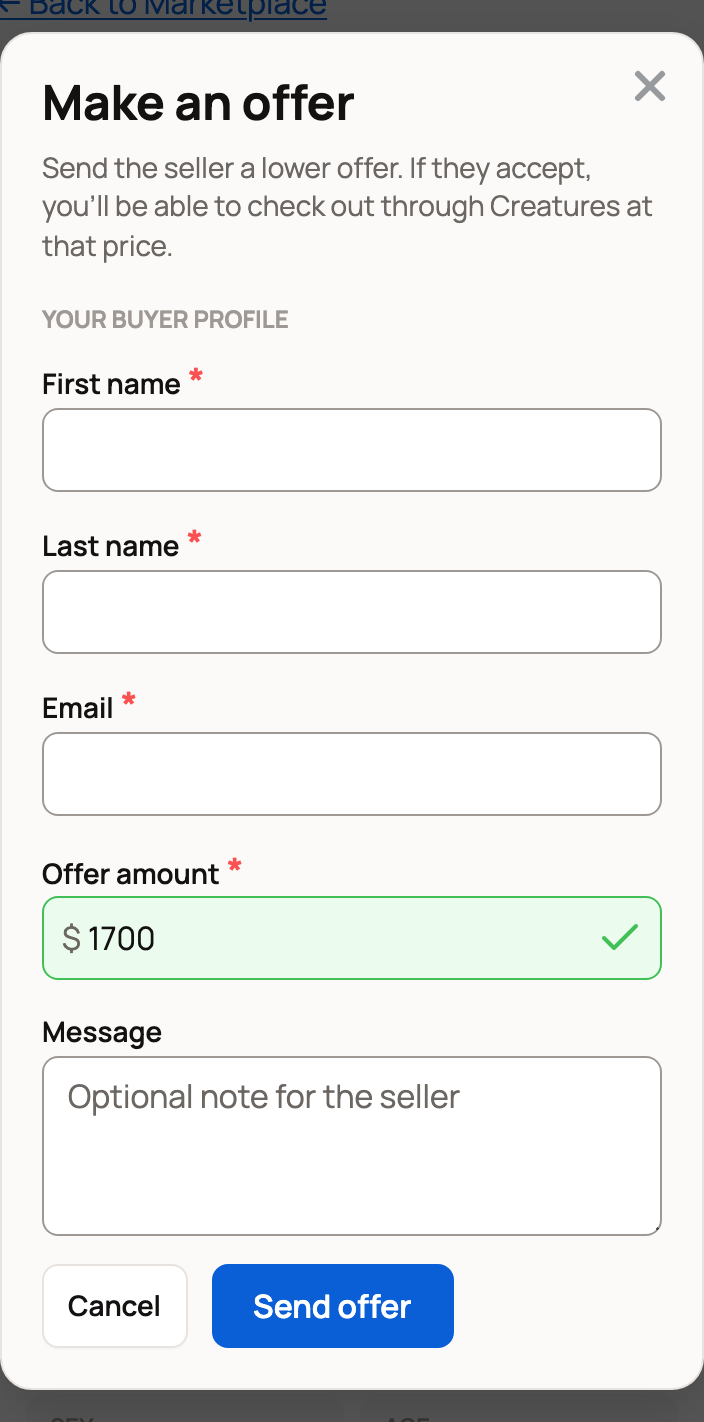
- Make an offer: enter your Offer amount, your name and your email, then the 6-digit code Creatures emails you. If that email already has an account, you'll be asked to sign in instead.
- Message the seller: select Contact on the listing, write Your message, and add your name and email. Select Confirm email and send, then enter the 6-digit code Creatures emails you. Your message goes to a private chat with the seller.
- Apply to Buy or Apply to Bid: fill in Your Details, then confirm with the code and secure link Creatures emails you. You can also use Continue with Google, Continue with Facebook or Continue with X (Twitter).
- Bid on an auction: on Enter Details to Bid, continue with Google, Facebook or X, or type your name and email and confirm the code. Your account is set up as part of this step.
- Save a listing or a search: select Save, Alert me if price drops or Save this search, then confirm your email.
- Get a sale event reminder: select Remind Me on the event page.
What needs you to sign in
- adding animals to your cart
- checking out an offer the seller accepted
- paying with Creatures Credit or your Wallet balance
- adding boarding that the seller has to approve
- buying a listing marked Buyer Approval Required (apply first, as above)
Related information
- Before you bid or buy: what Creatures may ask for
- Buying at a fixed price
- Receiving your animal and confirming delivery
- Making an offer on a listing
Updated on: 29/10/2026
Thank you!