
Changing an animal's species
To fix an animal saved under the wrong species, open its profile and choose Change species from the arrow menu. Pick the right species, check what changes, and confirm. The breed resets, so set it again afterward.
Before you start
- Only an owner or co-owner can change the species. For a farm's animal, the farm's owners and co-owners can.
- The new species must be in the same animal class. A sheep can become a goat, but not a chicken.
- Reference profiles can't change species. If you're still claiming the animal, finish the claim first.
Change the species
- Open the animal's profile.
- Select the arrow button at the end of the row with Add record and Edit profile. Its name is More animal actions.
- Choose Change species. You can also open Edit profile and select Change species under Species.
- Under New species, pick the right one, then select Continue.
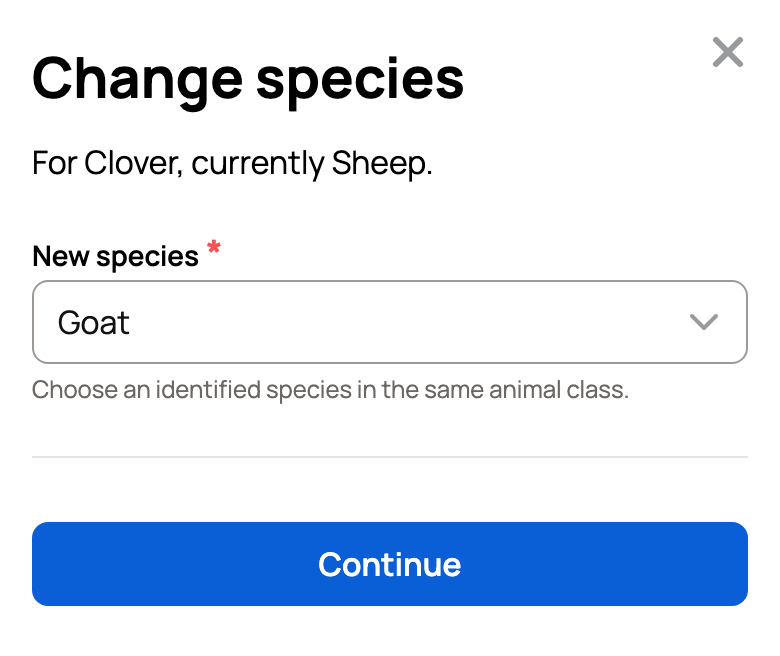
You can type a breed too: Nigerian Dwarf shows Goat · Nigerian Dwarf under Breeds, and picking it chooses Goat. You set the breed after the change. Misspelled a name? Pick a close match under Did you mean:. Suggestions stay within the same animal class.
Creatures may suggest a species under Matches your color or cross or line name. Choose it only if it's right for your animal.
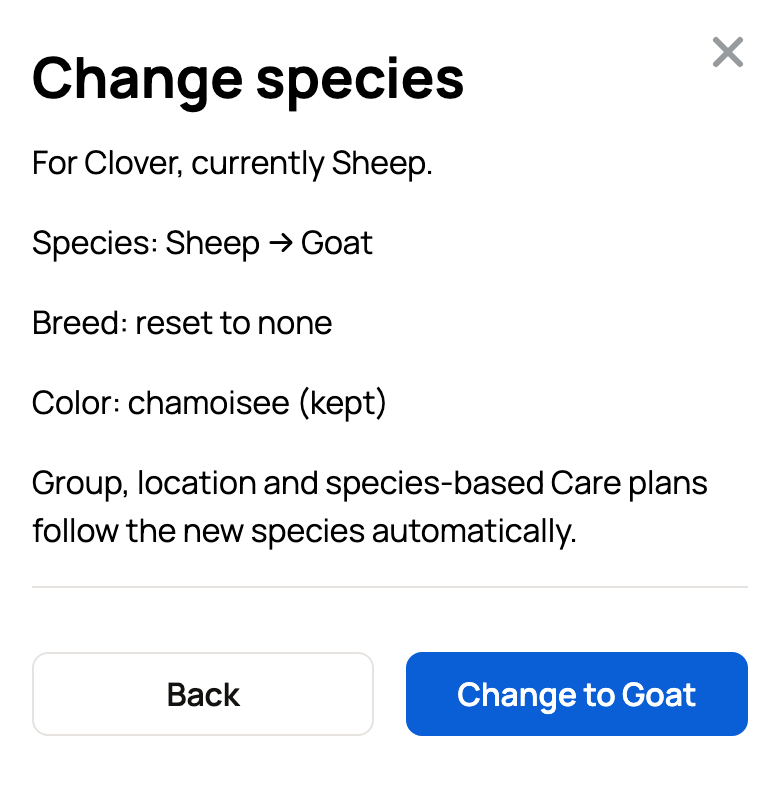
- Check the summary before you confirm:
- The old and new species, such as Sheep to Goat.
- The breed resets to none.
- The color and any cross or line name are kept.
- Group, location and species-based Care plans follow the new species automatically.
- Select the button that names the new species, such as Change to Goat. To pick again, select Back.
After the change
The profile shows Species changed. with a link to set the breed. Select it to choose the right breed in Edit profile.
If the animal had a published stud offer, Creatures pauses it. Check the offer, then select Resume in its Stud services panel.
Saved an animal under a general choice, such as Snake (species not known)? The profile shows a Set species button. Select it to pick the exact species the same way.
If Creatures asks you to resolve something first
Some records depend on the species. If the animal has any, Creatures lists them under Resolve these before changing this animal's species. Common ones are:
- Parents or offspring recorded
- A group or breeding pen
- An active breeding
- An open listing or a sale that isn't final
- Show entries, registry records or a Care plan
- An open stud service request, for the male or for a female named in it
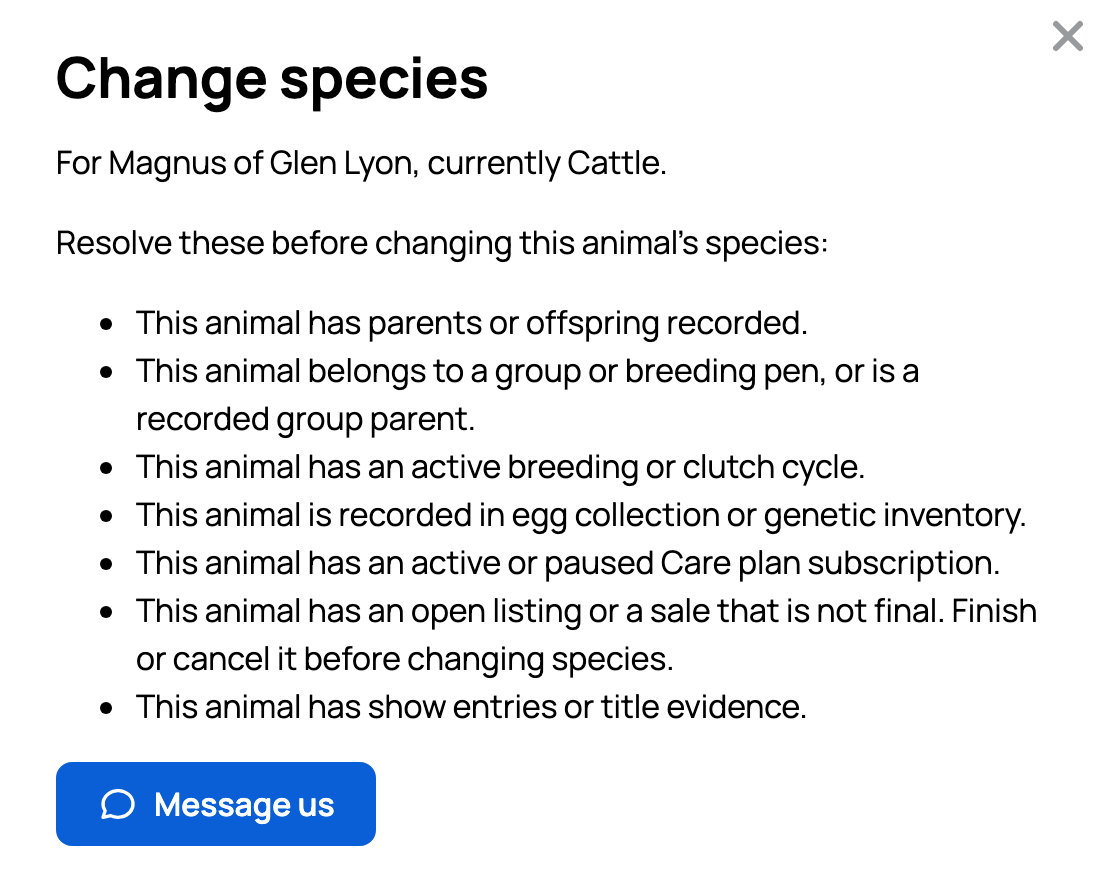
You can clear some of these yourself, such as ending a listing. If you can't, or you want to keep the record, select Message us. This opens a conversation with the Creatures team, and we'll help fix it.
Need a species that isn't on Creatures yet? See My species or breed isn't listed.
Related information
Updated on: 06/11/2026
Thank you!