
Connecting or buying a custom domain for your website
Yes, you can put your website on your own domain, like yourfarm.com. With Creatures Pro, you can buy a new domain without leaving Creatures or connect one you already own. Your free creaturesite.com address keeps working either way.
Before you start
- You need Creatures Pro. A personal website is unlocked by your own Pro plan, or by Pro on an organization you own or co-own. An organization's website is unlocked by the organization's Pro, or by an owner's or co-owner's own Pro. Without Pro, the card shows Put your site on your own domain and Explore Creatures Pro.
- Your website must be published for the domain to go live. See Publishing, updating, and taking your website offline.
Open the website builder, choose Settings (the gear), and find Custom domain under Web address.
Get a new domain
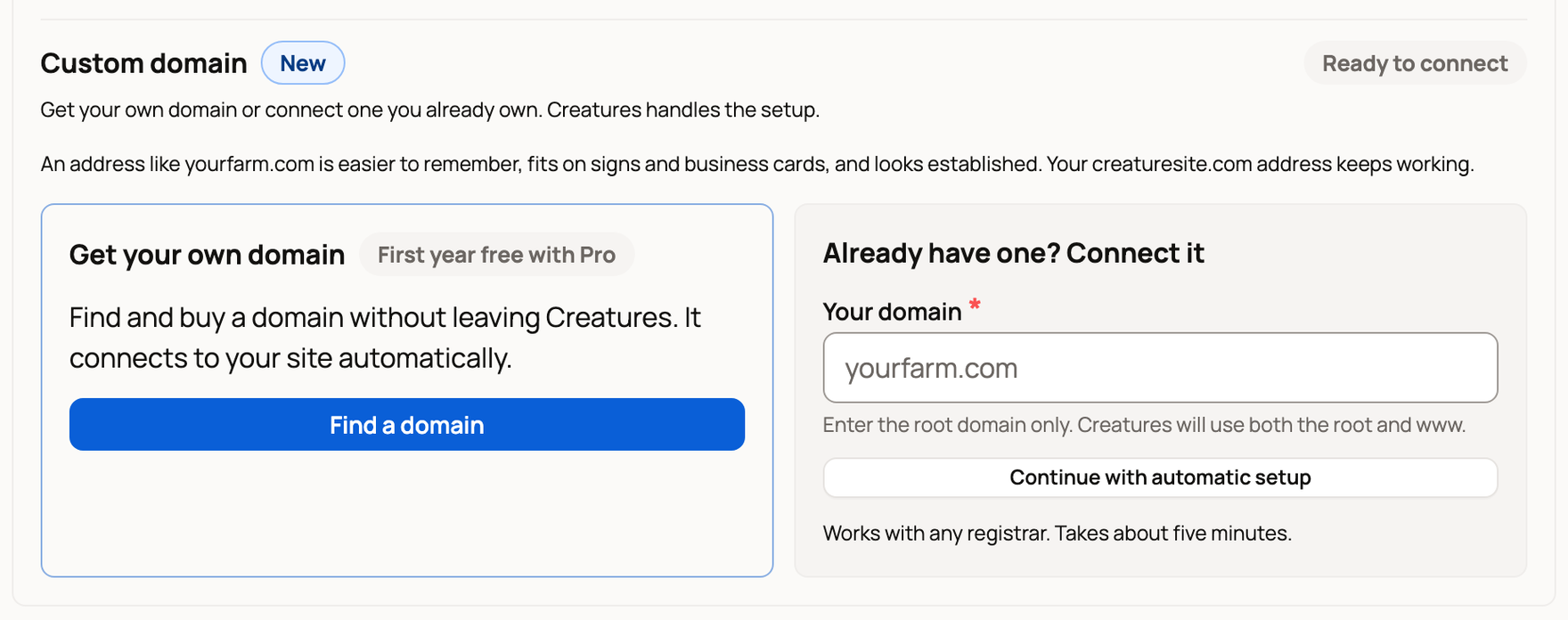
- Under Get your own domain, choose Find a domain. The First year free with Pro label means you pay nothing for the first year.
- Search for a name and buy it in the window that opens.
- Come back to Settings. The card shows Connecting your domain. There are no DNS records for you to add, and we email you when it's live.
If you close the window before you finish, the card says Purchase in progress. Choose Resume to pick up where you left off. To start over, wait a few minutes until you can choose Cancel.
Your new domain is registered in your name with IONOS, our domain partner. IONOS handles renewal and billing after the free first year. IONOS may also ask you to confirm your email within 15 days.
Connect a domain you already own
- Under Already have one? Connect it, type your domain in Your domain. Enter the root domain only, such as yourfarm.com, with no www or https. Creatures sets up both versions for you.
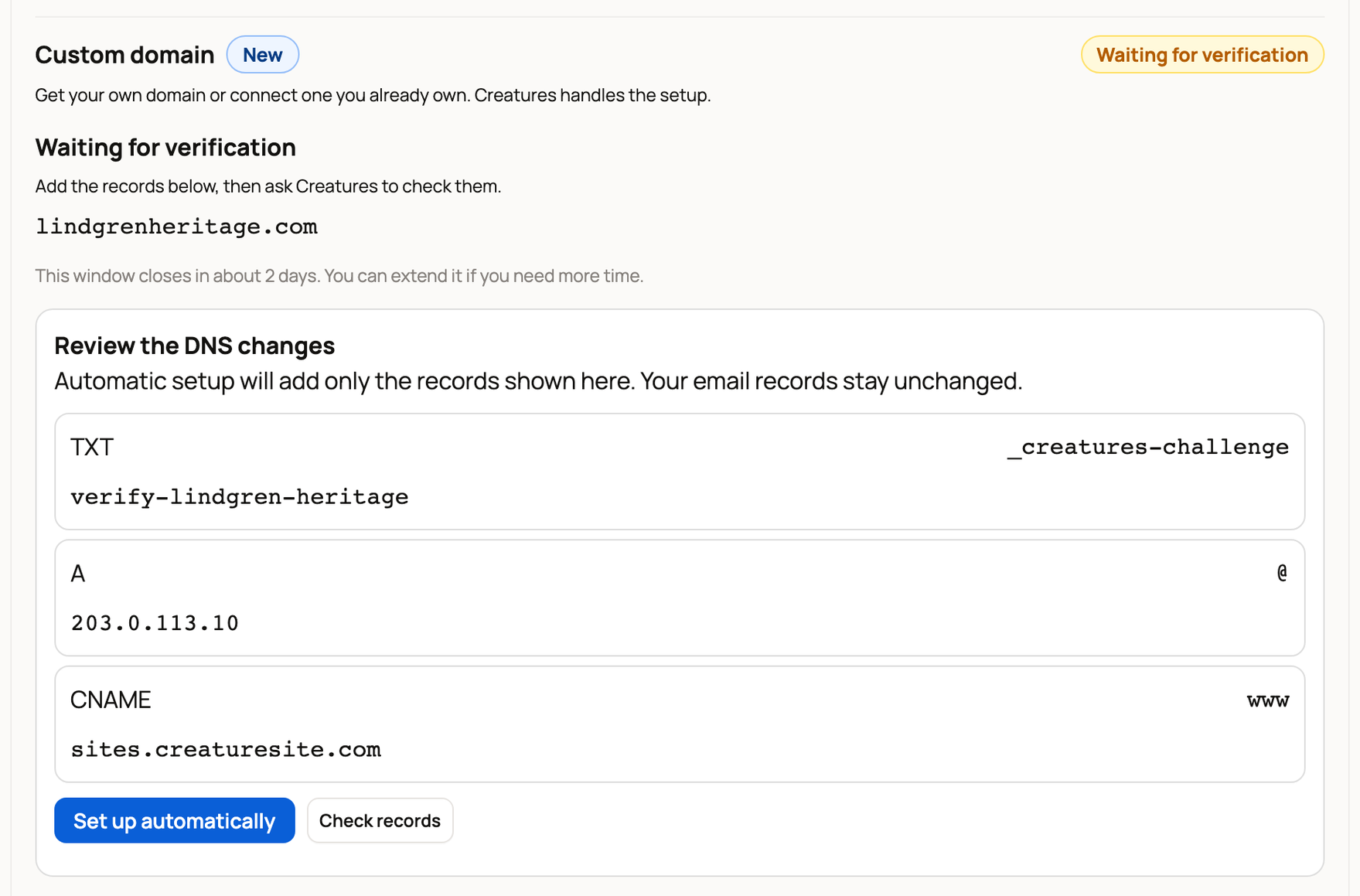
- Choose Continue with automatic setup. The card changes to Waiting for verification.
- Look over Review the DNS changes. DNS records are the settings that point your domain at your website. Automatic setup adds only these, and your email records stay the same.
- Choose Set up automatically. Sign in to your domain company in the window that opens and approve the changes. It takes about five minutes.
Or set it up yourself
If automatic setup doesn't work with your domain company, open Set it up yourself. Add each record where you bought your domain, using Copy so nothing is mistyped. Then choose Check records.
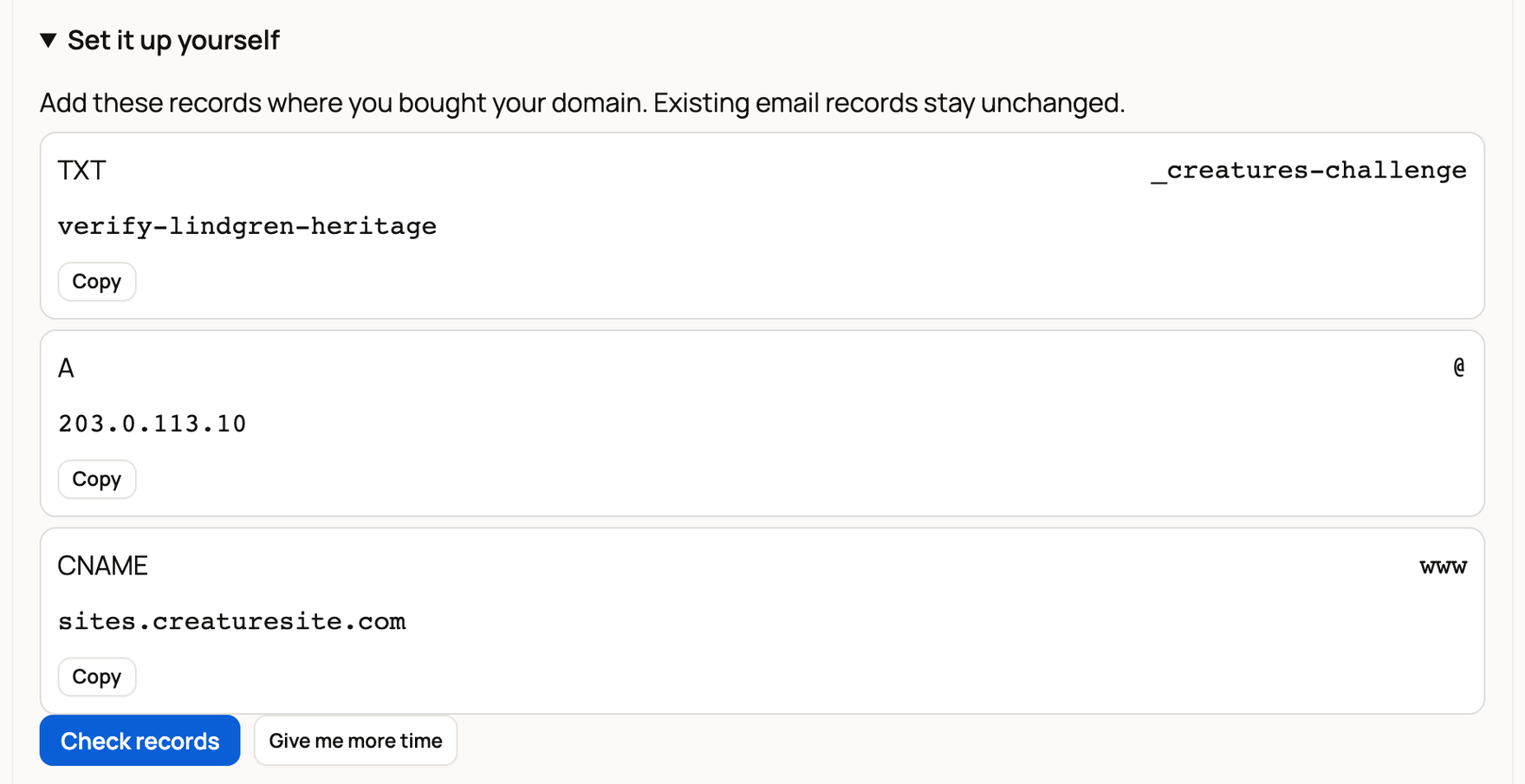
You have about two days to add the records. Choose Give me more time if you need longer.
What happens next
Once Creatures finds your records, the card shows Securing your domain while it sets up secure HTTPS. You can leave the page, and Creatures keeps checking. Record changes can take a while to spread.
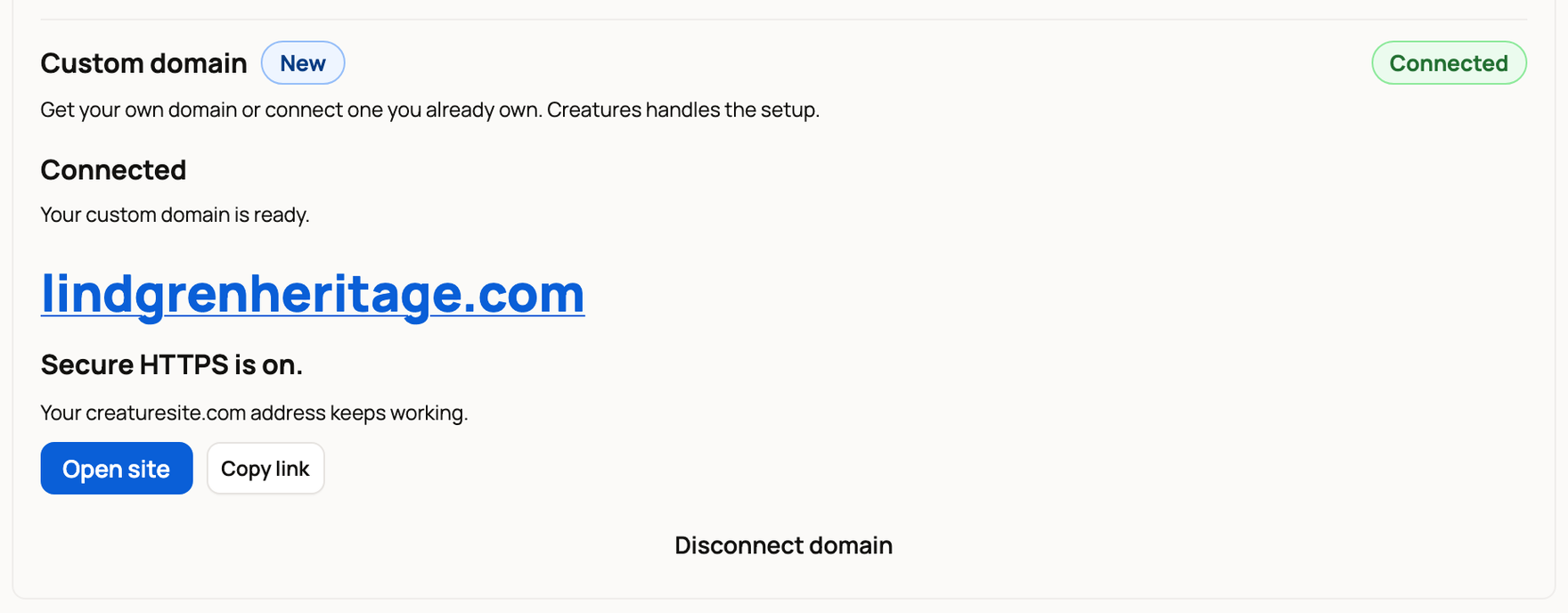
When it's done, the card says Connected and Secure HTTPS is on. A Your domain is live. message appears, and everyone who manages the website gets a notification. Use Open site to visit it or Copy link to share it.
If something looks wrong
- Needs attention: setup didn't finish. Choose Retry connection.
- Paused: the card says why. Publish your website again, restore Creatures Pro, or fix the records at your domain company. If your Pro access ends, the domain pauses.
- Certificate setting needs attention: your domain limits who can issue security certificates. Ask your domain company to allow letsencrypt.org and sectigo.com.
- Purchase window expired: choose Find a domain to search again.
- Your domain purchase needs help: your purchase is saved. Choose Contact support, and don't buy the domain a second time.
To stop using a domain, choose Disconnect domain. Your creaturesite.com address keeps working.
Related information
- Publishing, updating, and taking your website offline
- Website settings: search, announcement bar, contact details, and analytics
- Creatures Pro: pricing, benefits, and managing your plan
Updated on: 29/10/2026
Thank you!