
I won an auction: what happens next
Winning an auction creates a purchase that still needs payment. Open it promptly, review the deadline, and complete checkout before arranging handoff.
Pay the winning amount
Open Dashboard > Buying and choose the unpaid auction win. Review the winning amount, payment deadline, and amount due. Select Continue to secure checkout only after those details are correct.
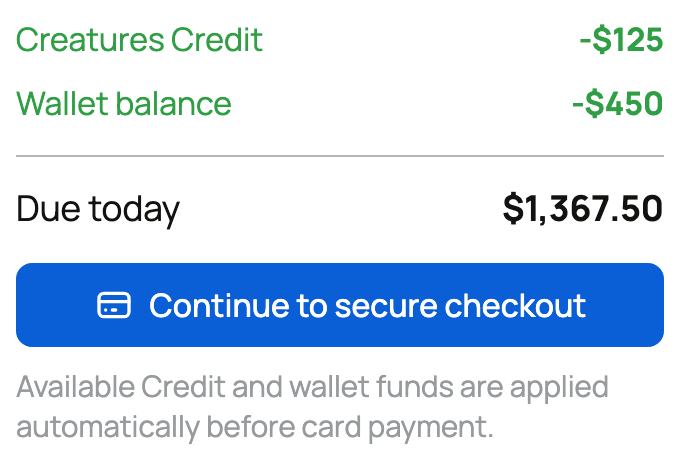
Checkout includes the winning bid, buyer fee, any eligible services, and remaining amount due. Some sellers cover the animal's buyer fee; follow the summary. The temporary bid hold is separate from this payment, not a deposit toward the animal.
Pay by the deadline shown, commonly 72 hours. If the winner does not pay in time, the win can be forfeited and the bid hold can be kept.
Arrange the handoff after payment
Once payment is complete, contact the seller through the purchase to confirm pickup, seller delivery, or transport. Do not ask the seller to release the animal while payment is still pending.
For a purchase without boarding, Creatures holds the sale funds during this stage. If you included boarding, the animal seller's proceeds are released at checkout, before later pickup. Review those service terms separately.
Complete or report
When the animal is in your care and matches the agreement, follow the confirmation action shown. Creatures transport uses its delivery-confirmation flow. Confirmation releases any still-held seller proceeds. If the animal does not arrive or there is a material problem, use Report an issue on the purchase while it is available. If something is wrong with Creatures transport, do not mark the trip Completed. After the transporter marks it Delivered, open the purchased animal's listing and choose Report an issue. Before then, message Creatures or the seller.
Winning is the end of bidding, not the end of the purchase. Payment and handoff still follow the same protected path as a fixed-price sale.
Related information
- How auctions and bidding work
- How buying works: payments, held funds, and protection
- Receiving your animal and confirming delivery
Updated on: 03/09/2026
Thank you!