
Parent suggestions from other members
When a public animal has no sire or dam on record, other signed-in members can suggest one. The owner reviews each suggestion and chooses Accept parentage, Reject or Ignore, so nothing changes on the pedigree without the owner's say.
Review a suggestion for your animal
When someone suggests a parent, you get a notification such as "Rowan Avery suggested Duncan of Avery Ridge as Thistle of Cedar Hollow's sire". The empty spot on your Pedigree tab also shows "1 suggestion".
- Open the notification, or go to Dashboard > Animals & Groups > Pedigree suggestions.
- Check the proposed parent, the member's note, any files they attached and who it is Suggested by. Select the parent's name to open its profile.
- Choose Accept parentage, Reject or Ignore.
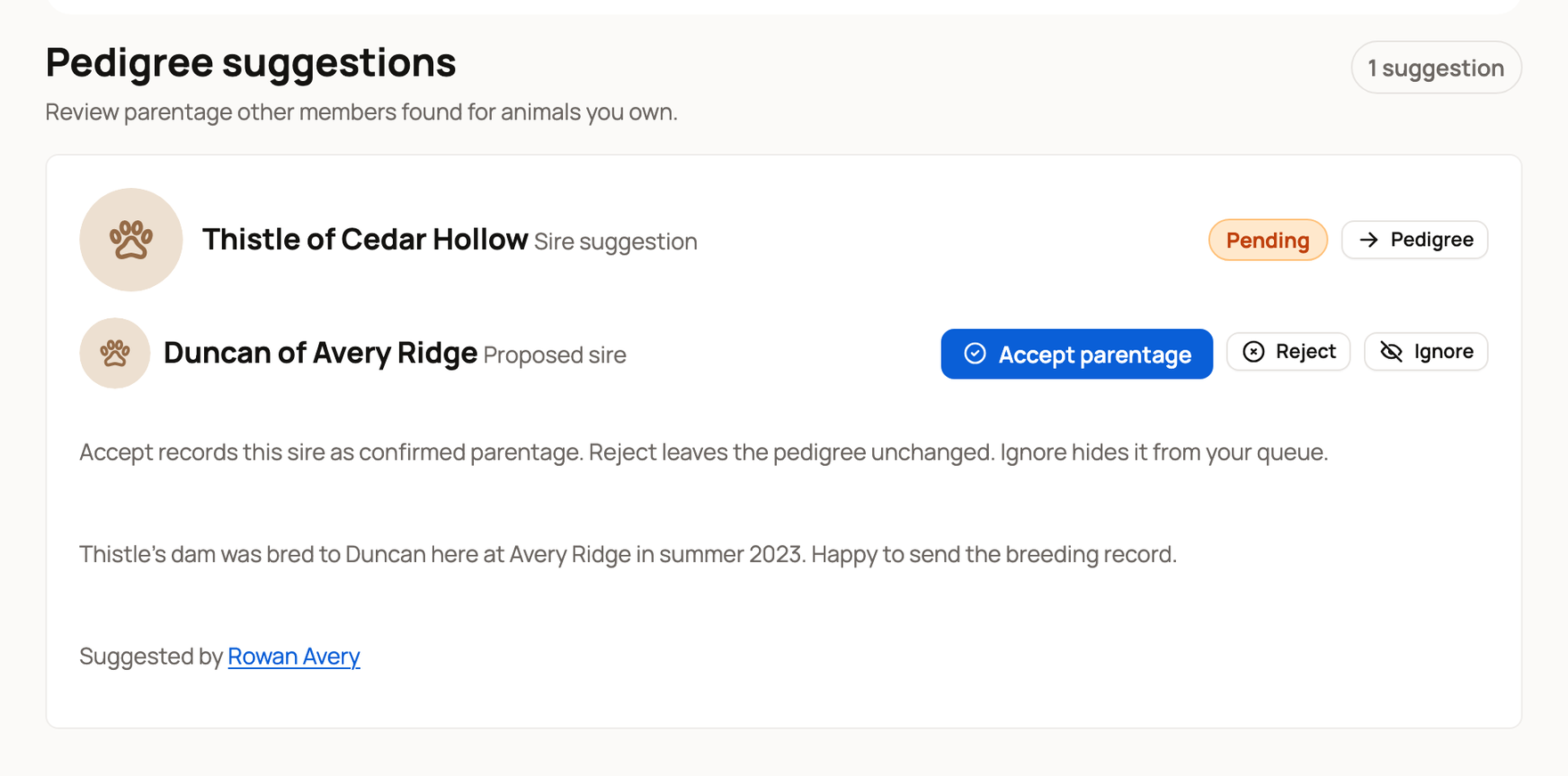
- Accept parentage adds the parent to the pedigree as confirmed. The member gets credit and a notification.
- Reject leaves the pedigree as it is and lets the member know.
- Ignore hides the suggestion from your list without accepting or rejecting it. The member is not told.
Owners and co-owners can review, including owners and co-owners of a farm that owns the animal. Team members can't.
Suggestions can also come from another member's pedigree import. When their papers name a parent for an animal you own, Creatures sends it to you as a suggestion instead of changing your pedigree.
Suggest a parent for someone else's animal
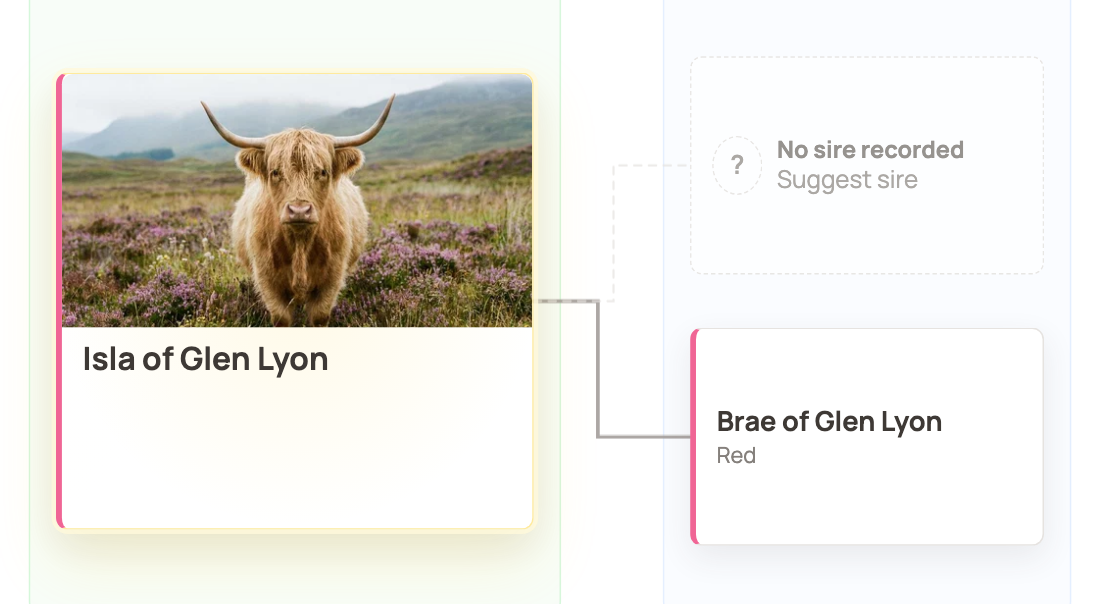
- Open the animal's profile and select Pedigree.
- Select the No sire recorded or No dam recorded card that says Suggest sire or Suggest dam.
Then fill in the suggestion:
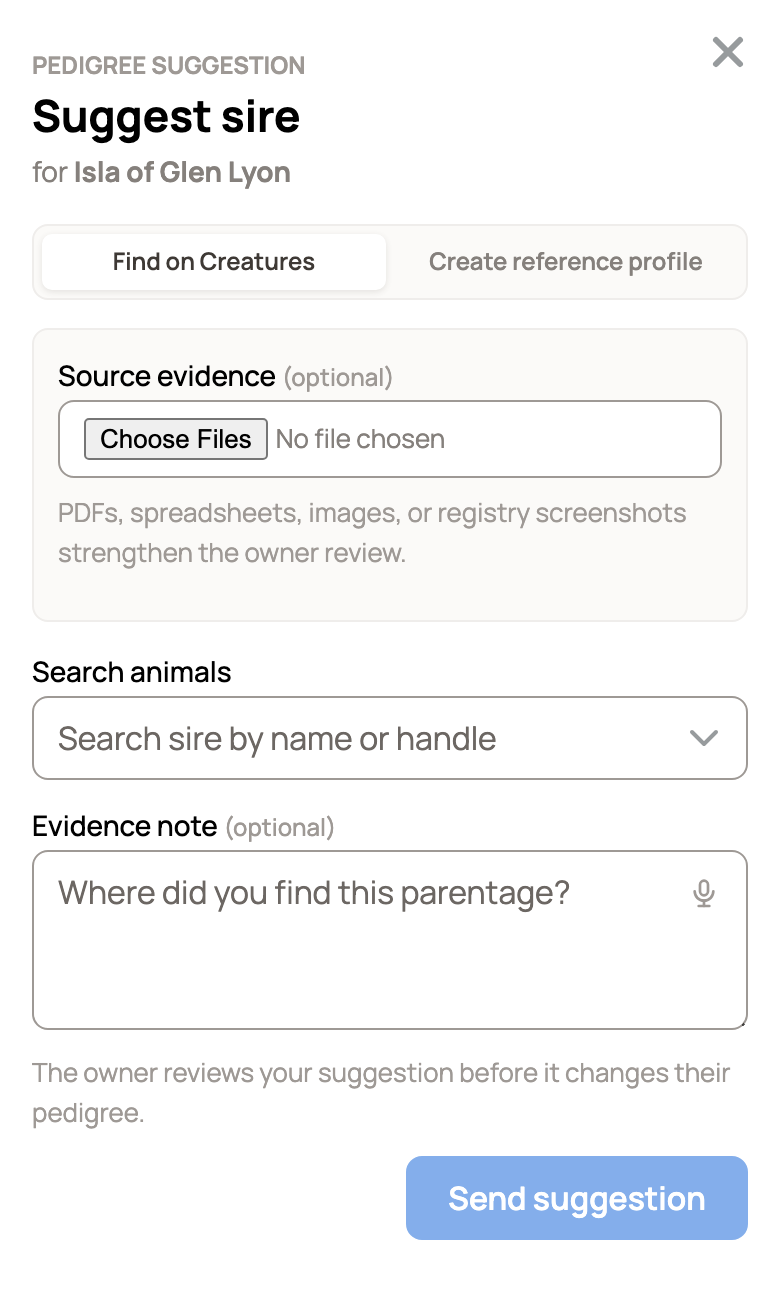
- On Find on Creatures, search for the parent by name. Only public animals of the right sex and species show up.
- If the parent isn't on Creatures yet, choose Create reference profile instead. A reference profile records an ancestor without claiming you own it. Enter a name, or turn on I don't know this animal's name. Birth year and color are optional.
- If you can, attach Source evidence, such as a PDF, spreadsheet, photo or registry screenshot. Use Evidence note to say where you found the parentage. Proof helps the owner say yes.
- Select Send suggestion, or Create and suggest for a new reference profile.
You can suggest a parent only when you're signed in, the animal is public and that parent is empty. You can't suggest for a private animal or replace a parent that is already recorded.
Follow up or withdraw
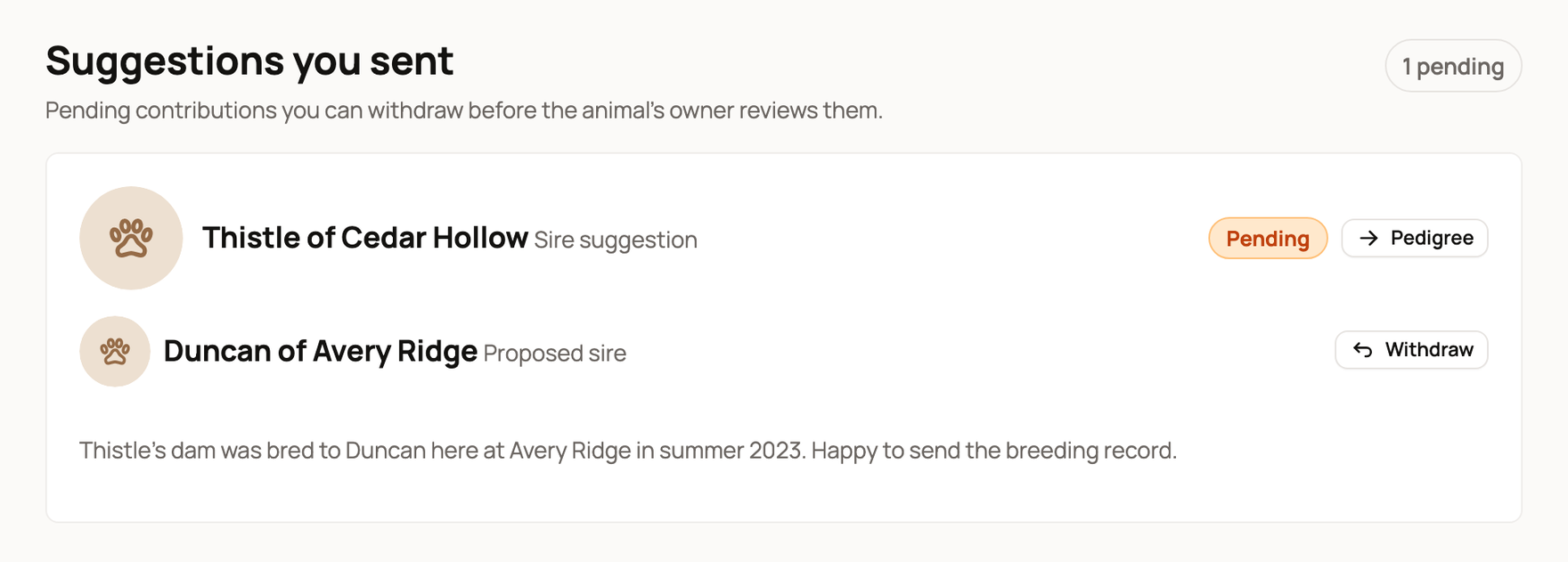
Your pending suggestions are under Suggestions you sent on the same Pedigree suggestions page. Select Withdraw to take one back before the owner reviews it.
You get a notification when the owner accepts or rejects your suggestion. Sometimes a suggestion can't be used any more. For example, the owner already recorded a different parent, or the suggested animal was removed or made private. Then it closes, and you're told it was no longer needed. A suggestion the owner ignored stays pending in your list.
Related information
- Pedigree, family, and lineage
- Reference animals: documenting lineage and inviting the owner
- Co-owners and team members: sharing access to an animal
Updated on: 29/10/2026
Thank you!