
Paying a private deposit on one animal
A private deposit link lets a breeder hold one animal for you before the sale. Open the link, sign in, check the amount and the refund policy, then pay. Your deposit counts toward the final price.
Open the link
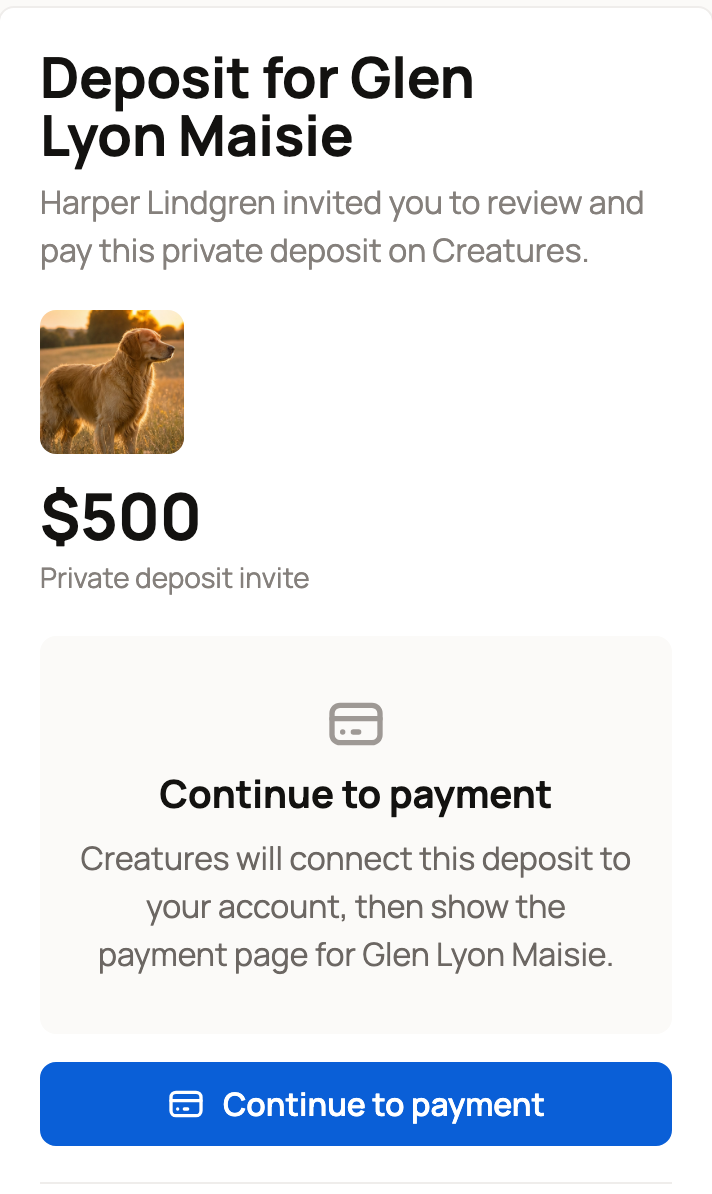
The breeder sends the link by email or text. It opens a page called Deposit for and the animal's name, with a photo, the amount, and Private deposit invite. If the breeder added a note, it shows under the amount as Note from the seller, and again on the payment page and in your deposit emails.
- Signed in: select Continue to payment. Creatures connects the deposit to your account and opens the payment page.
- Not signed in: select Create account or Sign in. You come back to the same page after.
Don't forward the link. The first account that continues from it becomes the buyer, and no one else can use it after that.
A link stays open for 30 days from when the breeder last sent it. If the page says the invite expired or was cancelled, ask the breeder for a fresh link.
Check the refund policy
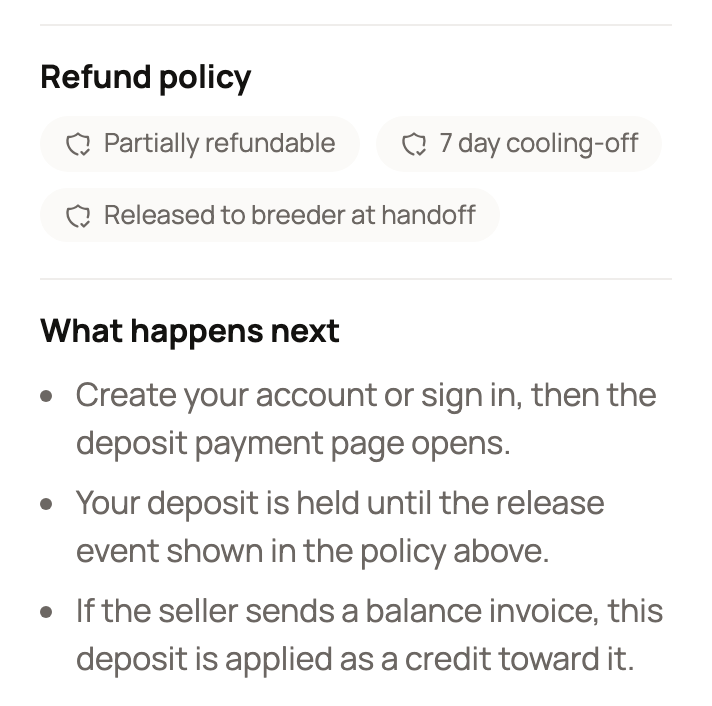
Read the Refund policy before you pay. Its labels tell you:
- whether the deposit is Refundable, Partially refundable, or refundable only for a set number of days,
- any cooling-off period, such as 7 day cooling-off, and
- when Creatures releases the money to the breeder, such as Released to breeder at handoff.
On the payment page, open Full policy details for the exact terms.
Pay the deposit
On the payment page, enter your payment details, agree to the terms, and select Pay $X deposit. When the payment goes through, the page says the deposit is recorded.
Creatures holds your deposit until the release point shown in the policy. The deposit doesn't go through a public listing. The link is just for you.
Once you've paid, the animal shows Reserved to everyone else, and no one else can buy it.
Find it later
Your deposit appears in Dashboard > Buying > Purchases, marked Private animal deposit and Deposit held. On a phone, tap your profile picture, then Dashboard. Select Open deposit to see it again.
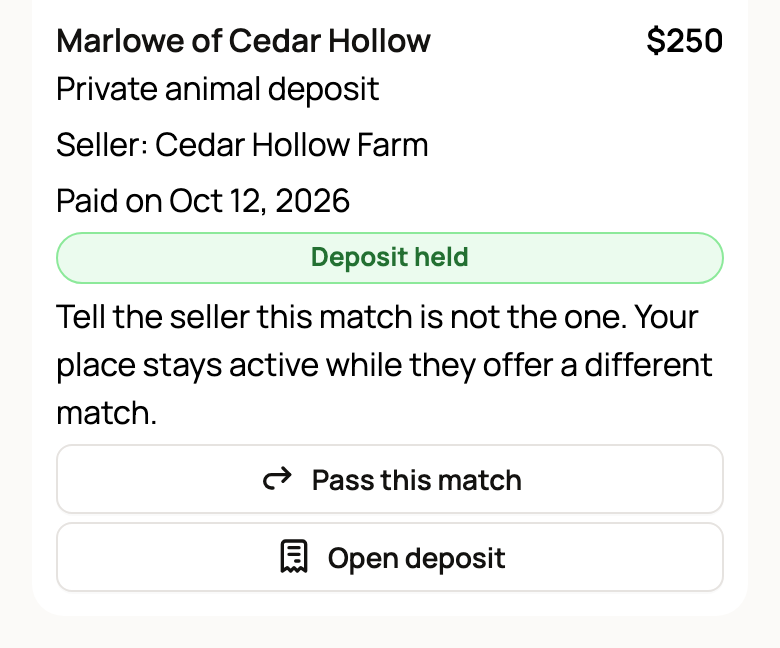
If the breeder's match isn't right for you, select Pass this match. Your place stays active while they offer a different match.
Pay the rest
When the animal is ready, the breeder sends a balance invoice. Your deposit is applied as a credit, so you pay only what's left. On the Purchases card, select Pay remaining balance. Once the animal is home, select Confirm pickup or delivery.
A deposit alone doesn't finish the sale. The sale is done once the balance is paid and the animal is handed over.
If something goes wrong
Message the breeder first. If you still need help, open the deposit page and select Open a support request. Choose What happened? and What would resolve this?, add details and a photo if it helps, then select Submit to support.
Related information
- Reserving a place in a litter or group
- How buying works: payments, held funds, and protection
- Requesting a deposit for one animal (for sellers)
Updated on: 05/11/2026
Thank you!