
Requesting a deposit for one animal
To hold one animal for a buyer, open the animal's profile, select the arrow button next to Share, and choose Request a deposit. Pick the buyer, the amount and your refund terms, then select Send deposit request.
Once the buyer pays, Creatures holds the deposit until it comes off the balance invoice as a credit. If the animal has a live listing, you'll also find Request a deposit under Edit Listing.
Before you start
- You own or co-own the animal, or you manage the farm that owns it.
- The animal's profile is public, and the animal isn't marked as passed away.
- Your phone number and ID are verified. If a step is missing, the page shows a checklist first. You don't need a payout account to collect a deposit, only to withdraw it later.
- Each animal can have one open deposit request at a time.
If the owner (you or your farm) has no Finance records yet, the page first shows Start records for this deposit request. Check the Currency for these records, tick Confirm this is the currency for these records. and select Create records and continue. You only do this once.
Save your refund terms
Your refund terms are called a deposit policy. Save one once and reuse it on every request.
Below the request form, open Save your deposit policy. (Once you have one, it reads Add another deposit policy.)
- Enter a Policy name. Only you see it.
- Under Is the deposit refundable?, choose Refundable, Partly refundable or Non refundable.
- Set Cooling-off days: how many days the buyer can change their mind after paying. This doesn't apply to a non refundable deposit.
- Select Save deposit policy.
Send the request
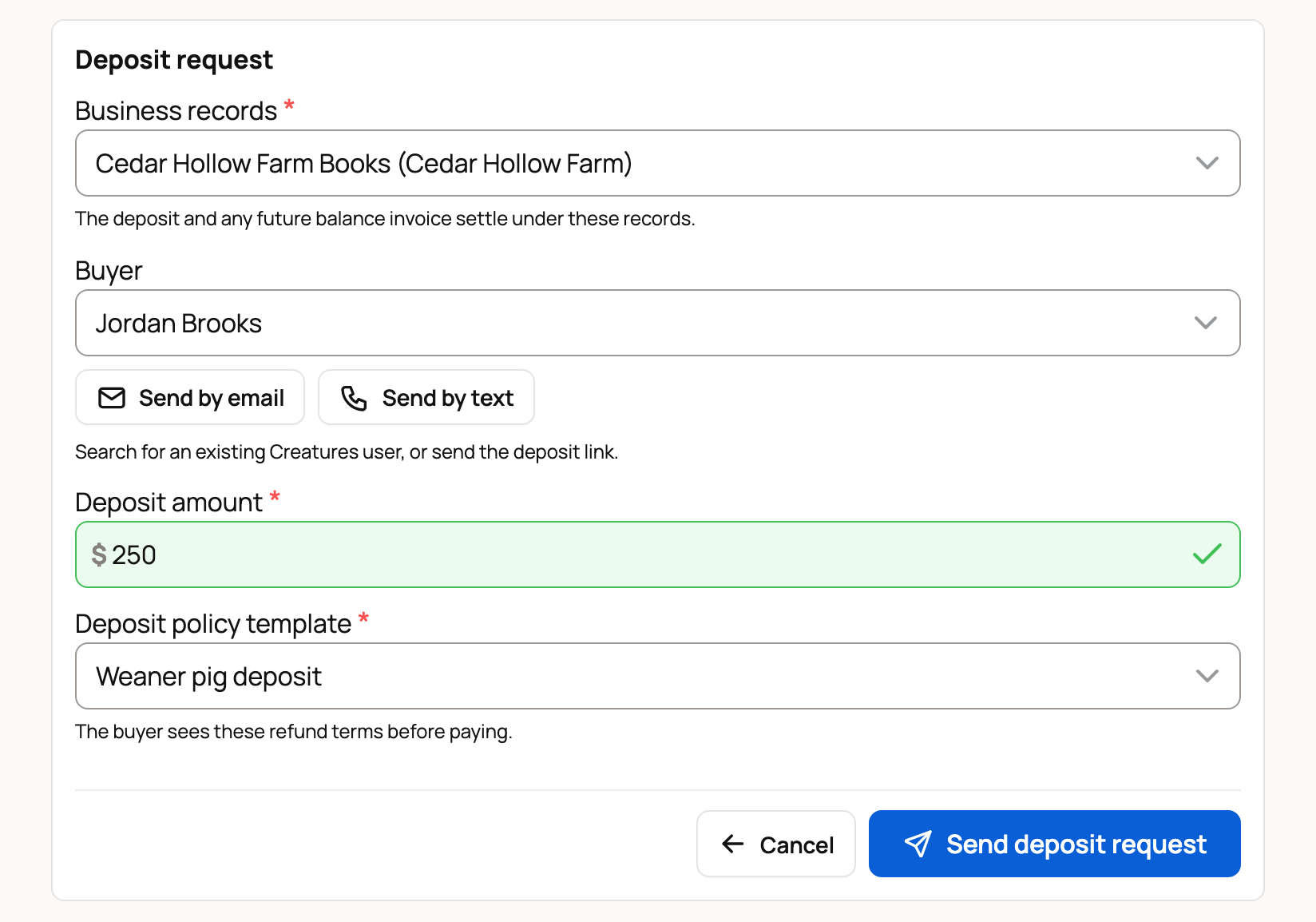
- Business records: choose the farm or personal books this sale belongs to. The deposit and the later invoice are both recorded there.
- Buyer: search for a Creatures member by name. If the buyer isn't on Creatures, select Send by email and enter their Buyer email and Buyer name. Or select Send by text, enter their Buyer phone and Buyer name, and confirm you have their consent to text them.
- Deposit amount: any amount up to $100,000.
- Deposit policy template: choose the policy you saved. The buyer sees these terms before paying.
- Select Send deposit request.
What happens next
If the buyer is a Creatures member, the page shows a Deposit payment page link. Copy it and send it to the buyer yourself. Creatures doesn't send it for you.
If you sent it by email or text, Creatures sends the buyer a link. They sign in or create a free account, then pay. The page shows Email invite pending (or Text invite pending) and when the invite expires, 30 days after it was sent. Resend sends it again and restarts the 30 days. Cancel takes it back.
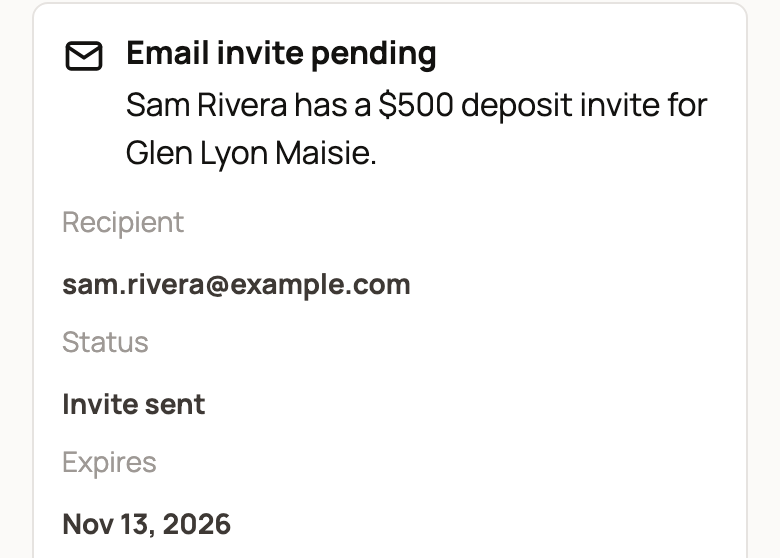
Until the buyer pays, the page reads Waiting on the buyer to pay. Nothing has been charged yet. If the buyer goes quiet, select Cancel request to free the animal for someone else.
After the buyer pays
You get a notification when the buyer pays. Select it to open the deposit. The page now reads Deposit paid and held.
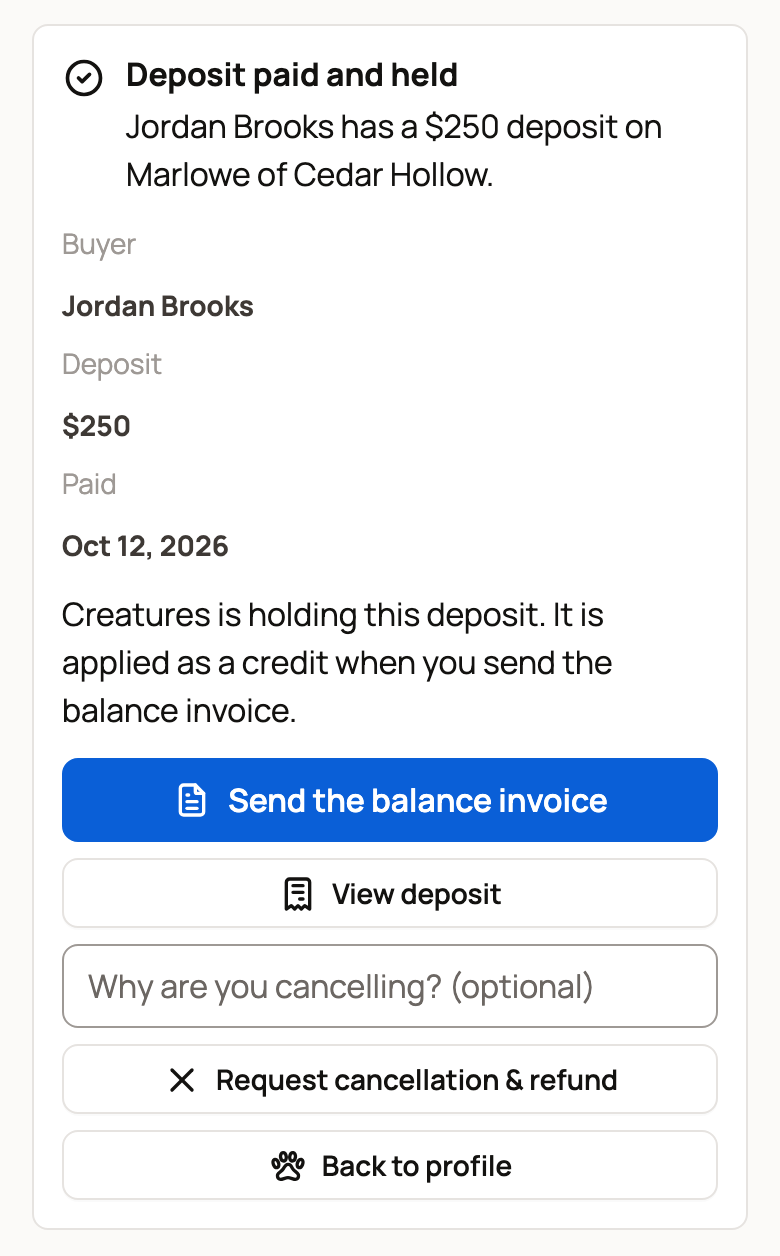
When you're ready to sell, select Send the balance invoice. Enter the full sale price. The deposit is taken off as a credit, so the buyer pays only the rest. See Send and get paid on a private invoice.
If the sale falls through
Select Request cancellation & refund. You can add a short reason first. Creatures support reviews the request. If it's approved, the buyer gets the full deposit back and Creatures covers the card fee. The animal stays reserved until the refund is done.
Related information
- Send and get paid on a private invoice
- Taking deposits on babies from a litter
- How seller payout works
- Verifying your identity
Updated on: 29/10/2026
Thank you!