
Search the Public Herdbook
The Public Herdbook lets anyone look up animals that are already public on Creatures by name, registry number, microchip, ancestor or owner. You don't need an account: select Public Herdbook in the Animals list at the bottom of any page.
You can also start from a species or breed page. Open its Herdbook tab, then select the Search all link below the results (for example, "Search all 44 cattle herdbook records").
Search for an animal
- In Search, type what you know: a registered name, a registry number, a microchip number, an ancestor's name or an owner's name.
- Pick a Species if you want only one kind of animal. The page heading changes to match, such as Cattle Herdbook Search.
- Choose a Sort: Best public record, Most verified, Most complete pedigree, Newest profiles, Newest birth year or Oldest birth year.
- Select Search. To start over, select Reset.
Searching for an ancestor also finds the animals that have it in their pedigree. For example, a bull's registry number brings up the bull and his calves. With Best public record, the bull's own card comes first.
Narrow the results
Open More filters to see the rest of the choices, then select Search again.
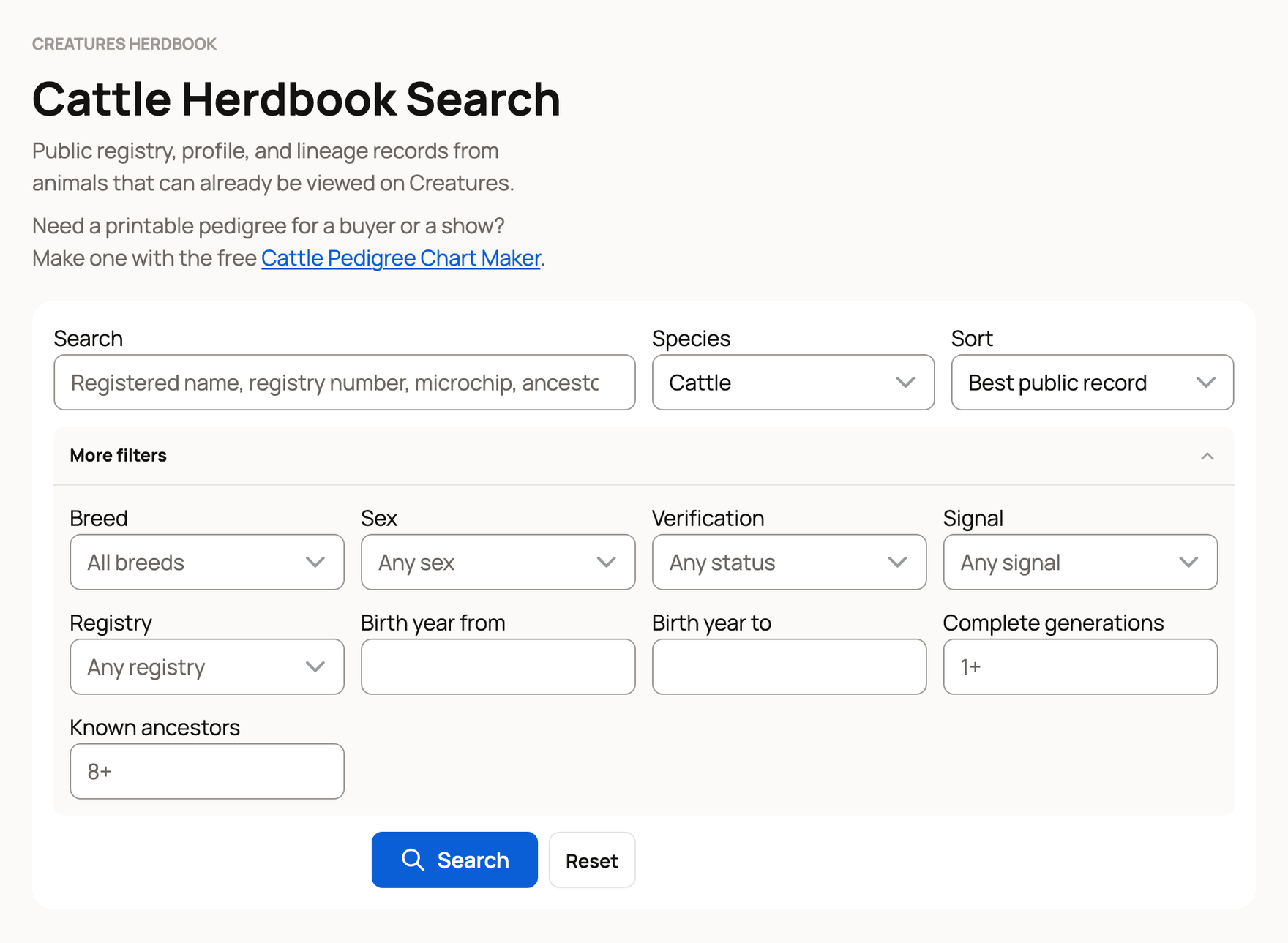
- Breed: pick a Species and select Search first. Until then, it reads Select species first.
- Sex: female, male or unknown.
- Verification: Verified by a registry shows animals a registry approved on Creatures. Has papers shows animals whose registration or ID numbers are backed by uploaded papers, plus verified animals.
- Signal: Registry record, Parents recorded, Has ID numbers, Active listing or Genetic material.
- Registry: only animals registered with one registry.
- Birth year from and Birth year to: a range of birth years.
- Complete generations: the fewest full generations the pedigree must have.
- Known ancestors: the fewest ancestors that must be on record.
Your choices show as small labels above the results, such as "Species: Cattle".
Read a result
Each result is a card with the animal's photo and its main facts.
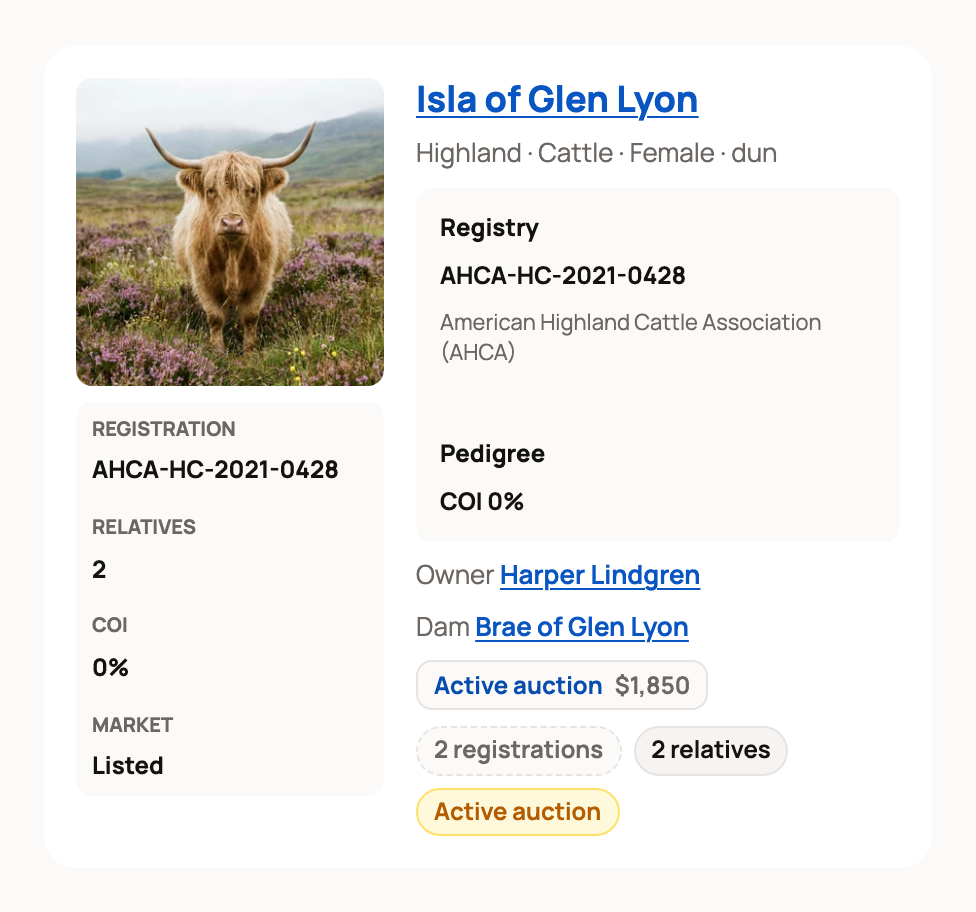
- The registered name comes first. If a registry verified the animal, a Verified by mark sits under the name.
- The breed, species, sex, birth year and color, plus Breed makeup when it is recorded.
- Registry: the registration number and the registry's name. From papers means the number was read from uploaded papers, such as a certificate.
- Identity: public ID numbers, such as a microchip.
- Pedigree: the COI (coefficient of inbreeding), which estimates how closely related the parents are. It is worked out from the recorded pedigree, so missing ancestors can make it read too low.
- Owner, Sire and Dam: links to their profiles.
- Links to an active listing or available genetic material, when there is one.
Tap or click any mark to see who stands behind the fact. See What "Verified by", "From papers" and "Reference" mean.
The row above the cards counts what is loaded: Showing, Verified records, Registry, Parents recorded and COI. Point at or tap a count to see what it means.
If an animal doesn't show up
- No animals match: check the spelling or try the registry number instead. Clear filters starts over.
- Private animals never appear, and a registration only shows when the owner keeps that record public.
- Herdbook search is taking too long: wait a moment, then select Try again.
Related information
- What "Verified by", "From papers" and "Reference" mean
- Pedigree, family, and lineage
- Registries and associations on Creatures
- Finding animals: search, filters, and distance
Updated on: 04/11/2026
Thank you!