
What "Verified by", "From papers" and "Reference" mean
A small mark next to a registration, a parent, an ID number or a record tells you where that fact came from. Tap or click the mark to see who stands behind it and any proof. A fact with no mark was entered by the animal's owner.
Open a mark
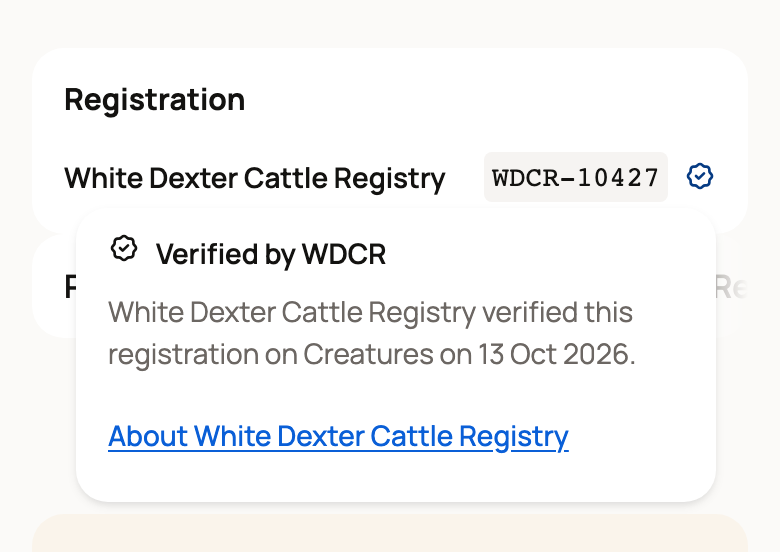
Marks sit right beside the fact they describe. Some are just an icon, and some carry words, such as Verified by WDCR.
Tap the mark on a phone, or click it on a computer. A small card opens with the mark's name, one sentence about where the fact came from, and a link when there is one. Tap anywhere outside the card to close it.
What each mark means
Verified by and a registry's name. A registry that keeps its herdbook on Creatures approved this fact. It can be a registration, a registry classification, or an animal's sire and dam. The card names the registry and the date it approved. See the registry's record opens the registry's own certificate check when there is one. Otherwise, About and the registry's name opens its profile.
From papers. The fact was read from a document someone uploaded, such as a registration certificate, a pedigree or a DNA parentage report. The card says what the document was and when it was uploaded. The registry has not checked it on Creatures. View papers opens the document when the owner shares it.
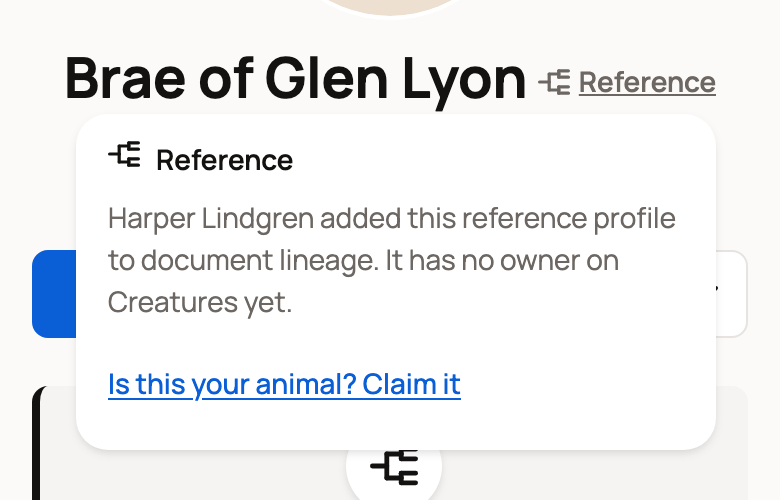
Reference. This mark sits next to the animal's name. A reference profile is an animal page a member made to record a pedigree, often for an ancestor. It has no owner on Creatures yet. The card says who added it. Signed-in members also see Is this your animal? Claim it.
Reported by a member, not the owner. A member added this fact to a reference profile to document lineage. The animal's owner has not confirmed it.
Checked against NSIP's published results (or Sheep Genetics' published results) and a date. This appears on genetic evaluations, such as estimated breeding values (EBVs). The saved figures matched what the publisher posted on that date. It does not prove the animal's identity, ownership, registration or parentage. An evaluation can also show From papers (a report is attached, but the figures were not checked) or Steward reported (a member saved it on a reference profile). See Record EPDs and other genetic evaluations.
Show on Creatures. The result comes from a show that published its results on Creatures. View results opens the full results.
No mark. The owner entered the fact and nobody has checked it. It may still be right. Ask the owner if you need proof.
Where you see marks
- Animal profile: beside the number on the Registration card, on ID numbers and birthplace, and on show results and genetic evaluations.
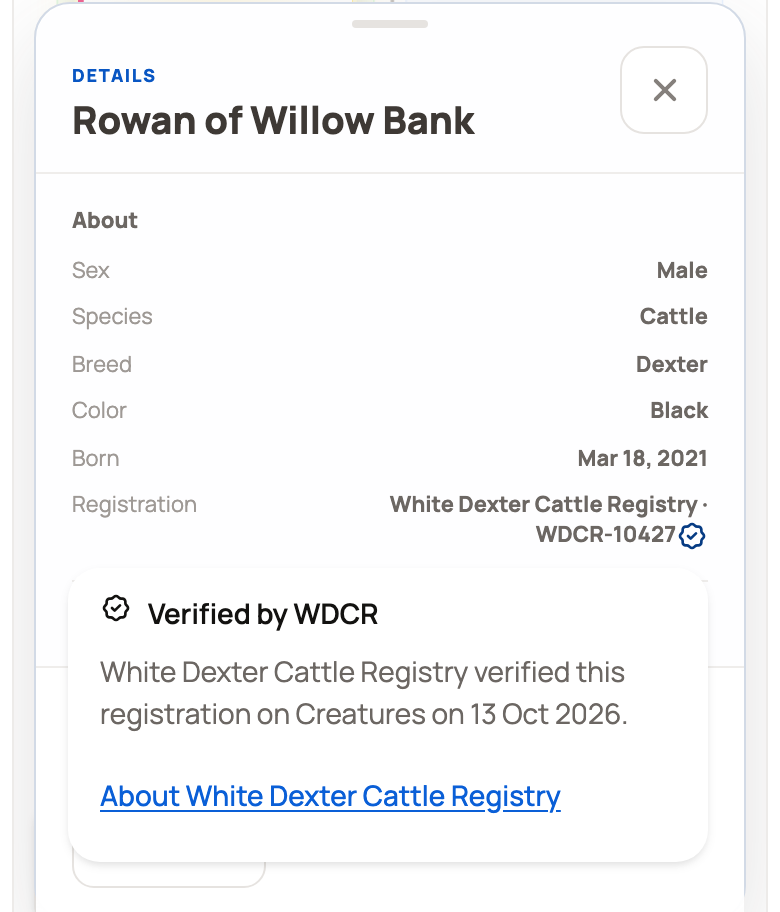
- Pedigree: on a computer, the mark sits beside the animal's registration number on its card. On a phone, the cards are smaller. Tap an animal's card to open Details, find Registration (on a smaller phone, scroll the panel), then tap the mark beside the number. See Pedigree, family, and lineage.
- Public Herdbook: an animal a registry verified shows Verified by under its name in the results.
For owners: earn a stronger mark
To show From papers, open the animal's Records tab and find its Registration record. Attach a clear photo or PDF of the certificate. Keep the registry and number the same as on the profile so the two stay linked.
If that record is private, visitors still see From papers but cannot open the file. When you look at the profile, you see the note "Visitors see 'From papers' but can't open them." Select Share papers to open the record and change who can see it.
To show Verified by, register the animal through a registry that runs on Creatures. When the registry approves it, the mark appears on its own. See Registering an animal with a registry.
Needs your review with a Review link means an import found a registration that conflicts with one already on file. Visitors don't see that registration until you sort it out.
Related information
- Search the Public Herdbook
- Reference animals: documenting lineage and inviting the owner
- Claiming a reference animal someone created for you
- Registering an animal with a registry
Updated on: 29/10/2026
Thank you!