
Record EPDs and other genetic evaluations
To save your ram's NSIP EBVs or your bull's EPDs, add a Genetic Evaluation record and copy in the figures from the report. Public reports show on the animal's profile, and Compare evaluations lines your animals up side by side.
EPDs and EBVs are published estimates of the traits an animal is likely to pass on to its young. An appraisal is a scored inspection, such as an ADGA linear appraisal.
Add a report
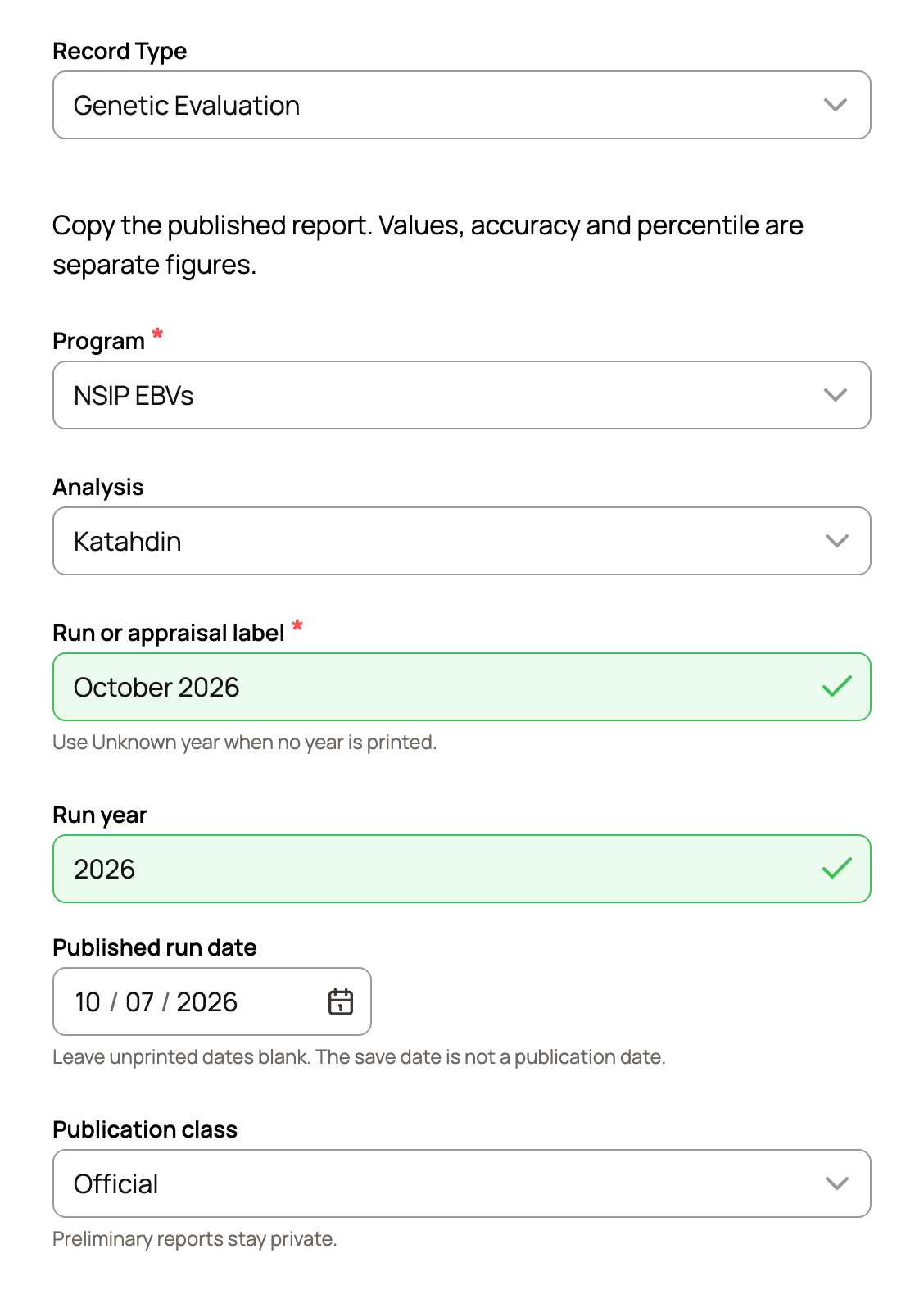
- On the animal's profile, select Add in the evaluations box. Before the first report, it reads No evaluation reports yet · Add. Or open the Records tab, select Add Record and choose Genetic Evaluation as the Record Type.
- Choose the Program. The list fits the species, such as NSIP EBVs for sheep and goats, Angus EPDs for cattle or AOA EPDs for alpacas. Not listed? Choose Other program or issuer, type its name, and set Evaluation kind to Genetic evaluation or Appraisal.
- If you see Analysis, choose the breed group the report was run in, such as Katahdin.
- Type the Run or appraisal label as printed, such as October 2026. Add the Run year and the Published run date. Leave the date blank if the report doesn't print one.
- Set the Publication class: Official, Preliminary (private) or Unknown.
Enter the figures
Copy the trait table from the report into Paste the figures and select Fill the trait fields. Check each row it fills, or type the figures in yourself.
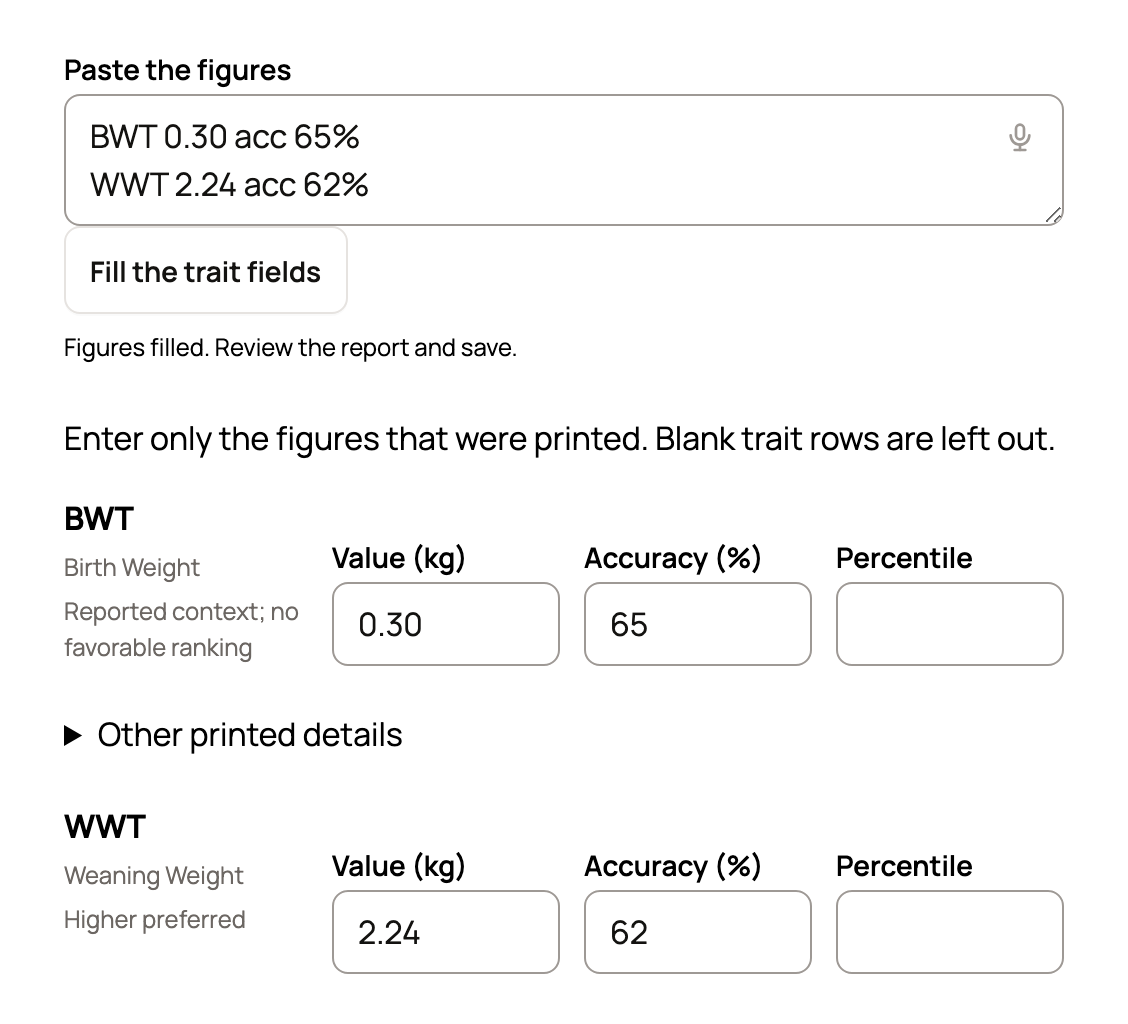
Value, accuracy and percentile each have their own box. Enter only what the report printed. For a missing trait, open Add another NSIP EBVs trait (named for your program) or select Add a trait not listed.
Under More report context, add the External animal ID, the program's ID for the animal. Keep any leading zeros. Keep Make public on so other members can see it. It starts off if you kept your last report private or your privacy settings start records as private. Then select Save Record.
Have the report as a PDF or photo? Use Create a draft record from a file at the top of the form, then check every figure before you save.
Where your reports show
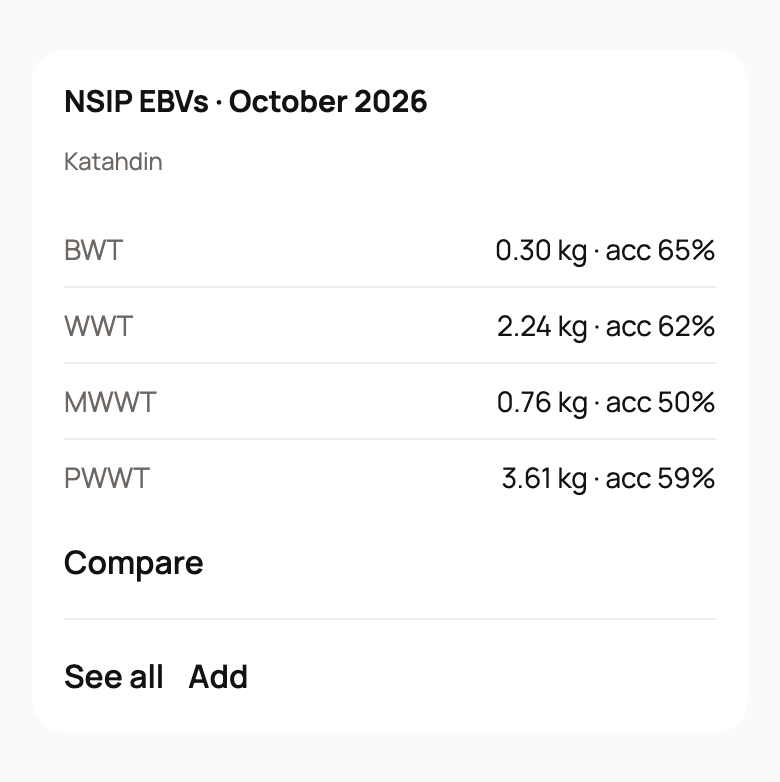
The profile box shows the latest report for each program and its main traits. You also get Compare and Add, and a lock marks a report only your team can see.
Public reports also show under Published evaluations when the animal is listed for sale, and when you test a mating. If you offer a male at stud, breeders who choose Preview with my female see his public reports there too.
Check NSIP or Sheep Genetics reports
Creatures can check a saved NSIP EBVs or Sheep Genetics (LAMBPLAN, MERINOSELECT, KIDPLAN) report against the publisher's current results. On the Records tab, open the report's menu and choose Check published results.
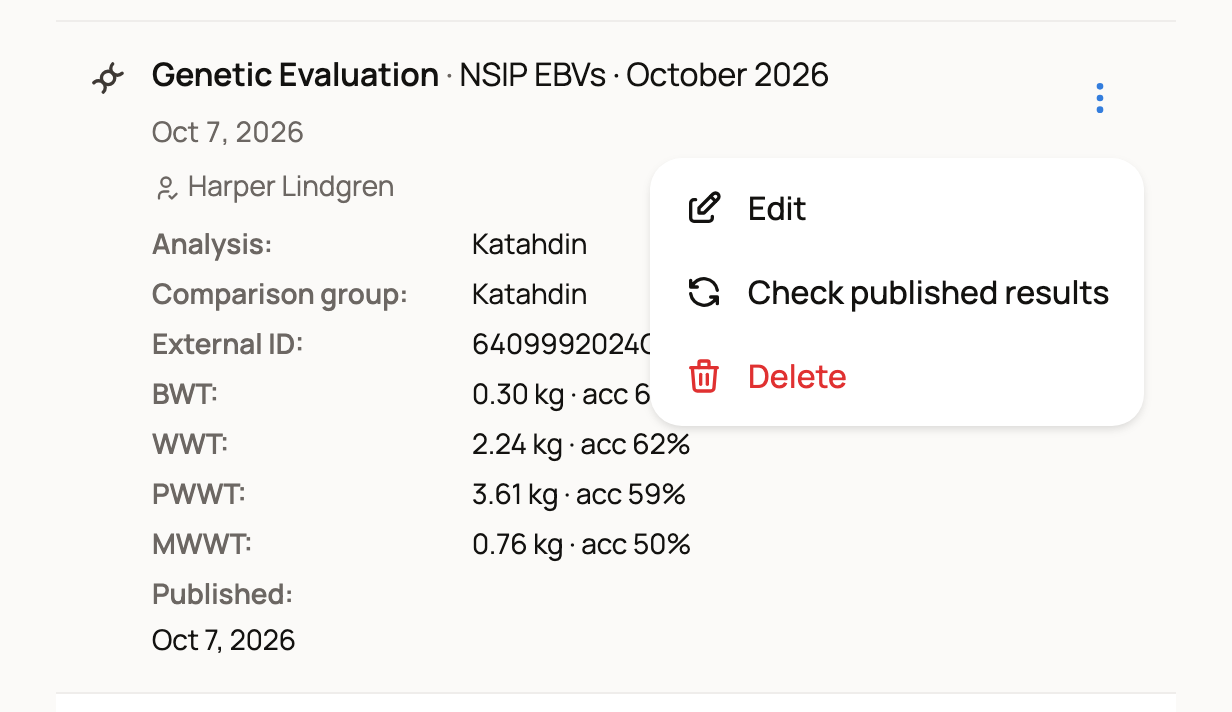
The check needs an Official report with the full External animal ID, Run year and Published run date. Figures need their accuracy wherever the report prints one. When a report is missing something, or has figures the check can't compare, the choice is greyed out. The menu says why.
A match shows "The saved figures match the published results." The report then reads "Checked against NSIP's published results on" with the date. It confirms the figures only, not the animal's identity, owner, registration or parents. If you see "The publisher is busy. Try again later.", wait and check again.
Compare your animals
Select Compare in the evaluations box, or Compare evaluations on your My animals page.
- Choose the Program and select Show program. If you also manage a farm or organization, pick it under Whose animals.
- Pick the analysis tab, such as Katahdin.
- Choose Sort one trait and metric and the Run. Under Columns, pick up to six traits.
- Select Apply comparison.
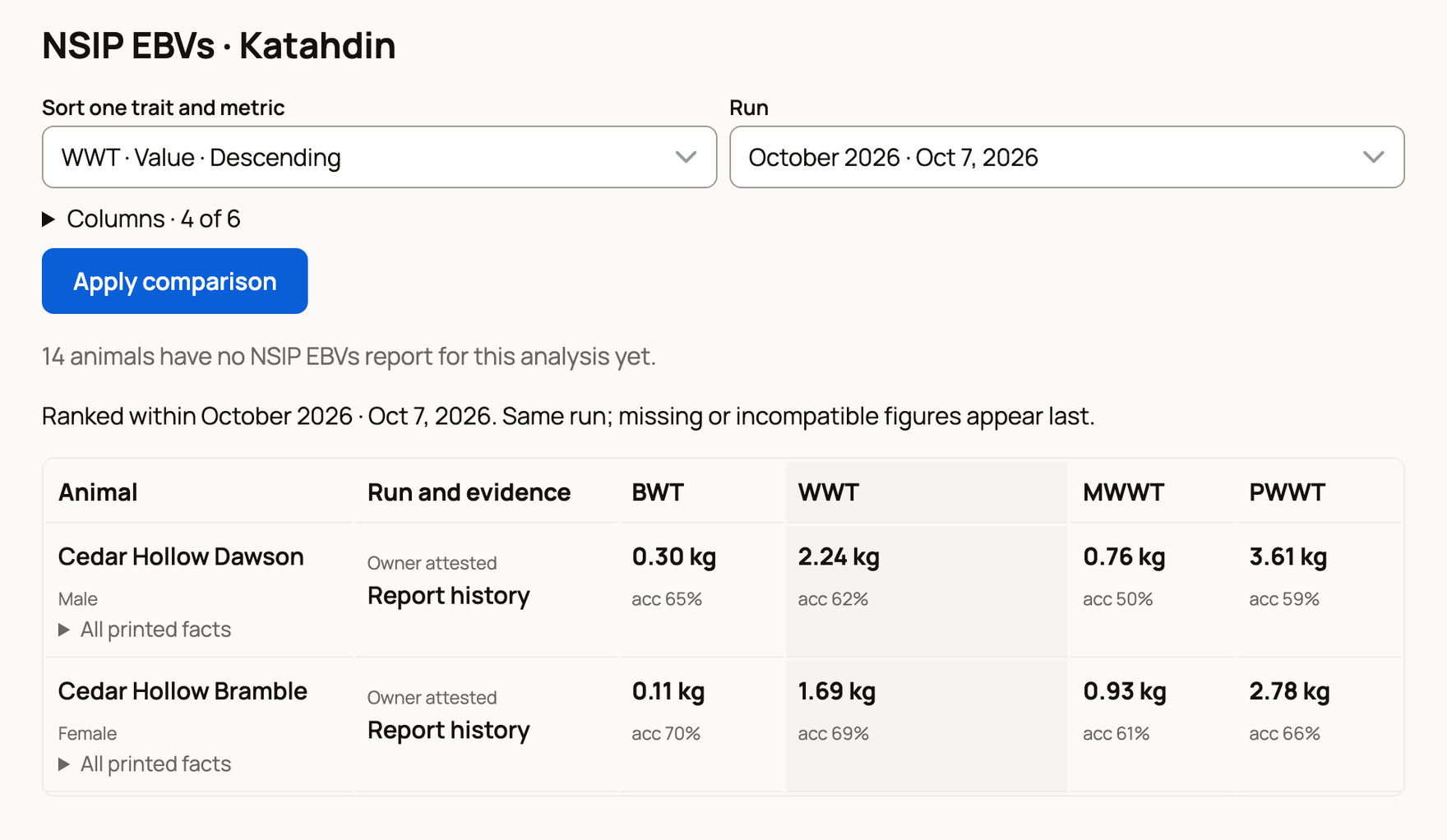
Animals rank only against reports from the same run. Missing figures go last. On a phone, each animal shows the trait you sort by. Open All printed facts for the rest.
Fix a report or add many at once
To correct a report, add a new one and pick the old one under Replaces an earlier report. The earlier report stays in the history. If you choose Edit on a report that was checked or has its papers attached, the figures stay locked. Select Add a corrected report instead.
Have a program export for many animals already on Creatures? Go to Dashboard > Tools > Import (on a phone, Create > Import animals) and select Import evaluation spreadsheet. Upload one CSV, TSV, XLSX or JSON file (up to 5MB), then check which animal gets each report.
Related information
- Adding a record
- Test a mating before you breed: pedigree and COI
- Import your animals from files, photos, or a website
Updated on: 29/10/2026
Thank you!