
Sharing pregnancy updates with reserved buyers
Turn on Share with reserved buyers when you add a progress photo, and the buyers who paid to reserve from this pregnancy can see that photo and note. The update stays private to them, and saving it sends them a notification.
Share one update
- Open the mother's Breeding tab and choose Add progress photo on her pregnancy card.
- Check the date, write a short note under Notes (optional), and add photos under Files.
- Turn on Share with reserved buyers.
- Choose Save Record. Saving a newly shared update notifies her reserved buyers.
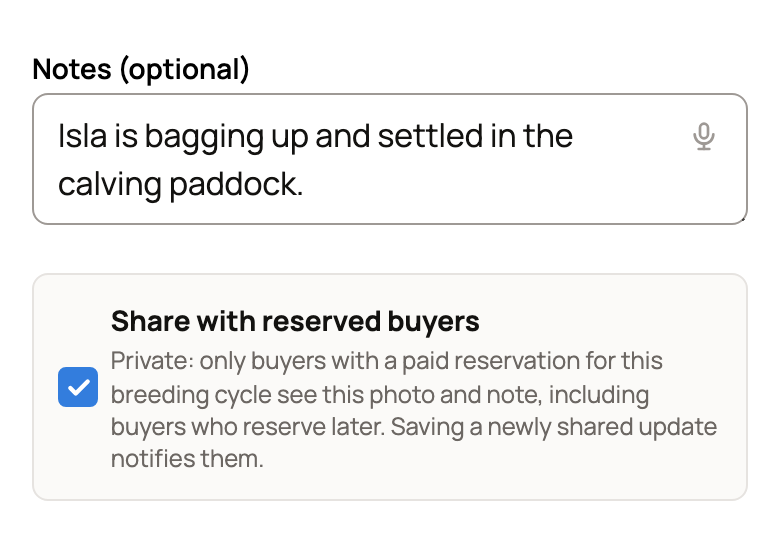
A progress photo starts private, so leave Make public off. Only buyers with a paid reservation for this pregnancy see the update, including buyers who reserve later. If no one has paid yet, the form says "No reserved buyer will get a notification yet."
The choice covers this one update. Each new update needs it turned on again. Buyers never see your other records, your care plan or progress you did not share.
Write for the person reading it. Say what changed and when, without promising an exact birth date or which baby they will get. Leave out vet details the buyer does not need.
What the buyer sees
The notification opens Dashboard, then Reserved offspring under Buying. That page appears once a buyer follows a pregnancy. Under Pregnancies you're following, they see the expected window, the breeder, the group name and only the updates you shared, newest first.
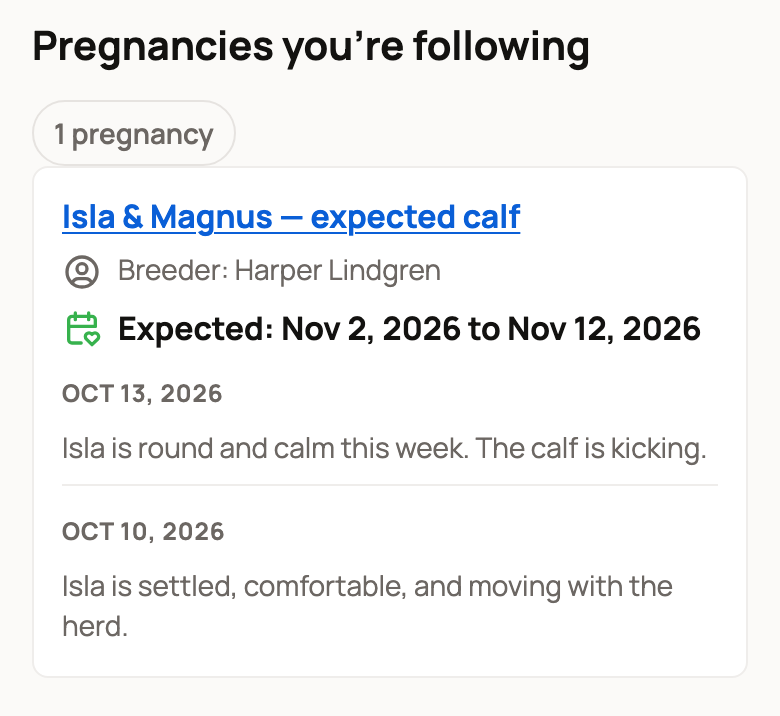
When you record the birth, the same card tells the buyer the babies have arrived.
Who gets it
A buyer sees your shared updates when all of these are true:
- They reserved a place in the group linked to this pregnancy.
- Their deposit was paid and has not been fully refunded. A partial refund keeps access.
- The reservation shows Reservation held or Matched. Buyers see Deposit held under Purchases.
A refund that is still pending pauses access until it settles. An application, an accepted application or a note of interest is not enough on its own.
If a buyer says an update is missing, open it and check that Attach to breeding cycle shows this pregnancy and Share with reserved buyers is on. Then check their reservation against the list above.
Private update or public page?
The same pregnancy card also has Share photos and updates publicly, or Share upcoming calves publicly before a page exists (the word matches her species). Those publish a page anyone can see. Share with reserved buyers stays private to paying buyers. To post for everyone, see Share offspring updates on a public page.
Related information
- Tracking pregnancy and progress
- Share offspring updates on a public page
- Taking deposits on babies from a litter
Updated on: 29/10/2026
Thank you!