
When a sponsored animal is adopted, released, moves, or passes away
When a sponsored animal leaves your care or dies, record what happened from its profile and add a short message for its sponsors. Every sponsor hears from you right away, and their payments stop.
Nothing is refunded. Each sponsor's last payment still goes to the care of the animals where it lived.
For caretakers: record what happened
- Open the animal's profile and select the arrow next to the main button (More animal actions).
- Choose Adopted, moved, or passed away. A wildlife rehab or conservancy sees Released, moved, or passed away. Most other owners see Sold, rehomed, or deceased.
- Under What's happening with Oakley?, choose what happened.
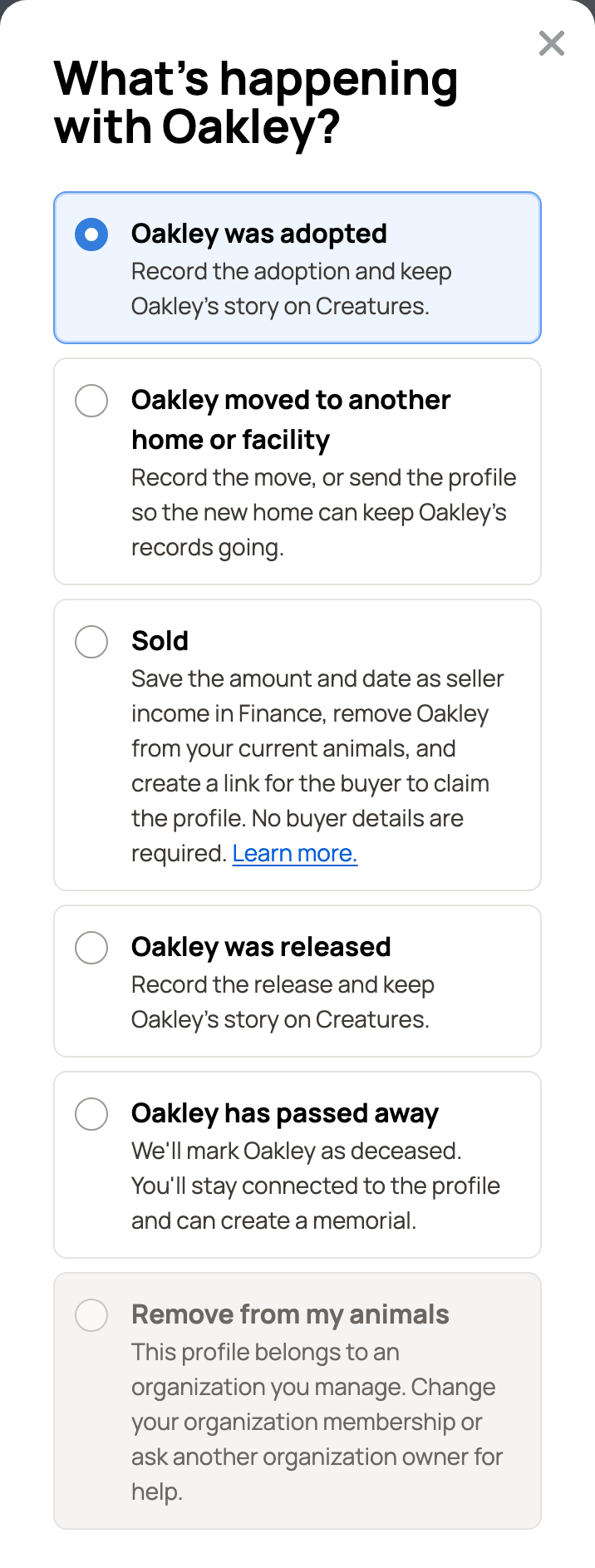
Every caretaker gets the same choices: Sold, Oakley was adopted, Oakley moved to another home or facility, Oakley was released and Oakley has passed away. Their order follows the kind of organization, so a rescue, shelter or sanctuary sees Oakley was adopted first, and a wildlife rehab or conservancy sees Oakley was released first.
Add a message for sponsors
For an adoption, release or move, choose an answer under What should happen to the profile? For example, Record adoption and keep managing the profile keeps Oakley in your animals with an Adopted tag. Record adoption and remove from current animals takes Oakley out of them. For an adoption, you can also pick Send Oakley's profile to the adopter so the new home can keep the records going. Sponsors hear from you whichever you pick.
Below that, Creatures tells you how many sponsors will hear from you. Write a Message for Oakley's sponsors if you like. The box starts empty.
Check Also post this on Oakley's profile to share the news publicly. That post goes to the animal's followers. It doesn't count as one of your promised updates.
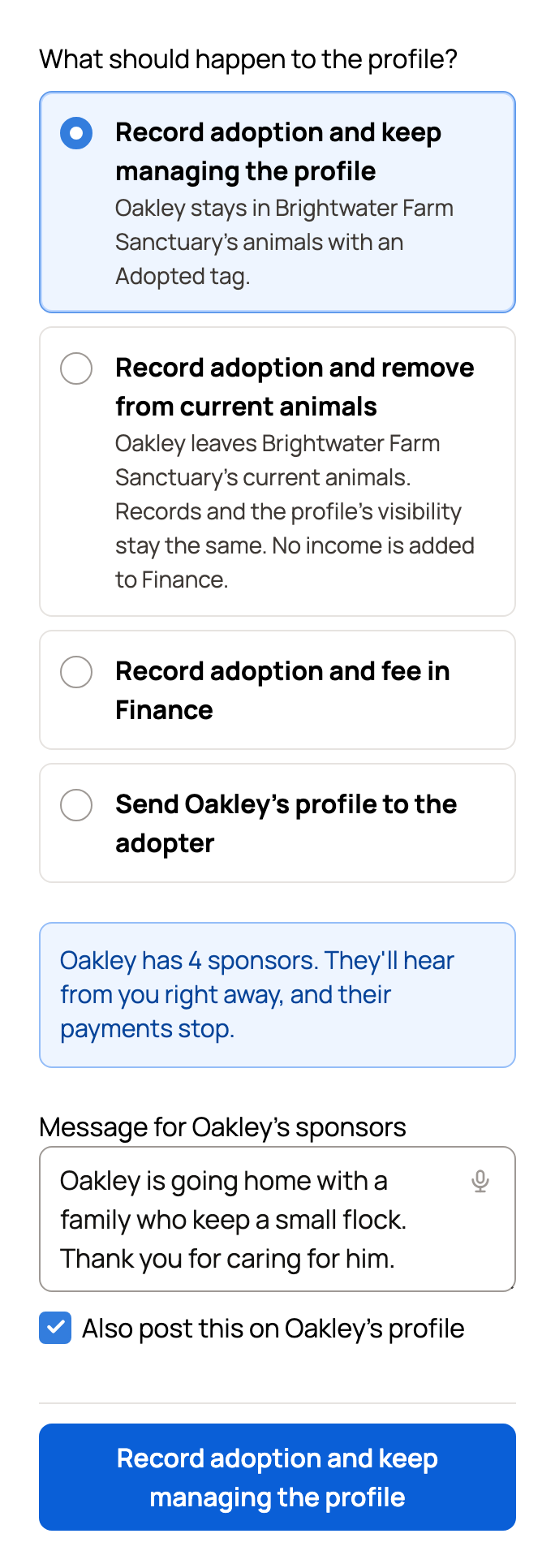
Then select the button at the bottom. It names your choice, such as Record adoption and keep managing the profile, or reads Mark as deceased. Creatures may ask you to confirm it's you first.
What sponsors see
Each sponsor gets an email, with your message if you wrote one. The subject fits the news, like "Oakley went home", "Oakley is back in the wild", "Oakley has moved" or "Oakley has died". Each one says "You won't be charged again."
Under Animals I sponsor, the sponsorship moves to History with a badge: Adopted, Released, Moved to another home, Has died or New owner.
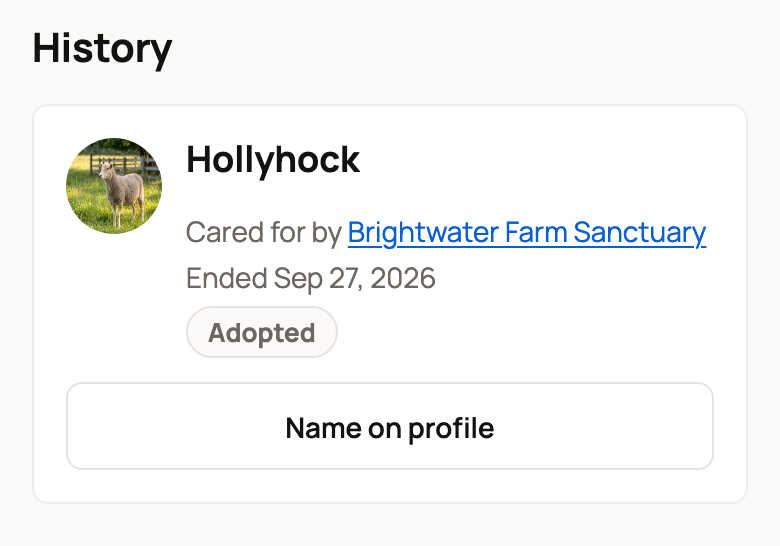
Gifts waiting to be claimed and payments waiting for confirmation are closed too. The people who bought them are told.
On the animal's profile
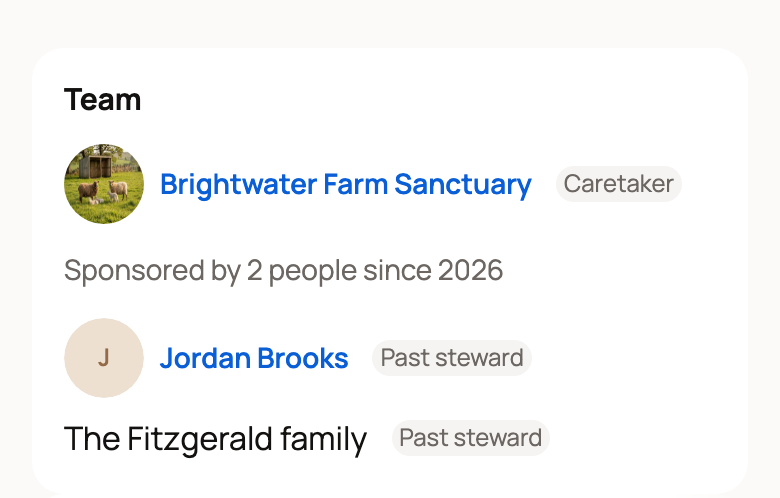
After an adoption, release or move, the profile shows a dated label, like Adopted · Sep 27, 2026. Its stewards stay listed as Past steward, under the name each one chose to show. If you select Undo next to the label, the sponsorship still stays ended.
When an animal passes away, Creatures marks it as deceased and offers to create a memorial.
Good to know
- To stop a sponsorship while the animal stays with you, use End sponsorship instead. See Managing a sponsorship.
- A sponsored animal can't be made private. End the sponsorship first.
- Remove from my animals also ends the sponsorship and tells sponsors. See Removing an animal from your account.
Related information
- Managing a sponsorship: sponsors, price, sharing, pausing, and ending
- Managing an animal you sponsor
- Creating and publishing an animal memorial
- Removing an animal from your account
Updated on: 29/10/2026
Thank you!