
Accepting an animal someone transferred to you
Open the transfer from your Creatures notification, email or text, check the details on Review this transfer, then select Accept transfer. The animal's profile, records, photos and ownership history become yours right away.
Nothing changes until you accept. If you don't recognize the handoff, select Decline.
Before you start
Sign in with the account the transfer was sent to. If you're signed in to a different account, Creatures signs you out and asks you to sign in with the right one.
New to Creatures? The email or text invite lets you create your account first. Then it brings you back to the transfer.
Open the transfer
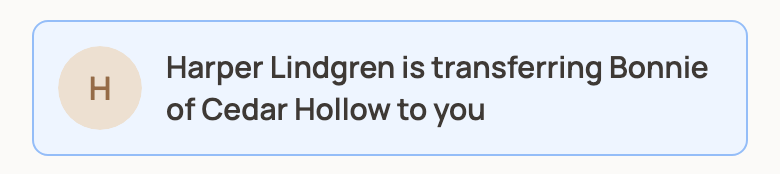
- Notification: if the seller picked you on Creatures, you'll see a notification such as "Harper Lindgren is transferring Bonnie of Cedar Hollow to you." Select it.
- Email or text: if the seller invited you by email or text, use the link in their message. The email shows their name "via Creatures."
Review and accept
Review this transfer shows the Animal, who it's From and To, the Reason and the Sale price (or Adoption fee). Timeline tells you whether that price shows on the animal's public ownership timeline.
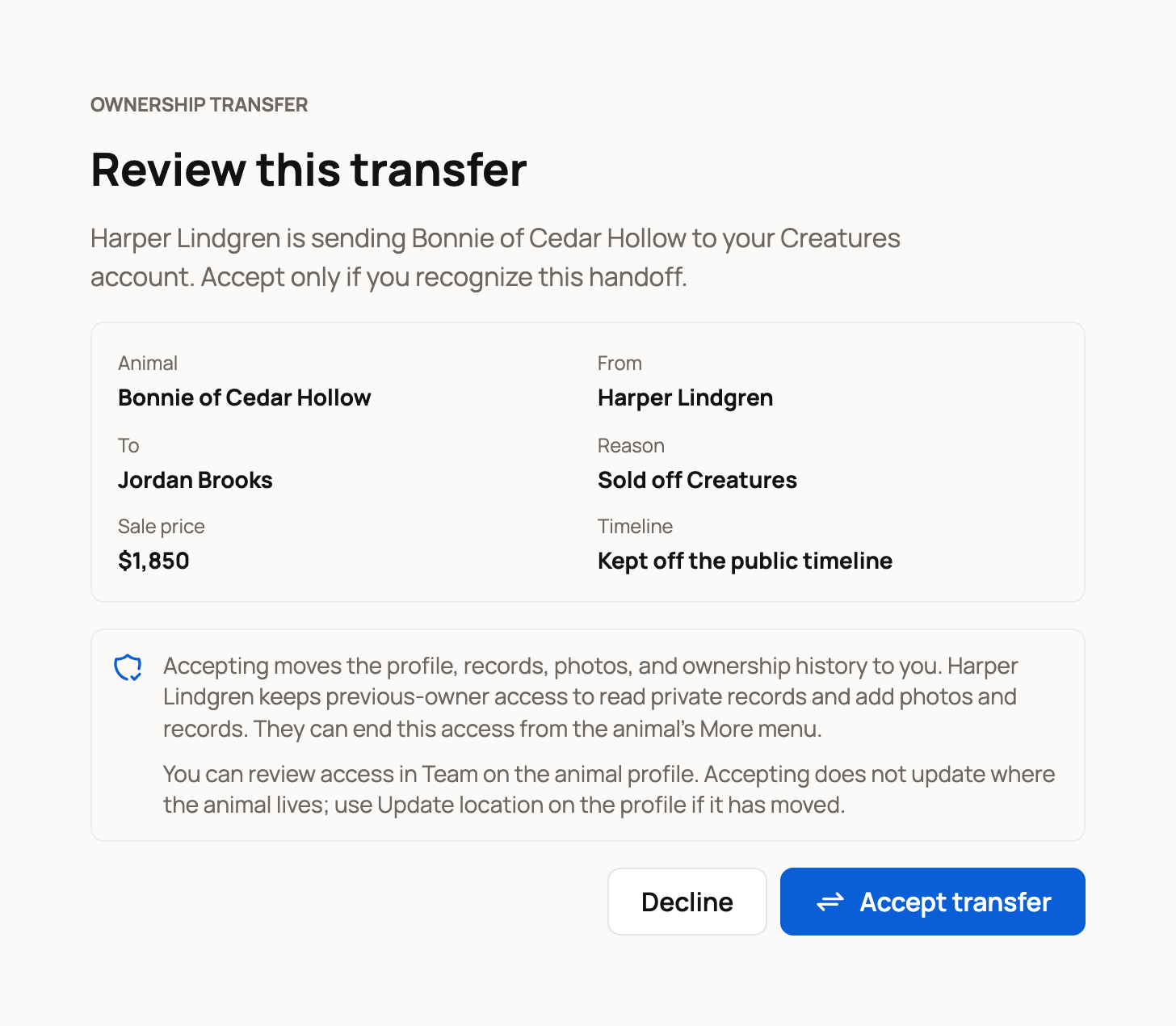
Check that you know the animal and the sender. Then select Accept transfer. Creatures confirms that you now own the animal and opens its profile.
What happens next
The profile shows Transfer completed, with View transfer receipt and Review team access.
The previous owner keeps previous-owner access. They can still read private records and add photos and records, so they can share updates. You'll see them in the animal's team as Previous owner (care access).
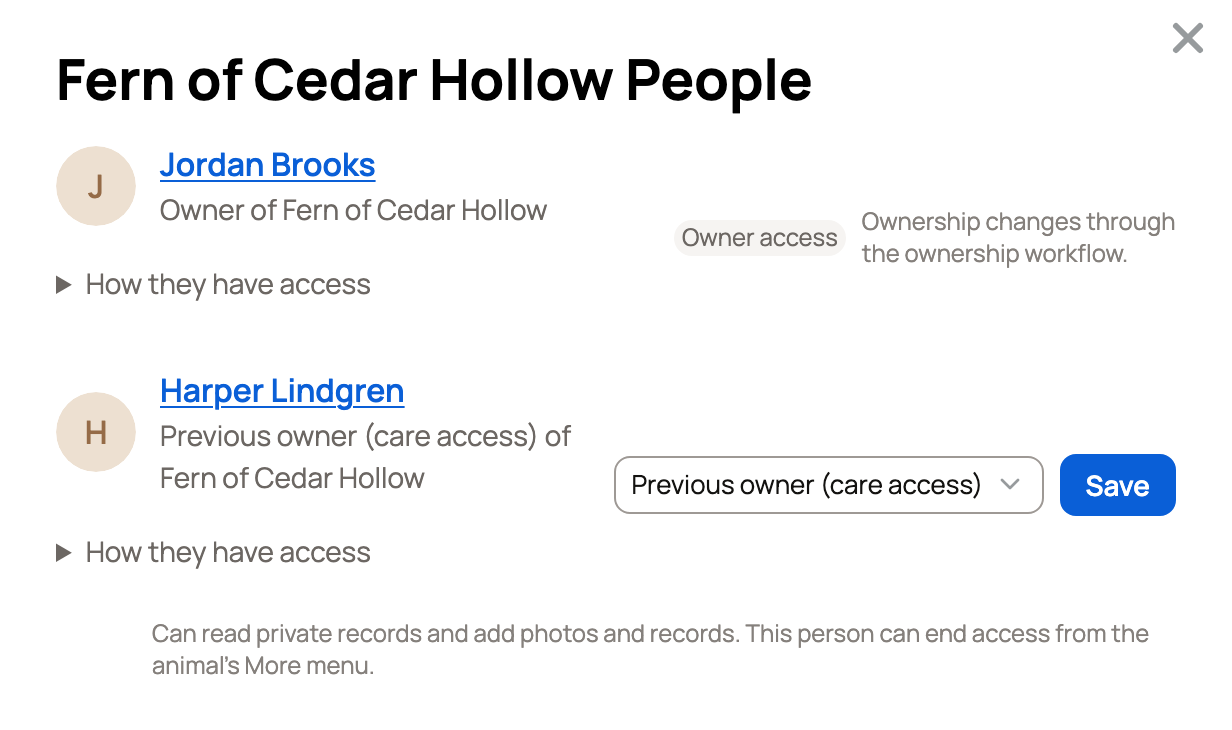
For now, only the previous owner can end this access, from the animal's More animal actions menu. If a farm sent the animal, a farm manager does it. You can't remove the row yourself, so ask them if you'd like it ended. You can also switch their role to Team or Co-owner, which sends them an invitation.
Accepting doesn't change where the animal lives. If it moved to your place, select Update location on the profile.
If you decline
Select Decline if you don't recognize the transfer. Creatures tells the sender, and refunds any transfer fee they paid. An invite you don't answer expires after 14 days.
If something looks wrong
- "The sender no longer owns this animal." Ask the sender to check the profile and send a new transfer.
- A message about an active listing. The sender needs to end or resolve the listing first.
- "This transfer is no longer available." It may already be accepted, or a newer transfer replaced it.
- The link doesn't open. The invite may have expired or been replaced. Ask the sender to send it again.
Related information
- Transferring an animal to its new owner
- Co-owners and team members: sharing access to an animal
- Move animals and review location history
Updated on: 29/10/2026
Thank you!