
Accepting and paying for a Sale offer
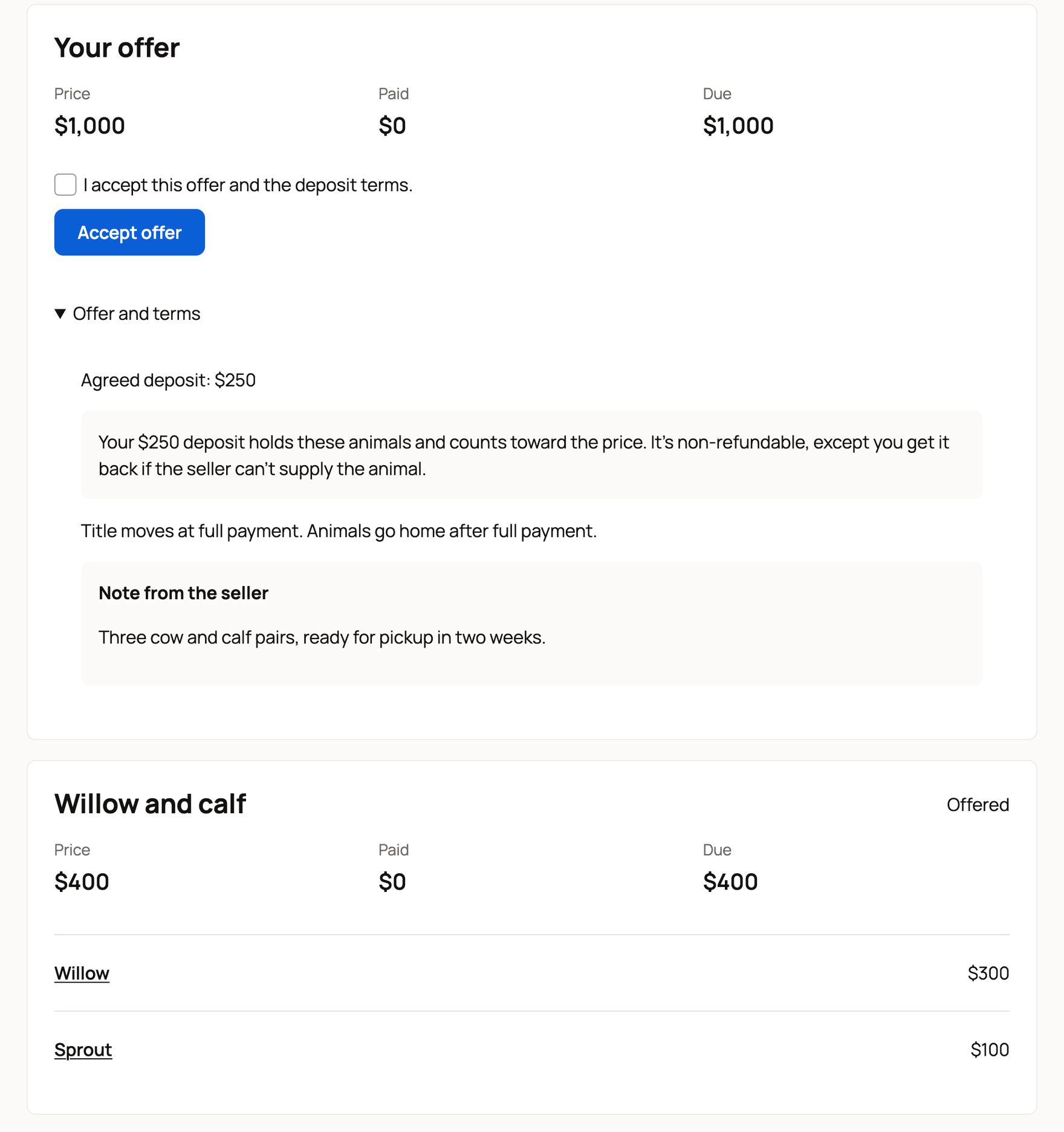
A Sale lets a seller offer you several animals at once, such as three cow and calf pairs. Each unit has its own price, one deposit holds them all, and one page shows what you've paid and what's due.
Open the offer
If you're on Creatures, you get a notification: "A Sale offer is ready." The Sale is also a row in Dashboard > Buying > Purchases; select Open Sale.
If the seller invited you by email or text, open their link. Signed out, select Sign in to accept. If you're signed in with another account, select Continue with this account.
Check the offer and accept
The page lists each unit with its animals and each animal's share of the price. Under Offer and terms you'll see the Agreed deposit, what happens if you cancel before pickup, when ownership moves to you and any Note from the seller.
To go ahead, tick I accept this offer and the deposit terms. and select Accept offer. The seller gets a notification.
Pay the deposit
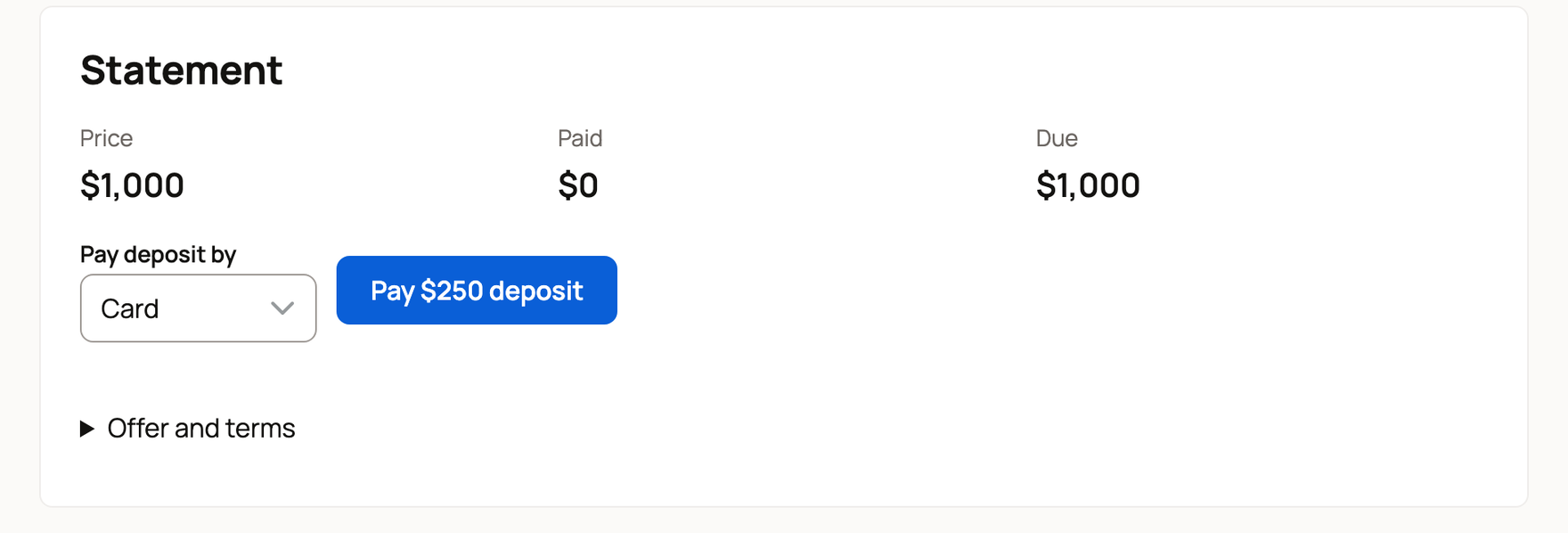
Under Pay deposit by, choose Card or Bank transfer, then select the pay button, such as Pay $250 deposit. If a buyer fee applies, the button shows it. A bank transfer takes a few business days, and the page says Bank deposit processing until it clears.
Once the deposit is paid, the animals show Reserved to everyone else, and no one else can buy them. If the seller asked for no deposit, there is nothing to pay here; the animals are held once you accept, and you go straight to paying each unit.
Pay each unit
Each unit's balance is its price minus its share of the deposit. On a unit, choose Bank transfer or Card under Pay by and select its pay button, such as Pay $150 balance. To pay everything left at once, use Pay all remaining balances at the bottom.
While a bank payment for a unit clears, that unit reads Payment processing. A unit paid in full reads Waiting for pickup.
When the animals arrive
Each unit has its own Handoff panel on the Sale. A pair or group sold as one unit is handed over and confirmed together.
- At pickup: select Show pickup code and let the seller enter it. That finishes the handoff for the whole unit.
- When the seller records it: you get a notification. Select Confirm handoff, or open Report an issue if something isn't right. You have seven days. If you do neither, the unit confirms itself. If the seller marks it shipped, select Confirm handoff once the animals arrive. Shipping alone doesn't start the seven days.
Once the handoff is recorded, the animals' care tasks show on your Today.
Cancel a unit
Before pickup, open Cancel this unit, tick Cancel this whole unit and agree to rescission, and select Cancel unit. Your accepted deposit terms decide what comes back to you, and the other units carry on.
Find it later
Your Sale stays in Purchases, with its status, such as Balance due or Waiting for pickup, and what's still due.
Related information
- Selling several animals in one Sale (for sellers)
- Paying a private deposit on one animal
- Pay a private invoice from a seller
- Paying with Wallet, Credit, and ACH
Updated on: 16/11/2026
Thank you!