
Selling several animals in one Sale
To sell several animals together, such as three cow and calf pairs, make one Sale. Each unit has its own price, one deposit holds every animal, and you and your buyer follow each unit's payments and pickup on one page.
Start a Sale
- From an animal: open its profile, select More (the arrow beside Share on narrow screens), choose Request a deposit, then Add animals to a sale. That animal starts in the first unit.
- From Finance: select Sales and private invoices, then New sale. Your Sales are always at creatures.com/finance/sales.
- From your Dashboard: in Dashboard > Selling > Sales, select New sale. Each Sale also shows there with your other sales. If Selling isn't in the row yet, it's under More.
To send an offer, your phone number and ID need to be verified. If you have no Finance records yet, the page first shows Start records for your sales. Confirm the currency and select Create records and continue.
Put animals into units
Under Animals and prices, each unit is sold for one price.
- Type a Unit name, such as "Willow and calf".
- Under Animals in this unit, add each animal.
- Enter the Unit price ($), and a Ready date (optional) if you like.
- Creatures splits the price evenly. Change any animal's share, as long as the shares add up to the unit price.
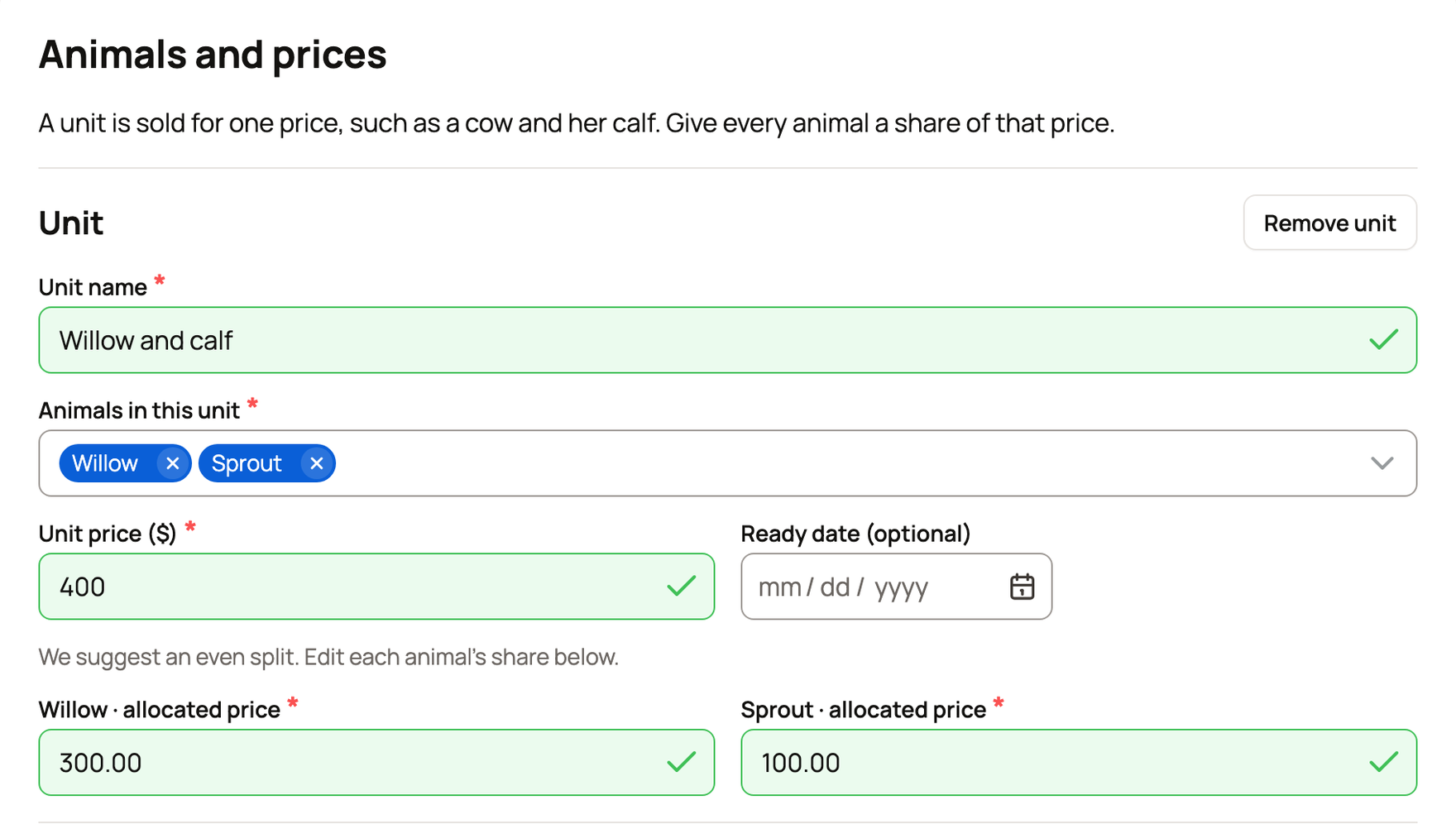
Select Add unit for the next one, or Remove unit to drop one. If you keep more than one set of records, pick yours under Seller records.
Set the deposit and terms
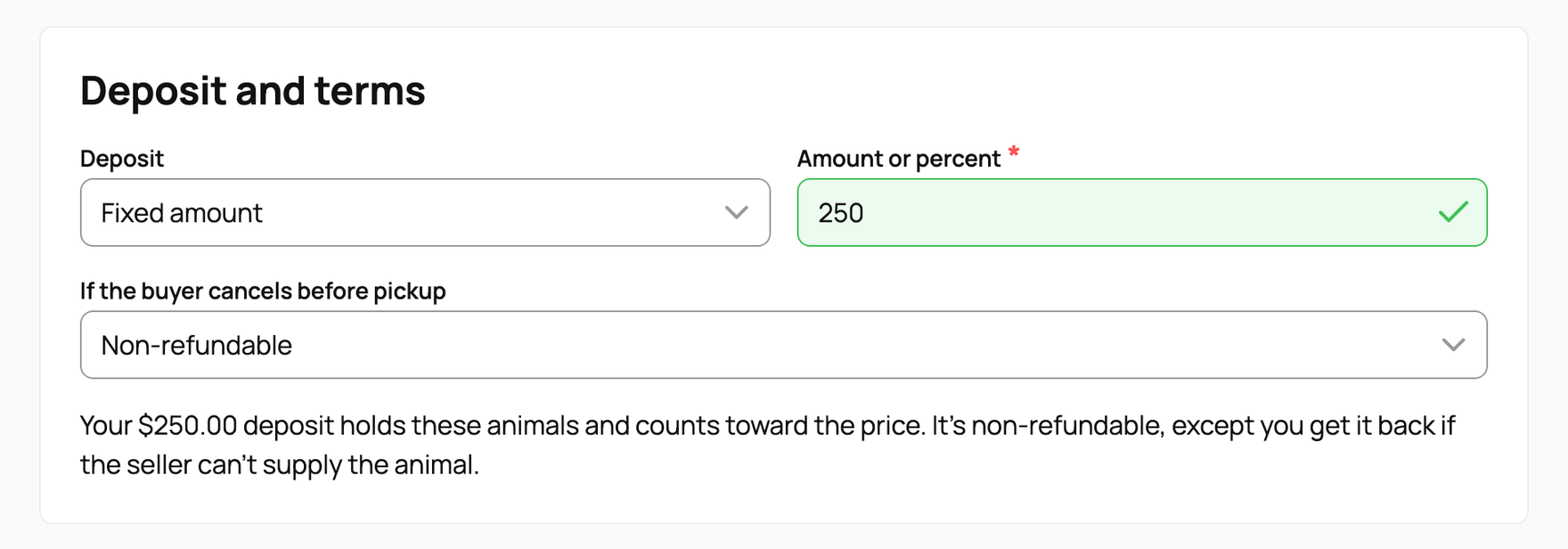
- Under Deposit, choose Fixed amount, Percent of price or No deposit, then fill in Amount or percent.
- Under If the buyer cancels before pickup, choose Non-refundable, Refundable before pickup, Refundable until a date, Moves to another animal or Custom. The sentence below shows your buyer the terms, such as "Your $250.00 deposit holds these animals and counts toward the price." Your choice is ready again on your next Sale.
- Under When title moves, choose At full payment or At handoff. Tick The buyer may take animals home before paying in full if you allow it.
Choose the buyer and send
Under Choose buyer, pick Creatures member and search for them. Or pick Invite a buyer, enter the Buyer’s name, and send by Email or Text message. For a text, add their Phone number and tick I have permission to text this buyer. Add a Note from the seller if you like; the buyer sees it with the offer. Then select Send offer.
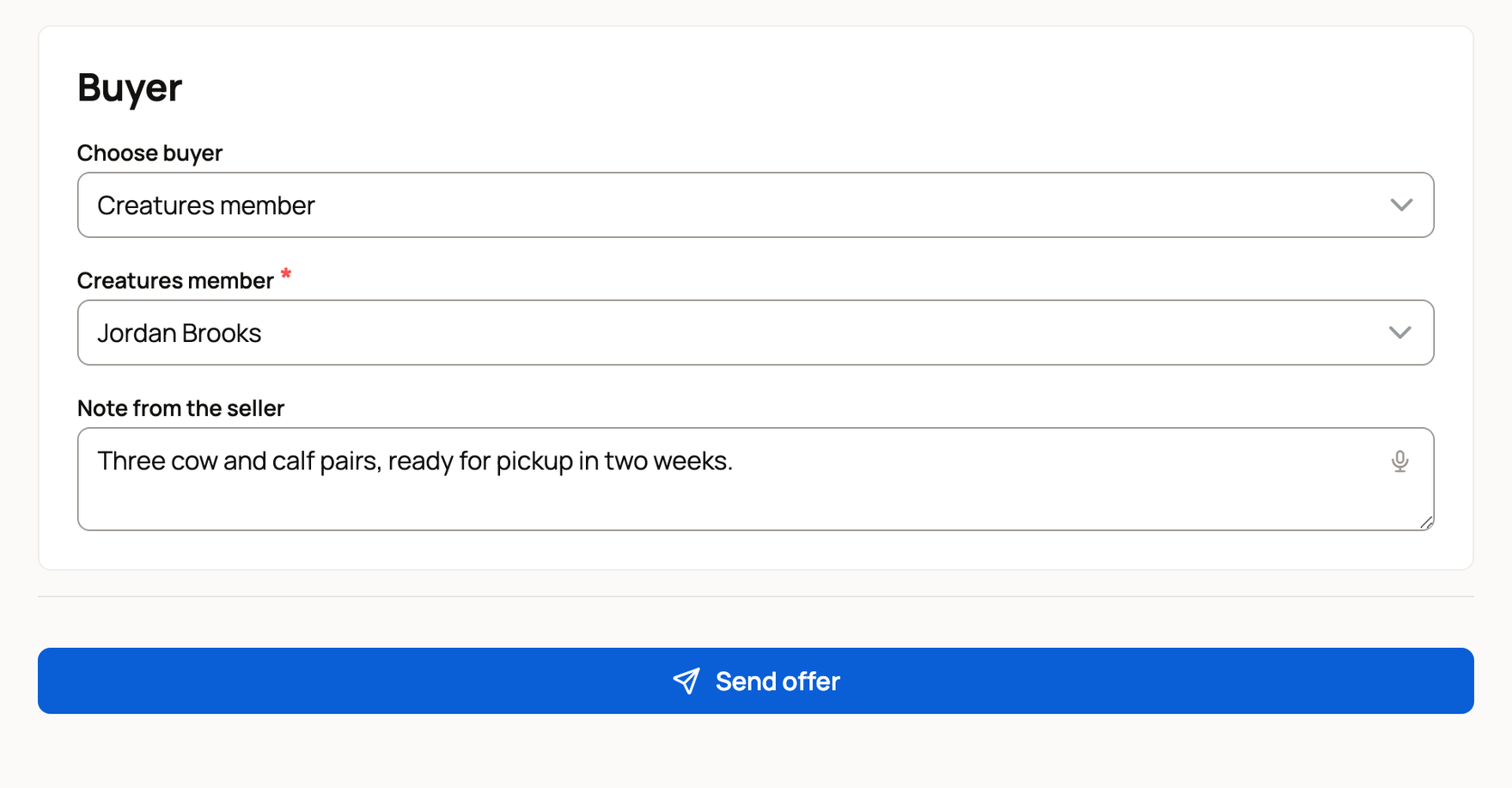
A member gets a notification. An invited buyer gets a link by email or text and signs in to accept. Until the buyer accepts, Send offer again sends it once more.
After the buyer accepts
You get a notification. Once the buyer pays the deposit, by card or bank transfer, every animal in the Sale shows Reserved. With No deposit, the animals show Reserved as soon as the buyer accepts. Each unit's balance is its price minus its share of the deposit, and the buyer can pay one unit at a time or all at once. While a bank deposit clears, the units read Deposit processing; while a bank payment for a unit clears, that unit reads Payment processing. The buyer sees no Pay or Cancel button until it clears. A unit paid in full reads Waiting for pickup.
The Sale shows Price, Paid and Due for the whole Sale, each unit and each animal. Any Seller fee or Buyer fee follows the same rules as a private invoice.
Record each handoff
Each unit has its own Handoff panel on the Sale, and under Open deal in Dashboard > Selling > Sales. A pair or group sold as one unit is handed over together. You can record a handoff once the unit is paid in full, or right after the buyer accepts if you ticked The buyer may take animals home before paying in full.
- At pickup: enter the buyer's code under Buyer pickup code and select Complete with code. That finishes the handoff.
- Otherwise: choose the Method, set the Handoff date, add an Evidence note and select Document handoff. The buyer has seven days to confirm or report an issue. If they do neither, the unit confirms itself.
- Shipping: add the Carrier and Shipment date, then select Mark shipped. This doesn't start the seven days.
With several units waiting, each unit's buttons sit under Actions for this unit, and Record handoff for all lets you tick units and select Record selected handoffs. Once a handoff is recorded, the animals' care tasks go to the buyer's Today. Until title moves to the buyer, your Today lists them under With buyers.
If a unit can't go ahead
Before pickup, open Cannot supply this unit on it, tick Cancel this whole unit and select Cancel unit. The buyer gets back everything they paid for that unit, and the other units carry on. After pickup, Propose whole-unit rescission asks the buyer to agree to undo the unit.
Related information
- Accepting and paying for a Sale offer (for buyers)
- Requesting a deposit for one animal
- Send and get paid on a private invoice
- Seller fees and the Creatures Pro subscription
Updated on: 23/11/2026
Thank you!