
Pay a private invoice from a seller
To pay a private invoice, open the link your seller sent you by email, text or Creatures notification. The page shows what you're buying and the amount due, and you can pay from your Creatures Wallet or by bank transfer or card. Until you pay, Creatures sends you reminders that link to the invoice, and the seller can send one too.
Check the invoice
Review and pay your invoice shows who sent it, what you're buying, the Sale amount, the Amount due and the Status, which reads Ready to pay. A Verified seller badge means the seller has finished Creatures verification.
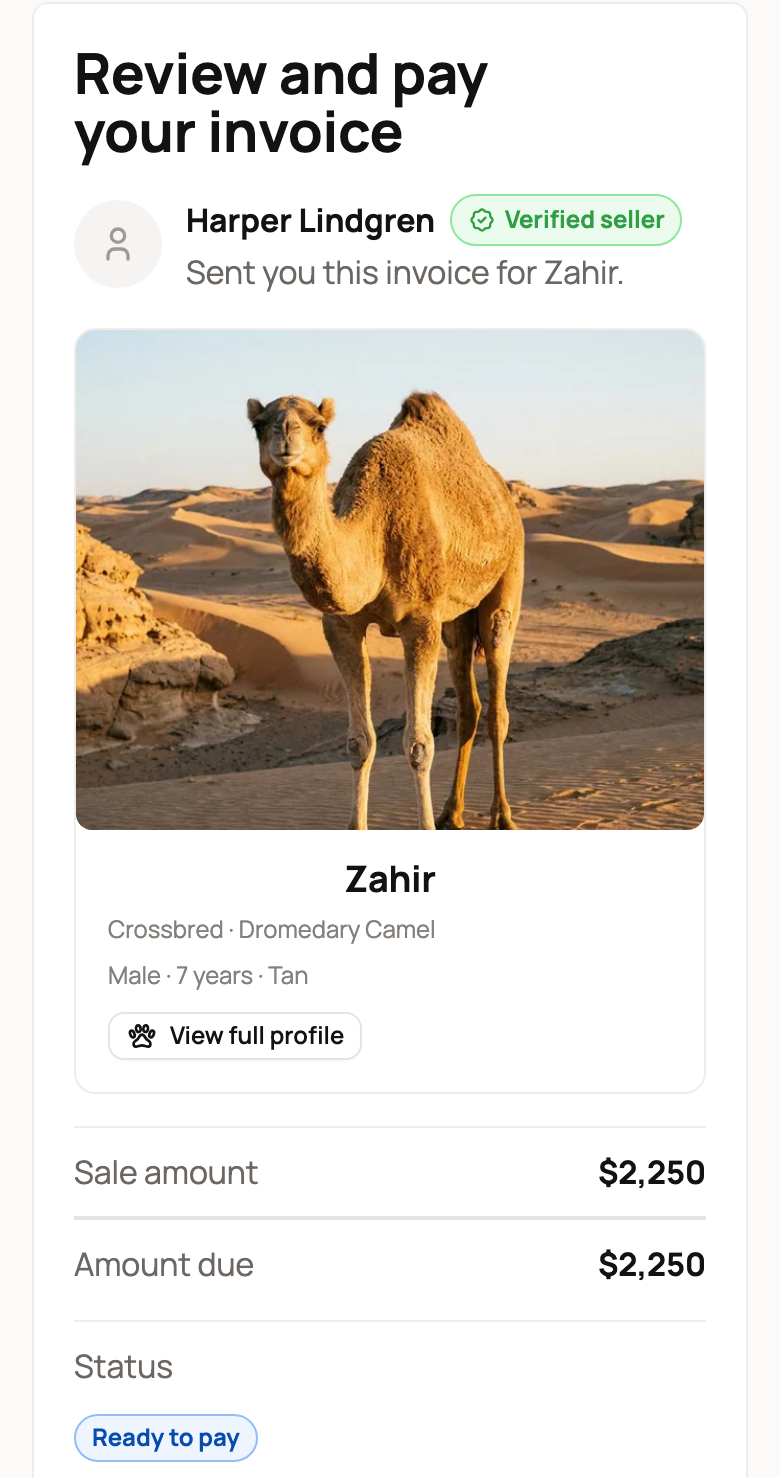
Two more lines can appear:
- Buyer service fee: can apply if, in the 90 days before the invoice was created, you followed the seller's referral link for a listing in this sale, applied for it, saved it to your watchlist, messaged the seller from the listing, or paid a litter or group deposit matched to it. Viewing a listing or paying a private deposit request for one animal does not by itself trigger the fee. The Total includes any fee.
- Deposit paid: the reservation deposit you already paid. It comes off the total, and you pay the Balance due.
If the seller asked you to sign first
Some sellers include an agreement, such as sale terms or pickup details. The page says there's one more step before payment. Select Sign agreement, sign it, then select Continue to payment to go back to the invoice. The payment buttons appear once you've signed.
Pay
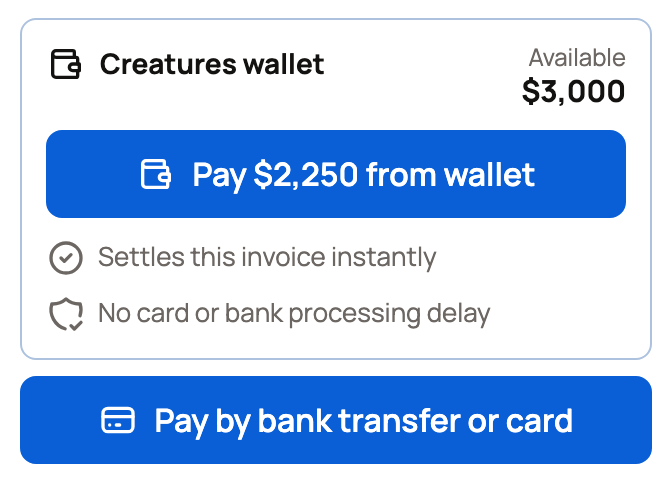
From your Creatures Wallet: when you're signed in to the account the invoice was sent to, a Creatures wallet card shows your available balance. Select the pay button, such as Pay $2,250 from wallet, then Pay from wallet to confirm. The invoice is paid at once, with no card or bank wait. If the button reads Wallet balance too low, use the other choice.
By bank transfer or card: select Pay by bank transfer or card. At checkout, choose bank transfer (up to 4 business days) or card (instant). If the seller allows only one, the button reads Pay by direct bank transfer or Pay by card. You don't need to sign in to pay this way.
What happens next
Card and Wallet payments confirm right away. A bank transfer shows Bank transfer submitted while it clears, with an Estimated to confirm by date. If it's still clearing after that date, the page shows Taking longer than estimated instead, and on the first banking day after that date you and the seller each get a notice that it's still processing. It can still fail. If it fails, you'll get a notice and can pay the invoice again.
Once it's paid, the page reads Payment confirmed and a bill of sale is created. For a sale of individual animals, ownership and records move to your Creatures account. Select Open profile, or an animal's name when there are several, to see its records. A count-group purchase creates a group record with Open your new group; a genetic-material purchase creates an inventory record with Open your inventory record. Select Bill of sale to open the bill of sale. Paid by card? The page shows your statement line: CREATURES* and the seller's name.
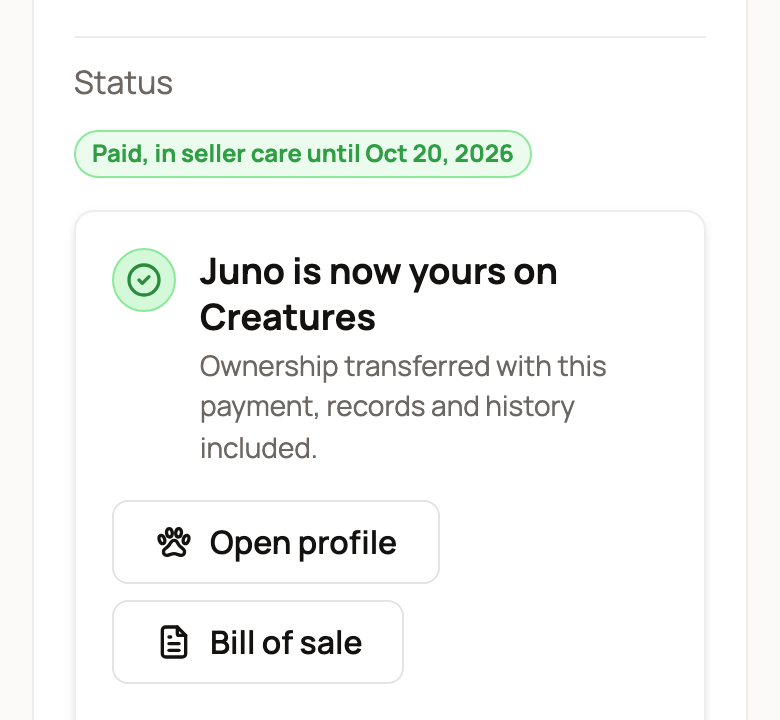
Not signed in? Select Open buyer account, or Claim your free buyer account if you're new to Creatures, to see your records and the bill of sale.
Confirm the handoff
Your animal can come home before or after you pay. Open the invoice while signed in, or the animal's profile, and find its handoff. New to Creatures? The panel appears once your payment clears. Once you have the animal, select Confirm handoff, then Confirm handoff again to finish, or Not yet to back out. When you meet the seller, you can also select Show pickup code and let them enter it. If the seller records the handoff, you get a notice, and the panel shows any date to confirm or report an issue by. After that date, the handoff completes on its own. If the animal is still with the seller when you pay, your payment confirmation email has a Confirm handoff button that opens the invoice. If you wait, you may get reminders from the seller and from Creatures.
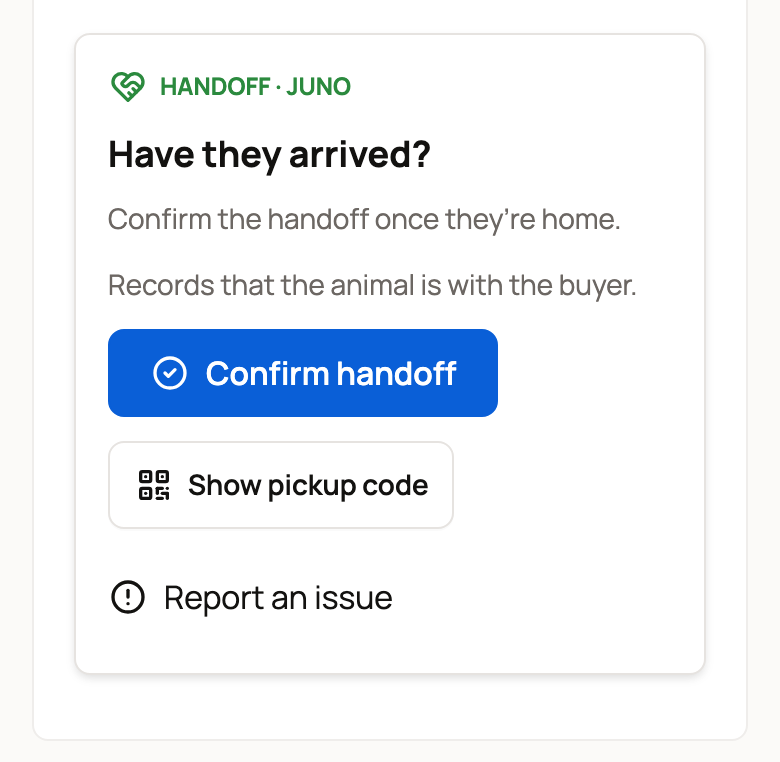
Once the handoff is recorded, the animal's care tasks and reminders show on your Today, and you can log its care. Until your payment clears, you can't sell, list, transfer, register or breed it. If a payment fails, the animal and its care stay with you while you pay again.
If something looks wrong
- No Wallet choice: sign in to the account the invoice was sent to.
- Asked for a code: if you signed in from an email link, Creatures emails you a code before you use the Handoff panel. See Why Creatures asks for a code.
- Questions about the animal or pickup: select the seller's name to open their profile and message them. After you pay, the invoice also shows Message seller.
- A problem with the animal or the handoff: on its Handoff panel, open Report an issue, say what happened and select Send to support. The Creatures team reviews it.
- A payment problem you can't solve: contact Creatures support.
Related information
- Paying with Wallet, Credit, and ACH
- Your Creatures Wallet: balance, holds, and getting paid
- Send and get paid on a private invoice
Updated on: 21/11/2026
Thank you!