
Add or connect the babies after a birth
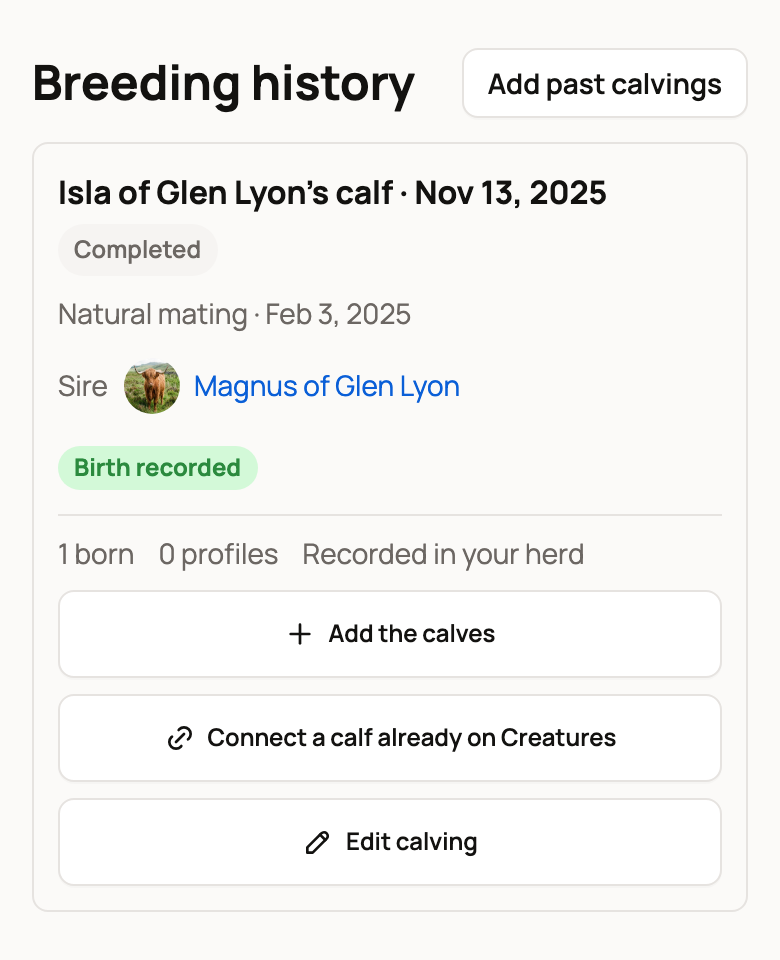
Every birth you record stays in the mother's Breeding history, so you can add the babies whenever you're ready. Open her Breeding tab, find the birth, and choose Create calf profile on a recent birth or Add the calves on an older one.
The buttons use your animal's words, such as Add the kids for a goat.
Find the birth
- Open the mother's profile and choose the Breeding tab.
- Scroll to Breeding history. Each birth shows its date and a short summary, such as 1 born and 0 profiles, and the herd it's Recorded in.
Babies you already added are listed under the birth. Labels help you spot what's left: Temporary name, Sold or Died. If another member owns the sire, the birth shows that it's waiting for the owner's OK.
Create the babies' profiles
- Choose Create calf profile on a recent birth, or Add the calves on a birth from more than 120 days ago.
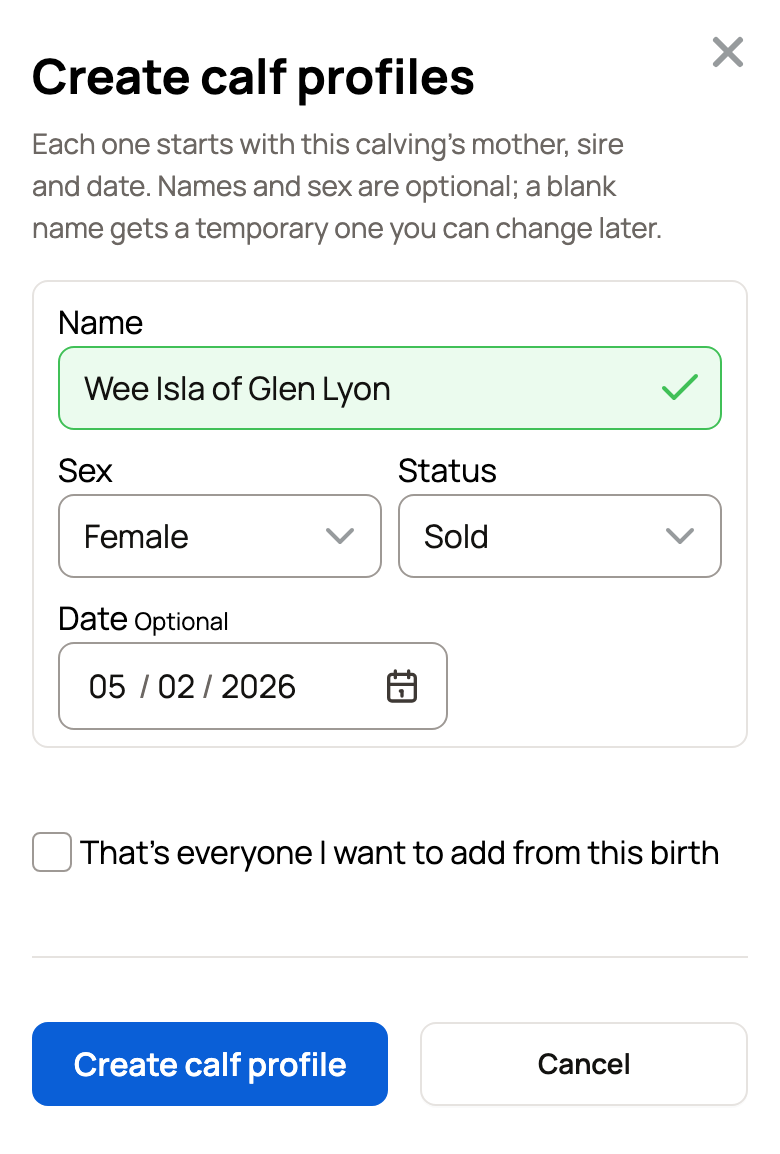
- Fill in a row for each baby. Name and Sex are optional. A blank name becomes a temporary one, such as "Ailsa's calf 1".
- Set the Status: Here, Sold or Died. On an older birth, rows start as Sold, since those babies have often moved on. Change it to Here if the calf is still with you. For Sold or Died, you can add the Date.
- Choose Add another for each extra baby, up to the number born alive.
- On an older birth, tick That's everyone I want to add from this birth when you won't add the others.
- Choose the button at the bottom, such as Create calf profile.
Each new profile starts with the birth's mother, sire and date.
Her calves already on Creatures from around that date are listed above the rows, ticked to connect, so they don't get a second profile. If a name you type matches an animal you already have, Creatures asks you to connect that animal or keep a new profile.
To give a calf with a temporary name its real name, choose Name next to it.
Connect a calf already on Creatures
If you added the calf before you recorded the birth:
- Choose Connect a calf already on Creatures.
- Under Calves you manage, search by name and pick one or more.
- Choose Connect.
Creatures may also suggest one of her calves born within a few days of the birth, such as "Wee Isla of Glen Lyon may be from this calving." Choose Connect beside it, or Not from this calving to hide the suggestion.
Connecting adds the birth to the calf's history and fills in only what's missing. It never replaces a parent the calf already has.
Fix the birth
- Edit calving opens the birth record, so you can correct the date or the counts.
- Remove from this calving takes off a calf you linked by mistake. The calf keeps its profile. Only the parents and birth date this birth added come off, if nobody changed them since.
- Open its page shows when the birth has a shared page.
- If your birth notes name the babies, Creatures may ask if you want to create profiles for them. Choose Review profiles to check, or Dismiss.
- For a co-owned mother, the herd that recorded the birth creates the profiles. Other co-owners can still connect calves they manage.
- Older records saved before Creatures linked births to babies show under Finish connecting. Choose Finish setup on each one.
Related information
- Recording a birth and adding the babies
- Add past births to your herd's history
- Pedigree, family, and lineage
Updated on: 29/10/2026
Thank you!