
Add past births to your herd's history
To fill in older calvings, kiddings or lambings, open your Breeding dashboard and choose Add birth history. You can add births from more than 120 days ago, up to 60 in one save, and each one joins the mother's history.
Open the history form
- On your Dashboard, go to Animals & Groups, then Breeding, and choose Add birth history. If all your breeding animals are one species, the button uses its word, such as Add calving history.
- For one animal, open her Breeding tab and choose Add past calvings next to Breeding history.
- On a birth form, if you enter more calves than a cow usually has, choose Add past calvings there. It opens this form for her.
- When Creatures spots missing births, a card tells you, such as "2 calvings are missing from your cows' history." Choose Review and add to open the same form, or Not now to hide the card for 30 days.
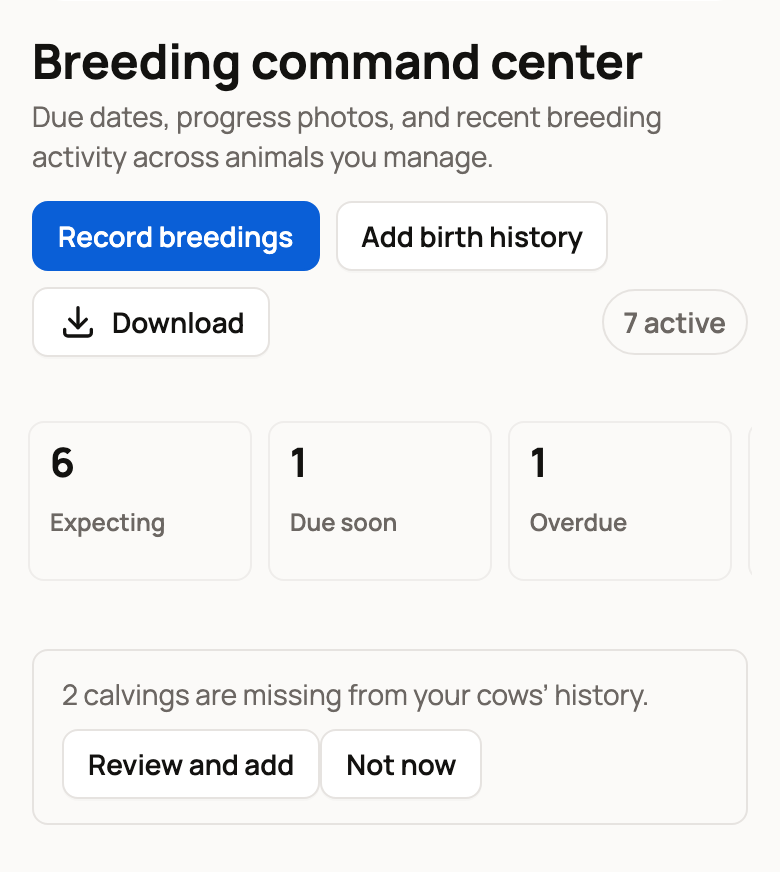
Start with what Creatures found
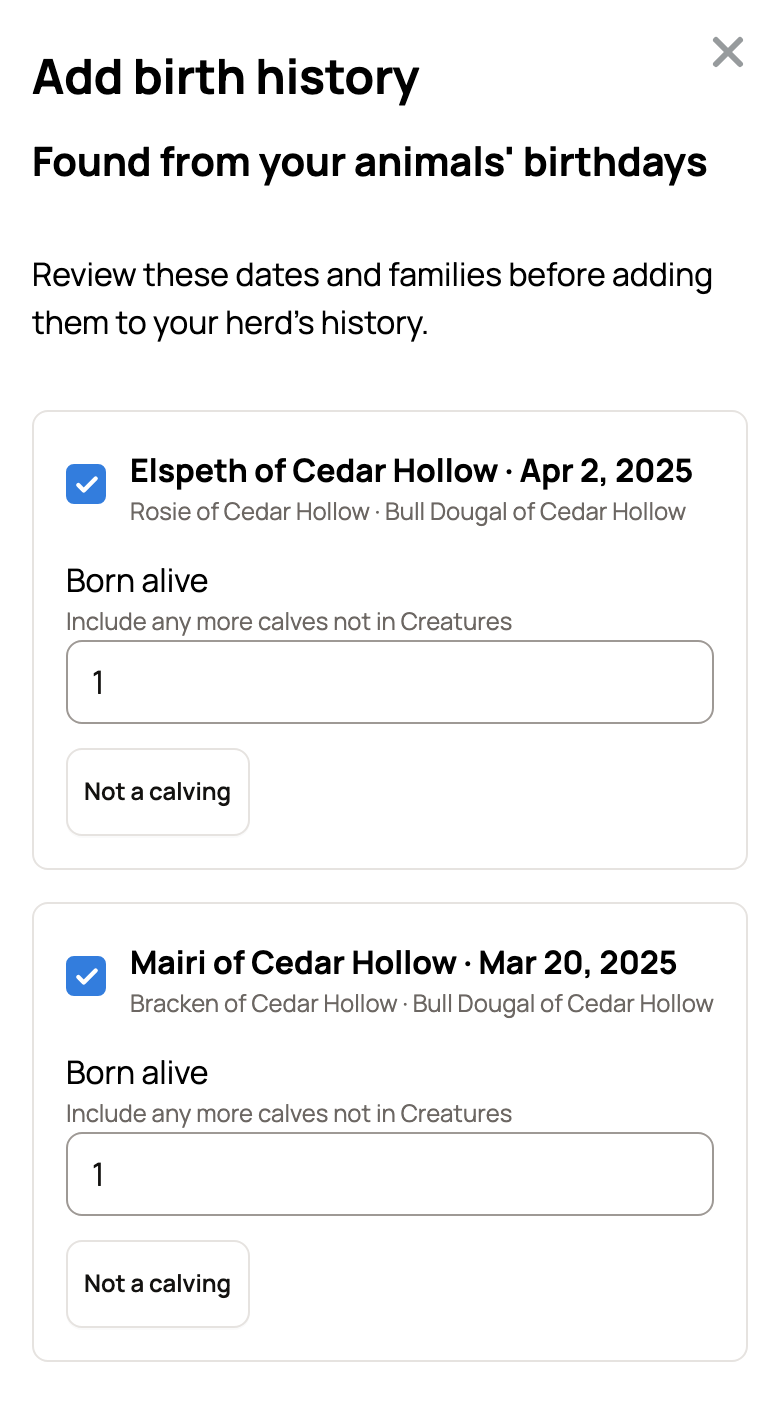
Under Found from your animals' birthdays, Creatures lists births it can tell from calves already on Creatures. Each row shows the mother, the date, the calves and the bull when known.
- Keep the tick to add the birth.
- Raise Born alive to count calves that aren't on Creatures.
- Choose Not a calving if the row is wrong. Creatures won't suggest it again.
- If the birth is already recorded but a calf isn't connected to it, the row reads like "Connect Ishbel of Cedar Hollow to Morven's Apr 18, 2024 calving." Saving connects her to that birth.
If a found birth lands within 14 days of an open pregnancy's due date, the row says it closes that breeding. Saving it records the birth for that pregnancy.
Add a birth by hand
- Choose Add another calving. It says kidding or lambing for those animals.
- Pick the Mother.
- Under Date precision, choose Exact date, or Month and year if you only know the month. Enter the Birth date, which must be more than 120 days ago. With Month and year, pick any day in that month. Only the month and year are saved.
- Pick the Bull if you know him. This box is optional and lists males you manage.
- Enter Born alive, plus the Female and Male counts if you know them. For goats these say Doelings and Bucklings.
- Open Add the calves to list the babies:
- Under Names to create as Sold profiles, type one name per line. Add (F) or (M) after a name to set the sex.
- Or pick calves already on Creatures under Or connect profiles already here.
- Tick That's all the calves I want to add when your list is complete.
- Add Notes if you like. Remove this row drops a row you don't need.
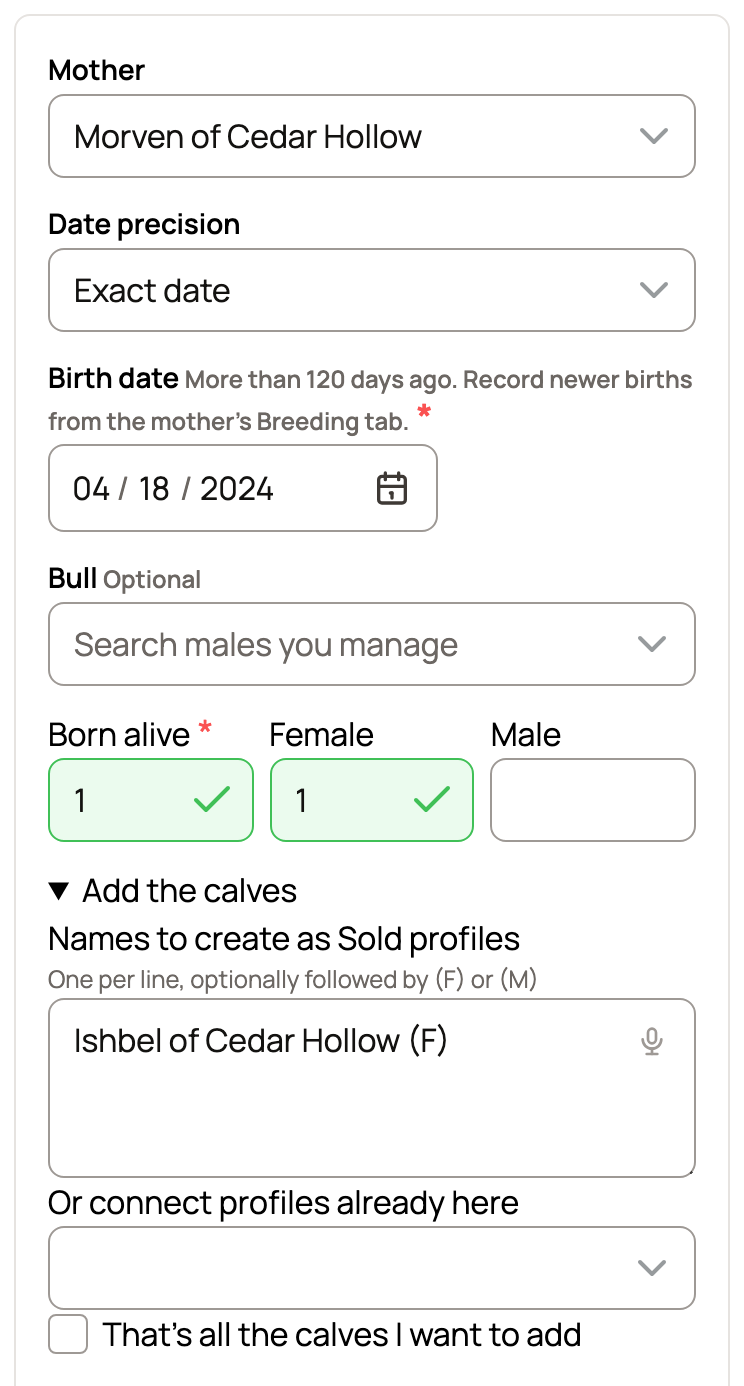
Born alive must include every calf you name or connect.
Save the history
The bottom of the form counts the births you picked, such as 3 births selected. Choose Save history. Creatures confirms how many births it added and shows View breeding history.
Each birth then shows in the mother's Breeding history as a private record. Profiles made from names start as Sold, because a past birth usually means those babies have moved on. If a calf is still with you, connect her profile instead of typing her name.
To add the babies to a past birth later, see Add or connect the babies after a birth.
Newer births and big piles of records
- For births in the last 120 days, use Record calving on the mother's Breeding tab. See Recording a birth and adding the babies.
- Have years of history in a spreadsheet, export or photos? Choose Have a lot? Upload a spreadsheet, export or photos in the form, or see Importing records.
Related information
- Recording a birth and adding the babies
- Add or connect the babies after a birth
- The breeding dashboard
- Importing records
Updated on: 29/10/2026
Thank you!