
Choosing pickup, seller delivery, or Creatures Transport
Pickup is the default: you collect the animal from the seller. If the seller offers delivery, or Creatures Transport can carry the animal, checkout asks before you pay. It prices the trip from the listing's town to the place you enter.
Pickup
If the listing offers no delivery, there is no delivery step. If it does, select Skip at that step (or keep Pickup on an auction wins page).
Message the seller to agree on a pickup day. When you meet, show your pickup code or confirm the handoff yourself. See Receiving your animal and confirming delivery.
Seller delivery
A listing where the seller delivers shows a Seller Delivery Available panel with the Base Rate, Per Mile price and Max Distance. To add it when you buy:
- In Add seller delivery? (or Delivery options when Creatures Transport is offered too), search for your town or street address under Your Location.
- The Seller delivery card shows your price and the distance, for example $76.00 (~38 mi). A street address gives a more accurate quote than a town.
- Select the card, then Continue. Your Checkout summary adds a Seller delivery line.
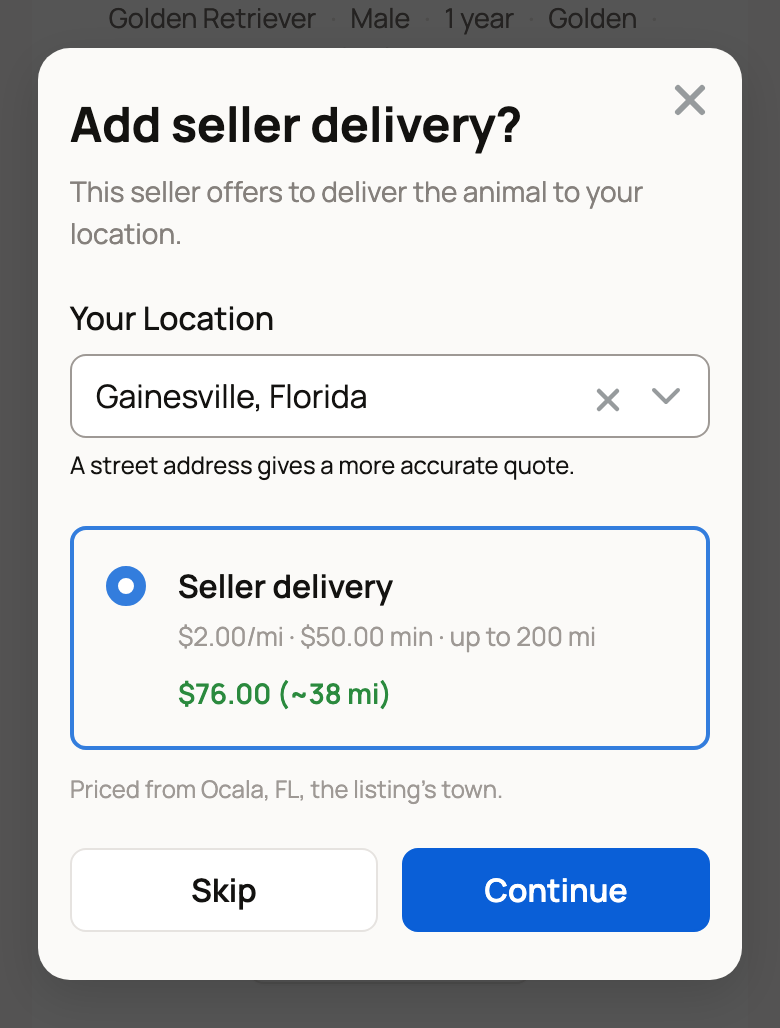
The price is the seller's per-mile rate times the distance, or their base rate if that is more. Distance is measured from the listing's town, so the seller's address stays private. If you are past the seller's range, the card says how far you are. Choose pickup, or message the seller.
Creatures Transport
Creatures Transport can carry some kinds of animals within the continental US. When it is offered, the listing shows a Creatures Transport Available panel. Get a transport quote gives you a price before you buy, with no commitment.
At checkout, Add Creatures Transport? shows two quotes:
- Dedicated Haul: a direct trip with no other animals.
- Shared Load: may share the trailer with other animals, for a lower price.
Pick one and select Continue. Your summary adds a Creatures Transport line, and the 5% service fee applies to it too. The trip is carried out by an independent transporter. Creatures connects you and holds the payment, but is not the carrier.
Auction wins
For an auction you won on its own, select Pay Now on the listing. If the seller offers delivery, the same delivery step opens, and its prices are marked as an estimate.
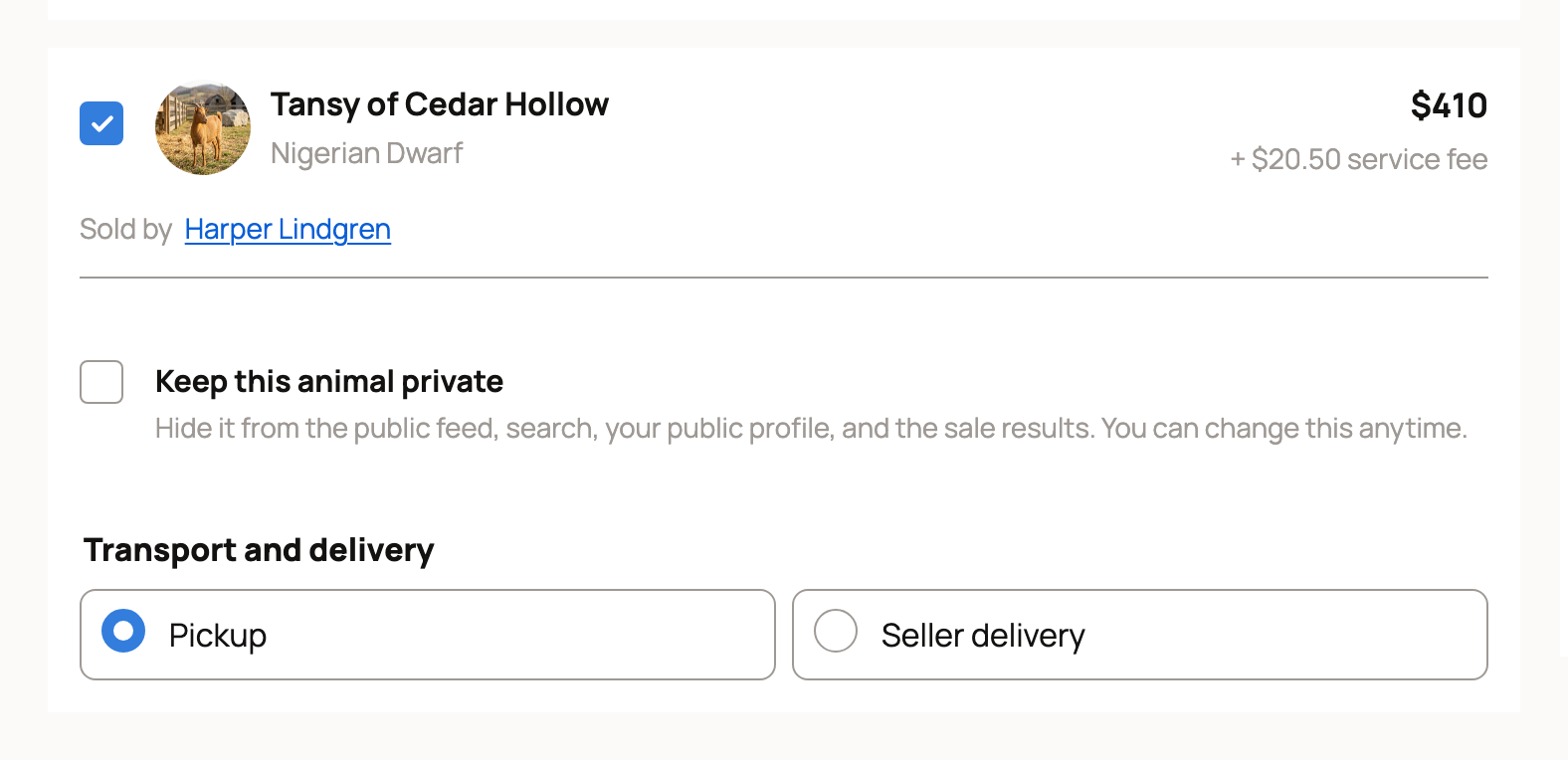
On a sale event's wins page, each lot has its own Transport and delivery choices. You'll see Pickup, plus Seller delivery when the seller offers it. Shared Load and Dedicated Haul appear only when Creatures Transport can price that lot. Pick a delivery choice and enter your address. The price is added to the Checkout summary on that page before you pay.
Cancel Creatures Transport
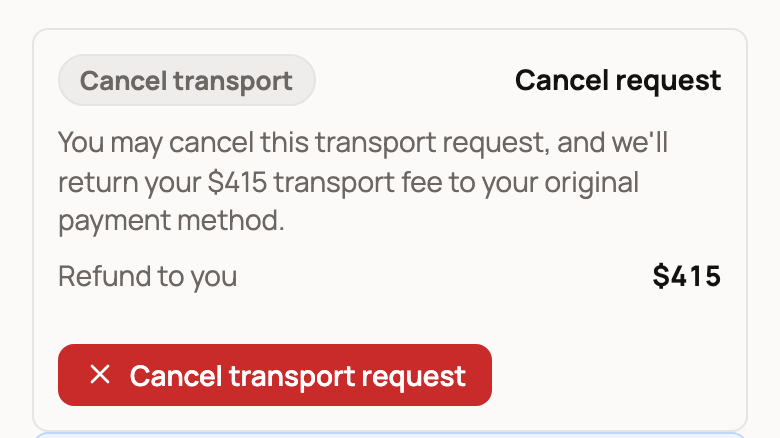
Changed your plans? Open the trip from Track delivery on your purchase. Until the transporter picks the animal up, the trip page shows Cancel transport request. Creatures returns the transport fee to your original payment method, and your bank may take a few days to show it.
Then collect the animal yourself. On the listing, select Confirm I picked up the animal once it is in your care.
When it arrives
After the driver marks the delivery done, the trip page asks if the animal arrived, for example Did Barley arrive? Check the animal, then select Confirm delivery. If something is wrong, select Report an issue instead.
Related information
- Receiving your animal and confirming delivery
- Buying at a fixed price
- I won an auction: what happens next
- Requesting transport for an animal
Updated on: 29/10/2026
Thank you!