
Confirming shows sanctioned by your association
When a show organizer picks your association as the show's sanctioning body, Creatures records a sanction claim and waits for you to answer it. Owners and co-owners of a registry of record review these claims under Sanction claims and choose Verify sanction or Reject claim.
Before you start
Only a registry of record can review sanction claims. A registry of record is the recognized source of its breed's registration numbers, and the Creatures team turns on that level with you. You also need to be an owner or co-owner of the organization. See Registries and associations on Creatures.
Find your sanction claims
- Go to Dashboard and open the Events tab.
- Select Standings, then select Sanction claims.
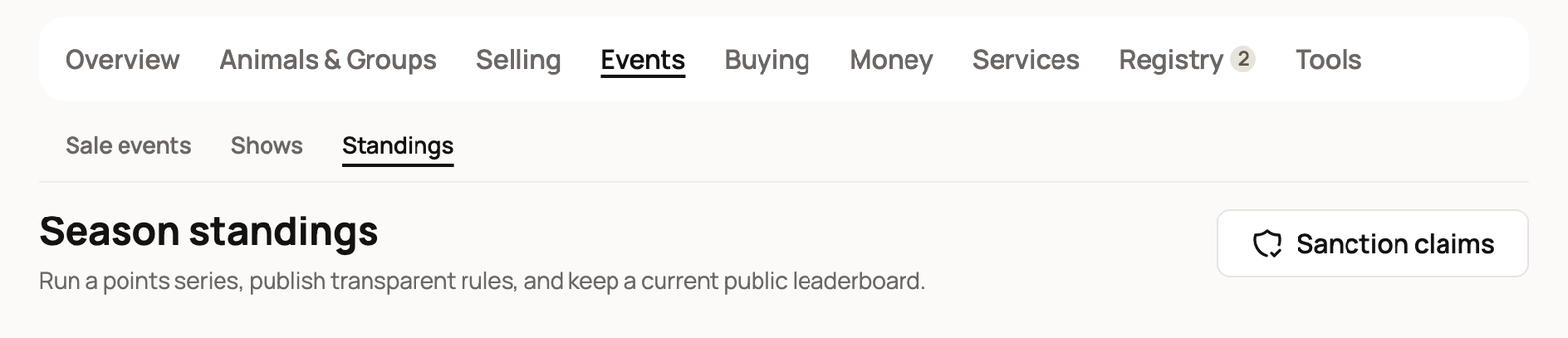
Creatures doesn't alert you when a new claim comes in. Check this page from time to time, and whenever an organizer tells you about a new show.
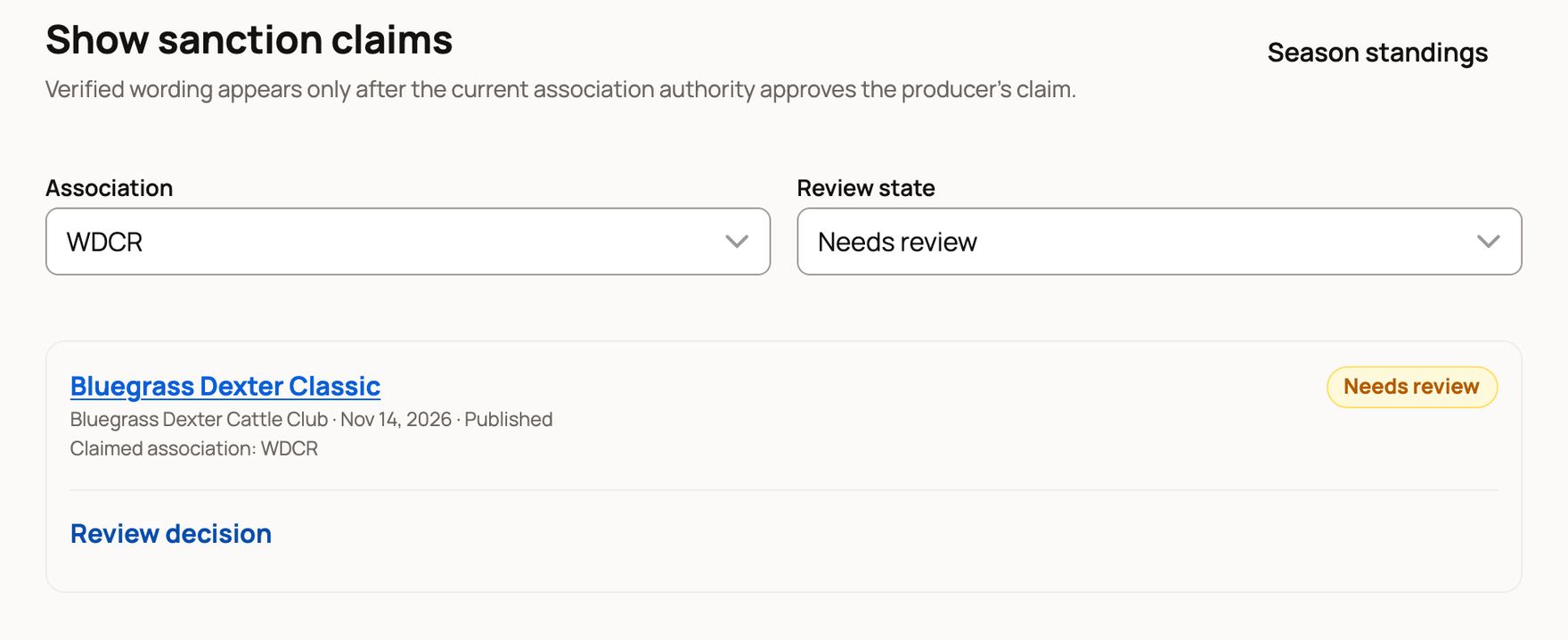
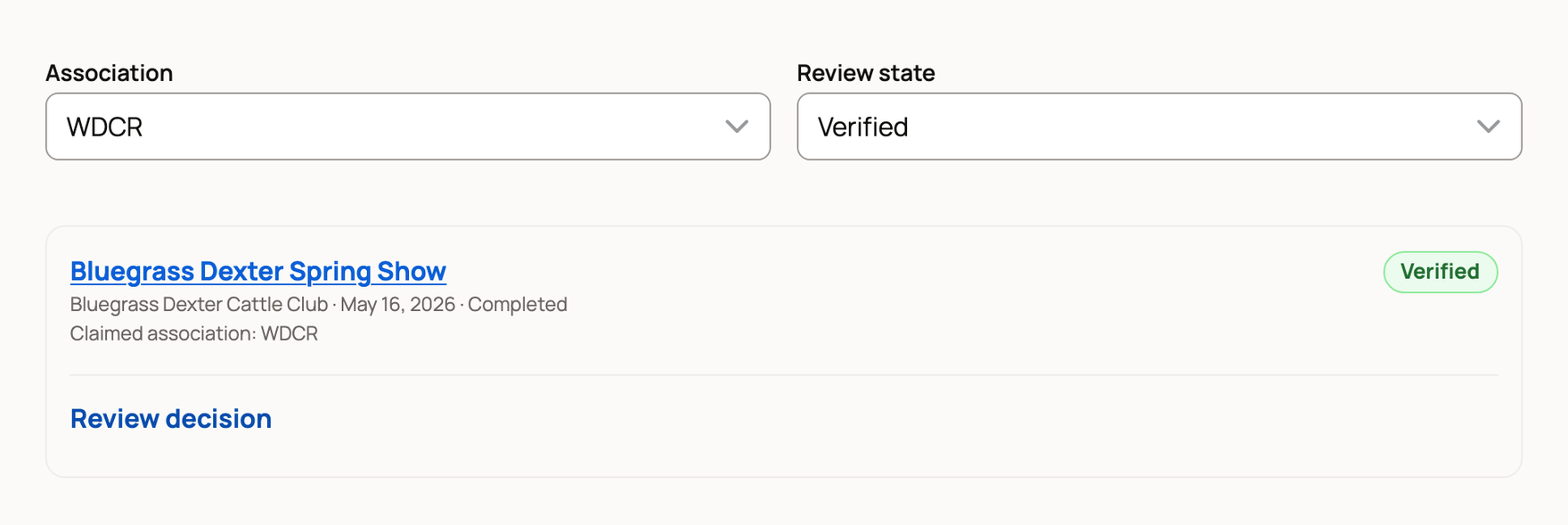
The page opens on Needs review. Use Review state to see Verified, Rejected or All decisions. If you run more than one association, pick one under Association.
Each claim shows the show's name, its organizer, the show date, its status and the association it names. Select the show's name to open its public page.
Verify or reject a claim
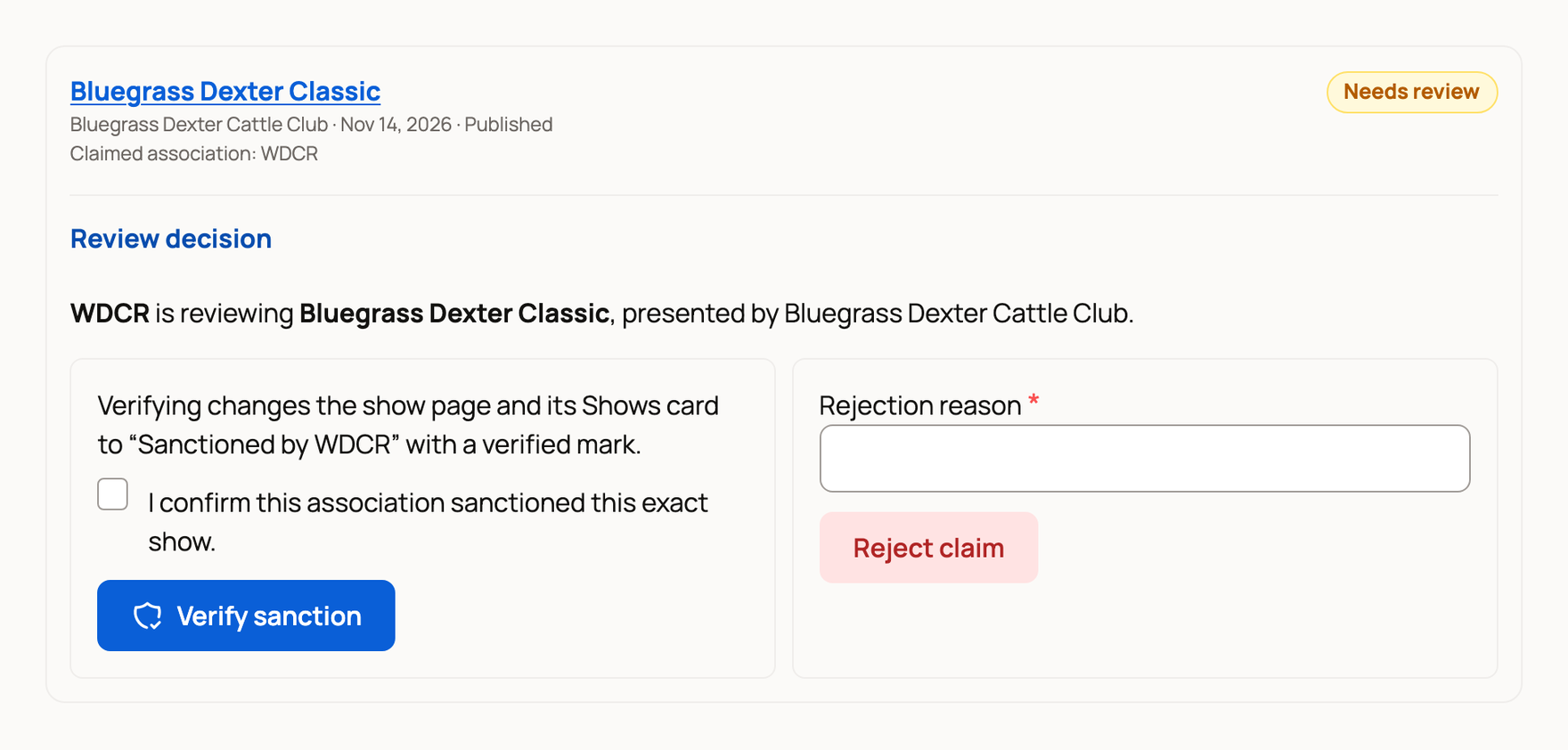
- Select Review decision on the claim.
- To verify it, turn on I confirm this association sanctioned this exact show. Then select Verify sanction.
- To reject it, enter a Rejection reason and select Reject claim. You can't reject without a reason, and the organizer will see it.
The page then shows Sanction claim verified. or Sanction claim rejected.
What exhibitors see
While a claim waits, the show page and its card on the Shows page say "The organizer lists this as sanctioned by" your association.
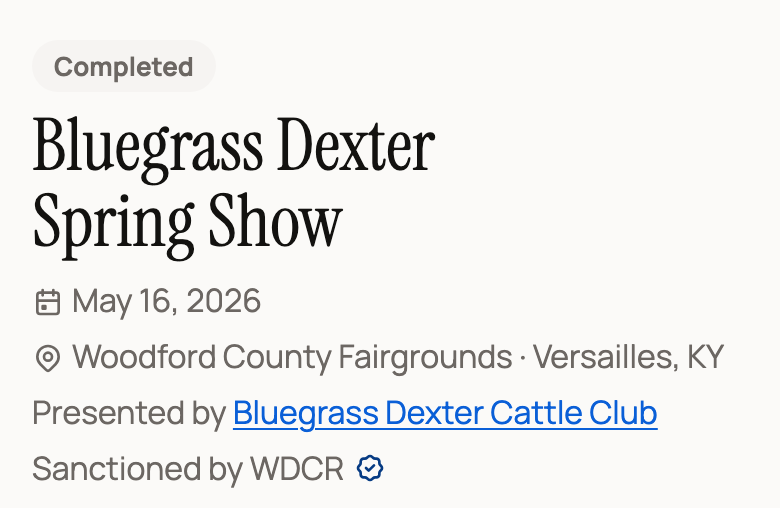
After you verify it, they say Sanctioned by your association, with a verified mark. Upcoming verified shows also appear under Upcoming sanctioned shows on the Creatures home page. Your association is then added to the Association filter on the Shows page. The organizer's show form says you confirmed it.
If you reject a claim, the show page stops naming your association. The organizer sees your reason on their show form, but Creatures doesn't send them a message. You may want to contact them yourself.
Some organizers set a lower entry price for your members in good standing. That price is the organizer's choice. It shows whenever a show that charges per class names your association, even before you verify.
Change a decision later
Set Review state to Verified or Rejected to find a claim you've already decided. A verified claim still offers Reject claim, and a rejected one still offers Verify sanction.
If the organizer switches the show to another association and later picks yours again, the claim goes back to Needs review.
Related information
Updated on: 29/10/2026
Thank you!