
Following a reserved litter
When you've paid a deposit on a litter or group that the breeder linked to a pregnancy, you can follow it under Dashboard > Buying > Reserved offspring. There's nothing to turn on. Following starts as soon as your deposit is paid.
See the updates
- Open Dashboard, then Buying. On a phone, tap your profile picture first, then Dashboard.
- Select Reserved offspring. This tab only appears once you're following at least one pregnancy.
The page is called Pregnancies you're following. Each card shows:
- the group's name, which links to its public page,
- Breeder: and the breeder's name,
- Expected: and the dates the breeder expects the birth or hatch,
- the breeder's updates, newest first, each with a date and any photos.
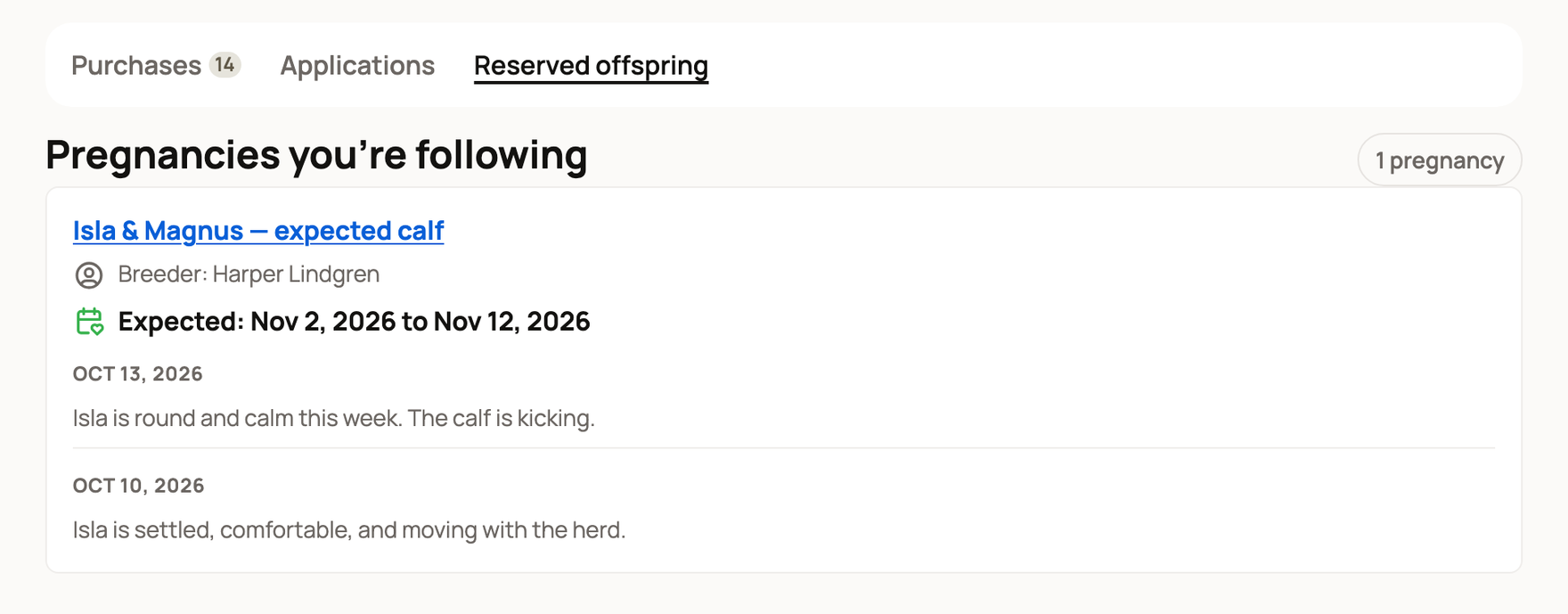
Before the breeder posts anything, the card says "Updates and photos from your breeder will appear here as the pregnancy progresses."
Your card in Purchases shows the same expected dates and the two newest updates, with a link to see more.
Get notified
Creatures lets you know when the breeder shares an update, and again when there's a new arrival. The message names your kind of group, such as "Your reserved litter has a new arrival."
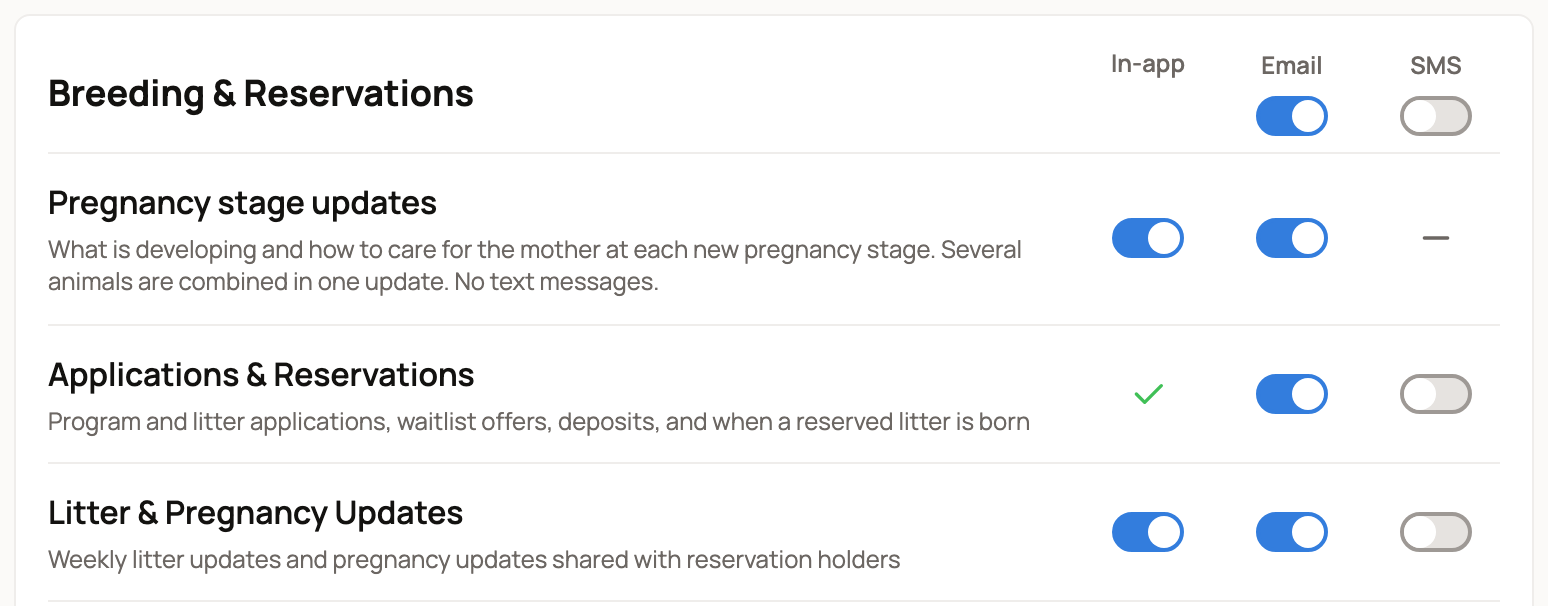
To choose how you hear about it, open Settings from your account menu and stay on the Notifications tab. Under Breeding & Reservations:
- Litter & Pregnancy Updates covers the breeder's updates.
- Applications & Reservations covers arrivals, offers, and deposits. Its in-app alerts are always on.
Pregnancy stage updates, the first row in the group, is about pregnancies in animals you own. It doesn't cover a litter you reserved.
The switches under Email and SMS at the top of the group turn that channel on or off for every row in it at once. On a phone, they're labeled All email and All SMS.
When the babies arrive
When the breeder records the birth or hatch, the card says the new animal has arrived, with a button to view its record. Next, the breeder matches animals to reservations and sends your balance invoice. See Reserving a place in a litter or group to pay the balance.
Not seeing the tab?
You follow a pregnancy only when both of these are true:
- You've paid a deposit on the group. An application alone isn't enough.
- The breeder linked that group to the pregnancy in their records.
If your deposit is paid and the tab still doesn't appear, message the breeder and ask them to link the group to the pregnancy.
Related information
- Reserving a place in a litter or group
- Paying a private deposit on one animal
- Share offspring updates on a public page (for breeders)
Updated on: 29/10/2026
Thank you!