
Get tomorrow's plan in one morning email
The Your day email is one message each morning with the care, to-dos, visits and deadlines on your schedule that day. Turn it on from Today and choose which accounts it covers.
Turn it on
Once you've used Today for a few days, or planned something ahead, Today may ask Want tomorrow's plan in one morning email? near the bottom of the page.
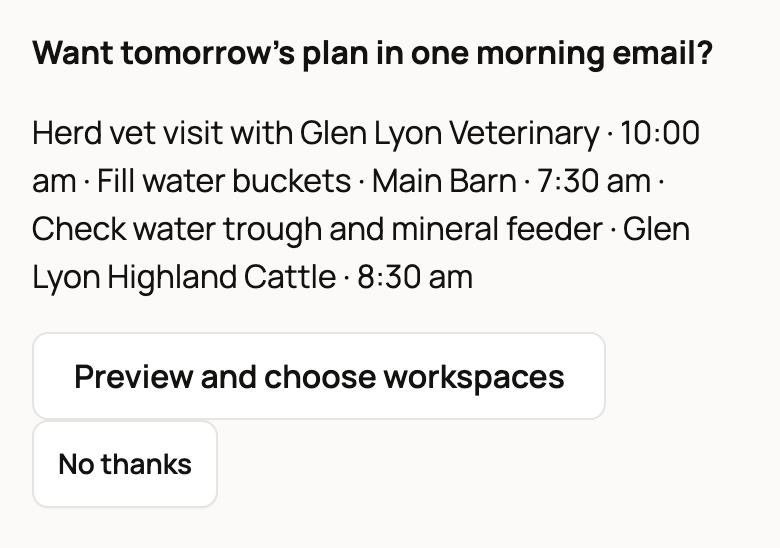
- Choose Preview and choose workspaces on the offer. No offer yet? Choose the Your day email link at the bottom of Today instead.
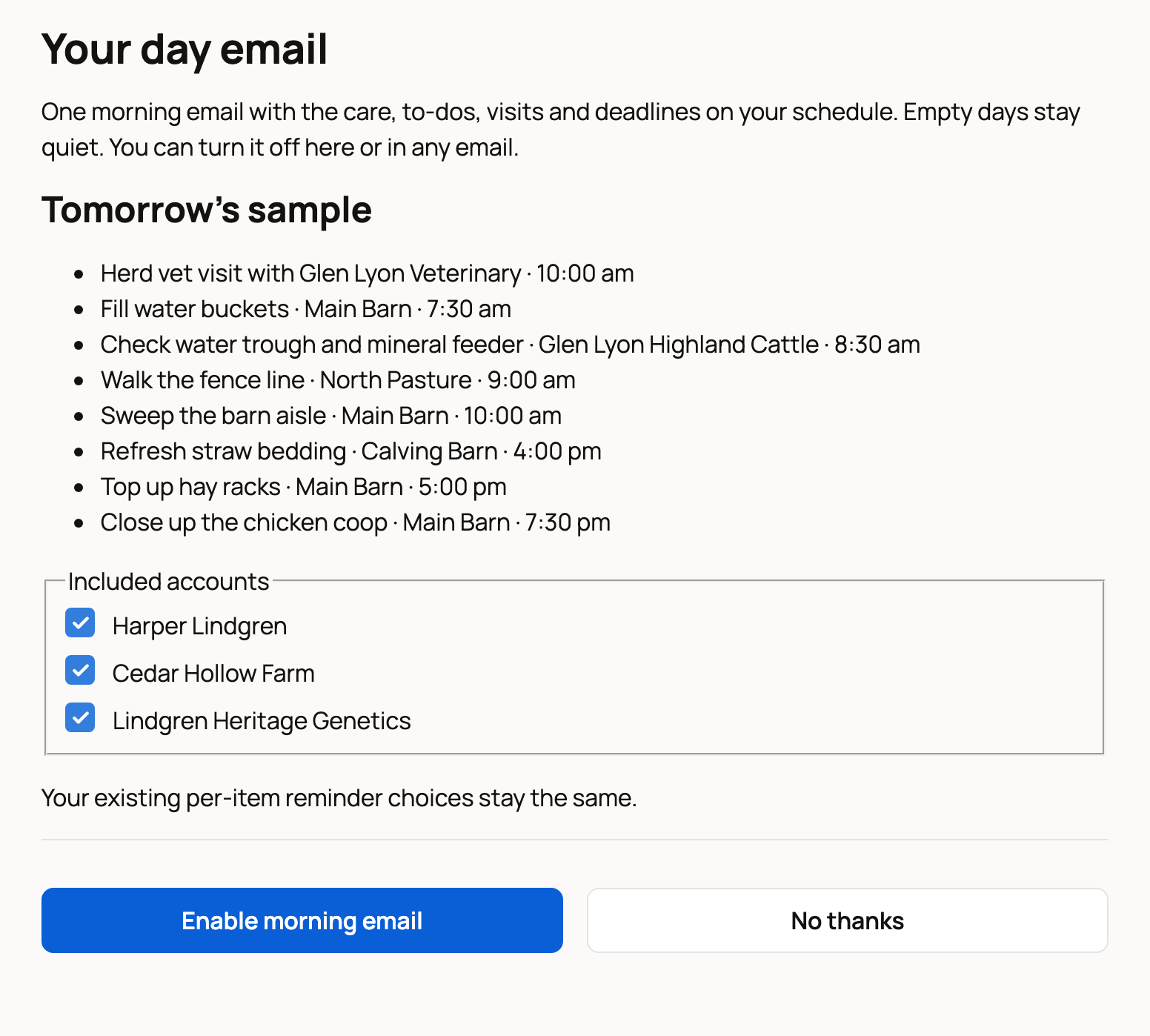
- Under Tomorrow's sample, check what your first email would list.
- Under Included accounts, tick each account to include. That's your own account plus any organizations (shared farm or business accounts) you help run.
- Choose Enable morning email. You go back to Today.
What happens next
The email arrives each morning around 7 am in your time zone. It lists that day's care tasks, to-dos, events and other dates, each with its time and the animal, group or place it's for.
If you tick more than one account, everything comes in the same email. Days with nothing on your schedule stay quiet, so you never get an empty email. Your reminder settings for single tasks don't change.
Change or turn it off
Open the Your day email link at the bottom of Today again.
- To change which accounts it covers, tick or untick them and choose Save email choices.
- To stop the email, choose Turn off. You can also use the Notification Settings link at the bottom of any email.
It's also in your account settings under Notifications, as Your day morning email. See Notification and account settings.
Not interested? Choose No thanks on the offer, and Today stops asking.
If something looks wrong
- Nothing scheduled for tomorrow yet means tomorrow is empty so far. Add a to-do or event and it will be in the email.
- If you signed in from an email link, Creatures may ask you to confirm it's you with a code before it saves your choice.
- Missing a farm account? Only accounts you help manage are listed. Ask the owner to add you to the team.
Related information
- Plan your day and week on Today: to-dos and events
- Reminders and upcoming care
- Notification and account settings
Updated on: 29/10/2026
Thank you!