
If the seller offers a refund or a return
When a seller offers a return, nothing happens until you accept it. If you accept, Creatures refunds the amount shown and the animal moves back to the seller's records. If you decline, the sale stays as it is.
Sellers can also refund part of the price, or cancel the sale and refund it all. You see each one on the purchase's card in Dashboard > Buying > Purchases, and on the animal's listing.
The three kinds of refund
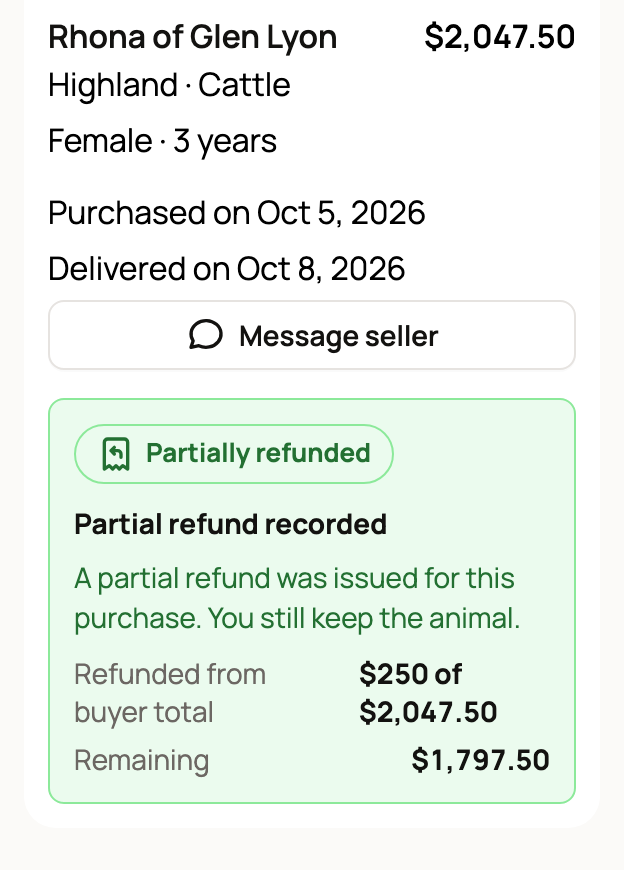
- Partial refund: the seller sends back part of what you paid. You keep the animal, with nothing to do.
- Cancel and refund: the seller cancels the sale and refunds you in full, and the animal goes back to the seller's records. Sellers can only do this before the handoff or delivery.
- Return offer: the seller offers a refund if you give the animal back.
Answer a return offer
You get a notification, and the purchase moves to Needs action. Its card says Return offer available, with the Return refund amount and the date the Offer expires. Offers last 14 days.
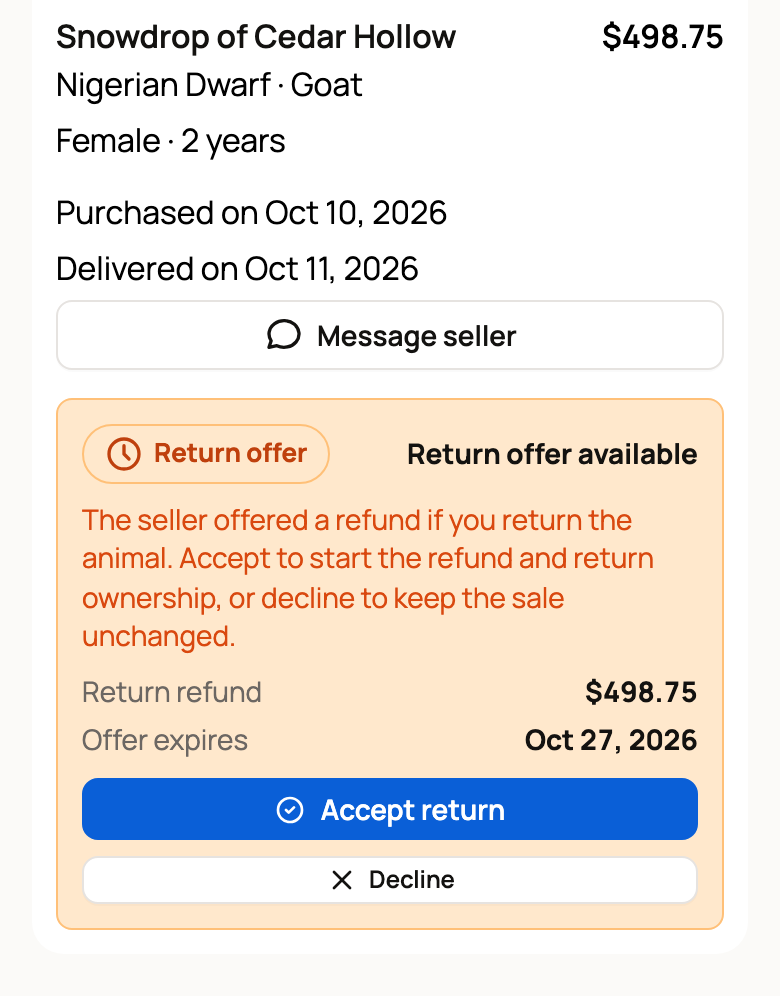
Before you answer, agree with the seller in messages how and when the animal goes back. Then choose:
- Accept return: Creatures starts your refund. Once the money goes through, the animal moves back to the seller's records on Creatures.
- Decline: the seller is told, and nothing changes. You keep the animal and the sale stays as it is.
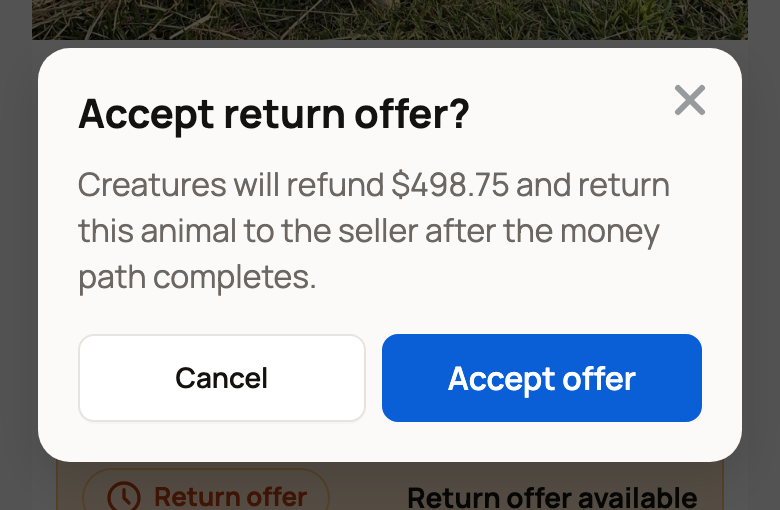
Creatures asks you to confirm first, and the accept step repeats the refund amount. Select Accept offer or Decline offer, or Cancel to go back. If you do nothing, the offer expires on the date shown, and the sale stays as it is.
If you signed in from a link in an email or text, Creatures may email you a code to confirm it's you first. See Why Creatures asks for a code before showing your money.
Follow your refund
The card shows where the money is:
- Refund started or Return refund started: the payment company is still processing it.
- Refund complete: your bank may take a few days to show the money back on your card.
- Return complete: you got the agreed amount back, and the animal is back with the seller on Creatures.
- Partial refund recorded: shows how much was Refunded from buyer total and what is Remaining. You keep the animal.
- Transport cancelled and refunded: your Creatures Transport trip was cancelled and its fee refunded. Confirm pickup once you have the animal.
Money goes back the way you paid. If you used Creatures Credit or your Wallet, money goes back there first, then to your card. A full refund shows the split as Original payment method and Creatures Credit or Wallet.
If the card says Refund needs help, Refund needs review or Return needs review, Creatures support is checking it. You don't need to do anything.
Where to find it on Purchases
- Needs action: return offers waiting for your answer.
- In progress: refunds and accepted returns still being processed.
- Completed: finished refunds and returns.
- Problem review: refunds or returns that support is checking.
A partial refund doesn't move the purchase. It stays where it was.
Want a refund that wasn't offered?
Talk to the seller in messages first. If something is wrong with the animal and you haven't confirmed the handoff, report the problem.
Once you report a problem, the seller can't send a refund or a return offer until support finishes its review. Creatures doesn't promise a refund or a return. The seller or support decides from the facts.
Related information
- Reporting a problem with your purchase
- The health guarantee and if your animal arrives sick
- How buying works: payments, held funds, and protection
- Why Creatures asks for a code before showing your money
Updated on: 29/10/2026
Thank you!