
Log milk and read your Milk records
Log each milking on the Milking page, one animal at a time. Every amount you save builds her daily totals, chart and month sheet on her Milk view in Records.
Who can have milk records
The Milk view shows for female goats, cattle, sheep, water buffalo, yaks, camels, donkeys, horses and reindeer. Any other female mammal gets it once milk is recorded for her. Visitors see it only when milk records are shared.
To open the Milking page, choose Create, then Log milking. On a computer you can also choose Milking under Shortcuts in the left menu. Both show up once you have a female of milking age from a dairy breed or species, or after her first milking is logged.
Log a milking
- Check the Date, Session and Unit at the top. Creatures picks today and the session closest to the current time, such as AM or PM.
- Find the animal in the list. If she is not there yet, pick her under Add an animal. She stays on the list after her first save.
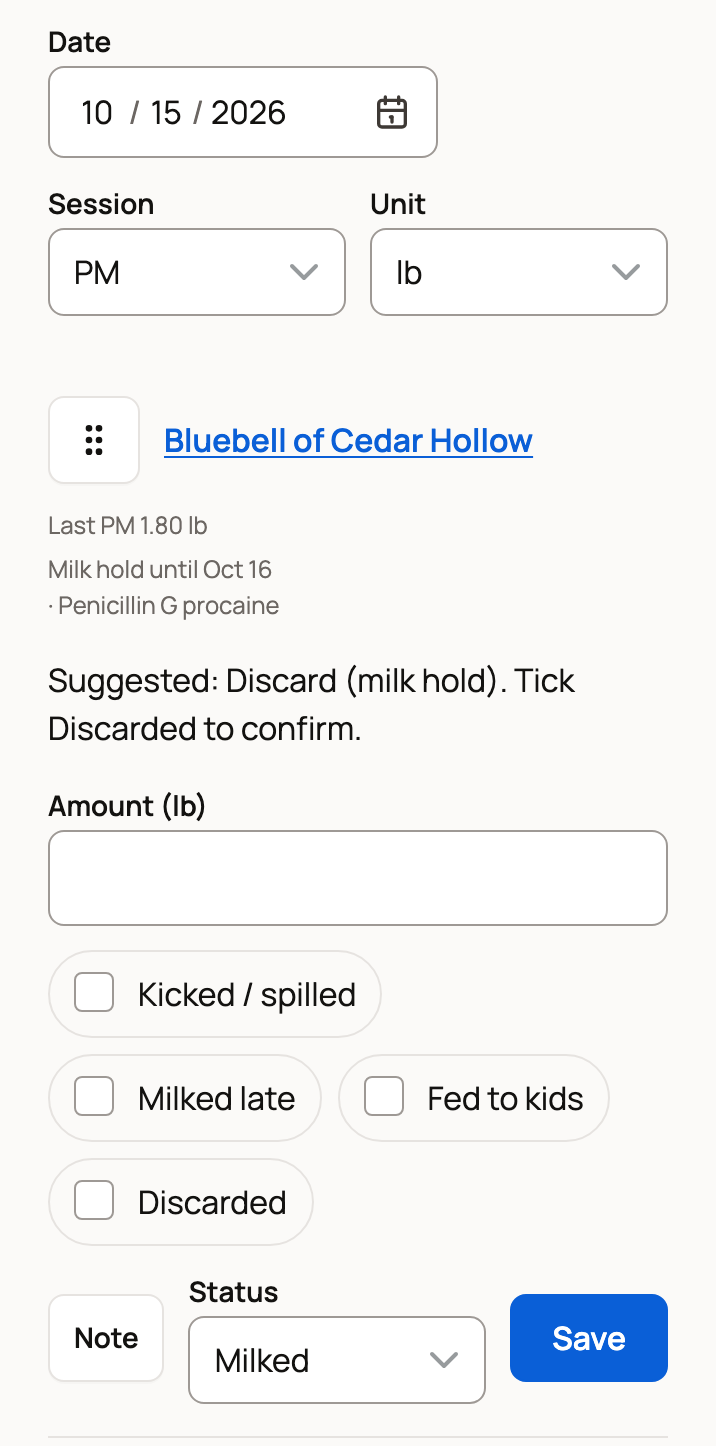
- Type the Amount. Tick a tag if it fits: Kicked / spilled, Milked late, Fed to kids (or calves or lambs) or Discarded.
- If you did not milk her, set Status to a reason, such as Not milked: Young on, Not milked: Unwell or Not milked: Drying off. Use Note to add a comment.
- Choose Save. Pressing Enter also saves and moves you to the next animal.
The bar at the bottom counts your progress, such as 1 of 2 saved, and adds up the Session total. After a save, Details lets you change the entry or delete it. If your phone loses signal, what you typed stays on the phone. Choose Retry unsaved when you are back online.
Milk during a milk hold
After you record a treatment with a milk withdrawal time, her row reads Milk hold until the clear date and names the medicine. It also suggests Discard.
Tick Discarded when you dump that milk. The amount still counts in her totals, marked Discarded, so your log matches what she gave. To record withdrawal times, see Vaccinations, treatments and vet visits.
Read her Milk view
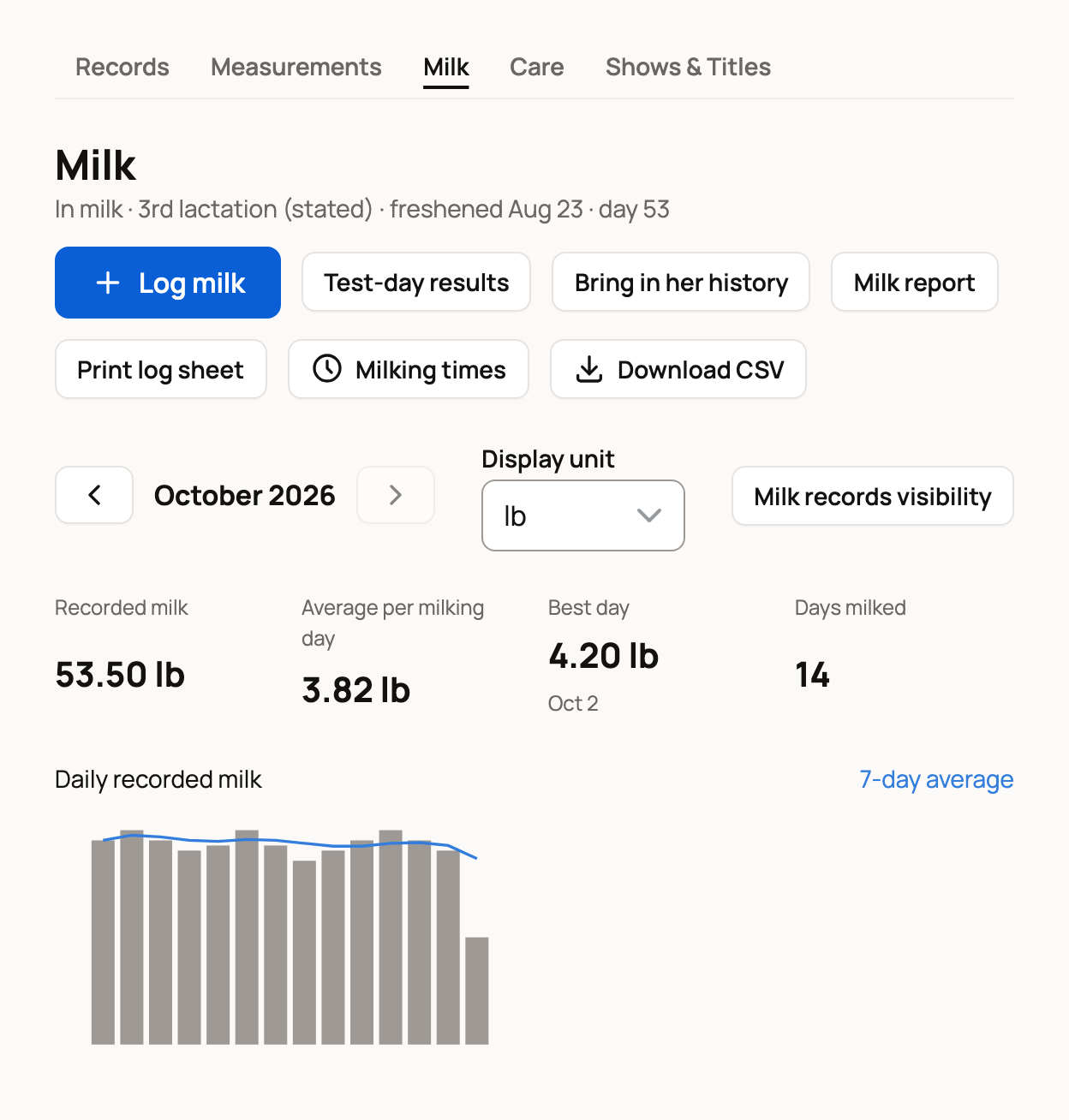
Open the animal's profile, choose Records, then Milk. The line under Milk shows her lactation, when she freshened and her day in milk. Freshened means she gave birth and came into milk. Log milk adds one milking for her.
The boxes sum up the month: Recorded milk, Average per milking day, Best day and Days milked. The Daily recorded milk chart adds a 7-day average line. Use the arrows to change months. Display unit changes only how amounts look.
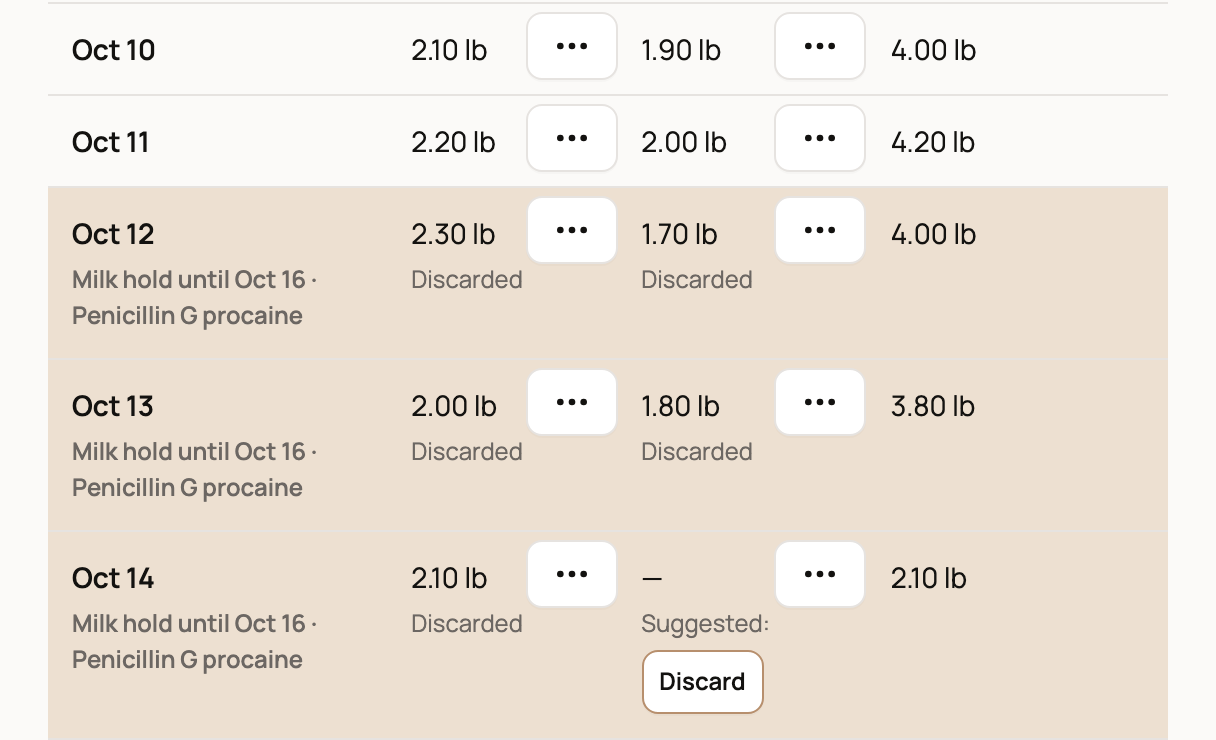
Below is the month sheet. Each row is a day, with a column for each session, then Total and Notes.
- Tap a cell to type an amount, then press Enter to save.
- Tap the three-dot button in a cell for Milking details. There you can add tags, a note or the time, or choose Delete entry.
- Hold days are shaded and show Milk hold until. A Discard button opens the details with Discard ticked. Choose Save milking to confirm.
Lactations lists each lactation with its recorded milk, average and peak day.
Start or end a lactation
A birth record starts a new lactation. Under the sheet, Freshened and Dried off open a breeding record. Save it to mark when she came into milk or was dried off.
Hide Milking if you do not milk
Don't milk? Before you log any milk, open the Milking page and choose Not milking? Hide Milking from Shortcuts. To bring it back, choose Show it again on that page. An animal's Milk view also offers Show Milking in Shortcuts until she has milk logged.
Related information
- Milk reports, test-day results and share links
- Vaccinations, treatments and vet visits
- The animal records tab
Updated on: 29/10/2026
Thank you!