
Milk reports, test-day results and share links
Open an animal's Records, choose Milk, then use Milk report for a PDF or a private link, and Test-day results for lab results. Herd versions sit at the top of the Milking page.
Download a milk report
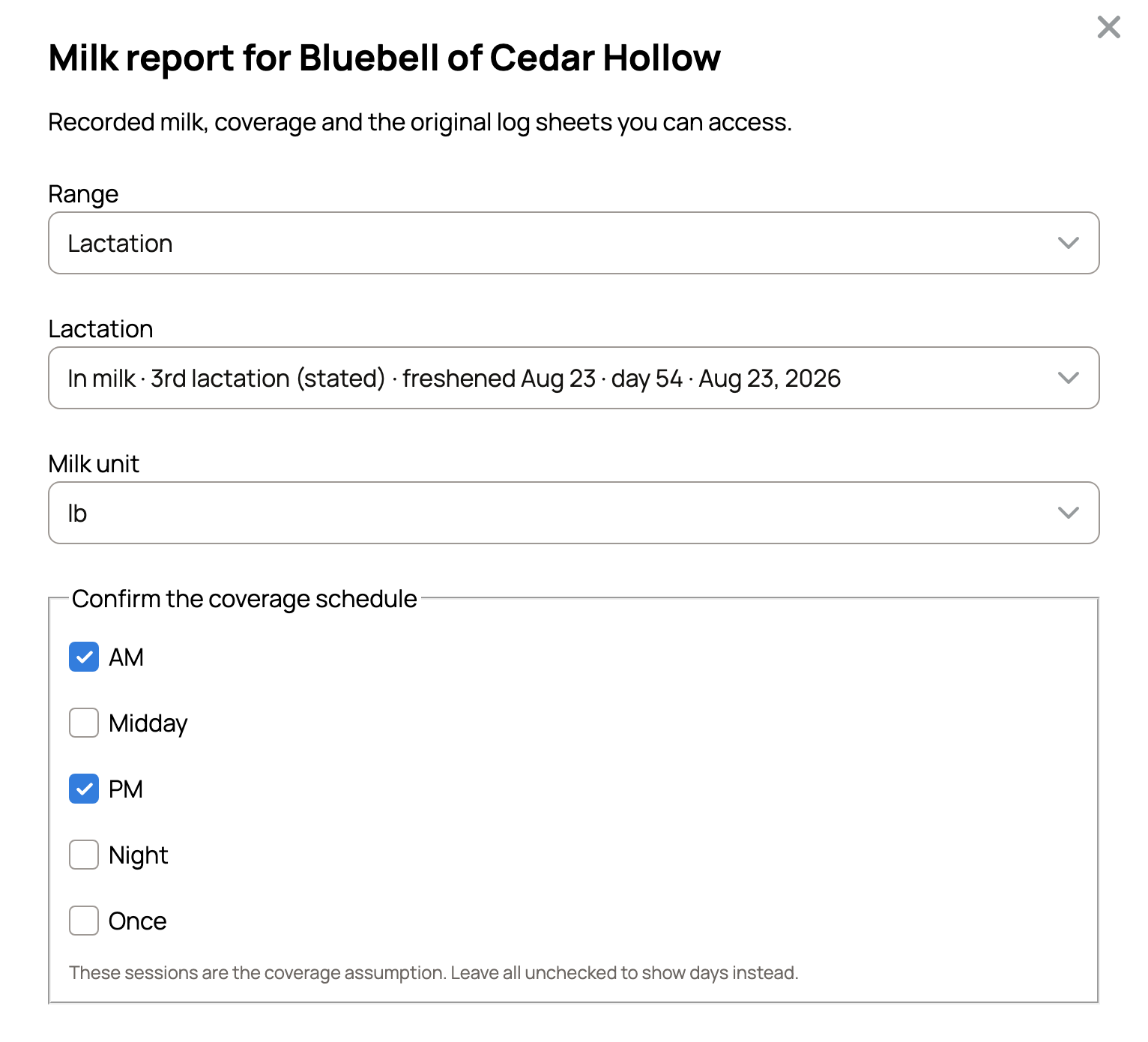
- On her Milk view, choose Milk report.
- Under Range, choose Month, Lactation or Custom dates, then pick the period.
- Choose the Milk unit.
- Under Confirm the coverage schedule, tick the sessions you milk, such as AM and PM. The report uses them to show how many milkings you logged.
- Pick a Paper size. Attach original log sheets adds sheets you imported, when you manage every animal on them.
- Choose Print or Download PDF.
The PDF includes her private milkings, and anyone who holds it can read them. Two more buttons sit on her Milk view. Download CSV gives the month as a spreadsheet. Print log sheet prints a blank month to fill in by hand, with hold days marked.
Share a private link
Use a link when a buyer or your vet should see her milk without a file. The link covers the range you chose above.
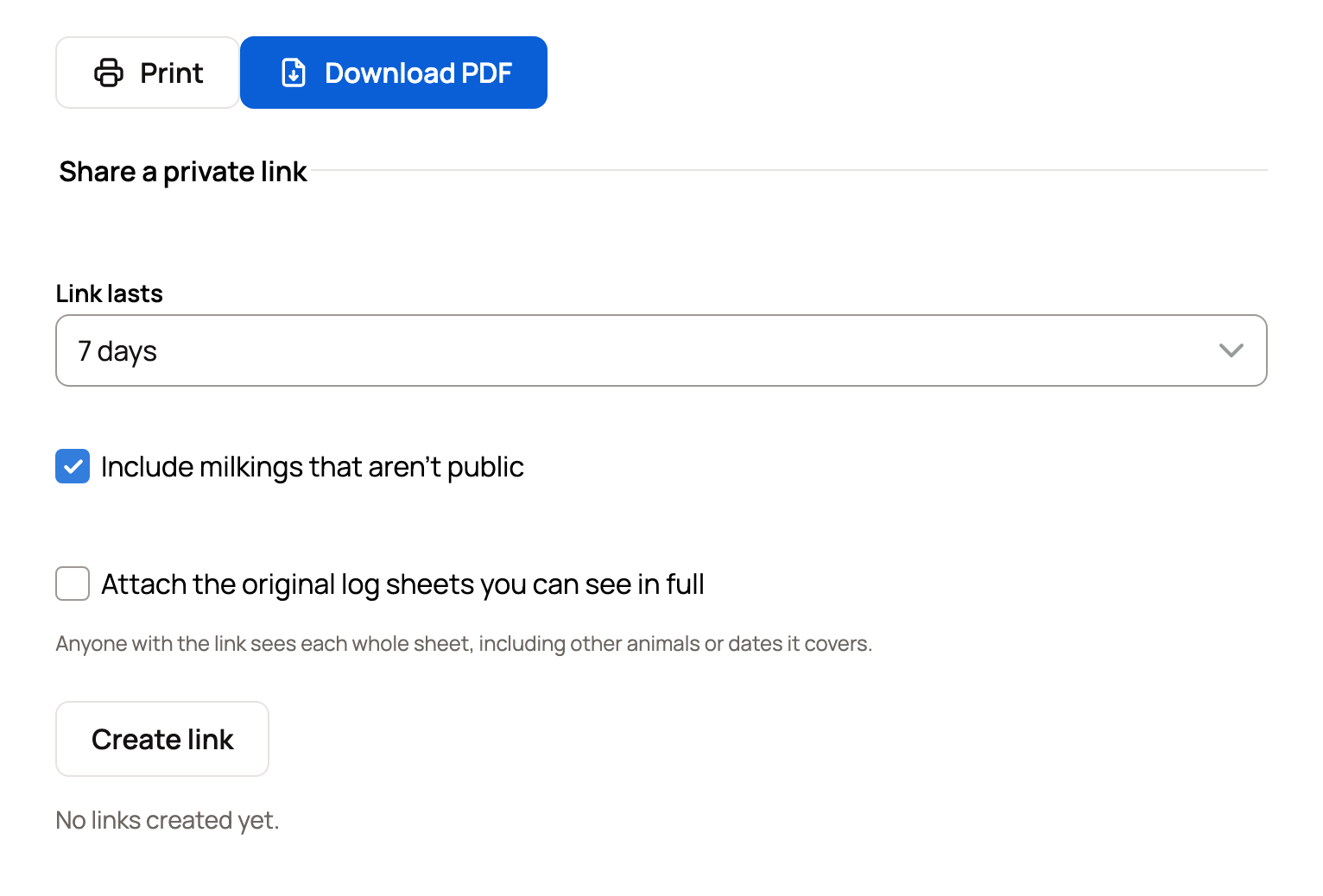
- In the same panel, find Share a private link.
- Choose how long the Link lasts, from 1 to 30 days.
- Include milkings that aren't public is on. Turn it off to share only public milkings.
- Tick Attach the original log sheets you can see in full only if you want them seen. Anyone with the link sees each whole sheet, even other animals on it.
- Choose Create link, then Copy link. On a phone you may also see Share….
The person does not need an account. They see a summary, her month sheets and a Download PDF button. A note says the log is owner-kept, not an official DHIR record.
Your links are listed with their end date and how often each was opened. Revoke ends a link early. After that, the page says the link has ended.
Add test-day results
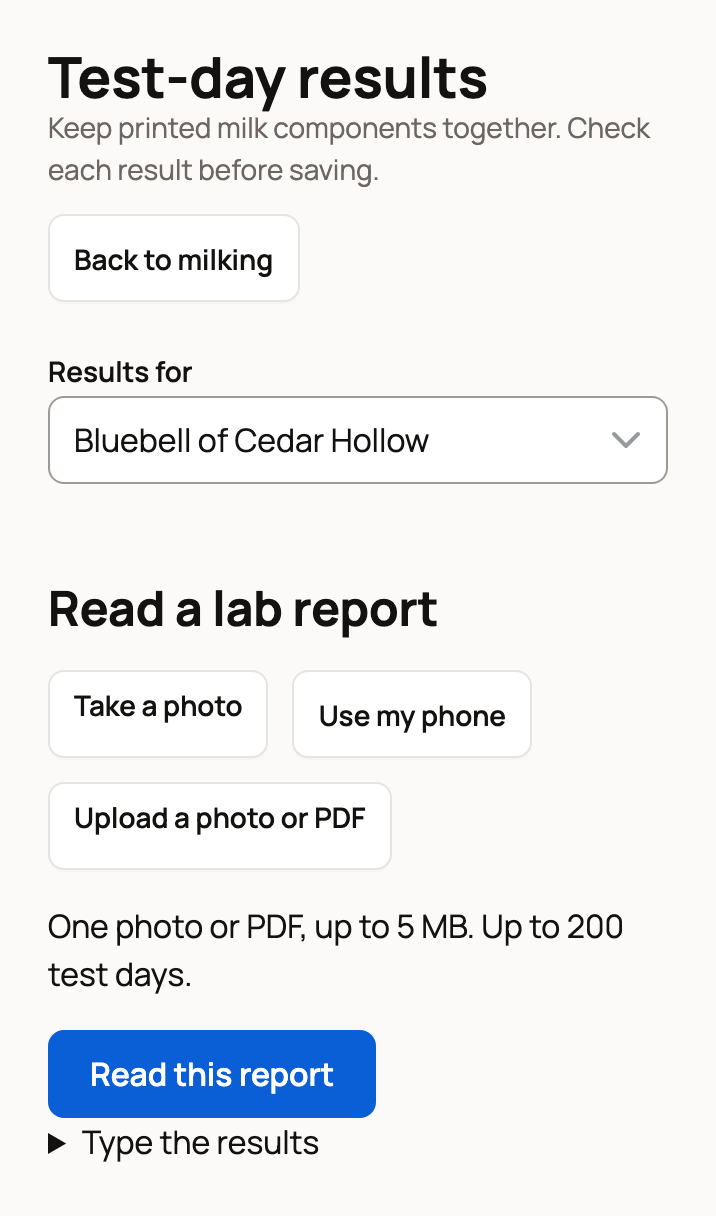
- On her Milk view, choose Test-day results.
- Under Results for, keep her name. For a lab report that covers your herd, choose More than one animal.
- Under Read a lab report, choose Take a photo, Use my phone or Upload a photo or PDF. Then choose Read this report. One file can be up to 5 MB.
- No report file? Open Type the results instead. Enter the Test date, Butterfat %, Protein %, SCC (as printed) and any other values. Then choose Review these results.
- Under Check the test days, check each value and tick I checked this result on any highlighted one. If asked whether SCC is printed in cells/mL or thousands, pick what your report shows.
- Choose Save test-day results.
SCC and CMT results start private. Mark a result Public only if visitors should see it. Saved results show under Test-day results on her Milk view.
Bring in older milk records
Bring in her history on the Milk view reads a paper log, an app report or a spreadsheet. You check every reading before it joins her log, and milkings you already have are kept. A printed log sheet carries a code you can scan to bring it back in.
Herd tools on the Milking page
The Milking page has tools for every animal on your list:
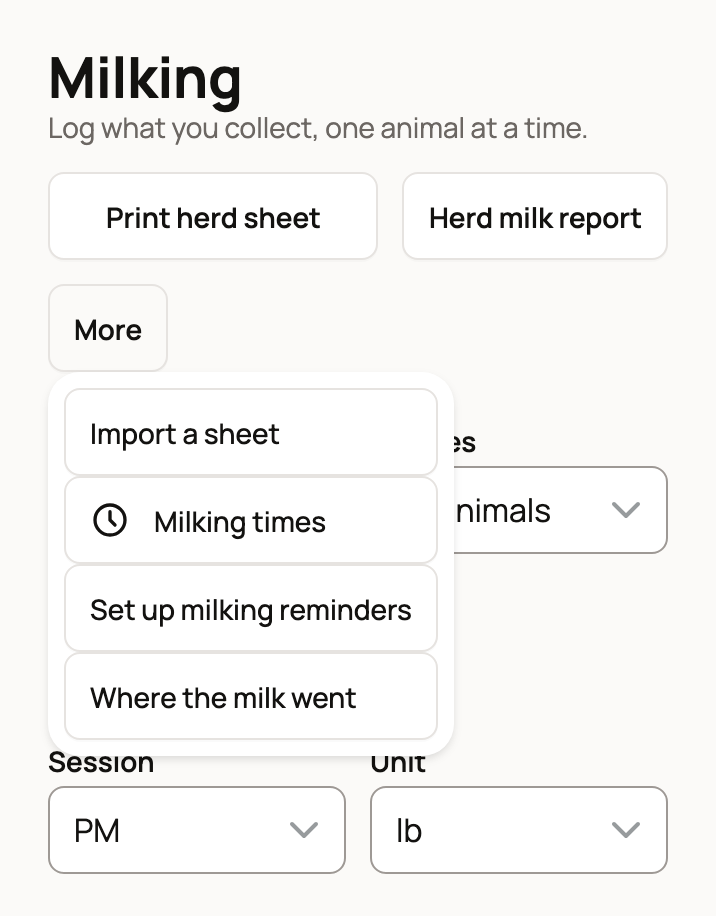
- Print herd sheet: a weekly sheet to fill in at the barn.
- Herd milk report: a PDF for the month with each animal's total, average and best day.
- Under More: Import a sheet, Milking times for your usual sessions, Set up milking reminders and Where the milk went.
Milk records visibility on her Milk view sets whether new milkings start Private or Public. Saved entries keep their own setting.
Related information
Updated on: 29/10/2026
Thank you!