
Download herd reports
Open Reports, choose the animals and the report you need, set the dates, then choose Spreadsheet or Download PDF. A report can cover your whole herd, one group or a few animals you pick.
Open Reports
You can open Reports from three places:
- On your Dashboard, open Care under Animals & Groups, then choose Reports.
- On a group's page, choose Reports. The report starts with just that group.
- On the Breeding dashboard, choose Download. The birth schedule is picked for you.
Choose what goes in
- Under Herd, choose yourself or one of your farms or organizations.
- Under Animals, choose Whole herd, one of your groups, or Choose animals… to pick some by name.
- Under Report, pick one. Each choice shows how much it would hold, such as 2 records or 120 milkings.
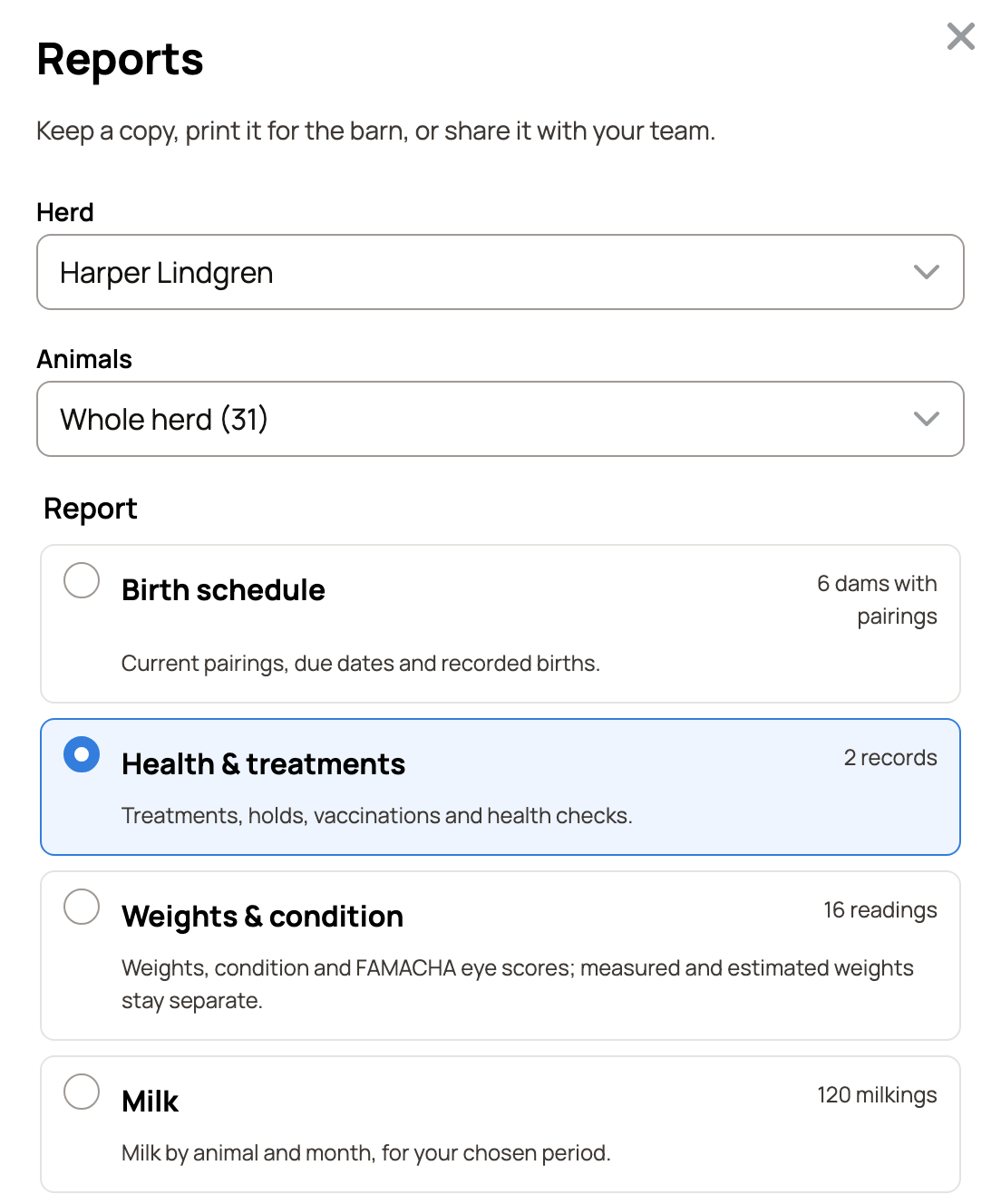
The seven reports are:
- Birth schedule: pairings, due dates and recorded births. For a single species it uses that species' word, such as Kidding schedule.
- Health & treatments: treatments, holds, vaccinations and health checks.
- Weights & condition: weights, condition and FAMACHA eye scores. Measured and estimated weights are kept apart.
- Milk: milk by animal and month.
- Activity log: every activity with its details. Tick the Activity categories you want.
- Herd roster: your current animals, in a list you can import again.
- Herd record book: all six reports together, with a cover and contents.
Set the dates and paper
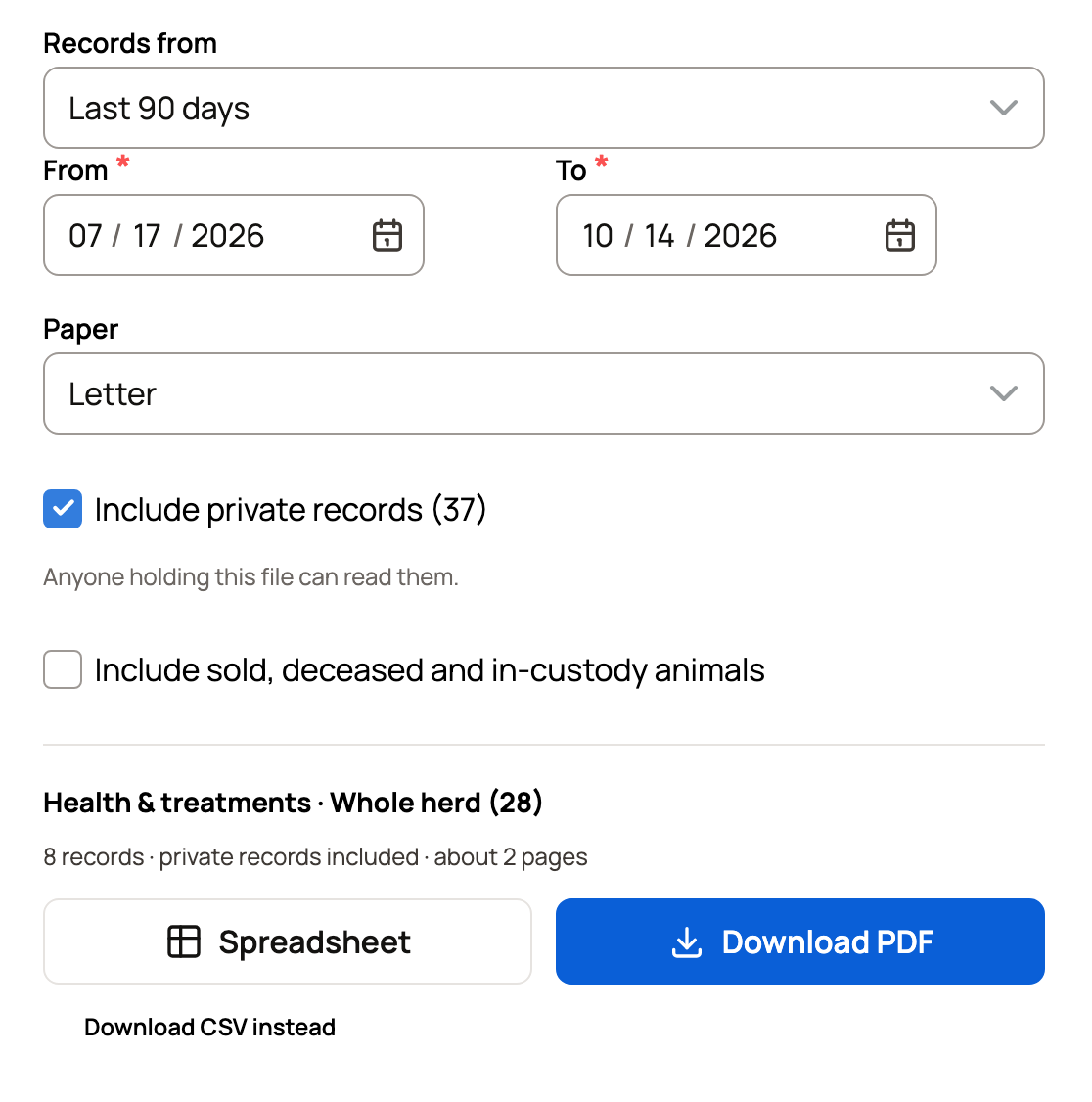
- Under Records from, choose Last 12 months, This year, Last 30 days, Last 90 days or Custom. For Custom, set the From and To dates. For a birth schedule the label changes to match, such as Birth history from. A roster has no dates, since it lists the animals you have now.
- Under Paper, choose Letter or A4.
Private records and past animals
Include private records adds records that visitors cannot see. The number shows how many there are. Anyone holding the file can read them, so share it with care.
If every record in your choice is private, Creatures tells you the report would be empty. Choose Include private records in that message to add them.
Include sold, deceased and in-custody animals adds animals that have left your herd. It also adds animals you still hold for someone else.
Download the report
Read the summary line above the buttons. It names the report and the animals, counts the records and gives about how many pages to expect.
- Spreadsheet downloads an Excel file.
- Download PDF makes a file you can print or send. On a phone this button reads PDF.
- Some reports also offer Download CSV instead.
To report on one animal, choose Choose animals… and pick just that animal. Download this animal's record packet then appears, for a PDF of that animal's own records.
If something looks wrong
- No animals yet: the panel shows Add your first animal when that herd has no animals. Add one, or switch the Herd.
- A PDF is too large: choose a shorter period, or download the spreadsheet.
- The summary could not update: choose Retry.
- Choose at least one animal: you picked Choose animals… but no animal yet.
Related information
- The animal records tab
- Milk reports, test-day results and share links
- Care history: see what was done and correct a record
- Create and manage animal groups
Updated on: 29/10/2026
Thank you!