Volume discounts (package pricing for multi-animal buyers)
A volume discount rewards a buyer who takes more than one of your animals at once with automatic package pricing. You set the rule once, and from then on, when a buyer buys several of your eligible animals in the same checkout, the discount is applied for them automatically. It is seller-funded, which means the savings come out of your proceeds, so it is a lever you choose to pull to move animals in groups.

Where to set it up
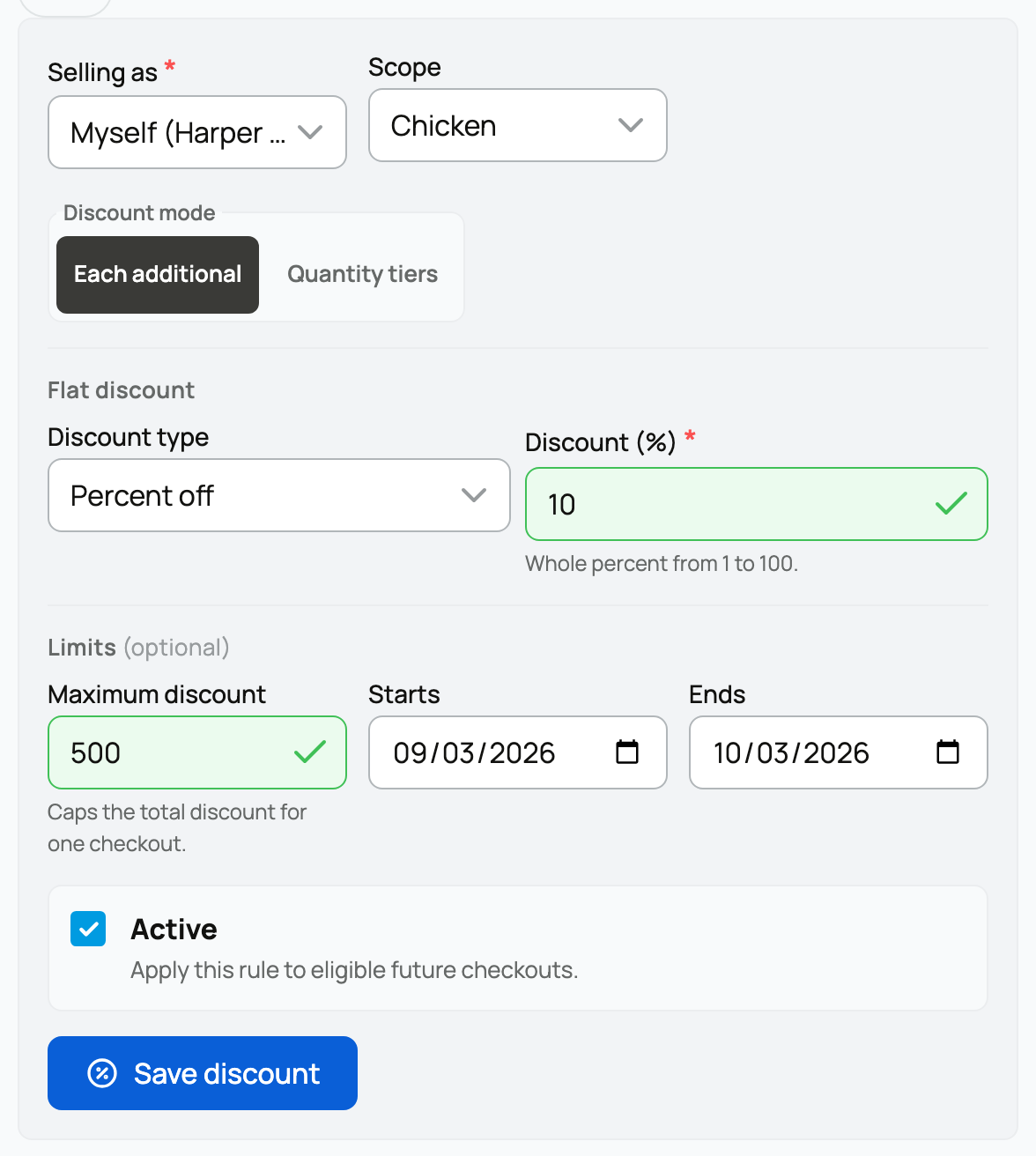
Go to your Dashboard, open the Selling tab, and choose Volume discounts (/dashboard/seller-volume-discounts). The page sums up the idea at the top: "Offer automatic package pricing when buyers purchase multiple animals from the same seller." You can have more than one rule; each saved rule is listed below the form with its scope and an Active or Inactive badge.
Every field on the form
Selling as
- What it is: which of your seller accounts the rule belongs to. It appears only when you can sell under more than one account, for example yourself and an organization you own.
- What it means: the rule applies to animals sold under that account. If you sell both as yourself and through an org, set a rule for each account you want covered.
Scope
- What it is: which animals the rule covers, either All animals or a single species you choose.
- What it means: an all-animals rule applies to everything you sell; a species rule applies only to that species. You can keep one active rule per scope, so you might run a broad all-animals rule plus a richer rule for one species. When both could apply to an animal, the species-specific rule wins for that species.
Discount mode
You pick one of two shapes:
- Each additional: a flat discount on every animal after the first in the order. You set a Discount type, either Amount off (a dollar figure) or Percent off (a whole percentage), and the Discount value that comes off each additional animal (for example $500 off, or 10% off). The first animal is full price, and each one after it gets the discount.
- Quantity tiers: step savings that grow as the buyer takes more. You build a list of tiers, each with a Minimum animals count (the quantity at which the tier kicks in, such as 2, then 3), a Type (Amount off or Percent off), and a value. Add as many tiers as you like. A common setup is "2 or more: $250 off," then "3 or more: 10% off," and the buyer gets the highest tier their quantity reaches.
Limits (optional)
- Maximum discount: a cap on the total discount for one checkout. Leave it blank for no cap. A cap protects you on large orders, and Creatures never lets a volume discount push your proceeds on a sale below zero.
- Starts and Ends: an optional date window. Outside it, the rule does not apply, which is handy for a limited-time package deal. Leave them blank to run it indefinitely.
Active
- What it is: the on/off switch for the rule, on by default.
- What it means: an active rule applies to eligible future checkouts. Turn it off (or use Deactivate on a saved rule) to stop it without deleting it.
Save it, and the rule joins the list below the form, where you can review its scope, discount, cap, and dates, and deactivate it later.
How buyers see it
Buyers do not enter a code; the discount presents itself and applies on its own.

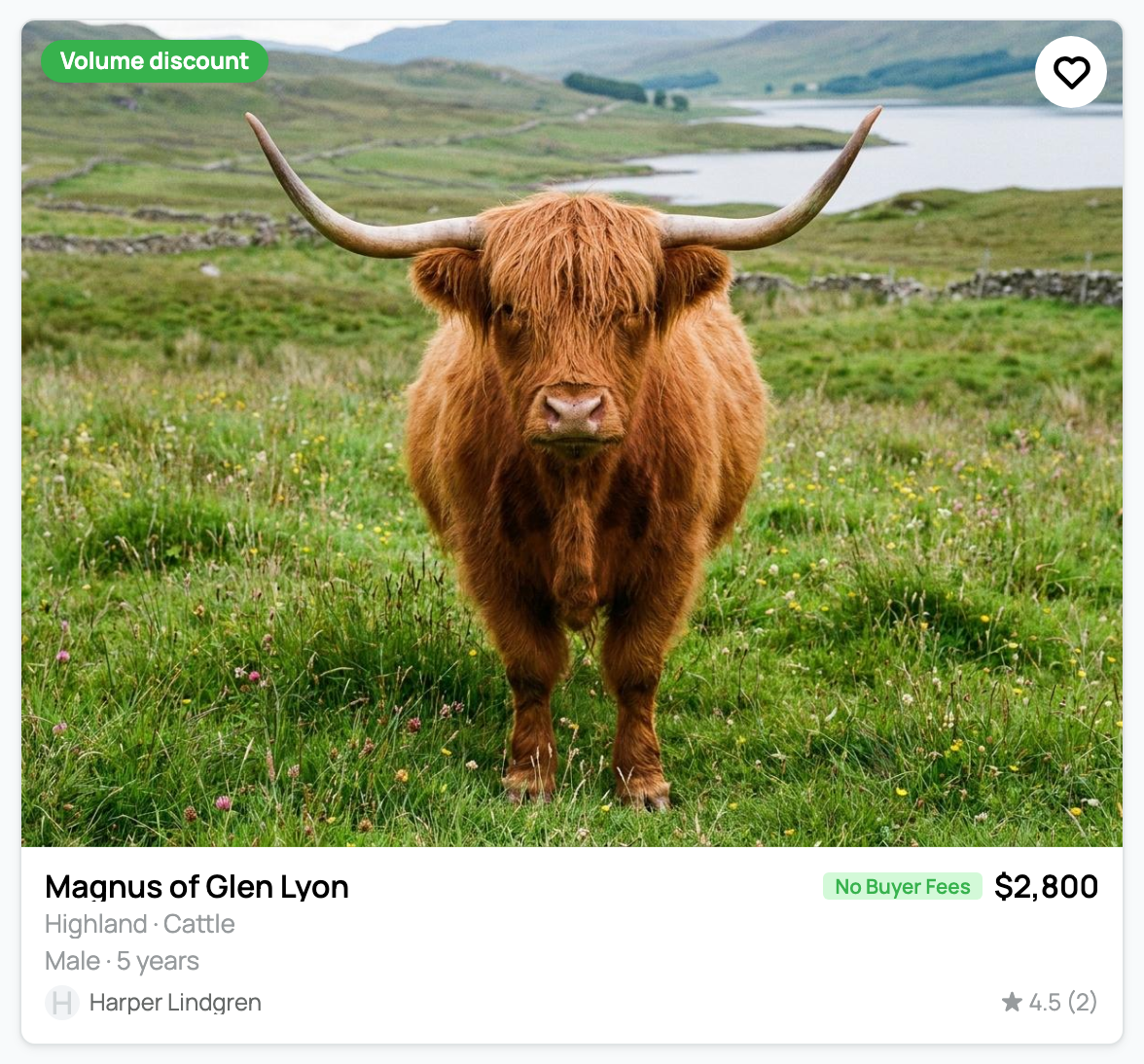
- A corner flag on your cards. Eligible listings show a small flag such as "Save $500+" or "Save up to 10%," which advertises the package deal in browse and search results.
- An explainer on the listing. The listing page spells it out, for example "Save $500 on each additional animal you buy from this seller. Applied automatically at checkout," usually with a worked example like "Buy 2 save $500, buy 3 save $1,000."

- Applied automatically at checkout. When a buyer takes more than one of your eligible animals together, the discount comes off their total on its own. There is nothing for them to remember and nothing extra for you to do per sale. Buyers combine your animals in one checkout using their cart, where the saving shows in the summary.
It is seller-funded: it comes out of your proceeds
This is the part to understand before you set a generous number. The volume discount is money you give up, not something Creatures covers.
- The buyer pays less, and you absorb the difference. At settlement the discount is taken out of your proceeds for that order, the same place your seller fee comes from.
- Your normal fees still apply on top of it. For the full picture of what is deducted from a sale, see Seller fees and the Creatures Pro subscription and How seller payout works.
- The cap is your safety rail. The optional Maximum discount limits your total exposure per checkout, and the system will not let a discount take your proceeds on a sale below zero.
Good to know
- Built around your animals. The corner flag and the listing explainer appear on animal listings, and the whole tool is designed for buyers taking several of your animals together.
- Same seller, same checkout. The buyer earns it by buying multiple animals from you together; animals from different sellers each follow their own seller's rules.
- Separate from Sale Incentives. It is independent of per-listing incentives like covering the buyer fee; those live on the listing itself and are covered in Promoting your listing and seller bonuses.
Set a number that still leaves each sale worthwhile, and a volume discount becomes an easy way to move a group of animals to one good buyer.
Related information
- Listing an animal at a fixed price
- Seller fees and the Creatures Pro subscription
- Promoting your listing and seller bonuses
Updated on: 07/07/2026
Thank you!