
Cancel, reactivate, or switch your Creatures Pro plan
To stop Creatures Pro from renewing, open your account menu, choose Creatures Pro, and select Cancel renewal. Pro keeps working until the end date shown. On the monthly plan, your remaining monthly payments continue until your 12-month commitment ends. After your first 12 months, the monthly plan renews month to month, and Cancel renewal ends Pro at the end of the current month.
Check your plan
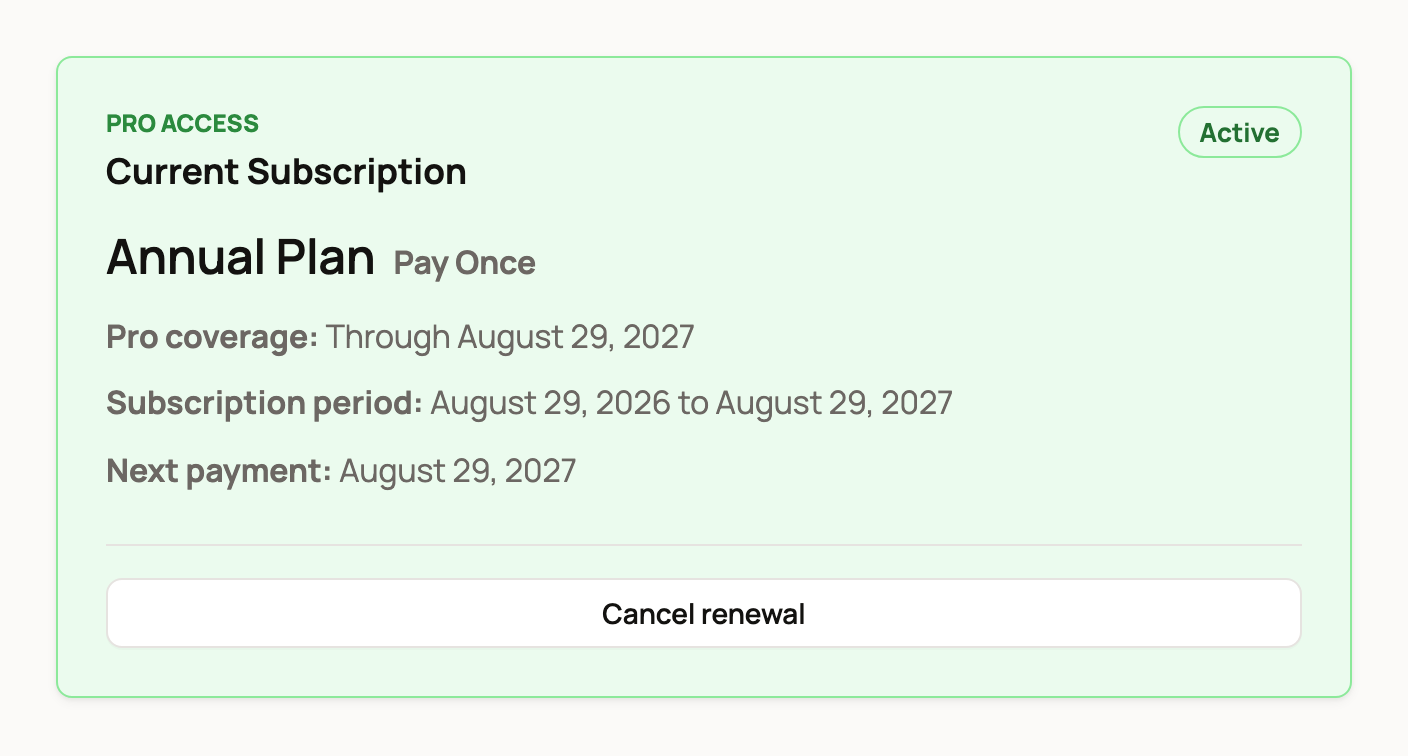
The Current Subscription card shows:
- Active and your plan: Annual Plan with Pay Once or Pay Monthly
- Pro coverage: the last day your Pro benefits apply
- Subscription period: the start and end of your current 12 months, or of the current month once a monthly plan is past its first 12 months
- Next payment: when you'll be charged next
Cancel renewal
- Select Cancel renewal.
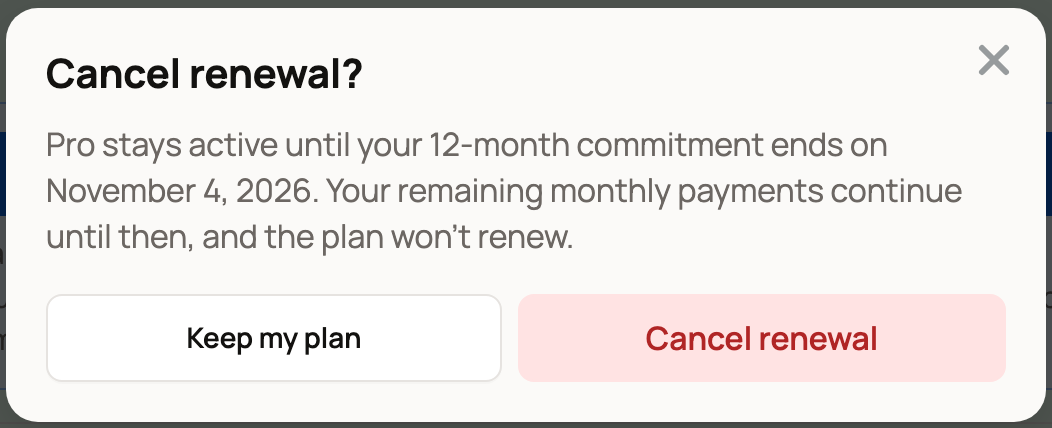
- Read the Cancel renewal? window. It explains what happens to your plan:
- Pay Once: Pro stays active through the end of the year you paid for, and it won't renew after that.
- Pay Monthly: Pro stays active until your 12-month commitment ends. Your remaining monthly payments continue until then, and the plan won't renew. After the first 12 months, it says Pro stays active through the end of your current month instead.
- Select Cancel renewal to confirm, or Keep my plan to change nothing.
What happens next
You keep every Pro benefit until the end date. Creatures also sends you a notification with the end date and the reminder "You keep Pro until then."
On the end date, Pro stops and you get a second notification. You keep your records, profiles and listings. The 5% seller service fee applies to sales you make after that.
Change your mind
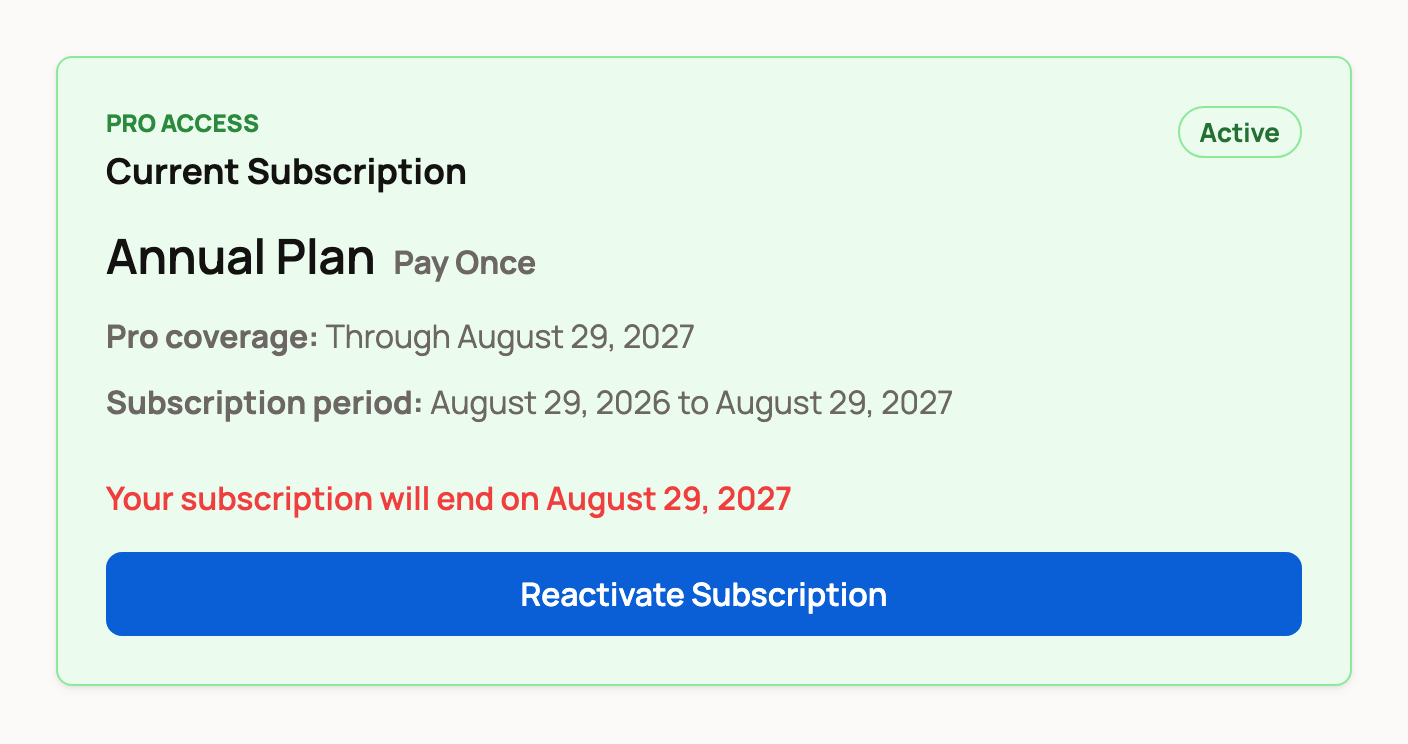
Until the end date, the card says "Your subscription will end on" and the date. During a monthly plan's first 12 months it adds "Your remaining monthly payments continue until then."
Select Reactivate Subscription to turn renewal back on. Your plan then carries on as before.
Switch from monthly to annual
While your monthly plan is set to renew, the card shows Switch to annual plan and save $100.
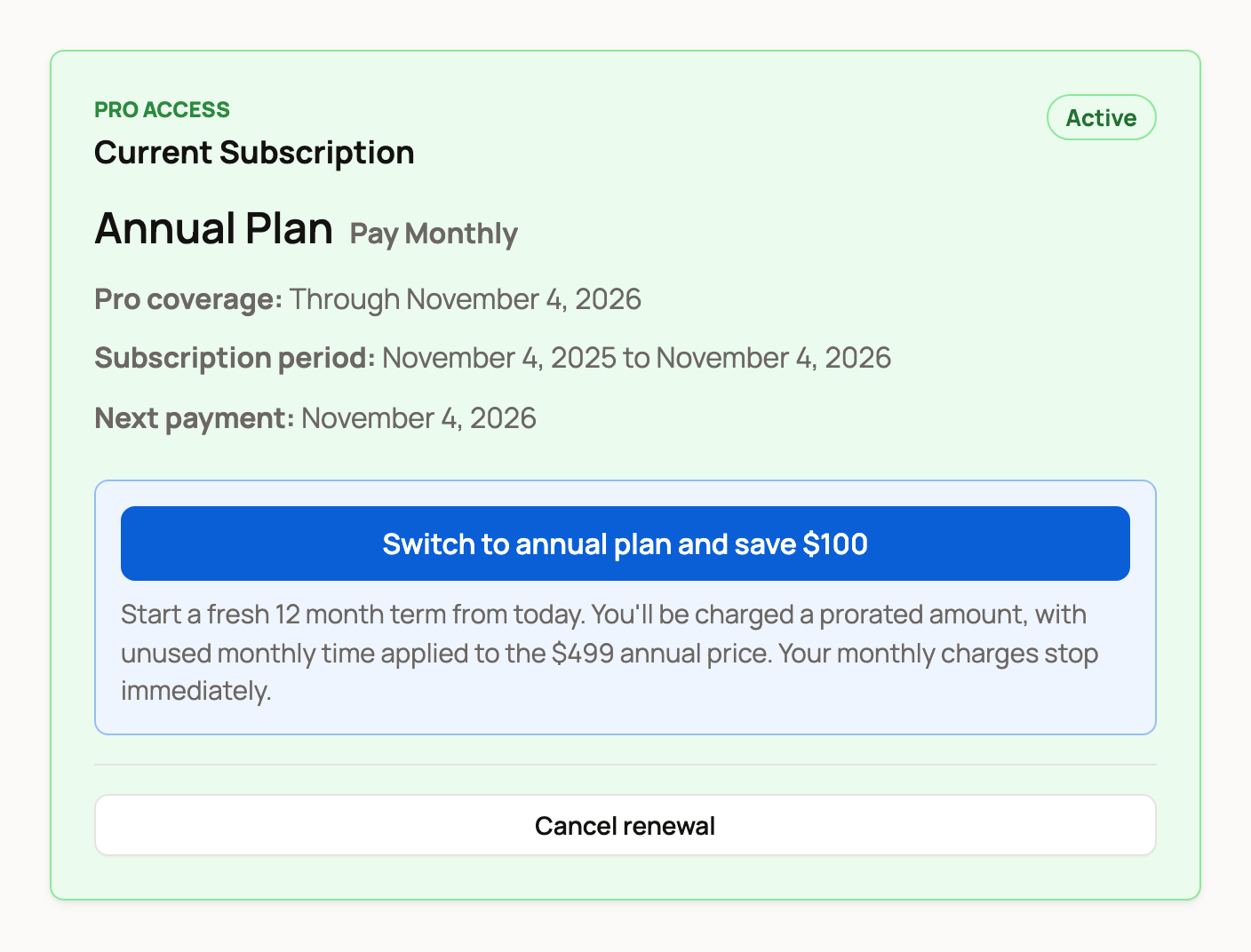
- Select Switch to annual plan and save $100.
- The Switch to annual plan? window shows when your new plan will end, 12 months from today.
- Select Switch to annual plan to confirm, or Cancel.
You start a fresh 12-month term today. You pay a prorated amount, which means your unused monthly time counts toward the $499 price. Your monthly charges stop right away.
If you already canceled renewal, the switch button is hidden. Select Reactivate Subscription first.
Good to know
- Monthly payments and renewals are charged to the card you subscribed with.
- Creatures Credit and promo codes only lower your first payment.
- If you signed in from a link in an email or text, Creatures asks you to confirm it's you with a code before you change your plan. Here is why we ask.
Related information
- Creatures Pro: pricing and benefits
- Seller fees and the Creatures Pro subscription
- Why Creatures asks for a code before showing your money
Updated on: 29/10/2026
Thank you!