
Understand your Wallet activity
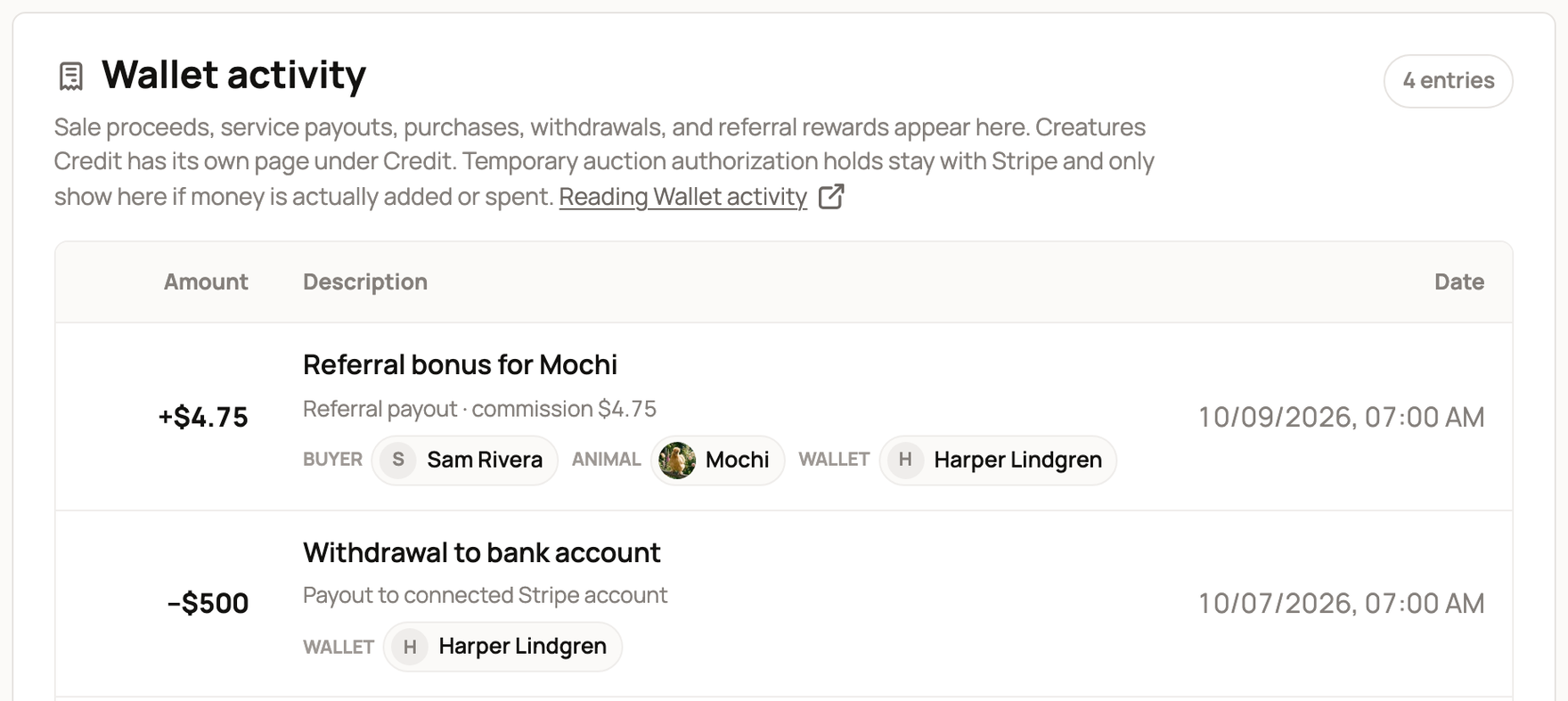
Wallet activity lists every change to your Wallet, with the newest at the top. Each row shows the amount, what it was for, and the date, so you can match a balance change to a sale, payout, purchase, refund or withdrawal.
Find the row you need
On your dashboard, open Money > Wallet and scroll to Wallet activity. The list covers your personal Wallet and the Wallets of any organization you own or co-own. Creatures Credit is not here. It has its own page under Money > Credit.
- A plus amount added money to that Wallet. A minus amount took money out.
- The title says what the money was for, often with a link, such as Referral bonus for Mochi.
- Labels such as Buyer and Animal name the people and animals involved.
The Account menu on the Wallet card only changes the balance shown there. It does not filter this list. When the list includes more than one Wallet, every row names the Wallet it changed. Most rows use a Wallet label, and sales use Seller.
Read a row on your phone
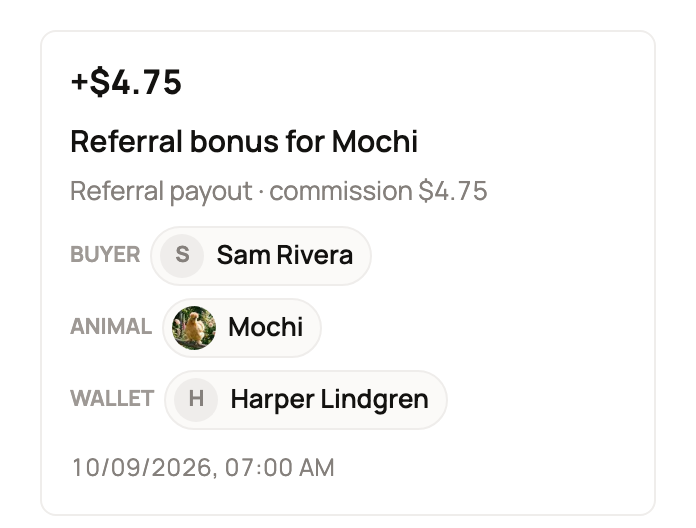
On a phone, each row becomes a card. The amount sits at the top, then the title, a short detail line, the labels and the date.
Common rows
Money in
- Seller proceeds released: what you keep from a sale after fees and any promotion you paid for. Some sales say Animal sale proceeds released or Genetics sale proceeds released instead.
- Referral bonus: your reward when someone buys through a link you shared. The detail line says "Referral payout" and shows your commission.
- Transport payout, Boarding payment, Genetics storage payment, Booking payment, Stud service payment and Sponsorship payment: money you earned for a service.
- Event commission: your share of a sale made through an event you run.
- Reservation deposit released: a buyer's deposit that is now yours.
- Service fees reimbursed: marketplace fees added back to your Wallet.
Money out
- Purchase: your Wallet helped pay at checkout. Any Creatures Credit is used first, then Wallet money.
- Boarding wallet payment and Genetics storage wallet payment: you paid for a service from your Wallet.
- Private invoice payment: you paid a seller's private invoice from your Wallet.
- Ownership transfer fee: the fee for moving an animal to its new owner.
- Withdrawal to bank account: money you sent to your bank. If it also says (pending confirmation), Stripe, our payment partner, has not confirmed it yet. Don't withdraw again.
Refunds and corrections
A refund or dispute gets a row of its own. The first sale or purchase row stays as it was.
- Sale refunded to buyer, Purchase refunded, Transport refunded and Event commission reversed undo an earlier row. Most of them name the animal and say "Returned to your Wallet" or "Taken from your Wallet".
- Held for a payment dispute takes sale money out while a buyer's card dispute is reviewed. Disputed proceeds returned puts it back if the dispute ends in your favor.
- Private invoice refund returns an invoice payment to your Wallet. Reservation deposit refunded to buyer takes a deposit back out of yours.
- Negative balance paid by card: you paid off a balance below $0 with a card.
Associations that collect dues may also see Organization billing payment and Card processing fee.
If a row looks wrong
- Compare the date, amount and names with the sale or service. A buyer paying and your money being released happen at different times. See How seller payout works.
- Don't send another payment or withdrawal to make the balance match.
- Still stuck? Contact Support with the Wallet name, date, amount and row title.
A new account shows No transactions yet until money first moves in or out.
Related information
- Your Creatures Wallet: balance, holds, and getting paid
- Withdrawing your money to your bank
- Why is my Wallet balance negative?
- How seller payout works
Updated on: 29/10/2026
Thank you!