
Care plans for animal groups
A group care plan schedules shared care, like water checks or vaccines, for a whole group. When you complete a task, Creatures records it on every animal that got the care, so you don't log each one.
If the work already happened and you only need to record it, use a group record instead.
Start from the group
- Open the group and choose Overview.
- Find Care plans and choose Create plan.
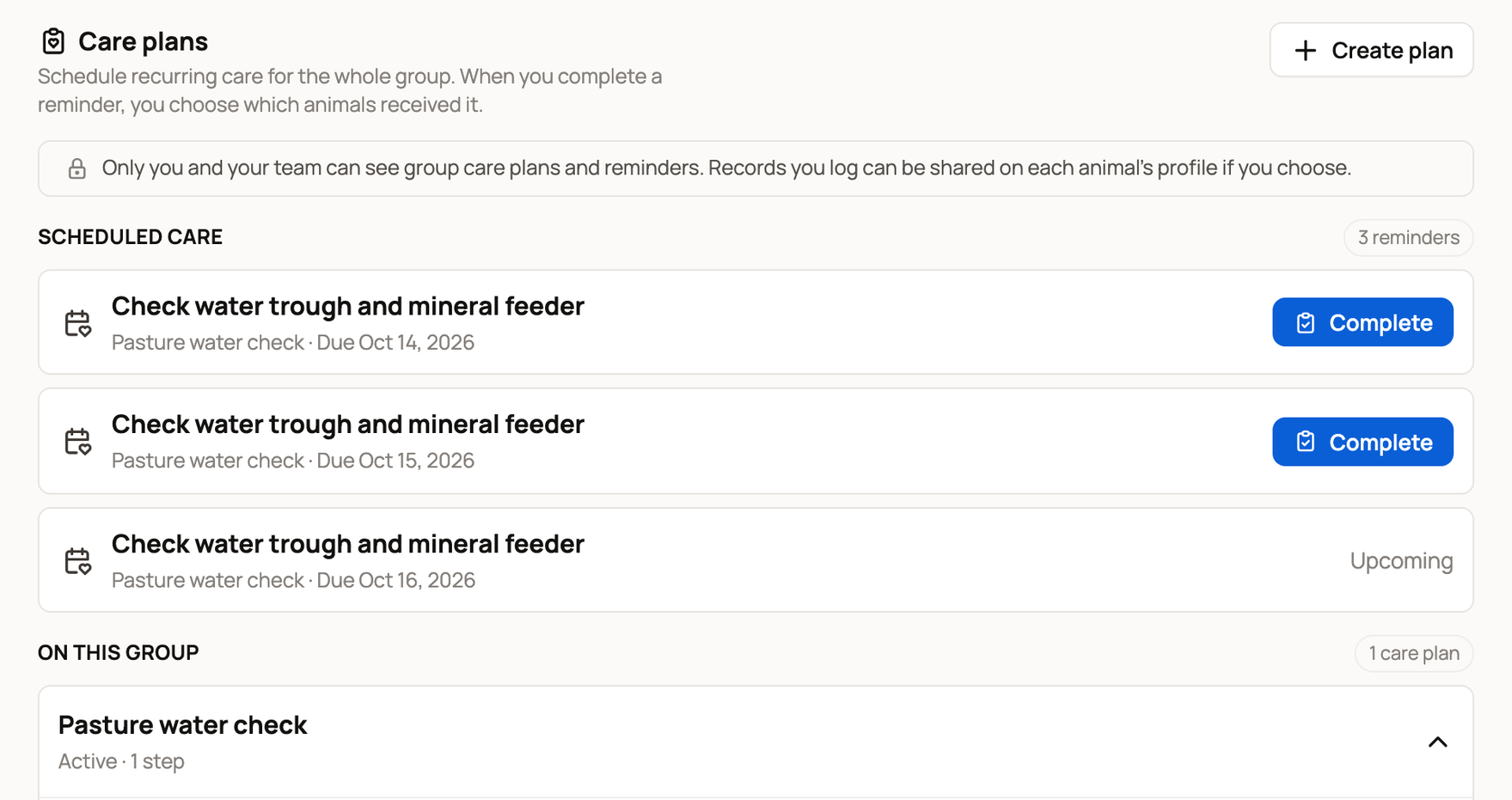
You need permission to manage the group's care. An archived or closed group can't start new plans, so restore the group first. If Create plan is still missing, ask the person who manages the group.
Cover several groups with one plan
- On Today, choose Care plans, then New care plan.
- Set Care for to One or more groups.
- Pick the groups under Groups to include, then choose Continue with 2 groups (or however many you picked).
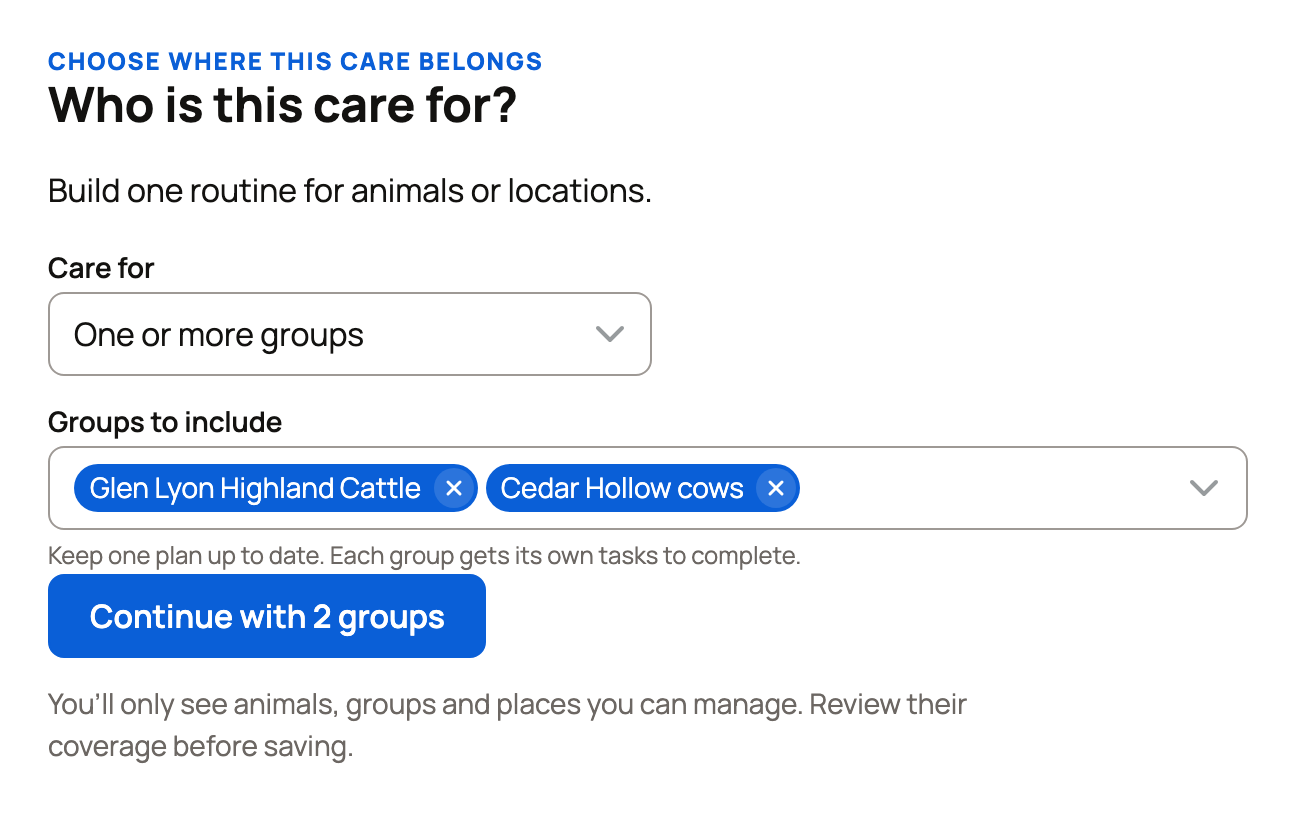
Each group gets its own tasks. Before you save, Change coverage lets you pick different groups.
Build the routine
Add tasks the same way as in any care plan (see Create and manage a care plan). Health check isn't offered for groups.
Review Check your schedule, then choose Save care plan. If Some animals are in more than one group appears, pick groups that don't overlap, so each animal gets the care once.
Check who the task covers
On Today, a group task shows the group's name above it. Simple group tasks show Done now, which records the care in one tap. A line under the task, such as For all 3, lists the animals it covers. If one missed it, choose Change and uncheck it before Done now.
Other tasks show Complete, which opens the group's form. Vaccine and medication tasks also ask for the Vaccine name or Medication name. Say when you did it, such as Done now or I did this earlier. Under Which animals received this?, every animal starts checked. Uncheck any that didn't get it, or choose Clear and check only the ones that did. Then choose Complete task (Record dose & complete for a medication).
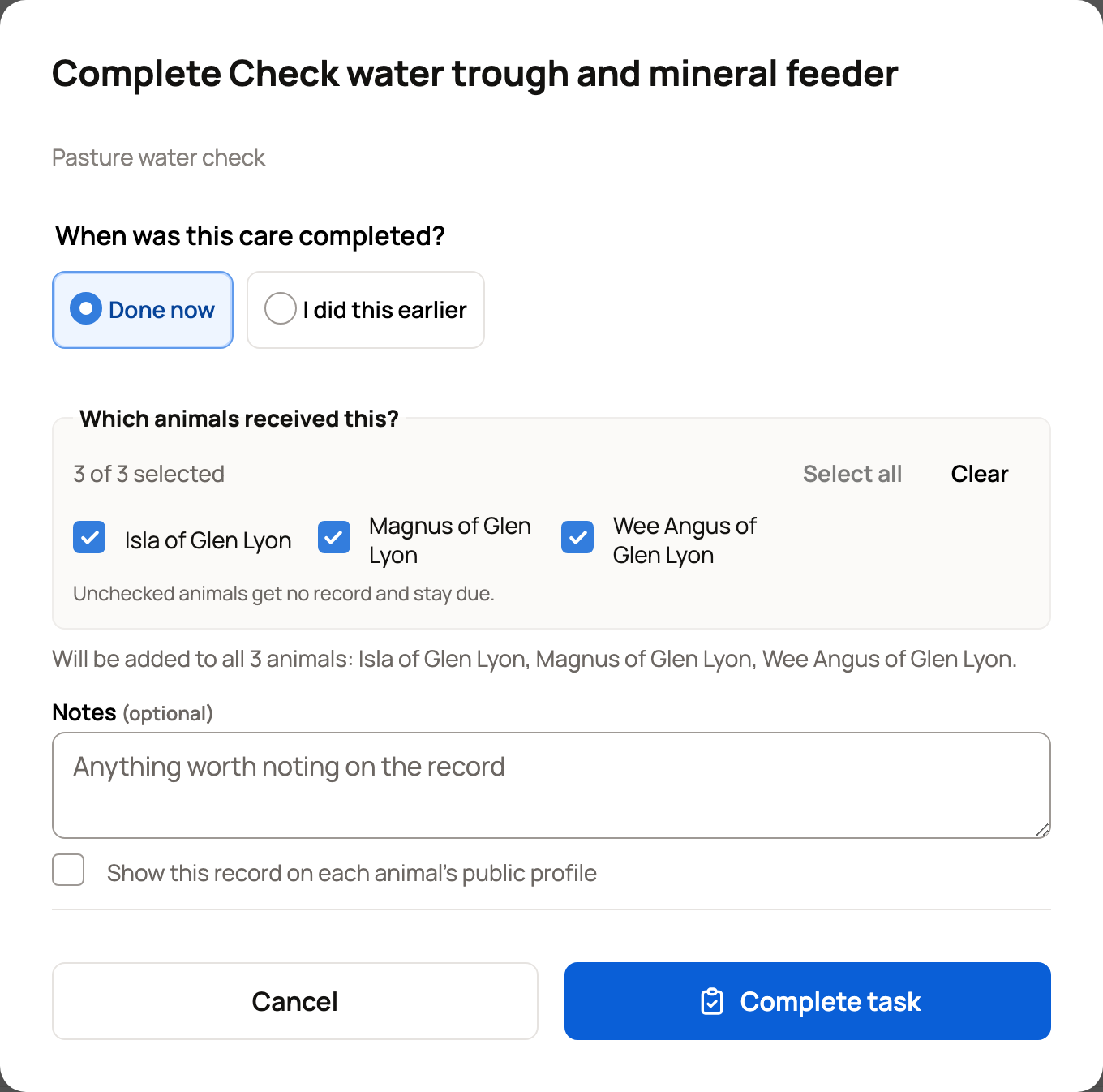
The list shows who is in the group now, not who was in it when you made the plan. An animal you uncheck gets no record, and its care stays due. If one animal needs different details, log its care from its own Records instead.
For a count group (tracked by headcount), completed care stays in the group's history, not on animal profiles.
Pause, stop one group or end the plan
On the group's Care plans panel, Pause puts the plan on hold and Resume starts it again. For other changes, choose Manage plan.
- When a plan covers several groups, Group coverage lists them. Stop this group removes one group, and the plan keeps going for the rest. To cover that group again, apply a plan again.
- End plan for all groups ends a shared plan everywhere (on a one-group plan, it's End care plan). You can stop groups you manage, but ending the whole plan needs access to every group.
- If an animal later joins two covered groups, Group membership now overlaps warns that it may get the care twice. Update the groups or stop one group.
An archived or closed group gets no new tasks or reminders from its plans, and Pause and Resume are hidden. Manage plan shows Group archived or Group closed. Restore the group to edit the plan, or end it there.
Ending works like any plan: open tasks leave Today, and saved records stay.
Only you and your team can see group care plans and reminders. Completed records stay private unless you tick Show this record on each animal's public profile in the form.
Related information
- Create and manage a care plan
- Your Today page: what's due and how to check it off
- Apply records and track activity for a group
- Create and manage animal groups
Updated on: 29/10/2026
Thank you!