
Check occupancy, pasture rest, and property activity
In Locations, the Status tab shows how many animals are in each place and how long each pasture has been occupied or rested. To log rain, mowing or barn cleaning, use the Activity tab.
The Moves tab helps with planning: it lists the moves you've planned and charts your moves. Below the tabs, four numbers sum up the workspace: Active locations, Animals on property, Open gate sessions and Flags to review. A gate session is a time when you've opened the gates between places so animals can roam between them.
See occupancy and pasture rest
Open the Status tab. Each place gets a card that shows:
- here now: how many animals are there. A bigger place shows the total across the places inside it.
- Occupied: how many days animals have been there.
- Rested: how many days the place has stood empty since the last animal left.
- Capacity: the limit you set, or Not set.
- Last activity: the date of the latest move, care or logged work there.
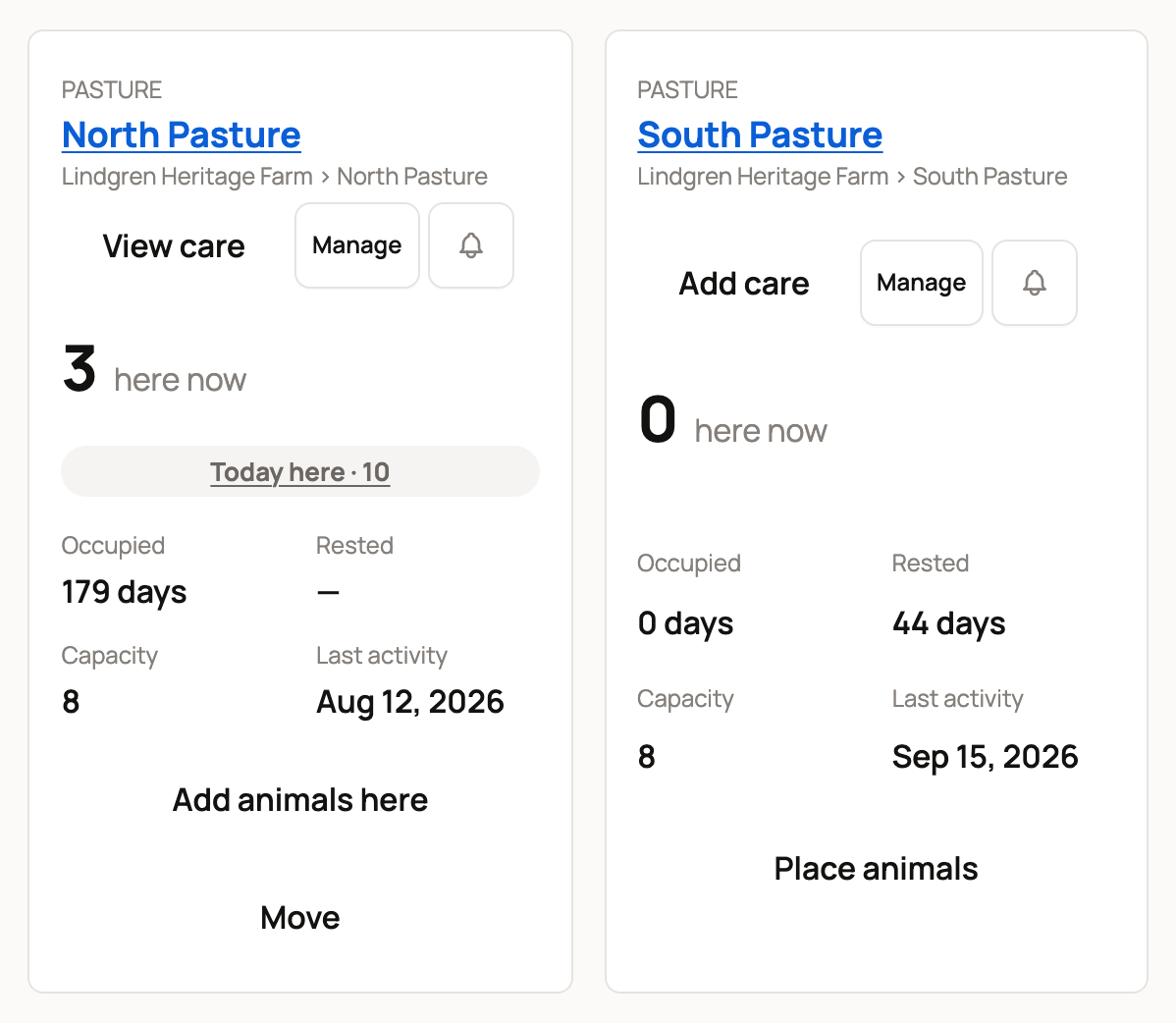
Use Rested to plan your grazing rotation. Here, South Pasture has rested for 44 days, while North Pasture has been grazed for 179 days.
A card can also show a flag. Over capacity means more animals than the capacity you set. Gates open means animals can move between this place and another one. The buttons match the Places list: Add animals here and Move, or Place animals, plus Add care or View care, and Manage. Select a place's name to open its own page, with who's there, today's care and its history.
Check who's really there
Open the place's page and select Check who's here. On a rack or row, it reads Check whole rack or Check whole row and covers every unit inside.
- Tick each animal you can see, or select All here. For a count group, enter how many you counted.
- Found an animal that isn't listed? Select Someone else is here to record its move in.
- Select Save check.
Anyone left unticked is marked not found, and nothing moves. The place's page then shows how many weren't found at the last check, each with a link to record where it is now. Last checked on that page shows when the place was last checked, and each check is saved to the Activity tab and the place's History.
Close open gates
If you've opened gates between places, they're listed under Open gates at the bottom of the Status tab. Select Close gates to end one, then choose the place where the animals stay.
See moves over time
The Moves tab starts with Upcoming moves, the moves you've planned, soonest first. Select Cancel on one to call it off. Below that, Planned vs completed moves gives each day with a move a bar and a count, such as Completed · 1, for the last 30 days. Moves you've planned for later show too. Select Print wall chart to print a copy for the barn. To record or plan a move, see Move animals and review location history.
Log property work
The Activity tab is your property log. Care finished at your places shows up on its own, as one entry per day with the number of items and who did them. Select Show care items to see each task. Photos added with Add photos here on Today land here too.
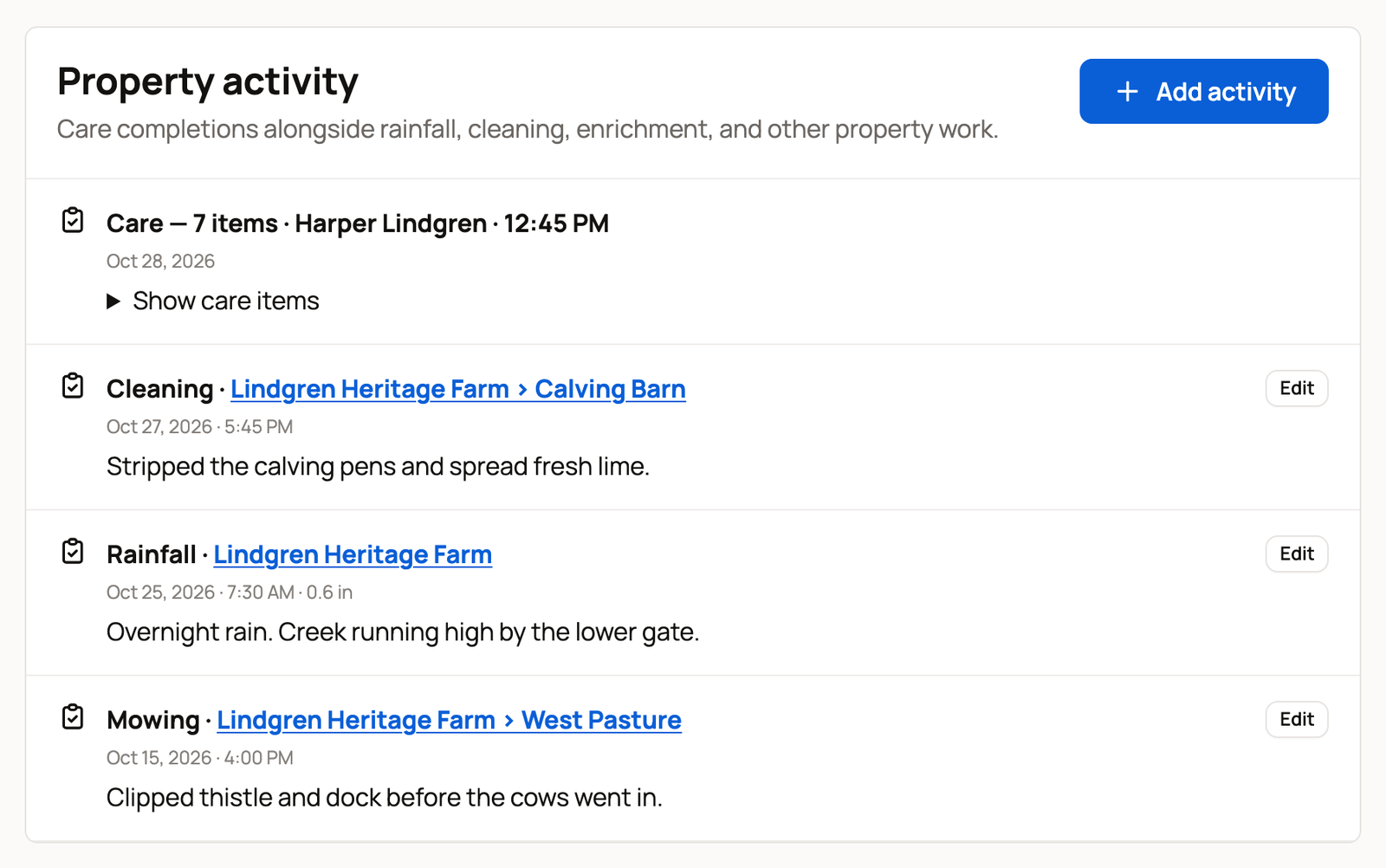
To log something yourself:
- Select Add activity.
- Choose the Location.
- Choose the Activity: Rainfall, Fertilizer, Mowing, Cleaning, Enrichment, Water quality, Feeding or Water change.
- Check When. It starts at the current time, so change it if the work happened earlier.
- Add an Amount and Unit if it helps, such as 0.6 inches of rain.
- Under Notes, write what the next person should know.
- Select Add activity.
Owners, co-owners and team members can all add to the log. To fix an entry, select Edit. In that panel, Remove activity takes it off the log, and Creatures keeps a record that it was removed.
Get notified when animals move
Select the bell on a place's row in Places, or on its card in Status. Then choose a level:
- Off: no notifications for this place.
- Moves or All activity: Creatures sends you a notification when someone else records a move into or out of the place.
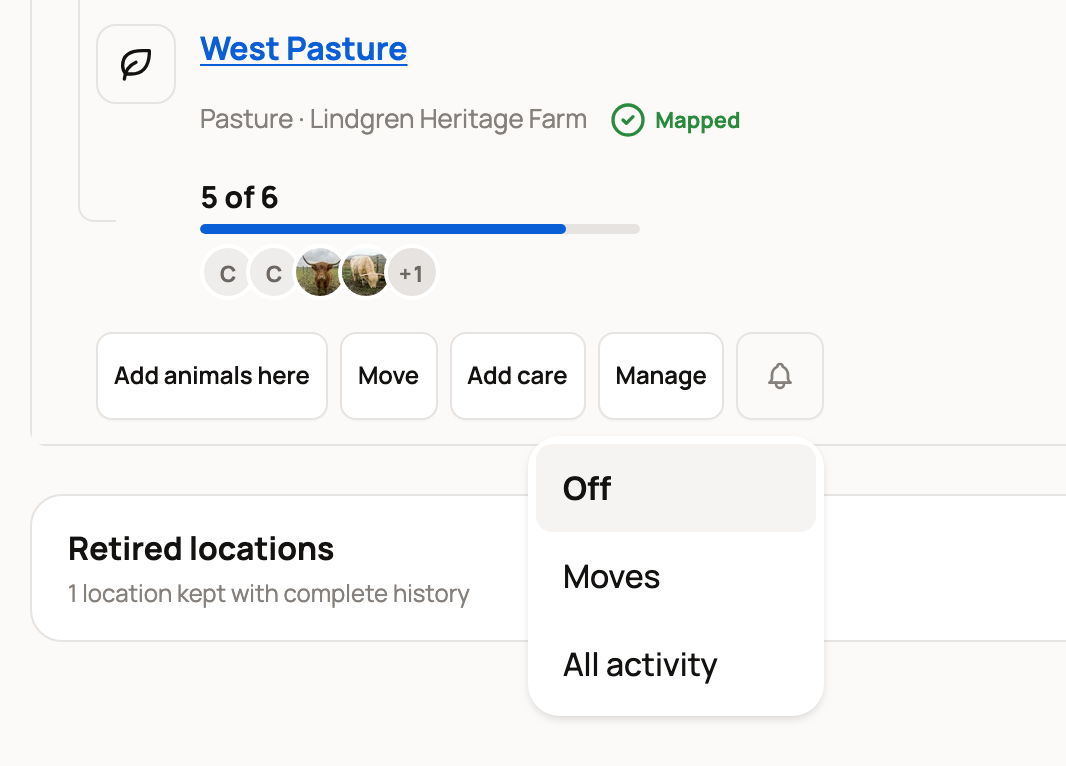
A dot on the bell shows that notifications are on for that place. They arrive under the bell at the top of Creatures.
Related information
- Set up and organize locations
- Move animals and review location history
- QR location signs and place chores on Today
Updated on: 29/10/2026
Thank you!