
Download a birth schedule for your herd
On the Breeding dashboard, choose Reports, pick the animals, then choose Spreadsheet or PDF to get a schedule of every pairing, due date and recorded birth.
The PDF is made to print and pin up in the barn. The spreadsheet holds the same facts in columns you can sort and filter.
Open the schedule
- Open Dashboard, then Breeding under Animals & Groups.
- Choose Reports. It shows once you have animals.
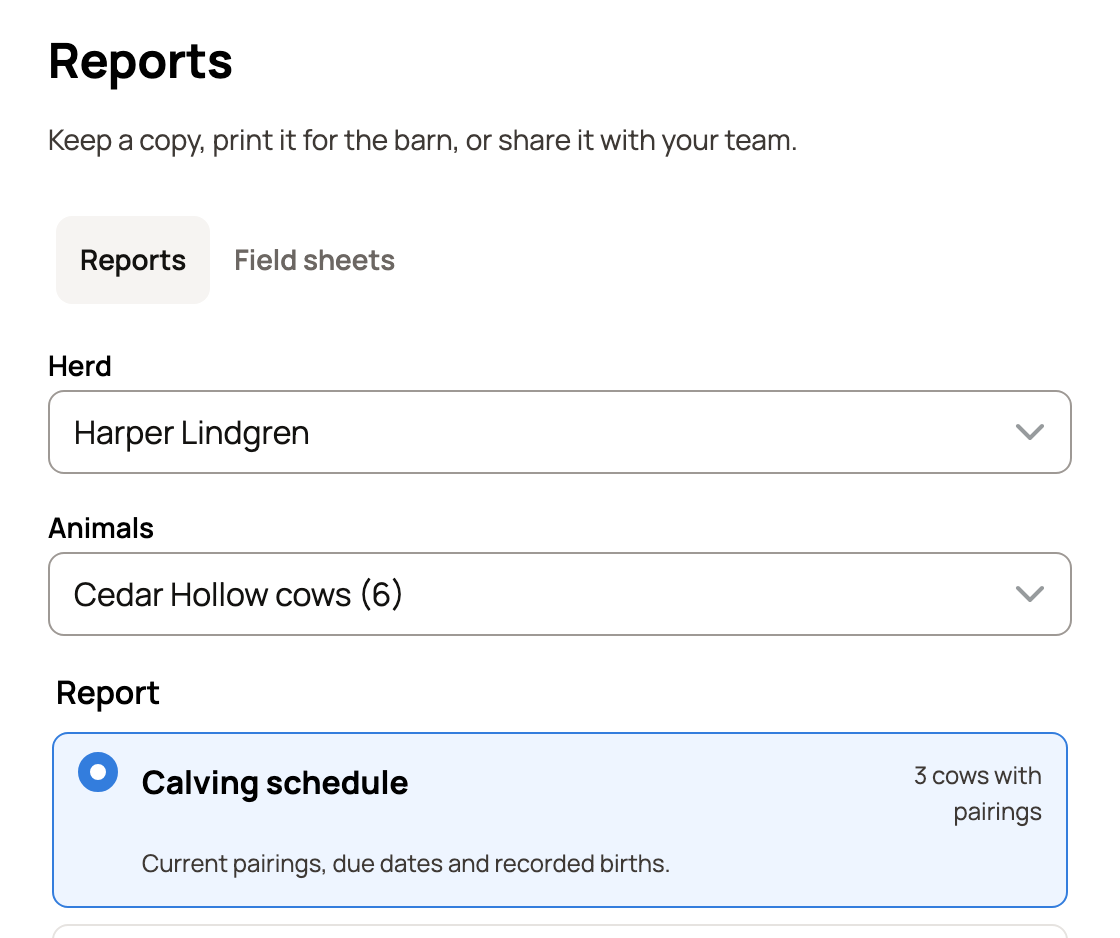
- Reports opens with Birth schedule already chosen. When the animals you pick are all one species, it uses that species' word, such as Calving schedule. The count beside it shows how many mothers have a current pairing.
Choose what goes in
- Herd: your own animals, or an organization you help run.
- Animals: Whole herd, one of your groups (such as Cedar Hollow cows), or Choose animals to pick them by name.
- Birth history from (or the species' word, such as Calving history from): how far back to list past births. It starts at This year. You can also pick Last 12 months, Last year, Last 30 days, Last 90 days or Custom. Current pairings always show as of today.
- Paper: Letter or A4.
- Include private records: adds breedings and checks you keep private. Anyone holding the file can read them, so leave it off for a copy you plan to share.
- Include sold, deceased and in-custody animals: adds animals that are no longer in your herd.
If a mother has two open breedings, a note warns that the report shows only the later one. Choose Fix now to sort it out first. See When a breeding doesn't take.
Download it
Check the summary above the buttons. It names the report and the animals, then says how many mothers have pairings, whether private records are in, and a rough page count.
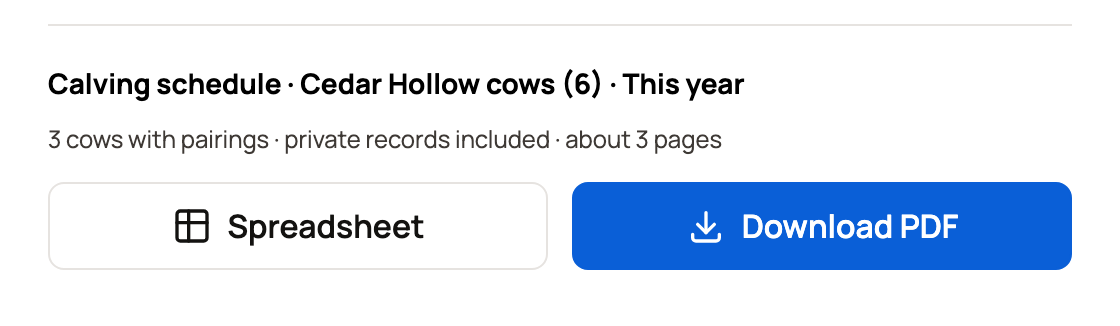
Choose Spreadsheet or PDF. On a computer the second button reads Download PDF. The file saves to your device, and Creatures says "Your report is ready."
What's in the schedule
When all the animals are one species, the schedule uses its word, such as Calving schedule or Kidding schedule.
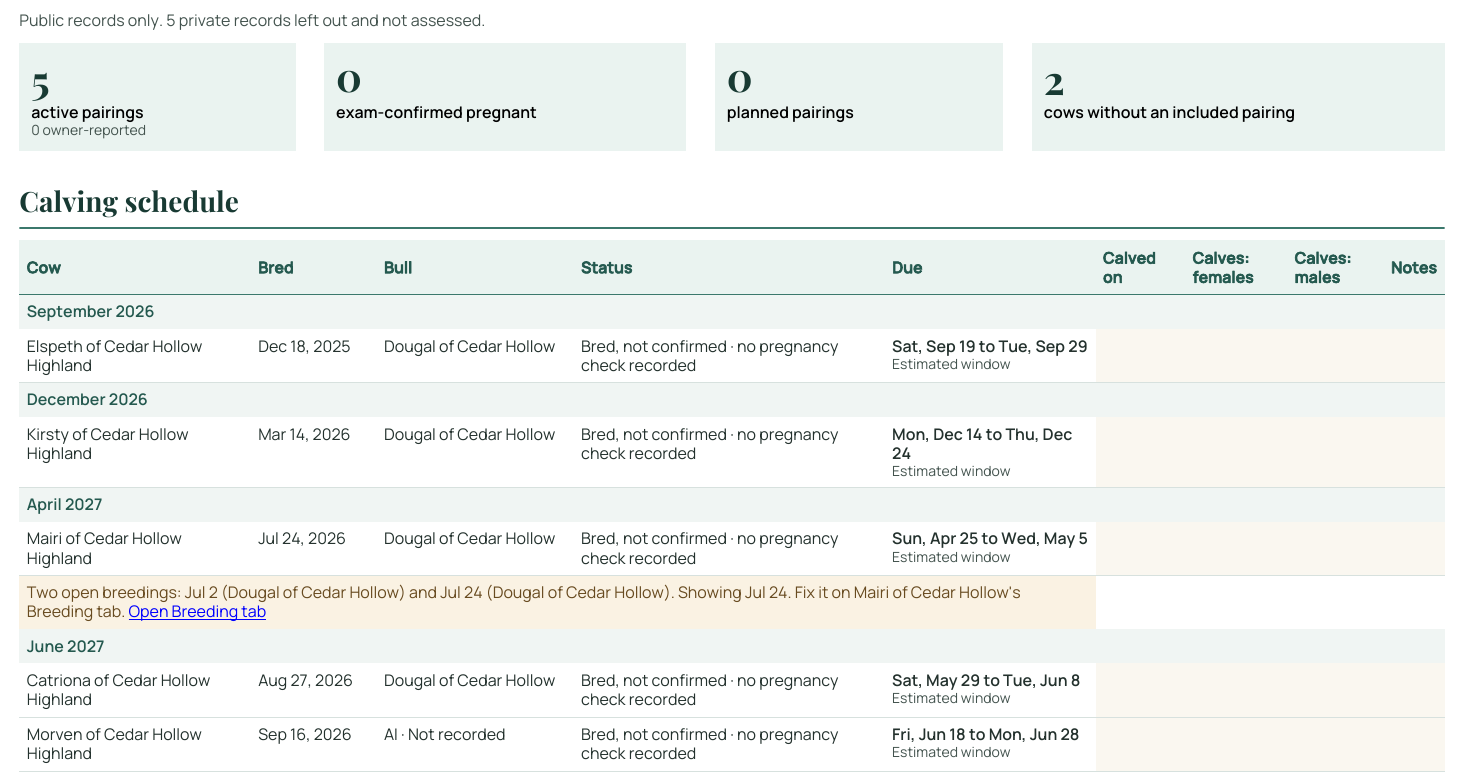
The PDF opens with a few totals: active pairings, exam-confirmed pregnancies, planned pairings, and mothers with no pairing. Then comes the schedule, grouped by the month each mother is due. Each row shows:
- the mother and her breed
- the date she was bred and the sire
- her status, such as bred but not yet confirmed, and the latest pregnancy check
- her due date or window
The last columns hold the birth date, the number of females and males, and notes. They fill in when you record the birth, and stay blank until then so you can write on the printout.
After the schedule, a chart counts due dates by week, and mothers with no current pairing are listed. The birth history for the period you chose comes next. When all due dates fall within six months, a calendar page for each month comes last.
If you left private records out, the PDF says how many it skipped. A mother with two open breedings gets a note on her row with a link to her Breeding tab.
The spreadsheet has two sheets: the schedule and the birth history. It adds columns such as tag, breeding method, pregnancy check result, dry-off date and a link to each mother's Breeding tab.
Related information
Updated on: 01/11/2026
Thank you!