
Hide or show valuation tools on your animals
You can hide valuation tools on one animal from its profile, or on all your animals at once from Settings. Hiding only changes what you see. It does not turn off a public summary or delete any estimate.
Valuation tools are the Crestimate panel (a Crestimate is Creatures' estimate of what an animal could sell for) and the Team-only valuation tools card, which shows a free market range from auction sales. Only the animal's team sees them.
Hide them on one animal
On the animal's profile, select the X in the corner of the Team-only valuation tools card or the Crestimate panel.
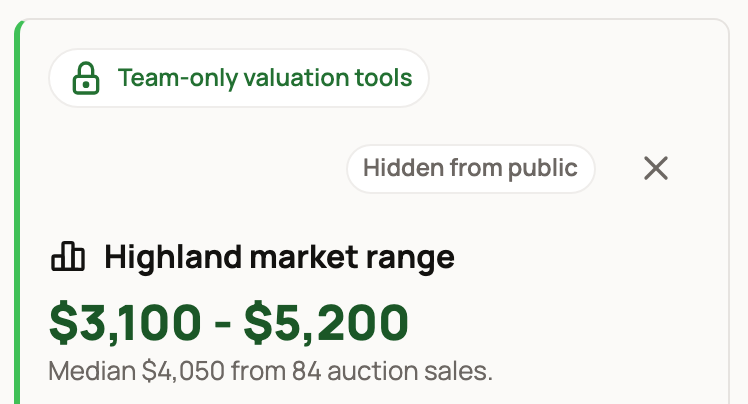
The card stays hidden for you on that animal, and an estimate that is still running no longer opens on its own when you visit. If there is something to bring back, the item in the profile menu changes to Show Crestimate.
Private animals are always treated this way, for everyone on the team: the Team-only valuation tools card doesn't show, and an estimate that is still running doesn't open on its own. Open the panel from the profile menu whenever you want it.
Own or co-own two or more animals, yourself or through an organization you own or co-own? Then selecting the X also shows Valuation tools hidden. with Hide on all your animals. Choose it if you'd rather not see these tools anywhere.
Hide them on all your animals
- Select your photo at the top of any page, then Settings.
- Select the Account tab.
- Under Animal profiles, turn off Valuation tools on animal profiles.
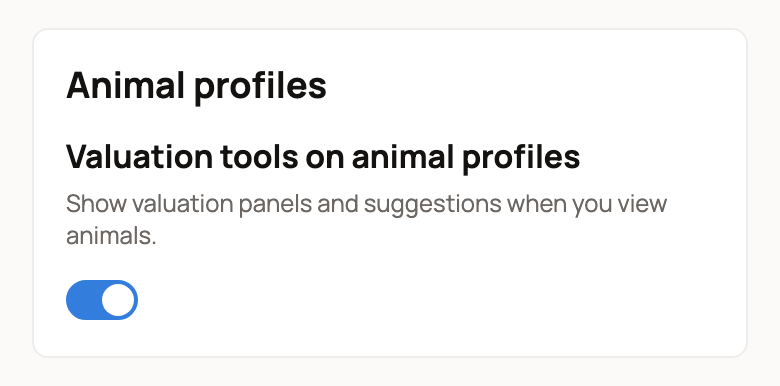
A message confirms the change. On every animal you manage, the profile menu now shows Show valuation tools in place of Crestimate.
Show them again
- On one animal: select the down-arrow button next to Share and choose Show Crestimate (or Crestimate). The panel opens, and the animal goes back to normal. A private animal keeps these tools out of view on your next visit too, so open the panel from the menu each time.
- On all your animals: turn Valuation tools on animal profiles back on in Settings. Or choose Show valuation tools from any animal's menu. A message says "Valuation tools are back on all your animals."
Turning the tools back on for all animals also brings back any animal you hid one at a time.
What hiding does not change
- A public summary stays on. If visitors can see a short Crestimate summary, an owner or co-owner turns it off with the Visibility switch in the Crestimate panel. See Showing a Crestimate and using it for pricing.
- Your team still sees the tools. The choice applies only to your account.
- Your estimates are kept. You can still make a new one at any time, including from the Pricing section of a listing form.
Related information
Updated on: 29/10/2026
Thank you!