
Prepare your year-end package for your accountant
Your year-end package lives on the Year review page. It gathers what your accountant or tax preparer needs: a list of checks, depreciation schedules and a set of files to download. Creatures doesn't file taxes or give tax advice. These are workpapers for your accountant to review.
Open Year review
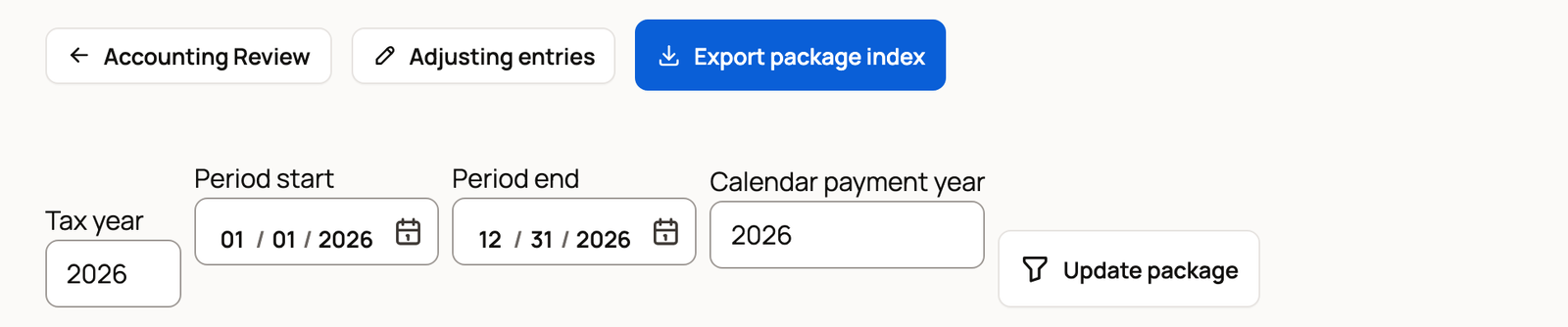
Open Finance, select Accountant tools, then select Year review. In Accounting Review, the Year-end package button opens the same page. It opens on the current calendar year.
To pick another year, change Tax year, Period start and Period end together, then select Update package. For 2026 that's 2026, January 1, 2026 and December 31, 2026. If you change only the tax year, the page says it couldn't load the package. Use your browser's back button and set all three.
Leave Calendar payment year on the same year unless your accountant asks for a different one.
Below the dates, Review this period with your accountant can keep a fixed version of the period for your accountant to review. It records no money and sends no message. See The accountant view and reports.
Clear the checks
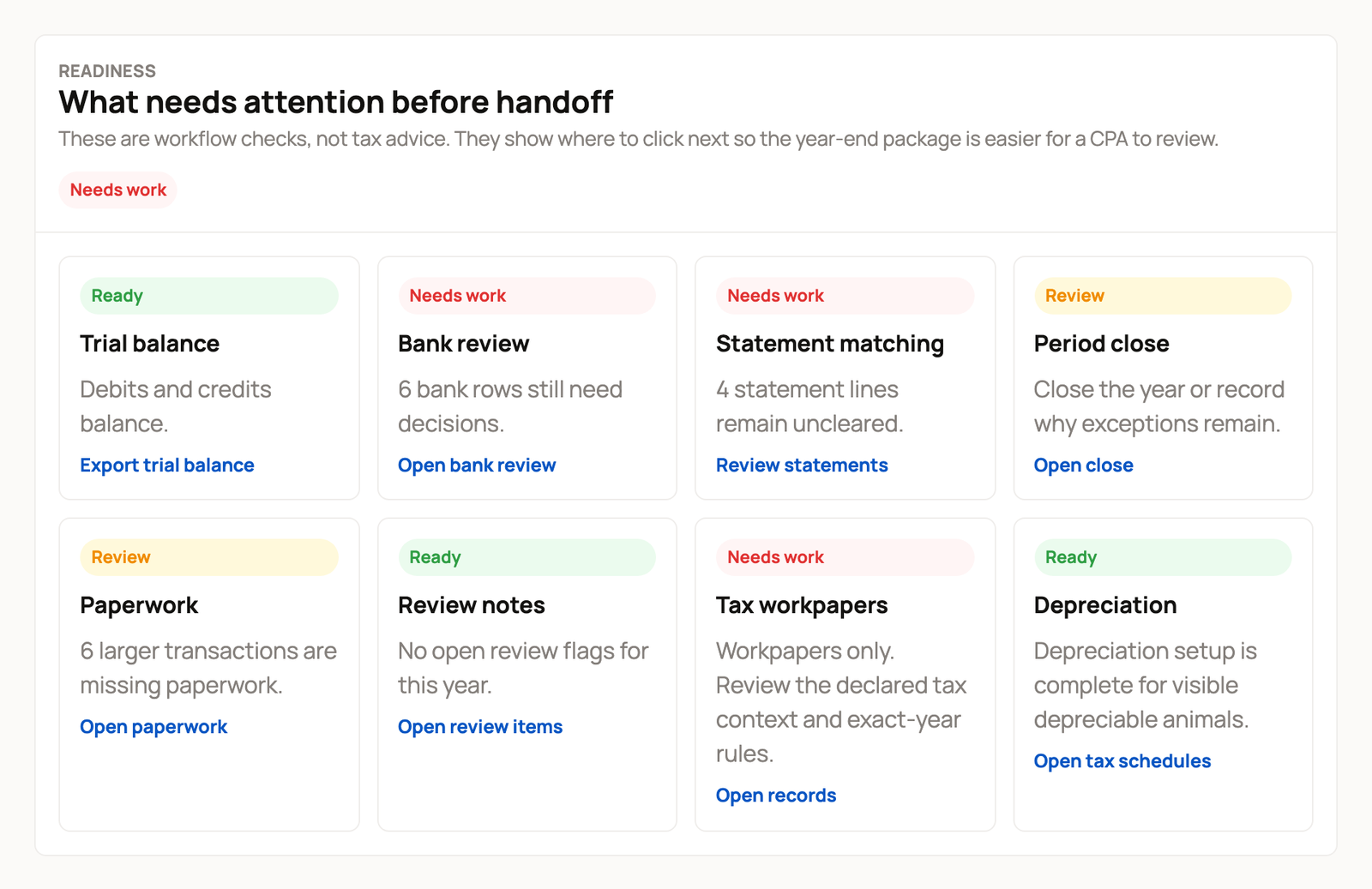
Under What needs attention before handoff, each check is marked Ready, Review or Needs work. Most have a link that takes you where to fix it. Trial balance has Export trial balance instead.
- Trial balance: your debits and credits balance.
- Bank review: no imported bank rows are waiting.
- Statement matching: no lines are left uncleared through year-end.
- Period close: the year is closed. You can close it on or after December 31.
- Paperwork: entries of 75.00 or more, such as USD 75.00, have a receipt attached.
- Review notes: no flags are still open.
- Tax workpapers: tax amounts your accountant still needs to review.
- Depreciation: purchased animals that still need a depreciation setup.
These are checks on your bookkeeping, not tax advice. Ready means a check is clear. It doesn't mean a tax return is approved.
For the statement and close steps, see Match a statement and close a month.
Set up depreciation with your accountant
Purchased breeding, dairy, draft, sporting and service animals can be depreciated in your records if your accountant wants that. Select Open tax schedules in the Depreciation check, or select Tax schedules in Accounting Review. Under Depreciation schedule, a label such as "2 animals need setup" shows how many are waiting.
- Select Set up now next to an animal.
- Enter the Placed in service date, Recovery years, Method and Convention your accountant gives you.
- Select Save schedule.
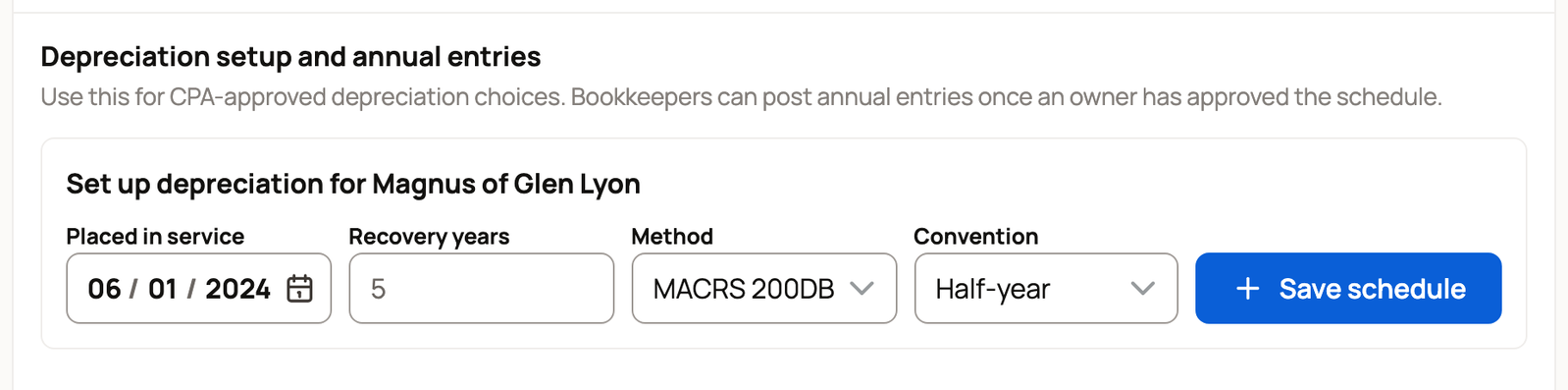
Only an owner can save a schedule. After that, an owner or bookkeeper records each year's amount with Post depreciation.
The same page has an Animal disposition report. It lists animals you sold or removed in the period that had a starting value. To add starting values, see Animal cost basis and starting values.
Go over the tax workpapers with your accountant
The Tax workpapers panel sets approved tax amounts beside amounts still to review. With your accountant's guidance, use Declare tax context to record how the business files. An owner's declaration is saved for the period, and a bookkeeper's is saved as a proposal. Tax line changes further down the page are saved as proposals and don't change approved amounts. Nothing is filed.
Download the files
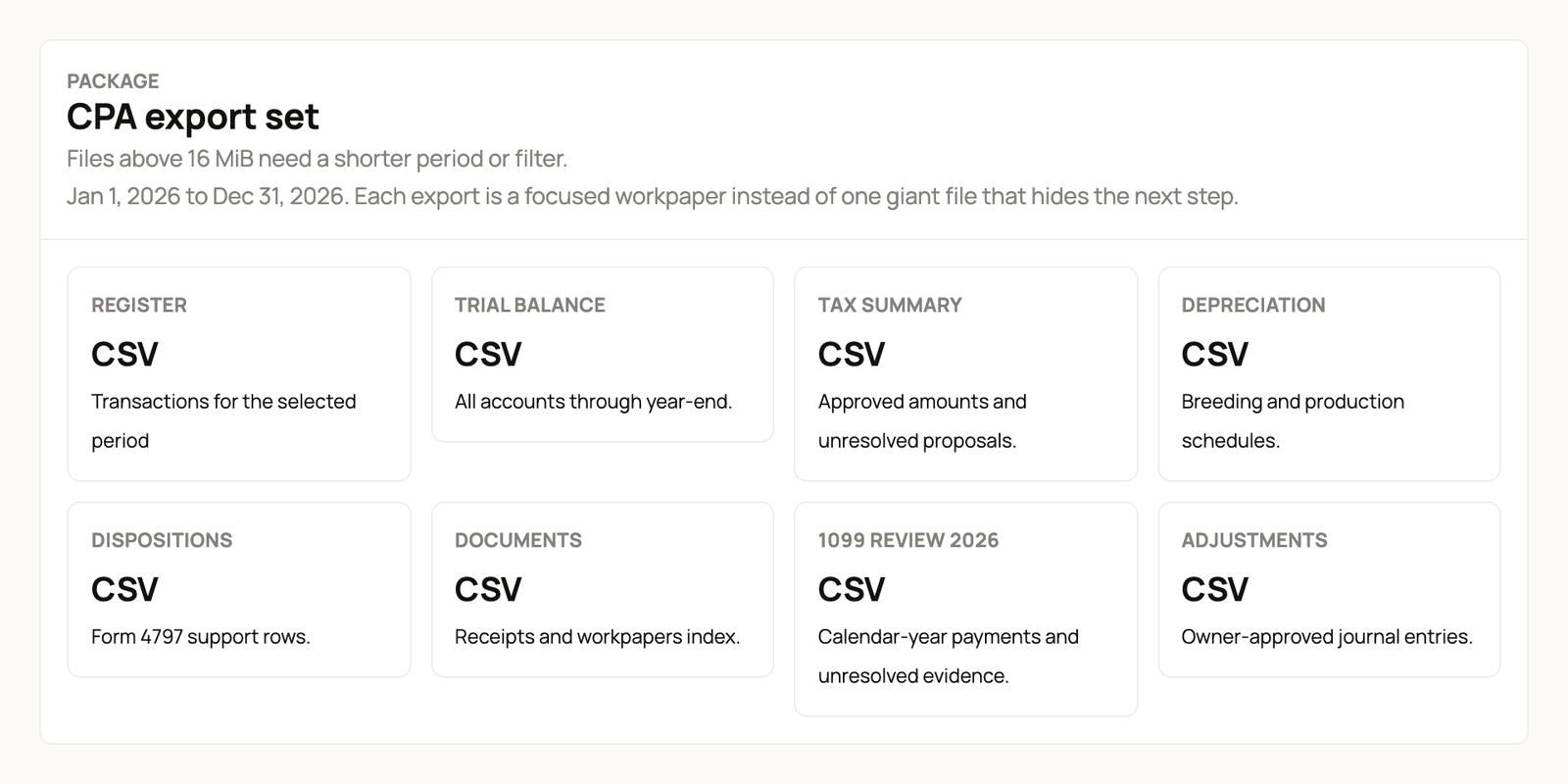
Under CPA export set, each tile prepares one spreadsheet file:
- Register: every entry in the period.
- Trial balance: all your accounts through year-end.
- Tax summary: approved amounts and proposals still open.
- Depreciation: your depreciation schedules.
- Dispositions: animal sales and removals.
- Documents: a list of your receipts and paperwork.
- 1099 review 2026 (it shows your year): payments in that calendar year that may need a 1099 form.
- Adjustments: adjusting entries an owner approved.
Select a tile. When Download saved CSV appears under it, select that link to get the file.
Export package index at the top of the page lists the whole set. After you export it, the page keeps a Recorded 2026 summary box with that saved version. The checks below it still show your current records. If a file is too large to download, pick a shorter period.
Hand it off
Invite your accountant as a Reviewer or Bookkeeper from Sharing and access, so they can open Year review and check the numbers themselves. Or download the files and send them.
Related information
- The accountant view and reports
- Match a statement and close a month
- Animal cost basis and starting values
- Money categories and entries saved for later
Updated on: 29/10/2026
Thank you!