
Record breedings for several animals at once
To record several breedings at once, choose Record breeding on your breeding dashboard, set the date and the bull once, then tap a group to pick its cows. Creatures saves a tracked breeding for each animal, with her own due date and reminders, up to 60 at a time.
Open Record breeding
You can start from any of these places:
- Your breeding dashboard: Record breeding at the top. Choose it beside Open cows to tick them all.
- Create on a phone, or your animals page: Record breeding.
- A group's page: Record breeding. That group is already chosen.
- A breeding you described in your own words (Review breeding), or another breeding record form: the Record breedings together link, such as Several cows? Record breedings together. In the Record breeding panel, just tick more animals.
- After you save that draft: tap the other cows Creatures suggests, then choose Log 2 more. They come ticked, with the same date and bull.
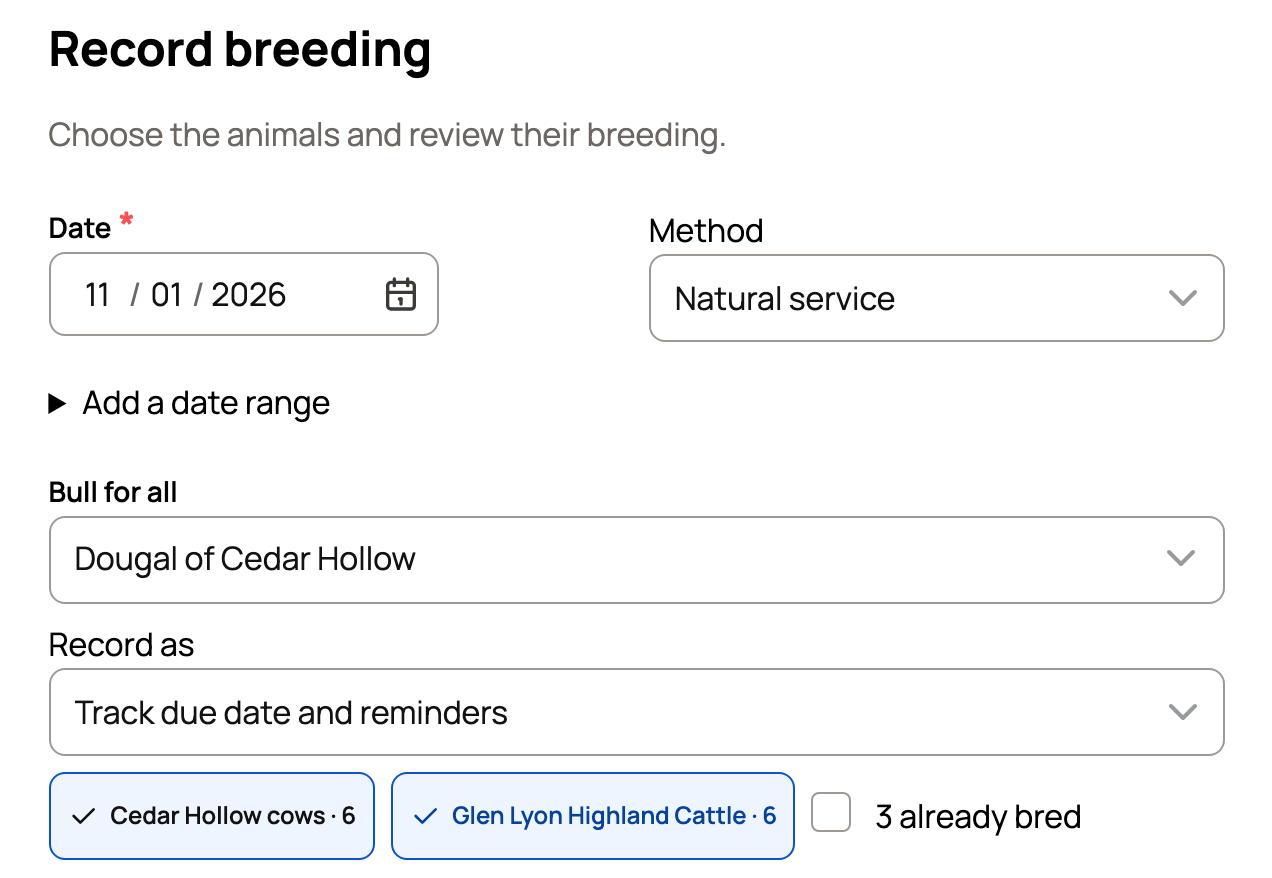
Set what they share
- Species shows only when you keep more than one breeding species. Tapping a group switches it for you.
- Date starts on today. It can't be in the future.
- Add a date range: use End date for the last day, if the bull ran with them for a while.
- Method is Natural service, Artificial insemination, Embryo transfer, Pen exposure, Colony exposure or Unknown.
- In Bull for all, pick a male you manage, or search for a reference animal you saved or another member's bull. The label follows the species, such as Ram for all or Buck for all. It may start with the bull you used last, if that was in the last 120 days. Change him if needed, or choose Unknown or not recorded if you don't know the sire.
- Record as starts on Track due date and reminders. Record only saves plain records with no due dates or reminders.
Used artificial insemination with straws you keep on Creatures? Choose Artificial insemination under Method, then pick them in Or use stored straws (one per animal). Creatures uses one straw for each animal and links the straw's donor as the sire. See Recording genetic sales and use.
Choose the animals
- Tap a group chip, such as Cedar Hollow cows · 6. It ticks every animal in that group that has no open breeding. The number counts the breeding females in the group.
- Tick the box that says how many are already bred to add those animals too.
- Use Find cows to search by name, or tick animals one at a time.
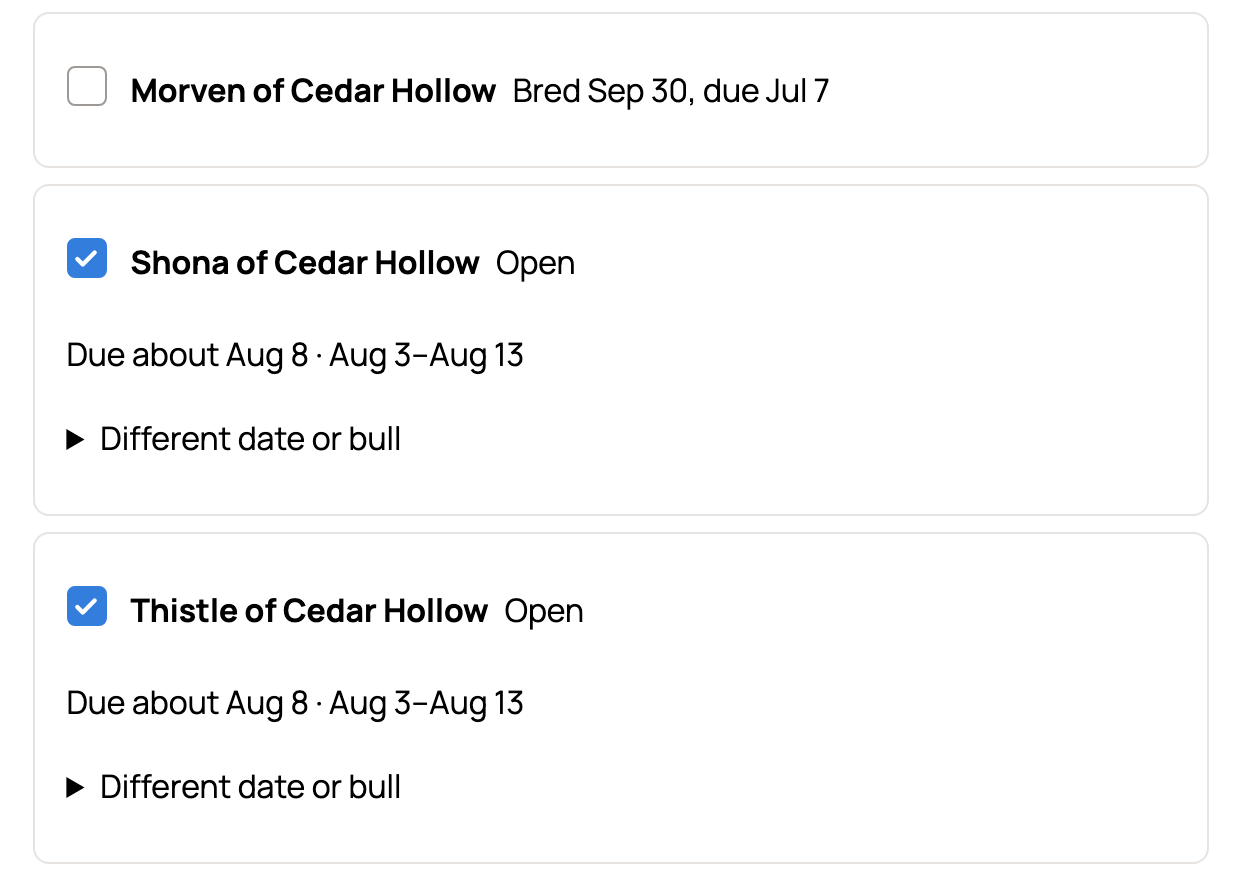
Each row shows Open, or when she was bred and when she's due. Each ticked animal follows the date and bull above. Need a different date or bull for one animal? Open Different date or bull on her row.
Animals that are already bred
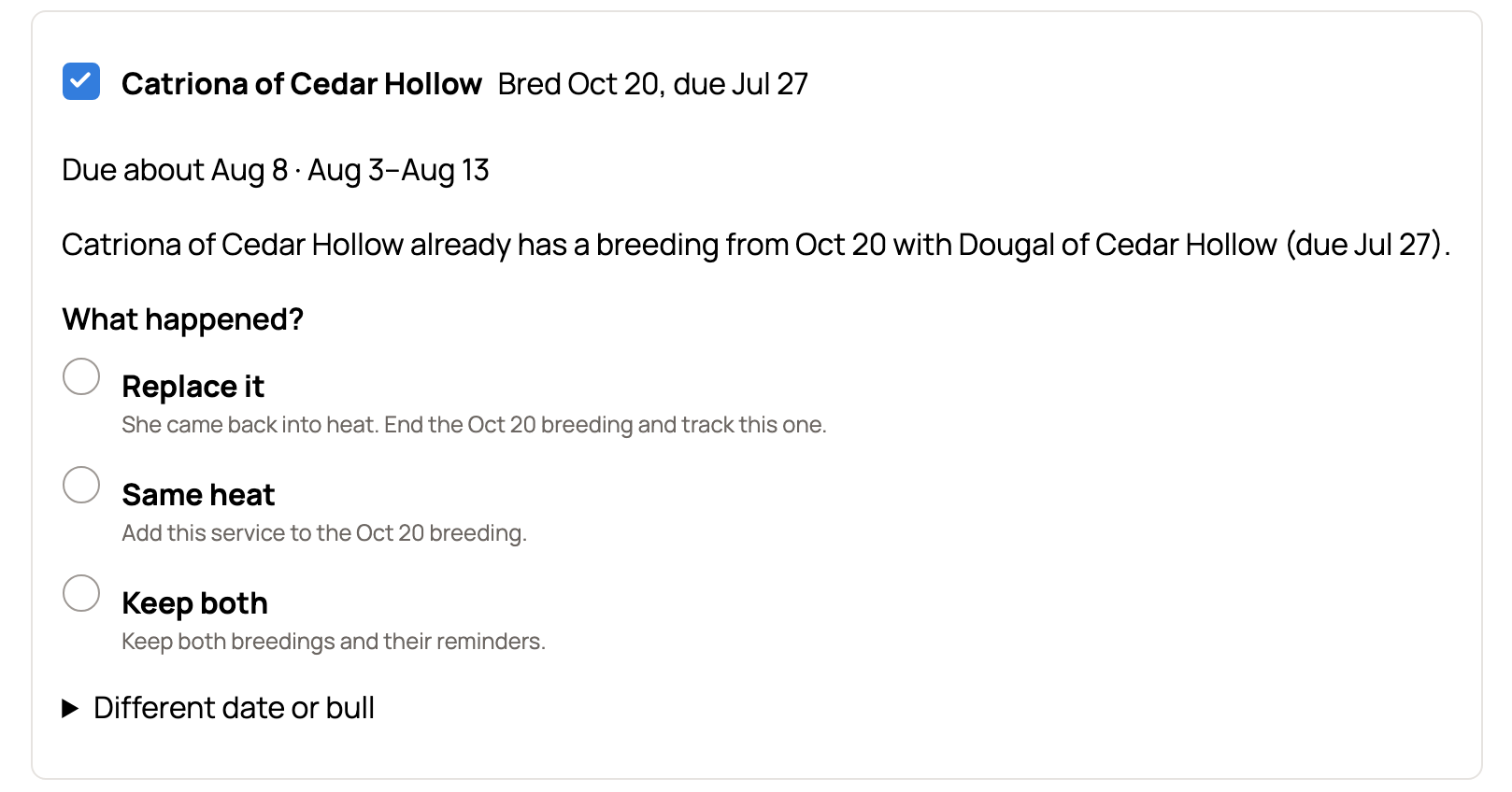
When you tick an animal with an open breeding, her row asks What happened?
- Replace it: she came back into heat. Her earlier breeding ends.
- Same heat: this service belongs with her earlier breeding.
- Keep both: both breedings and their reminders stay.
Nothing is picked for you here. To give every bred animal you ticked the same answer, use the Same heat, Replace or Keep both button that appears above the list.
If you choose Replace, Creatures asks you to confirm before it ends the earlier breedings. Their mating records stay in history, and their upcoming reminders are cleared. Choose Go back to change your mind. See When a breeding doesn't take.
Save and what happens next
Before you save, More details adds Notes, Time, a Due date override and Files to every animal's record.
The button at the bottom counts the breedings it will record. After you save, Creatures shows how many it recorded and roughly when they're due. Choose View breedings to see them on your breeding dashboard, each with her own due date, window and reminders.
Make public works the same as on a single breeding: it starts on unless your privacy settings start records as private or your last Breeding & Reproduction record was private. Private animals stay private either way.
Save tracked breedings with Make public on, and Creatures usually starts a public page for each animal's coming babies. You'll see a note such as "3 pages for calves will show on your profile and in search," with See page and Keep private. People with a matching saved search may get an alert. See Recording a breeding.
Picked another member's bull on a tracked breeding? His owner gets one request per animal, and each breeding links once he says OK. With Record only, he's kept as a name and no request goes out.
If something looks wrong
- Nothing saved and a note on one row: an already-bred animal still needs an answer to What happened?
- The bull doesn't come up in the search: he must be the same species. If he isn't on Creatures, type his name and choose how to keep it.
- More than 60 animals: save them in batches of 60 or fewer.
Related information
- Recording a breeding
- When a breeding doesn't take: end it, rebreed, or fix a duplicate
- The breeding dashboard
- Recording genetic sales and use
Updated on: 01/11/2026
Thank you!