
Recording genetic sales and use
Use Record sale or Record use on the item's page instead of editing its quantity, so the count and the history change together. If you want Creatures to bill the buyer for you, use Sell privately instead.
Open the item from Genetics. Both forms sit under Quick actions.
Record a sale made outside Creatures
Use Record sale when the buyer paid you some other way, such as cash or a check. Don't record a sale for an order that went through Creatures; that one is already counted.
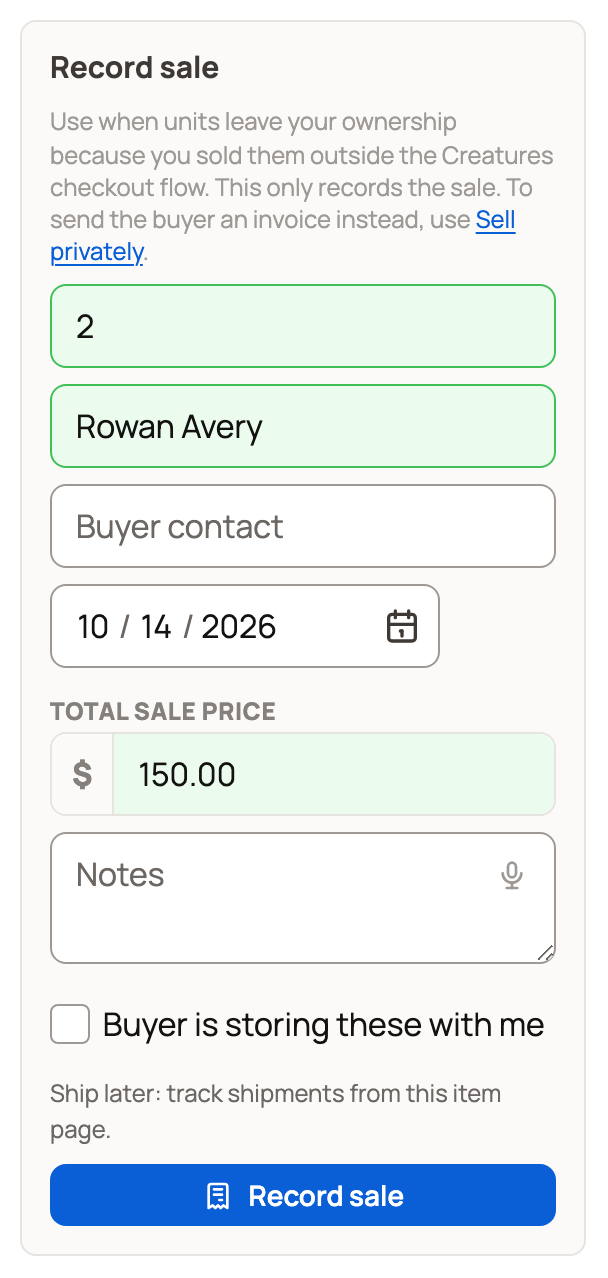
- Enter the quantity. If the units are in more than one place, choose Units from.
- Add the buyer's name and contact, the Total sale price and any notes. These are optional. The date starts at today, so change it for an earlier sale.
- Turn on Buyer is storing these with me only if the buyer now owns the units but you still hold them. They show under Sold, awaiting shipment until you record the shipment. The shipping guide explains how.
- Select Record sale. The units move from Available to Sold.
The price is for your records only. It doesn't collect money. To add the income to your books, see Recording money in and out.
Send an invoice instead
Sell privately sends the buyer a private sale invoice for this material. Look for it at the top of the item's page. It shows when you manage Finance for the item's owner and units are available.
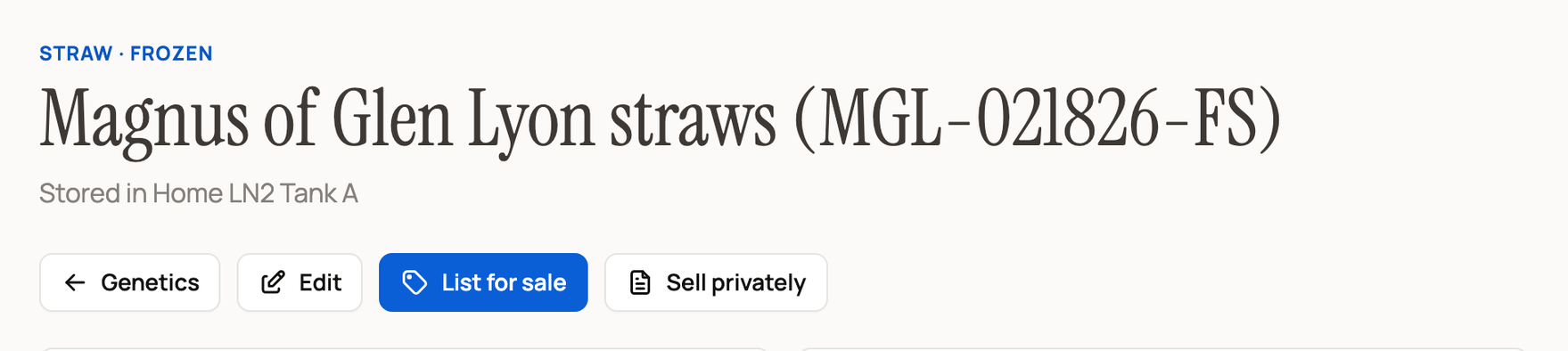
Enter how many units and the price, choose the buyer and send the invoice. When the payment clears, Creatures moves the units to the buyer and records the sale for you. Don't also use Record sale. For the full steps, see Send and get paid on a private invoice.
Record a use
Use Record use when units are used for breeding, embryo transfer, thawing, discard or another event.
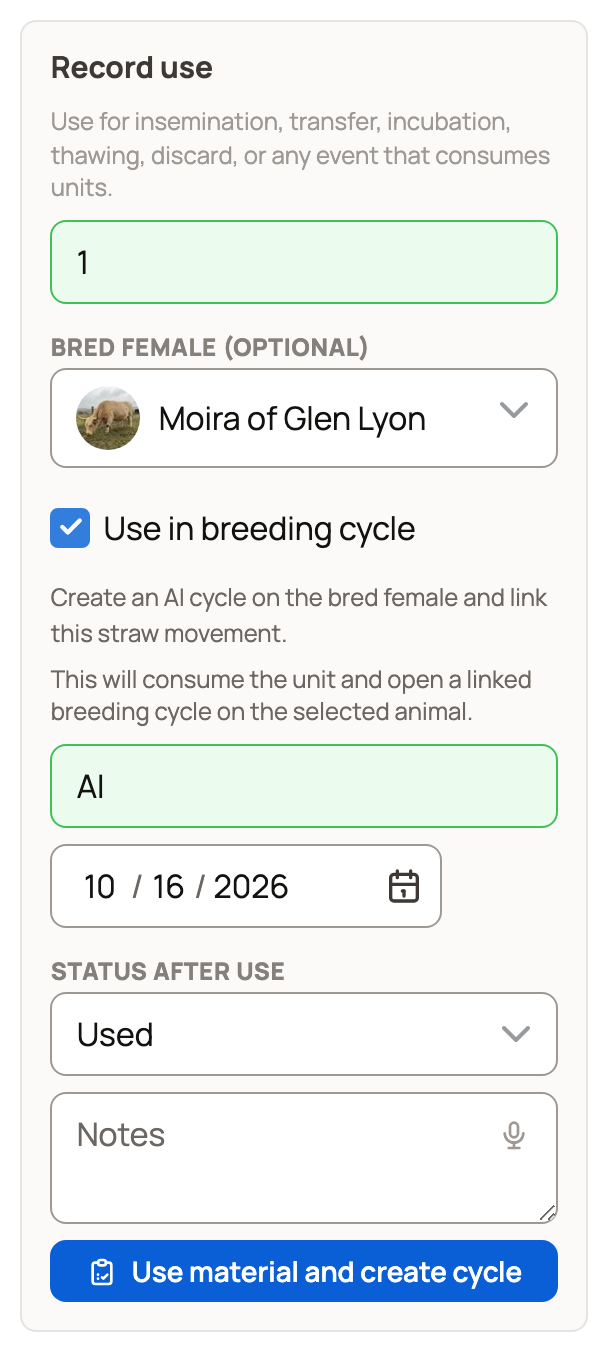
- Enter the quantity, and Units from if it shows.
- For straws, choose the female under Bred female (optional). For embryos, use Recipient animal (optional).
- To track the pregnancy too, turn on Use in breeding cycle. For straws this opens an AI cycle on the bred female, and for embryos a transfer cycle on the recipient. You must choose the female for this. The button changes to Use material and create cycle.
- Add the type of use, such as AI, and the date.
- Choose the Status after use that is true now. It starts at Used. Embryos can also be Implanted in recipient, Pregnancy confirmed, Pregnancy failed or Live birth. Pick Leave unchanged to keep the current status.
- Select Record use (or Use material and create cycle). Available goes down and Used goes up.
Hatching egg lots have no Record use. They are used when you set them with Set eggs (see Set a clutch of eggs and follow incubation).
If a count looks wrong
Check the item's Activity timeline first.
- Shipment logged by mistake: under Sold, awaiting shipment, open the shipments recorded for that sale and select Undo. This removes the shipment, not the sale.
- Wrong place: use Move units to put available units back where they belong.
- Wrong sale or use: contact Support. Recording another sale or use takes away more units. It doesn't undo the first one.
A buyer at checkout may also be holding units for a short time. Material you bought can't be sold or used until you confirm you received it.
Related information
- Managing your genetic inventory
- Send and get paid on a private invoice
- Shipping and tracking genetic items
- Listing genetics on the marketplace
Updated on: 29/10/2026
Thank you!