
Recording your animal's morphs and genes
You can record the morphs and genes you know for a ball python, leopard gecko, corn snake, rabbit, cow or goat. Each gene keeps its state and how you know it, and Genetics details shows any reported health risk that goes with it.
Record only what you know. A gene you leave out is simply not entered, which is different from a gene that tested clear.
Ball pythons, leopard geckos and corn snakes
For these species, genetics go in the Genetics field. When you add the animal, it's right after Species. For a saved animal, select Edit genetics (or Add genetics) on its profile, or Edit genetics in Edit profile.
- Type what you know in one line, such as "Pastel het Clown". Suggestions appear as you type, and common hobby names work, so "tremper" finds Tremper Albino.
- Each gene becomes a chip. Select a chip to choose its state, such as Visual, het or Possible het, or a two-copy form such as Super Pastel. A possible het can also take Odds, if you know them (%).
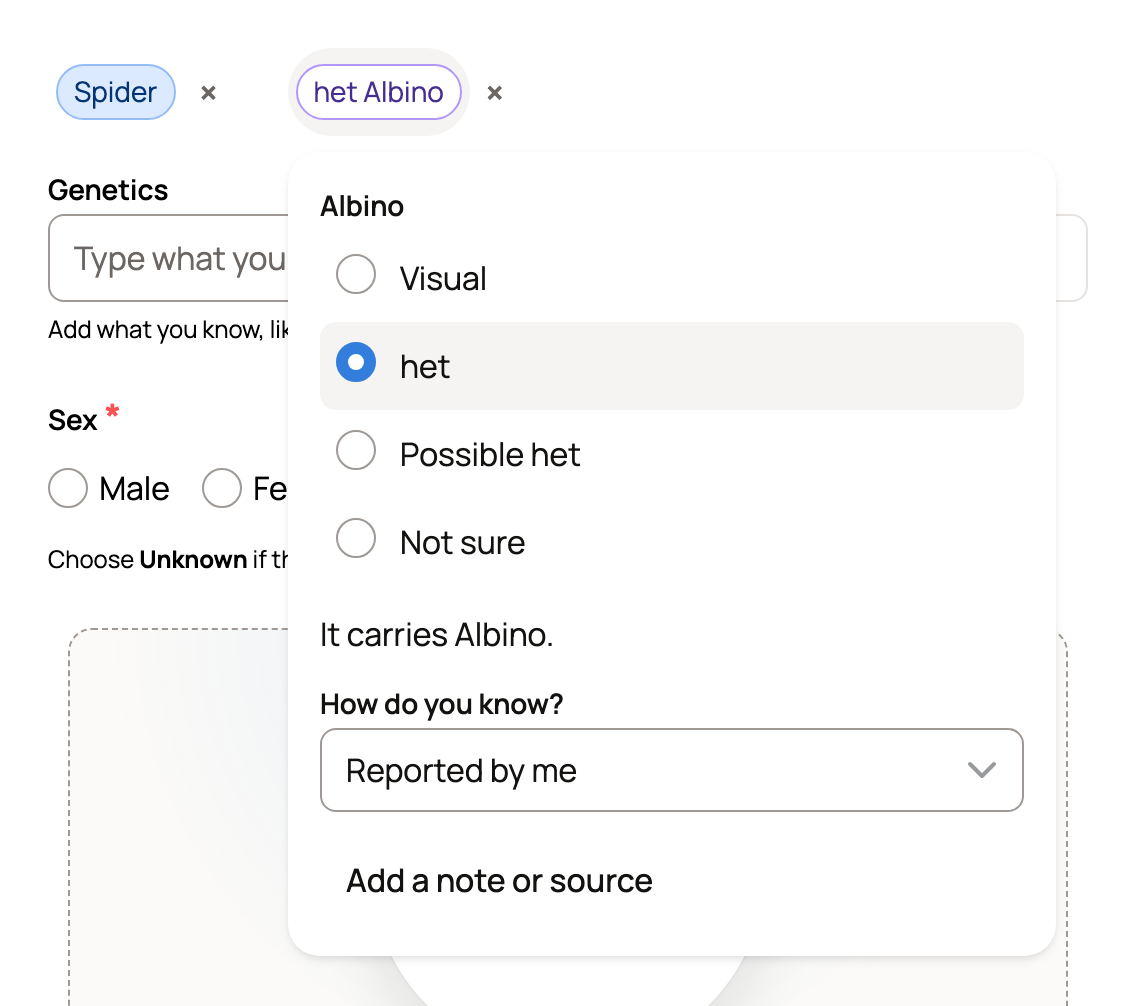
- If something is unclear, Creatures asks under the field, such as "Is it a visual Clown, het Clown, possible het, or not sure?" or where the odds come from. Pick the answer that fits.
- Typed a combination name, such as Raptor? Creatures says it's a combination and asks to add the genes. Select Add genes to add the genes that make it.
- For a corn snake from a known locality, such as Okeetee, choose it under Locality. It records the name only.
- Save the form. From Edit genetics, select Save genetics.
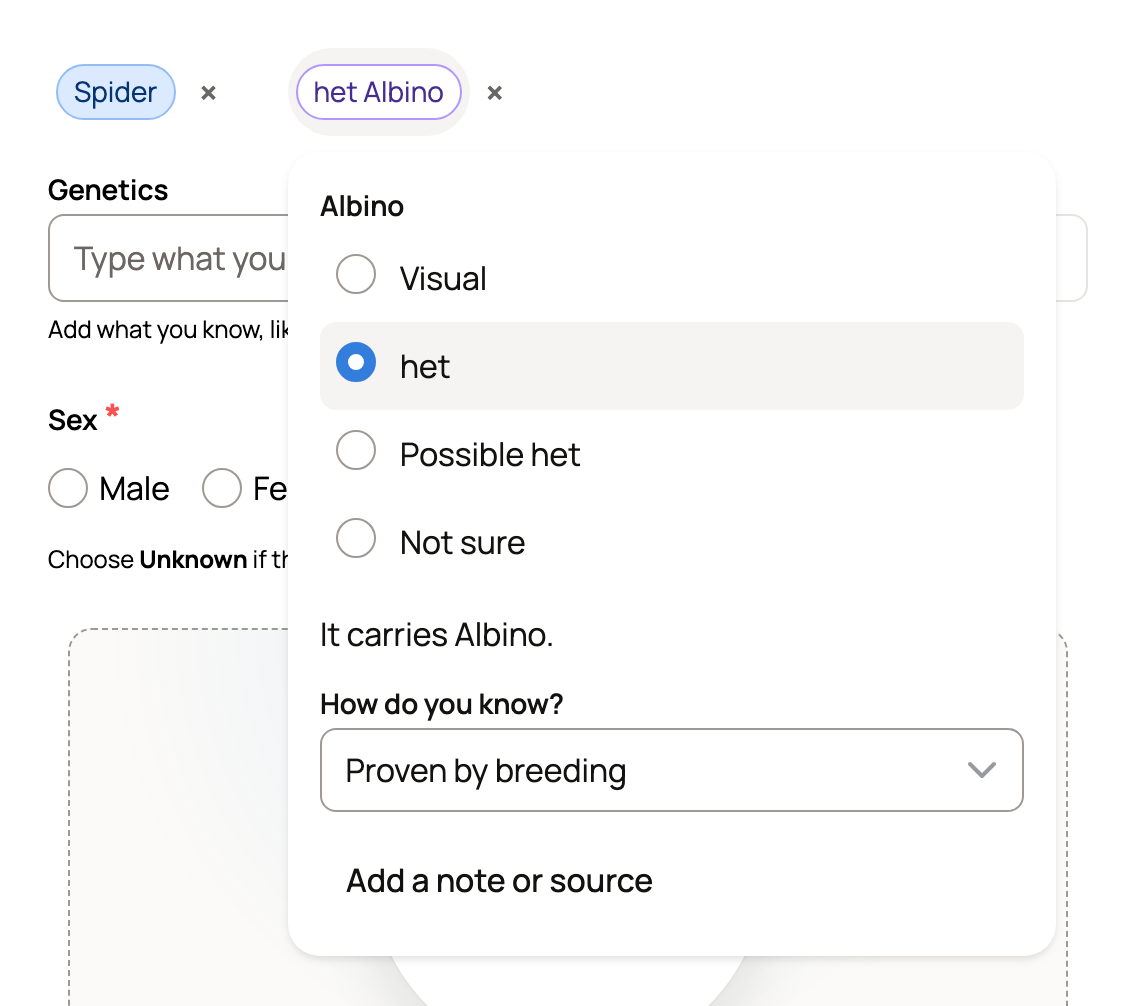
To note how you know a gene, select its chip and choose under How do you know?, such as Proven by breeding or DNA test. Add a note or source adds a source reference, a reported date and more. The genes then show as chips on the animal's profile, with Genetics details for the full record.
Rabbits, cattle and goats
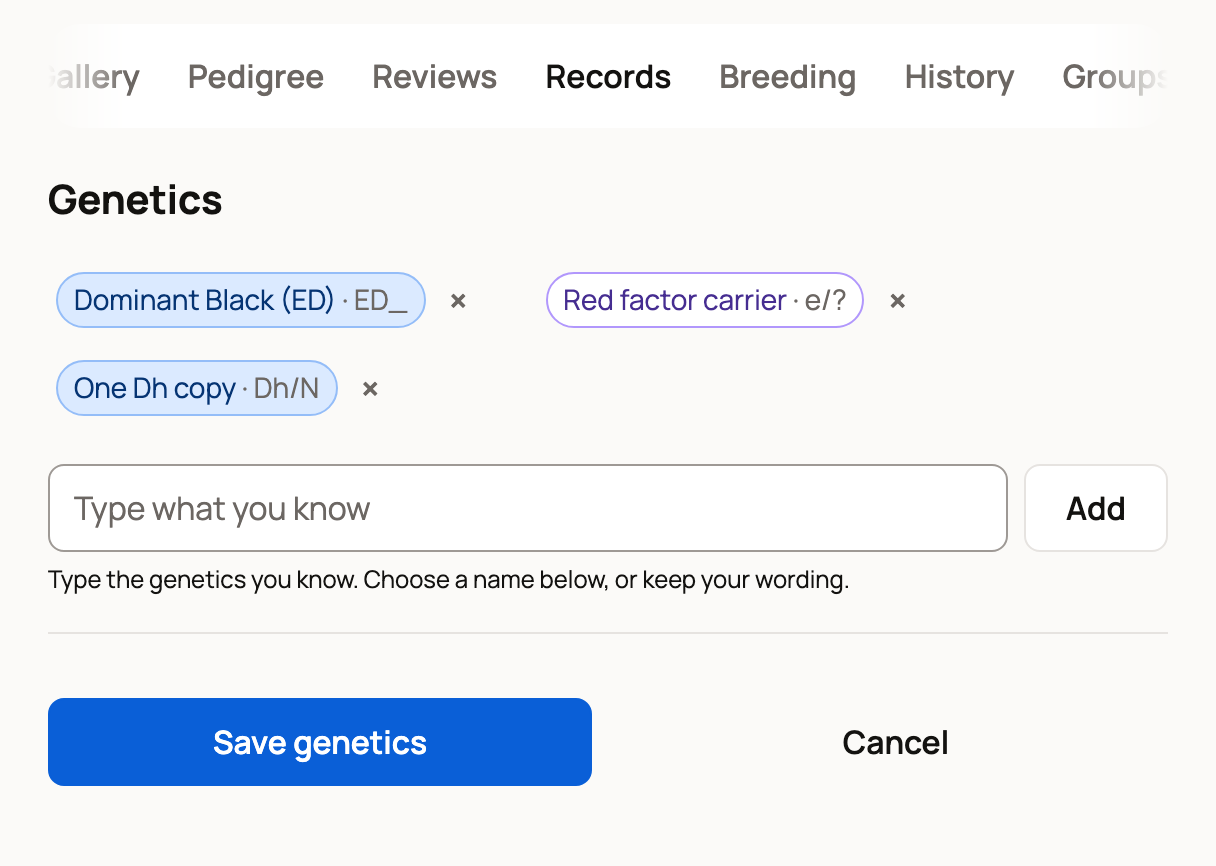
For these species, genetics live on the animal's Records tab. Until you add some, the Genetics panel says No genetics recorded yet. Add what you know.
- Select Edit genetics.
- Type the genes you know, the same way as for snakes above. Select each chip to choose its state. The choices fit each gene, such as Carrier or Possible carrier. If a test showed the animal doesn't have a gene, select the chip, then Add a note or source and Doesn't have it.
- Select Save genetics.
Horses have a Genetics panel on the Records tab too, with a list where you pick each gene and its State.
Genes from the color you entered
If the color on the profile matches known genes, the Genetics panel can ask Add genetics from your reported color? and list them. Nothing is saved until you select Add to genetics, and your original color wording stays with the record. Only people who can edit the animal see this.
Health warnings
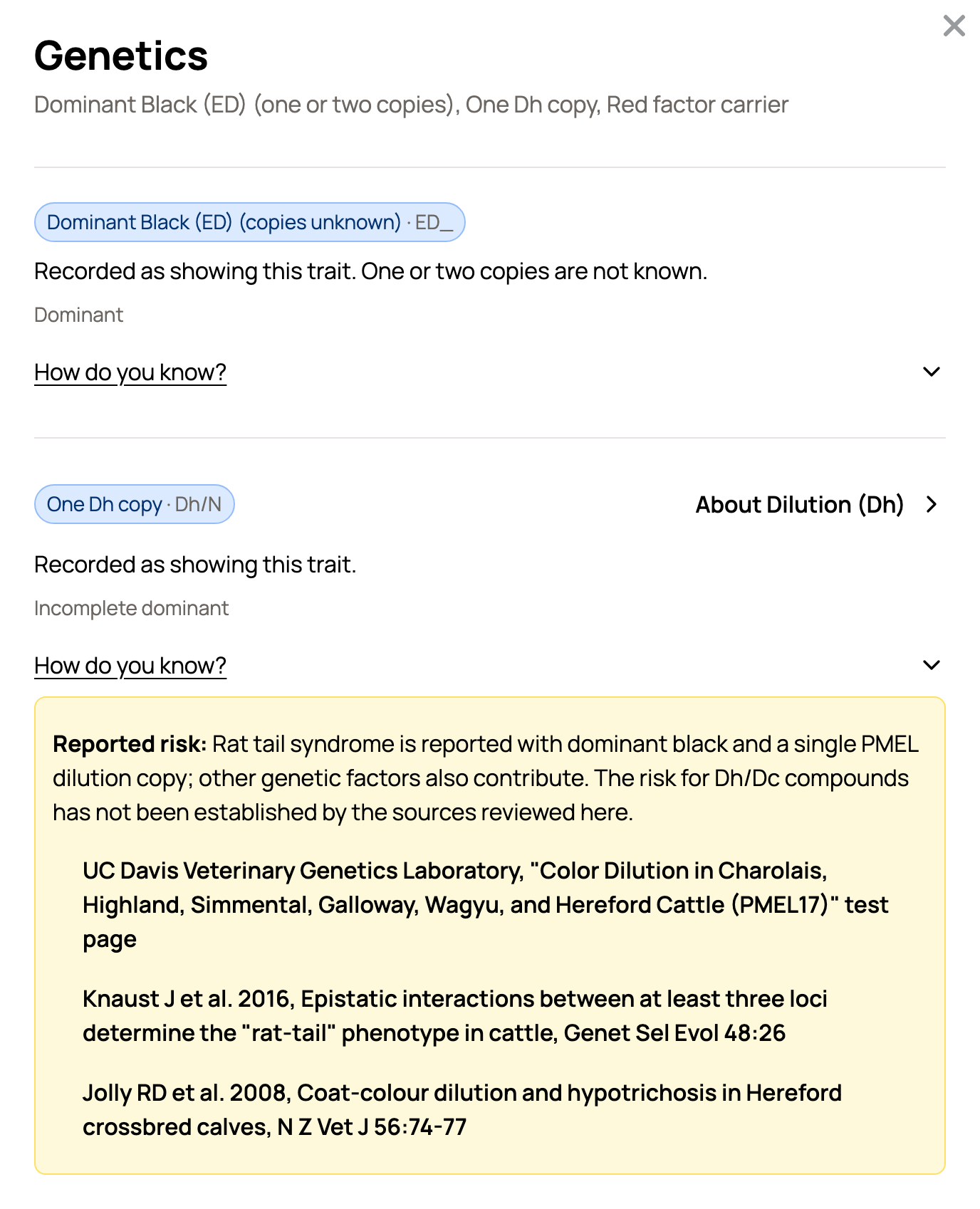
Some genes come with a known or reported health risk, such as the neurological problems linked to Spider in ball pythons and to Enigma in leopard geckos. Select Genetics details to see it, marked Known risk, Reported risk or Unconfirmed risk, with a short description and its sources. These notes come from published sources and aren't a diagnosis. Ask your veterinarian about your own animal.
Who can see them
On a public profile, visitors see the genes, and the animal can appear on that gene's page on Creatures, for example under Carriers. A private profile keeps them private. The Ball Python Morph Calculator can read a ball python's genetics, but saving a calculation never changes them.
Related information
- Using the Ball Python Morph Calculator
- Adding an animal to Creatures
- Public, private, and reference animals
Updated on: 29/10/2026
Thank you!