
How seller payout works
How seller payout works
This is the article to read to understand how money reaches you when you sell. The short version: the buyer pays, Creatures holds the funds, and they are released to your Creatures Wallet the moment the buyer confirms delivery, from where you withdraw to your bank. This guide walks each step and the two timing details that matter.
Step 0: connect your payout account
Before any of this works, you connect a Stripe Connect account with payouts enabled (walked step by step in Connecting your payout account, and in context in What you need to start selling). This is the verified destination your money goes to. Without it, a listing cannot go public, because there would be nowhere to pay you.
The flow, step by step
- The buyer pays at checkout. They pay the agreed price plus their 5% buyer fee and any add-ons.
- Creatures holds the funds. The payment is held safely by Creatures. It is not yours yet, and that is deliberate: it gives the buyer confidence to commit, knowing you are not paid until they have the animal.
- The animal is delivered. You hand it over, deliver it, or it travels via Creatures transport, depending on the listing.
- The buyer confirms delivery. When the animal has arrived as expected, the buyer confirms.
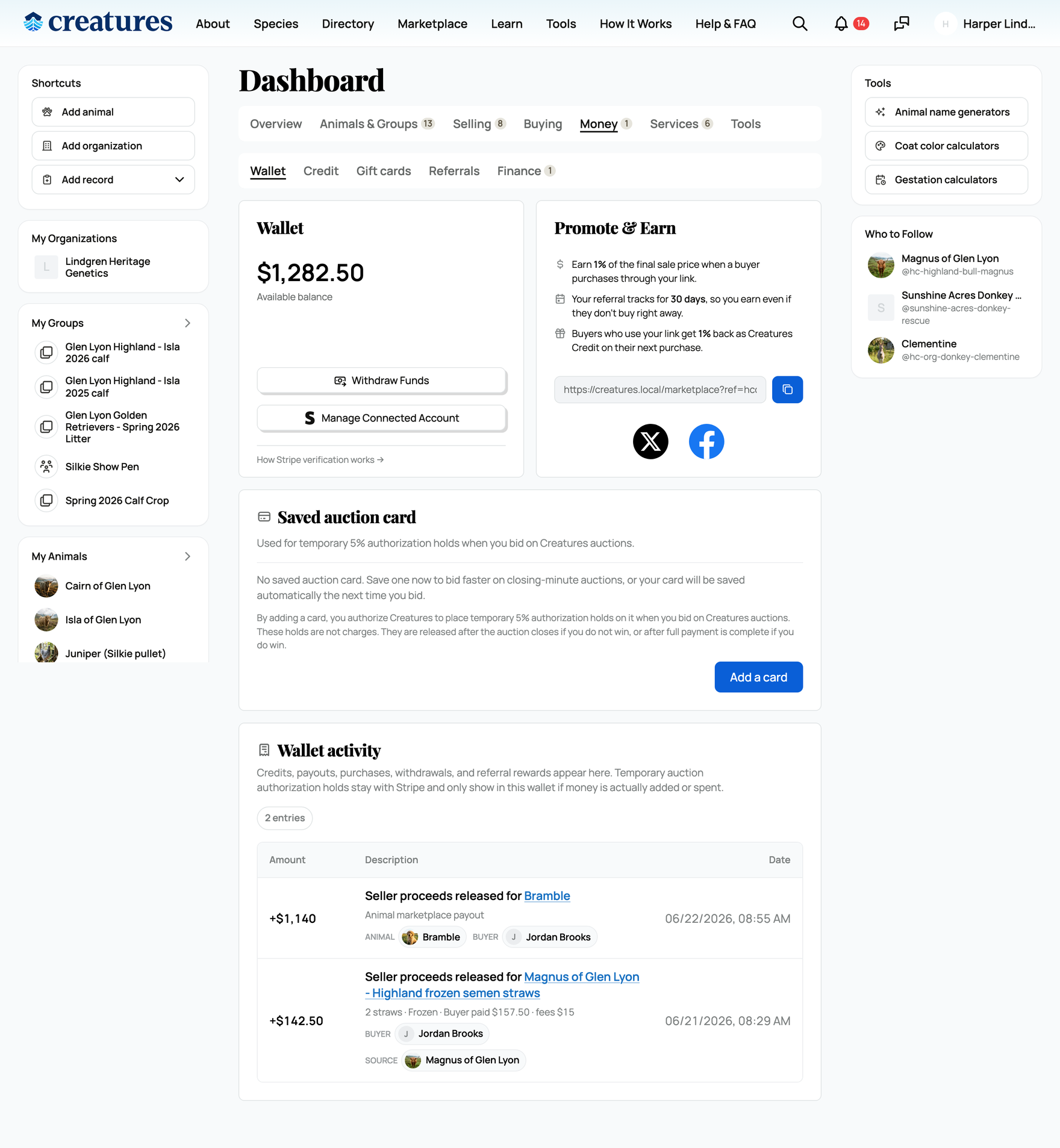
- The funds release to your Wallet immediately. The buyer's confirmation releases the held funds to your Creatures Wallet right away. There is no fixed waiting period after they confirm; the release happens at that moment.
- You withdraw to your bank. From your Wallet, you move your balance to your connected bank account.
The key point: the buyer's confirmation is what pays you. Until they confirm, the funds stay held, which is the protection that makes buyers comfortable buying.
What lands in your Wallet (the fees)
What reaches your Wallet is your net: the price minus the fees that apply to the sale.
- The 5% seller fee is deducted (waived if you have Creatures Pro).
- The buyer's 5% fee is the buyer's, unless you chose to cover it, in which case it comes out of your proceeds.
- An event consignment fee, if you sold through an event, is deducted by the organizer.
- A promoter boost, if your sale came through a boosted promotion, is paid from your proceeds.
So your net is the price minus the seller fee and minus any of those you opted into. The full fee breakdown is in Seller fees and the Creatures Pro subscription. When the sale completes, that income is also recorded automatically against the animal in your Creatures finances, so it shows up in the animal's finances and ROI.
The one-time 7-day first-sale hold
There is one timing detail unique to your very first sale.
- What it is: the first funds that ever land in your Creatures Wallet are held for 7 days before you can withdraw them to your bank. It is a one-time anti-fraud and chargeback-review step for brand-new sellers, and it applies across the board to that first balance.
- What it does not change: the funds still reach your Wallet right away when the buyer confirms. The hold only delays moving that first batch on to your bank.
- After it clears: all of your future withdrawals are immediate. The 7 days is a one-time event, not a recurring delay.
Withdrawing
Once funds are in your Wallet (and past the first-sale hold if it is your first), you withdraw to your connected bank account, and it typically arrives in a day or two. Your Wallet shows your balance, a Withdraw control, and a ledger of every credit and withdrawal so you can reconcile.
Related information
- Getting paid when transport is involved
- Seller fees and the Creatures Pro subscription
- What happens after I sell an animal?
Updated on: 25/06/2026
Thank you!