
Entry fees and the service fee for your show
You set what exhibitors pay for each class, and your organization keeps the full entry fee. Exhibitors usually pay a small processing and service fee on top at checkout, and the entry fees they pay online collect in your organization's Creatures Wallet.
You'll find these settings under Entry fees on the show form. Open it from New show, or from Edit details on a show you already made.
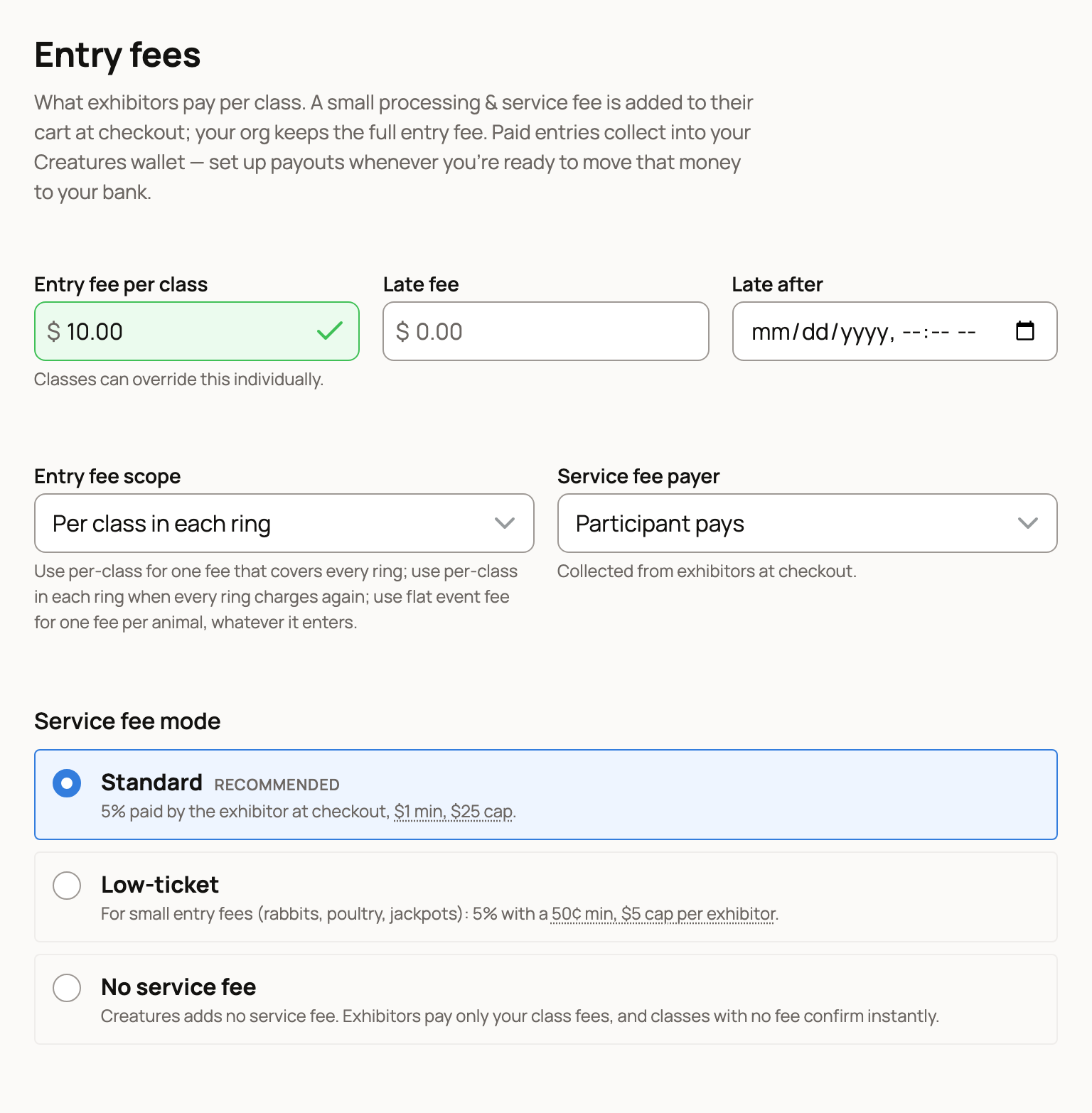
Set the class fee
Enter the Entry fee per class. This is the price for most classes. To charge a different price for one class, give it an Entry fee override on the show's Manage page. The class list then shows "(override)" next to that fee.
Choose how fees add up across rings
Some shows judge each class in more than one ring, under different judges. Entry fee scope decides how your fee adds up when that happens.
Here is what each choice costs one exhibitor with a $10 fee, one animal in 2 classes, and 2 rings:
- Per class, covers all rings: one fee per class, however many rings. That's 2 classes x $10 = $20.
- Per class in each ring: each class is charged again in every ring. That's 2 classes x 2 rings x $10 = $40.
- Flat fee per ring: one fee per animal, made of each ring's Ring fee added together. A ring with no ring fee uses the show's fee. That's 2 rings x $10 = $20.
- Flat event fee: one fee per animal for the whole show, whatever it enters. That's $10.
With either per-ring choice, adding a ring raises what every exhibitor pays. That includes typing a new Ring or Session name on a class, which adds a ring.
Older shows may show Package (one entry fee per animal). It works the same as Flat event fee.
Pick a service fee mode
The exhibitor always pays the service fee (Service fee payer is set to Participant pays). Choose the mode that fits your prices:
- Standard (recommended): 5% of the cart, with a $1 minimum. The fee on class entries is capped at $25 per cart. For example, $40 of entries adds $2.
- Low-ticket: for small fees, such as rabbit, poultry or jackpot shows. It's 5% with a 50 cent minimum per cart, and no exhibitor pays more than $5 in service fees across your whole show.
- No service fee: Creatures adds nothing. Exhibitors pay only your class fees, and classes with no fee confirm instantly.
Payments you record as cash or check carry no service fee. When an entry is scratched, the service fee is not refunded.
Member prices
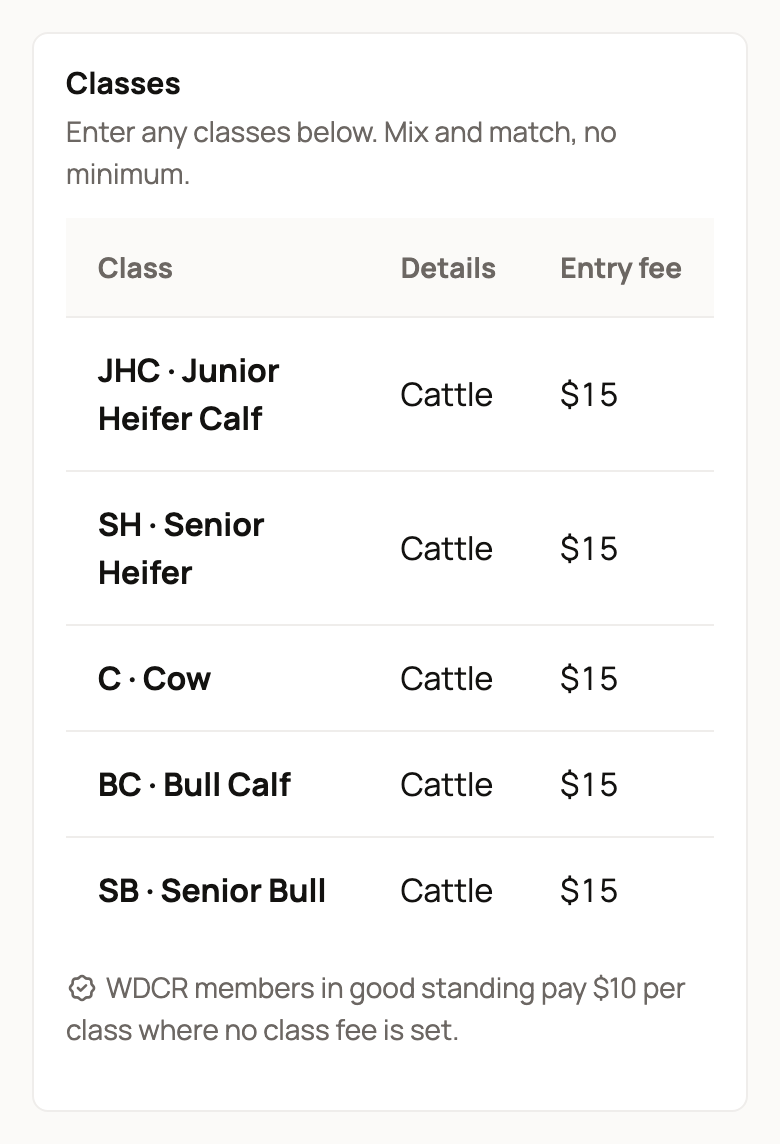
In the Sanctioning section, Member entry fee per class is a lower price for members in good standing of the association you chose. It works with the two per-class choices above, on classes that don't have their own fee override. With Per class in each ring, members pay it in each ring.
Your show page tells exhibitors about the member price. Checkout applies it on its own when the exhibitor is a member, even while the association hasn't confirmed the sanction yet. Associations keep their member lists on Creatures (see Importing and managing your membership roster).
Late fee
Late fee and Late after add a "Late entries" line to your show details. Today the late fee is shown only. Checkout does not add it to what exhibitors pay.
What exhibitors see
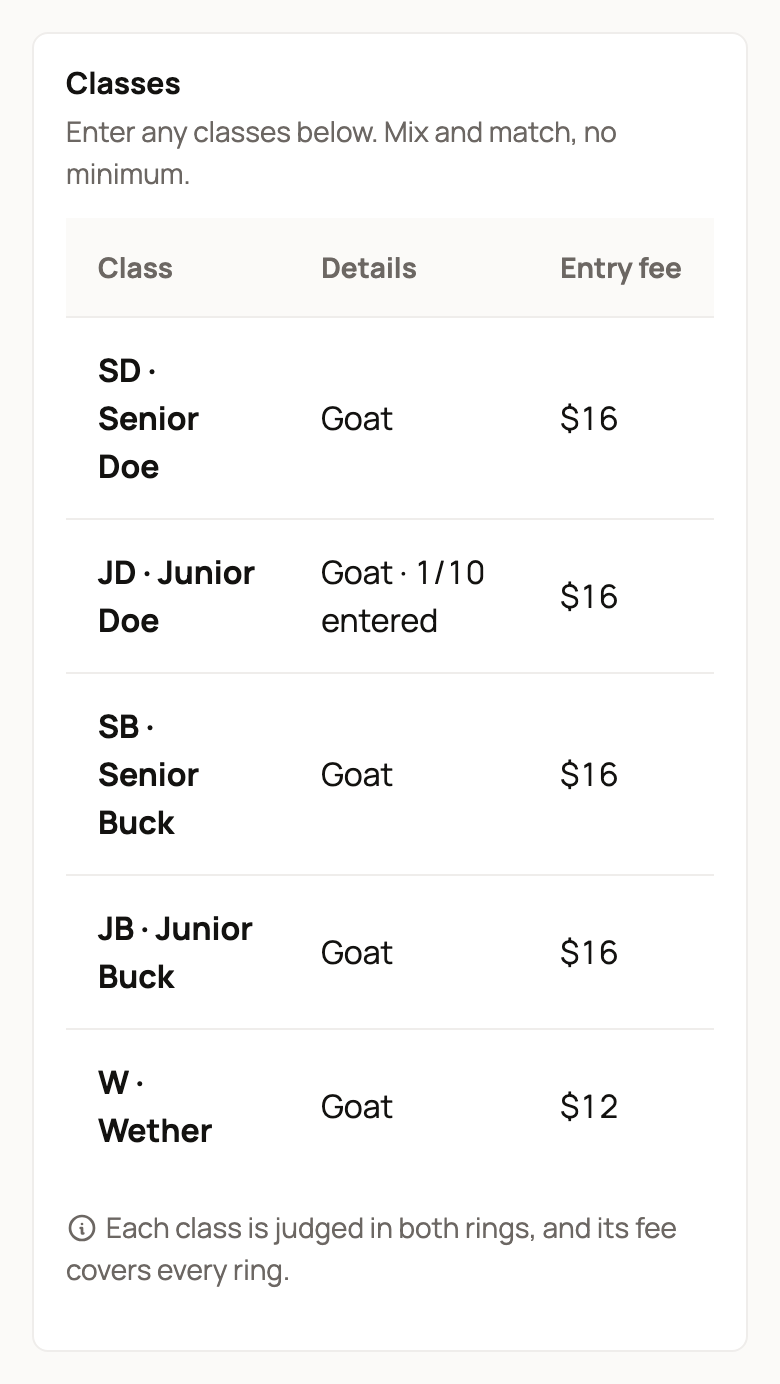
Your show page lists each class at the price the exhibitor will pay. On a show with Per class in each ring, that price already includes every ring. When one fee per animal covers all classes, each class says "Included" and a note gives the fee. On the Shows page, your show's card shows a price such as "$16 per class" or "$20 per animal."
Where the money goes
Online entry fees go to your organization's wallet in full. You can take entries before you connect payouts: the Manage page shows Set up payouts when you are ready. until you do. Connect a payout account when you want to move money to your bank.
When a paid online entry is scratched, its class fee goes back to the exhibitor from your wallet. See Reading your show earnings, Your Creatures Wallet and Withdrawing your money to your bank.
Related information
- Creating a show
- Reading your show earnings
- Managing show entries in the entry queue
- Adding classes and rings to your show
Updated on: 29/10/2026
Thank you!